

HP LaserJet M430f Laser Multifunction Printer-Monochrome-Copier/Fax/Scanner-42 ppm Mono Print-1200x1200
$1,023.75
$819.00
Sign in for your price
Mfg # 3PZ55A#BGJ
CDW # 6402111
| UNSPSC 43212110
Quick tech specs
- Prints 1200 x 1200 dpi documents
- Power consumption of 760 watts
- Scan speed up to 21 ppm
- Supports AC 110V 50/60Hz outlets
- Print speed up to 42 ppm
- 1-year limited HP on-site warranty

Know your gear
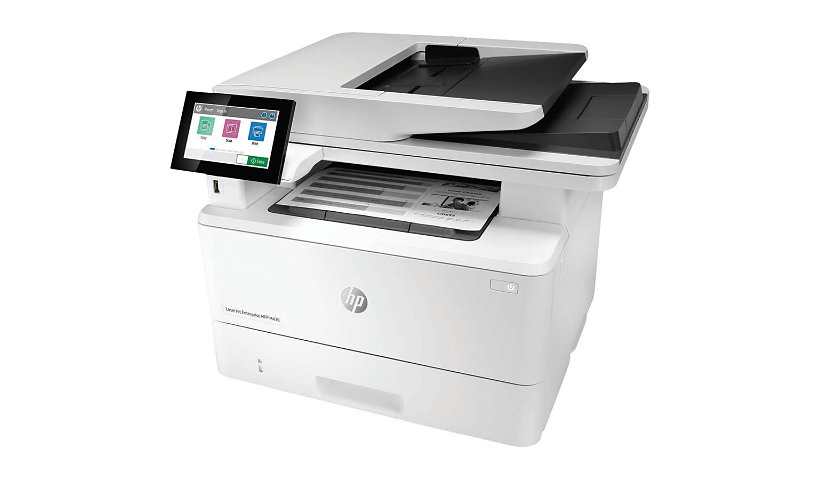
Generate documents at speed with this HP LaserJet Enterprise Pro MFP M430f black and white printer. It has a printing and scanning resolution of 1200 x 1200 dpi for clear documents. This HP LaserJet Enterprise Pro printer has a maximum print speed of 42 ppm in black, so it's suitable for high-traffic printing stations. The device scans at a maximum of 21 ppm in black. This device also copies and faxes to take care of your office document processing needs.
With two included paper trays that accommodate up to 600 sheets, this HP printer operates with minimum human intervention. A 50-sheet automatic document feeder (ADF) supports fast duplex printing. The printer has USB and Ethernet ports for connecting to your computer and workgroup network. It has a monthly duty cycle of up to 75,000 pages, so it's ideal for bulk printing. A 4.3-inch color touchscreen enables simple operation and monitoring. The device supports HP ePrint, DirectPrint and Apple® AirPrint® for wireless processing directly with a mobile device.
With two included paper trays that accommodate up to 600 sheets, this HP printer operates with minimum human intervention. A 50-sheet automatic document feeder (ADF) supports fast duplex printing. The printer has USB and Ethernet ports for connecting to your computer and workgroup network. It has a monthly duty cycle of up to 75,000 pages, so it's ideal for bulk printing. A 4.3-inch color touchscreen enables simple operation and monitoring. The device supports HP ePrint, DirectPrint and Apple® AirPrint® for wireless processing directly with a mobile device.

HP LaserJet Enterprise MFP M430f - Multifunction Printer - B/W is rated
3.60 out of
5 by
18.
Rated 5 out of
5 by
Accountant LTD from
Workhorse Printer
This is my 3rd HP Laser jet printer over the last 12 years. These printers are a workhorse. The HP Laser jet Pro MFP 4101fdw wireless printer is easy to use and prints beautiful, clear copies.
Date published: 2026-04-08T00:00:00-04:00
Rated 5 out of
5 by
VS&C from
Reseller
My customer likes this MFP.
Date published: 2026-03-26T00:00:00-04:00
Rated 5 out of
5 by
EHaddad from
Trouble printing to envelopes and to check stock
Envelopes will more often than not get jammed and checks will sometimes print twice, once on check stock, once on regular paper that's behind it in the tray
Date published: 2026-03-30T00:00:00-04:00
Rated 5 out of
5 by
Andy42 from
Works Fantastic
Upon completion of set up (small office network) - it works perfectly- I did have to call customer service to help complete set up of the scan to email feature, but otherwise- great machine for the price
Date published: 2021-10-12T00:00:00-04:00
Rated 5 out of
5 by
RBIA from
LOOK AT ANOTHER HP PRODUCT!
Took over 6 hours to install/setup with Windows 10, including 1hour w our IT company. Subsequent 1/2+ hour with HP tech support. My confidence in the quality of this product is low.
Date published: 2023-02-06T00:00:00-05:00
Rated 5 out of
5 by
MikeASE from
Great printer
Great printer, easy to set up and connect to.
Date published: 2023-01-03T00:00:00-05:00
Rated 5 out of
5 by
David H46 from
Don’t buy
Ink already says it’s low. It was horrible to set up blue tooth wise and it takes several minutes for ur to actually print.
Date published: 2023-02-02T00:00:00-05:00
Rated 5 out of
5 by
B_Veg_123 from
No Wifi
Does not come wi-fi ready
Date published: 2023-05-22T00:00:00-04:00
Rated 5 out of
5 by
Drywall from
Nice size fairly easy to use.
Little trouble getting it to be recognized by new computer could be a little easier to start it up, try Scanner works great. Seems like it should be a little more intuitive. Two sided documents need to flip page for other side.
Date published: 2022-08-14T00:00:00-04:00
Rated 5 out of
5 by
works ok from
Works
Printer is working perfectly. I wish it held a full ream of paper in the tray.
Date published: 2023-04-27T00:00:00-04:00
Rated 5 out of
5 by
Manufacturing Company from
Not for high usage companies
We are a small/medium size business that prints approximately 27,000 pages per month. This printer works for what we need, but the quality doesn't match the price. When printing several pages, the toner leaves marks on the whole page. When scanning, the feeder gets stuck often. The paper tray that comes with it does not fit a whole ream of paper, and it does not alert you when it's empty. We won't be getting this one again.
Date published: 2024-11-18T00:00:00-05:00
Rated 5 out of
5 by
Bob27829474730 from
null
Not Wi-Fi comparable even tho the overview says it is
Date published: 2023-07-18T00:00:00-04:00
Rated 5 out of
5 by
Fred Noble CPA from
President
The M430F is a very good multi function printer for the most part. There are two items that need to be corrected: 1. When scanning a document. It is not possible to have the document assign a name in numerical sequence Like scan 001, Scan 002 etc. as in the M 426. This is an annoyance. I generally go to my scan folder and change the name to something that is more descriptive in any case. The other issue that I find annoying is that if I do not tell the system after a scan that I have finished, I then loose the document. Why can't the system automatically save the document that I scanned rather than deleting the document from memory. 3. The price of HP Toner is much to expensive; As presently priced, it cost $.025 per page. A more reasonable price would be $.01 to $.0125 per page. HP is trying to restrict aftermarket sellers from entering the market by requiring a chip to be read by the printer before it will function. Sounds to me as being anti competitive and a violation of the Federal Law.
Otherwise, I am enjoying the use of the machine. I especially love the feature that when scanning a document of more than 50 pages that you can add the additional pages to the document by telling the machine and you then have a perfectly assemble document
Date published: 2024-04-26T00:00:00-04:00
Rated 5 out of
5 by
Debra Thu from
My HP copy machine
It still doesn't work!!!!!!!!!!!!!!!!!!!!!!!!!!!!!!!!!!!!!!!!!!!!
Date published: 2026-07-28T00:00:00-04:00
Rated 5 out of
5 by
Doc Doc from
HP Printer
good printer
Date published: 2026-05-06T00:00:00-04:00
Rated 5 out of
5 by
Jimmy Two Times from
Great product, user friendly with touch screen
Excellent product. Printing and scanning are very good. The touch screen makes it very user friendly
Date published: 2026-06-16T00:00:00-04:00
Rated 5 out of
5 by
Michael Gl. from
Highly recommend- fast and reliable!
Yes, I recommend this multifunction printer-
fast, reliable, well designed;
prints through HP app;
scans and prints double sided;
reasonable price;
efficient and fast.
Date published: 2026-06-28T00:00:00-04:00
Rated 5 out of
5 by
Aaron Neubarth from
Good Product and Model Experience!
This printer does every-thing that I needed. I'm glad I went with the two-sided document scanning and printing. The envelope feed tray and glass flat-bed is a bonus. My personnel set-up was straight forward with the free HP downloads.
Date published: 2026-06-28T00:00:00-04:00