

Brother MFC-L8900CDW - multifunction printer - color
Mfg # MFCL8900CDW
CDW # 4557993
| UNSPSC 43212110
Quick tech specs
- Includes the Brother multifunction printer and one toner cartridge
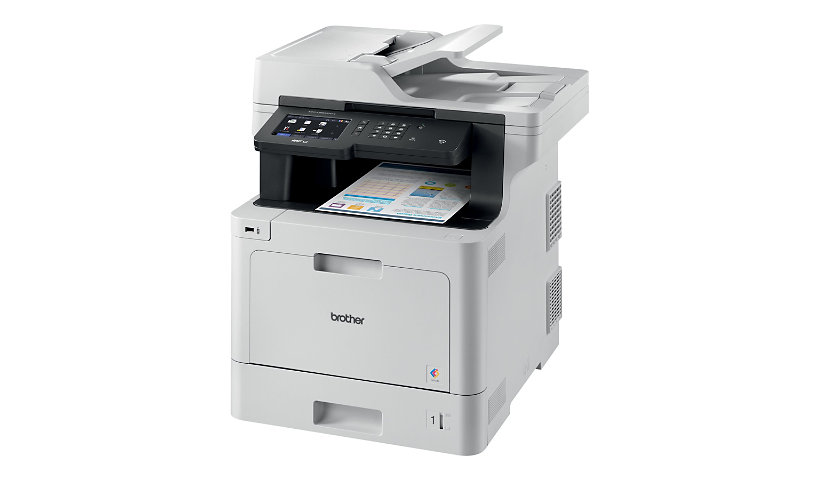
- The Brother MFC-L8900CDW business color laser printer features a 5-inch color touchscreen display for smooth operation
- Brother 1-year limited warranty
- Adjustable 250-sheet capacity paper tray supports both letter and legal paper sizes
- Automatic two-sided printing reduces paper consumption to keep your costs down

Know your gear
Create crisp office documents with this Brother® Business Color Laser All-in-One Printer. The 5-inch color touchscreen display lets you access settings and shortcuts for simple operation, while the integrated NFC card reader allows for seamless employee badge authentification. With a 250-sheet capacity paper tray, the Brother MFC-L8900CDW business color laser printer accommodates both letter and legal paper sizes for versatile printing, and the high-yield replacement toner cartridge prints up to 6,500 pages to reduce operating costs. A 70-page capacity auto document feeder ensures fast, two-sided scanning for improved productivity, and the automatic two-sided printing function saves time and reduces paper consumption of your multifunction color printer. This all-in-one color laser printer has print speeds up to 33 pages per minute to save time, while the mobile support lets you print wirelessly from your phone.

Brother MFC-L8900CDW - multifunction printer - color is rated
3.80 out of
5 by
126.
Rated 5 out of
5 by
Kevin from
Potential to be the best all in one on the market
Had to return it because of a few annoying issues.
Pros:
-Easy setup.
-Very easy to use, not too many useless features.
-Brother Utilities software was easy to use as well.
-Print quality for text is very good, print quality for images is actually not bad, much better than my experience with lexmark.
-Both single page and duplex print jobs were not skewed. I'm anal about my print pages coming out straight and even. Very few printers nowadays print evenly. Bad experience with lexmark.
-Both black and white and colour print jobs were very good.
-Printing from mobile device (airprint) works very well.
-Network printing is solid, never had any issues.
-Flatbed scanner is extremely large, you can scanned legal documents with no problem.
Cons:
-Print pages always come out curled even when the reduced print curl option is enabled (deal breaker for me)
-Extremely heavy for one person to carry.
-Flatbed scanner lid is difficult to slowly lay down, it snaps shut and I can see having issues down the road.
-Initially setup was easy, however needed to call tech service to find out the administrator setting password in order to adjust a couple of options such as modifying the home-screen icons. For some odd reason you always need to input a password to get into the admin setting options (very odd).
-ADF scans always come out skewed for both single or duplex scanning (deal breaker).
-You need to always scan or copy using the software in order to get the best results, otherwise scanning and copying directly from machine won't give you the full printing benefits. Maybe there is a way to fix this using the web management feature.
-Instruction manual is literally almost 750 pages.
Compared to HP, Canon & Lexmark, the MFC-L8900CDW is probably the best option for color laser printing. I'm actually going to give the Epson Workforce ET-8700 a try. If that doesn't workout I'll re-purchase the brother. In my opinion, all printers are horrible because companies keep pumping garbage.
Date published: 2019-02-28T00:00:00-05:00
Rated 5 out of
5 by
Frère Jacques from
Brother MFC-L8900CDW is a solid Machine, BUT ...
Brother MFCL8900CDW is a solid Multi-functional device; however it needs / depends on a computer to achieve its full potential. The printing quality for black and white is quite good, color printing is just okay. I have to admit the colors are a little bit off on the printed page compared to the original. This machine has a lot of features and one of them is the double side scanning option from the high capacity ADF but... it doesn't detect the paper size automatically, it needs to be selected manually before scanning / copying.
Scanning option displayed on the printer screen are limited, however if you install the ControlCenter4 software on your computer (i.e. you can select 1200 x 1200 dpi resolution instead of 600 x600 dpi from the printers LCD). One of the problems I encountered was when I started the WiFi Direct on the printer. It's meant to create a direct WiFi connection between the printer and a mobile device. Somehow it messed up with the network configuration, so that I couldn't access the APPS anymore. I got the connection error 03 message and since I couldn't find any relevant solution on the web I tried contacting Brother Customer service. This is when the second problem occurred. In order to speak with a technical representative, I had two options: the chat ... or to pay $49 to purchase the platinum brother care program for Online & Phone support. I started with the chat ... what a disappointment. The rep wasn't very savvy or helpful and therefore wasted almost an hour of my time. By resetting the network settings solves the problem but when I activated the WiFi direct function I went to square one. When I asked the rep if the problem might be caused by the WiFi direct , the answer was WiFi direct is not what solved the problem. In that moment I gave up and decided to stop trying. It deserves 4- 5 stars, BUT for the lack of savvy technical support, the pay phone support and for releasing the product not fully tested/function I'll give it 3 stars
Date published: 2017-11-12T00:00:00-05:00
Rated 5 out of
5 by
Al from
Maybe
I recently purchased this product and had it professionally installed what was noticed immediately was a hum or ringing noise when it printed only my installer and I can not figure out how to remove this buzzing ear shattering noise
Date published: 2018-02-08T00:00:00-05:00
Rated 5 out of
5 by
Jeannine from
Brother MFCL8905CDW Business Colour Laser All-in-One Printer
I am enjoying the product and super easy to get going.
Date published: 2024-08-22T00:00:00-04:00
Rated 5 out of
5 by
Deanna from
Advise Against this product
DO NOT waste your money! It will print and copy but to get it to scan and sync up with your phone and computer is impossible. It is extremely complicated, and there is zero support from Brother. I have called several times, waited on hold for over 2 hours, did the call back option with no call back. I will NEVER purchase another Brother product again.
Date published: 2024-08-22T00:00:00-04:00
Rated 5 out of
5 by
Sue P from
Best ever!
This is my second Brother color laser printer. I purchased my first one in 2010 (MFC 9460 CDN) and it is still working flawlessly. When it came time that I needed a second printer it was a no-brainer to get another Brother. I purchased this printer (MFC-L8900CDW) in 2017 and it is still working flawlessly. This printer is a workhorse. Very user friendly, very dependable and reliable, easy to install. Even after a few years of ownership I called Support with a question and they walked me through and solved the minor problem (which by the way was my fault) The tech support is amazing. I will never buy any other brand. I once purchased an ink cartridge that was not a brother product and all the colors were off. I will never buy anything but Brother cartridges. It has so many features...anything you need. You will not be disappointed with this printer.
Date published: 2024-08-10T00:00:00-04:00
Rated 5 out of
5 by
Kim K from
Easy to use
Prints slow and uses a lot of toner but overall a good printer. easy to use and set up.
Date published: 2024-08-08T00:00:00-04:00
Rated 5 out of
5 by
Jill from
Fast scanning, but slow printing
We bought this printer to replace an HP Printer that did not have double-sided scanning capabilities. We bought the Brother printer with the best features that also fit on a desktop. Our team of 6 people print pretty frequently, so we needed something reliable for printing and for scanning. For scanning, we have no complaints. We love the legal size scanner glass, and every double-sided printing at a high quality output is very quick! However, printing speed is what this printer lacks most. Today I printed a 24-page document, and it took longer than 5 minutes. The printer tends to stop and take a break every few pages, which is pretty frustrating. We have all gotten used to it now, as we have been using the printer for 5 months, but it's the one complaint that I have and the one thing I miss about our HP printer.
Date published: 2024-09-30T00:00:00-04:00
Rated 5 out of
5 by
Paddle from
Great to crappy
We purchased this machine and right from the start it was great. About 6 months later the machine had to be replaced under warranty because it fried out. The rebuilt machine they sent has been crappy from the beginning. The scanner doesn't work unless you put it on the glass. The print is off set all the time when printing. Copying works fine. They only thing they don't me is that you can't use aftermarket toner. So I put the genuine toners in and it hasn't helped at all. Ready to throw this out and start again with another printer.
Date published: 2024-07-25T00:00:00-04:00
Rated 5 out of
5 by
US Escrow Services from
Work Horse Office Computer
Fast and colors are actual, great scanner with loan packages. Easy to set up and use. Prints from all my devices. Save docs on Key fob for remote locations.
Date published: 2024-07-25T00:00:00-04:00
Rated 5 out of
5 by
Hormonify from
Device Replacement (Excellent Customer Service)
Our device broke and was out of warrantee! Brother worked with us and provided a replacement! Extremely satisfied and happy with their customer service.
Date published: 2024-10-25T00:00:00-04:00
Rated 5 out of
5 by
Gary from
Great product
Model beyond our needs, excellent packaging, and easy to set up.
Date published: 2023-05-14T00:00:00-04:00
Rated 5 out of
5 by
Eric from
Quality is going down
mother board had one faulty capacitor that stopped working only after 5 years of light use. brother would not pay for service and parts. disappointing
Date published: 2023-05-14T00:00:00-04:00
Rated 5 out of
5 by
Francesca from
Disappointed..
Had this printer for 1 year 3 days and it died. Brother said out of warranty but you can take it to certified brother repair shop that’s 1 hour 45 minutes away. Not very helpful at all. Very disappointed in customer service and support
Date published: 2023-10-07T00:00:00-04:00
Rated 5 out of
5 by
Wilma from
Small business
Very happy with the product for our small business
Date published: 2023-10-10T00:00:00-04:00
Rated 5 out of
5 by
Macon Quilts from
MFC-L8900CDW
Very happy with purchase. Use it frequently every day. Copies are very professional.
Date published: 2025-01-24T00:00:00-05:00
Rated 5 out of
5 by
Dianne from
Best Printer By Far
Great printer! I use it for my notary business with home loans.. I had one years ago with a dual tray. This one comes with only one tray, but I was able to buy the second tray which makes it complete for me.
I was once a GM for Staples and buying cartridges for a less expensive printer is where people go wrong.
This is a laser printer and prints up to 6,500 pages per drum..
Love having the scanning as well. It has come in handy so many times..
Date published: 2025-01-22T00:00:00-05:00
Rated 5 out of
5 by
Medical Monster from
A diamond with one rough edge.
Extremely well crafted printer / scanner with good support. One area for improvement would be better software for windows 11. My setup is windows 11 native driver (for printing) and iPrint&Scan (for scanning) - with ZERO Brother drivers. This works great for me, but should be plug and play right out of the box.
Date published: 2025-01-25T00:00:00-05:00
Rated 5 out of
5 by
Cheryl from
Disappointed
Very disappointed. I had a 9970CDW for years and loved it. This machine has been very frustrating, will not scan to my PC even though it’s hardwired to my internet, often times takes several minutes to print, and tech support was very UNhelpful.
Date published: 2025-04-13T00:00:00-04:00
Rated 5 out of
5 by
Bryan from
One sided printer only
The Printer seems like it would be really helpful. Except that it doesn't do the things it claims to do. The print on both sides feature, will either print twice on the same side, OR flip the 2nd side upside down so you'd have to turn the page over completely to read it. It does not matter if you choose flip by Long Side or Short Side. Both do the same exact problem.
Date published: 2025-08-28T00:00:00-04:00
Rated 5 out of
5 by
distinctlyvanessa from
LOVE this Brother's Printer!!
This printer is PERFECT!! It has everything and does everything with a professional polished appearance!
Date published: 2025-01-27T00:00:00-05:00
Rated 5 out of
5 by
Benefit Planning Inc from
Brother Model MFC-L8900CDW
This is a nice computer for small businesses. The printing from PC's is a bit delayed, as well as copying, but good. Faxing and scanning features are great. Overall, has worked out good for us.
Date published: 2024-11-18T00:00:00-05:00
Rated 5 out of
5 by
rscriverparkplace from
service coordinator
the color (red) is not working. we've changed the cartridge and it's still not printing in red.
Date published: 2024-11-25T00:00:00-05:00
Rated 5 out of
5 by
JoshM62 from
I bought 2 and would buy them again
Use it for our office easy to set up.
Date published: 2018-11-25T00:00:00-05:00
Rated 5 out of
5 by
Jonathan from
Decent machine but not a great color printer
It prints quickly, handles multiple paper types, and was easy to setup. Unfortunately, the colors are very dull and not very vibrant. I compared it to my previous brother Laser MFC and my Epson Ecotank which have very bright and vibrant colors. I tried going through all the print setting, doing the updates, and even chatted with the Brother tech support but it sounds like this is as good as it gets. I tried returning it to Staples but they informed me that because I had printer around 100 copies so far they would not take it back (even though it was 3 days old) and that I needed to speak with Brother for warranty support. If you are buying this for basic office work it will be fine, but don't buy it if you are planning to print nice customer facing color presentations.
Date published: 2023-05-31T00:00:00-04:00
Rated 5 out of
5 by
Steve from
excellent printer
This is an excellent wireless color laser printer.
Date published: 2023-05-31T00:00:00-04:00
Rated 5 out of
5 by
Crystal Commercial from
Be ready to do regular cleanings.
We purchased this printer to replace a previous one that had issues with making streaks and having such build up on the rollers that began to crinkle the pages. We are a small office and do not make a lot of copies or print a lot. The current total count is 2191. That being said, we are getting dark marks on the pages already. I have followed Brother recommended cleanings and that seems to help, but I do not think that under 3000 copies should have such a state already.
Date published: 2023-05-31T00:00:00-04:00
Rated 5 out of
5 by
jcss from
Quality Product
Excellent product. Good quality prints and scans. I love the email scan function.
Date published: 2023-04-09T00:00:00-04:00
Rated 5 out of
5 by
George from
Good printer, Not perfect.
Good printer with a lot of features. A little too "corporate" for my needs.. For example, requiring a user code and personal ID number generated via the printers IP Address Controls just to scan a document into a network folder. We are a small company with only 10 employees so we do not need these types of security features. The main reason for the three stars is that often on spreadsheets, it will not print all of the gridlines. On almost every spreadsheet we print, there is at least one section of gridline that does not print. It is totally random, sometimes vertical lines, other times horizontal. Sometimes entire sections, and sometimes only a single line. Kind of a let down considering we are an inventory company who prints thousands of spreadsheets. Overall, this is still an upgrade from my previous HP printer which had a slew of mechanical issues. Just wish the spreadsheets would print more crisply and this would be a 5 Star review.
Date published: 2023-04-07T00:00:00-04:00
Rated 5 out of
5 by
JuMa from
Nice printer with many powerful features.
Very nice printer with many useful features. Reasonably sized to fit in comfortably with any home office.
Date published: 2023-04-05T00:00:00-04:00
Rated 5 out of
5 by
Marcus from
Not user friendly
Not user friendly. unable to reset toner life. I have done the steps on the website and you tube. still will not reset the toner life so I can print!
Date published: 2023-04-10T00:00:00-04:00
Rated 5 out of
5 by
Tina from
MFC-L8900CDW
Slower than expected. If you print more than one page it prints a few pages at a time, wait for a minute or so then starts again. Also, the printer takes time to warm up each time you print.
Date published: 2023-04-20T00:00:00-04:00
Rated 5 out of
5 by
Waterdoc from
Great value for the price [especially when on sale
this is my 3rd MFC-L8900CDW printer... lots of bang for your buck, cartridges are expensive main down fall. And definitely not capable of lasting the amount of printing pages as claimed, but over all still good machine. Although mine newest one is just couple months out of warranting and making grinding noises :(
Date published: 2023-11-01T00:00:00-04:00
Rated 5 out of
5 by
Krafty from
Started well but fell down after 3 years.
I have had mine for 3 years now. Wireless printing unpredictable. Printer now making bad grinding noises when printing and no response from inquiry to support. I hoped this would have longevity but I wouldn’t buy one again.
Date published: 2023-10-29T00:00:00-04:00
Rated 5 out of
5 by
Gene K from
Latest Brother machine in 20 years
I have pretty much stayed with a Brother product for the last 20+ years in my office (tax & accounting). The prior machine wan an 8850 purchased in early 2017. It made it through this year's tax season but finally bit the dust over the summer. I had purchased the 8900 last year as soon as it became available again. It was a seamless transition. I am still getting used to the changed menu features but I find it to be much more quiet and still very fast in printing. It is also my go-to machine involving any form of 2-sided copying. I don't know much about the larger machines available, but this range has worked very well for me in a small office (about 80 reams of paper a year) and for personal use without being overly complicated.
Date published: 2023-10-27T00:00:00-04:00
Rated 5 out of
5 by
TurnKey Tech from
Works as Advertised
Easy Setup, excelent Software Installation for Functionality!
Date published: 2023-08-03T00:00:00-04:00
Rated 5 out of
5 by
OldFloridaGuy from
Replaced an HP and 100% Satisfied
Forgive the long story here. I’ve used HP printers for decades. When my 7-yr-old color laser multifunction HP bit the dust, I ordered an HP replacement. When it arrived, the setup procedure was ridiculously complicated and, in the end, the printer would not connect to my WiFi network and apparently had some sort of software flaw. I packed it up, sent it back and ordered this Brother. When it arrived, I was very impressed with how well it was built. The replacement HP seemed flimsy with a thin shell and flimsy paper drawers. This Brother was robust. I’ve been using it now for about a month or so and am 100% satisfied.
Date published: 2023-02-23T00:00:00-05:00
Rated 5 out of
5 by
Lo from
Timely deliver, great product for my home office
I bought this MFC to replace my Brother B&W laser printer (HL-2070N), the power supply of the old unit (date manufactured: Apr 2006) finally gave in after years of service.
This is a very capable machine for a small business owner like me. I use it to scan/copy invoices, bookkeeping, and perform other administrative tasks. Setup was easy on MacOS, online manual was easy to follow and very well documented.
Very impressed with the quality and the speed of the machine; it works very similar to some of the enterprise MFCs that I've used in the past.
Overall, this MFC is a great product with awesome delivery timing by Brother Canada. Ideally, I'd like to see the price of the toners to be more economical by the time I need to replace them.
Date published: 2020-02-19T00:00:00-05:00
Rated 5 out of
5 by
Melanie from
It's everything I need to process legal size documents.
I almost didn't buy this product, because the "official" specifications in the document brochure say that the document glass size is letter size (8 1/2 x 11). However, the store had a floor model and I was able to see for myself that the document glass size is indeed legal size (8 1/2 x 14). I purchased the product and I can do everything I need with legal size documents - including 2-sided scanning, copying, and printing.
Date published: 2020-10-31T00:00:00-04:00
Rated 5 out of
5 by
Gary from
Best printer I ever had
I had this printer since March 2018, best printer I ever had. It has all the features that I need, I wish size was little smaller. Buying another one, this time MFC-L3750CDW just because of size and I don't need duplex scanning or copying on both printers.
Date published: 2020-02-03T00:00:00-05:00
Rated 5 out of
5 by
DC Georgia from
Excellent All-In-One
The 8900 is an excellent machine with better quality than most of the printers, copiers, all-in-ones available on the consumer market today.
Pros:
1- I love that it came with 4 full toner cartrdiges, not starters that quickly need replacing.
2- It was easy to set up and start using.
3- Both the black & white and color pages it prints & copies are excellent.
Cons:
1- The only downside is that it can be slow to start printing, but once started, it takes off.
I can live it and compared to its consumer market competition, it deserves 5 stars.
If you need more machine than the 8900, you should go with a commercial machine from an office equipment sales-leasing company.
Date published: 2023-01-02T00:00:00-05:00
Rated 5 out of
5 by
Robert from
L8900cdw/8895cdw
easy connectivity, quality output, worked good for several years until errors printing
Date published: 2023-01-20T00:00:00-05:00
Rated 5 out of
5 by
LaurieK from
Great printer
Printer is great, 2-sided copies are a plus. It takes a little time to get the file from the computer to the printer to print.
Date published: 2023-02-09T00:00:00-05:00
Rated 5 out of
5 by
Carl W from
Works as advertised
Printer/copier/scanner works great! Print jobs a are a bit slow to start but has good quality.
Date published: 2023-05-12T00:00:00-04:00
Rated 5 out of
5 by
P DosSantos from
Does not print 30+ pages a minute
While the printer has great quality printing, and I love the fact I can put an extra paper drawer on it, this printer DOES NOT print 30+ pages a minute when printing from the computer.... Under 10 pages a minute it feels like when printing from the computer.
Date published: 2023-05-08T00:00:00-04:00
Rated 5 out of
5 by
Jennifer from
Impressed with our upgrade
This model gives great print quality. Very easy to use and install. Shipping direct from Brother was less than 1 week from order. Reasonably priced.
Date published: 2023-05-08T00:00:00-04:00
Rated 5 out of
5 by
B stafford from
Do not buy!!!
Do not buy one of these. First one printed 30 pages in the 6 weeks we had it. 2nd one printed 290 over several months. Was replaced with older refurbished units. Last printer took them 2 months to replace.
Date published: 2023-04-10T00:00:00-04:00
Rated 5 out of
5 by
Mr_E_2_U from
Not perfect but overall better than others
In printing and reliability, it's better than the others. Yes, it's a bit slow, and yes, it lacks some computer (laptop/desktop/mobile) controls, but it works solidly without the performance frustrations other printers (especially ink jet) have. It's not photo quality printing but it does print photo graphics well. I'm glad I bought this to replace the overpriced ink jet printer I had.
Date published: 2023-04-09T00:00:00-04:00
Rated 5 out of
5 by
Sheila The Notary LLC from
SLOW PRINTING, CROOKED SCANS
This is aa good copier but the speed is significantly less than the specifications specify. It will stop printing for no apparent reason and restart only aftee running the troubleshooter. The scanber pulls in pages crooked and cuts off one side or the other.
Date published: 2023-04-11T00:00:00-04:00
Rated 5 out of
5 by
Scott Rust from
Not Perfect; But Good!
A Pretty Good Machine to have around. Much Better than an Inkjet!
Date published: 2023-02-12T00:00:00-05:00
Rated 5 out of
5 by
John from
Connectivity
I couldnt connect to my computer with wifi. would be nice to have the bluetooth option.
Date published: 2023-02-13T00:00:00-05:00
Rated 5 out of
5 by
Weaver from
Brother mfc-L8900CDW
We like this printer for its ability to do duplex copies and for the speed of printing. It makes very nice sharp images with great color.
Date published: 2023-02-10T00:00:00-05:00
Rated 5 out of
5 by
The Hangout BSL from
Love this small office printer
This printer has been in service about 3 months now and has not malfunctioned at all.
Date published: 2025-01-09T00:00:00-05:00
Rated 5 out of
5 by
State Street Optometry from
They made things right
Great customer service, had an issue with our printer and it was still under warranty. Got a new one sent to us right away .
Date published: 2025-01-21T00:00:00-05:00
Rated 5 out of
5 by
Peter from
MFC-L8900CDW
Printer is awesome with great functionality. The only draw back was in the Scanning to E-Mail setup. It was a bit difficult. I called Tech Support and they helped get me through it. He had a bit of an attitude and did forget a step so it didn't work, but I was able to figure out what he forgot.
Date published: 2025-02-06T00:00:00-05:00
Rated 5 out of
5 by
Ronnieb from
4 Years Now
Had this printer for 4 years now, been a excellent purchase. Not one issue with this. Home used, daughter does lots of printing for university. Never has failed us. Occasionally paper jams, probably due to the paper itself. Would buy one again.
Date published: 2025-01-25T00:00:00-05:00
Rated 5 out of
5 by
Lori from
Bad print quality
Print quality has never been good. Changed out cartridges, changed settings, called tech and they said it would need to go in to the shop. Spent to much on this printer for the quality I get out of it.
Date published: 2024-07-11T00:00:00-04:00
Rated 5 out of
5 by
Scott Rust from
Not Perfect; But Good!
A Pretty Good Machine to have around. Much Better than an Inkjet!
Date published: 2023-02-12T00:00:00-05:00
Rated 5 out of
5 by
Garry from
Like this printer
I am very pleased with the quality of the prints that get, both color and B&W. The only complaint I have is the delay in the start of printing, takes a little while.
Date published: 2024-07-17T00:00:00-04:00
Rated 5 out of
5 by
Que56 from
Great product
I have owned the product for 3 years now and it's a dream.. a person needs to have a ok understanding of computers to use this to its fullest extend but it's worth every penny..
I use this causally not a daily driver for me
Date published: 2024-09-21T00:00:00-04:00
Rated 5 out of
5 by
Anselmo from
Did not received the replacement toner
They where supposed to send me a replacement toner but i never received it.
Date published: 2024-09-05T00:00:00-04:00
Rated 5 out of
5 by
Carmin from
Printer app donot work on windows 11
I upload the program 4 time I still can ton scan on windows 11
Date published: 2024-12-07T00:00:00-05:00
Rated 5 out of
5 by
Dan Long from
New printer for me
All good except the scan feature. . I have to do one sheet at a time from the copier. Software difficult to find and load. Done several times and still not what I want
Date published: 2024-12-26T00:00:00-05:00
Rated 5 out of
5 by
K van from
Good
Great machine so far. Haven’t had long, little noisy.
Date published: 2025-05-18T00:00:00-04:00
Rated 5 out of
5 by
C Wells from
Love this printer!
Have had this model for years - just replaced one last month with the same model. The only problem I seems to be having is when printing in Windows 11 it sometimes puts out an error code if you try to print too quickly between items.
Date published: 2025-05-30T00:00:00-04:00
Rated 5 out of
5 by
Drew909 from
An Excellent All In One Printer
The Brother MFC-L8900CDW is an outstanding all-in-one color laser printer that significantly enhances our office setup! From the moment I set it up, I was impressed by its sleek design and user-friendly interface. One of the standout features of this printer is its fast print speeds, which make handling large documents a breeze. The print quality is exceptional, with sharp text and vibrant colors that pop when I print presentations or everyday documents. Additionally, the automatic duplex printing feature saves both time and paper, a fantastic bonus for anyone looking to be more environmentally friendly. I also appreciate the range of connectivity options, including wireless printing directly from my smartphones and tablets.
Furthermore, the scanner and copier functions work flawlessly. Love the duplex scanning feature, which allows me to digitize double-sided documents quickly—a huge time-saver Overall, the Brother MFC-L8900CDW is a reliable, efficient, and high-quality printer that meets all of my printing needs I highly recommend it to anyone looking for a robust solution for a small office.
Date published: 2024-12-02T00:00:00-05:00
Rated 5 out of
5 by
KEVIN P YOUNG EA from
MFC-L8900CDW
GREAT COLOR AND COST EFFECTIVE. EASY SET UP AND EASY CARE.
Date published: 2025-02-13T00:00:00-05:00
Rated 5 out of
5 by
Bobs Bobcat from
Just won't Die
I've had lots of printers over the years; ink jets lasers, copiers, etc. Almost every brand and the Brother has been the most dependable.
Date published: 2025-03-14T00:00:00-04:00
Rated 5 out of
5 by
Nonya from
YOU SUCK
Your tactics are SLEAZY to say the least I have 4 of your printer now and several over many years then out of nowhere both of my mfc-7860dw stop connecting to my wifi it can't be a coincidence especially after reading the reviews. YOU SUCK THANKS FOR WASTING MY MOST PRECIOUS ASSET. MY TIME.
Date published: 2025-03-11T00:00:00-04:00
Rated 5 out of
5 by
tharper from
Color is horrible
Color is horrible, I filed a complaint and never heard back.
Date published: 2025-02-25T00:00:00-05:00
Rated 5 out of
5 by
Treatment Court from
Treatment Court
This machine is fairly slow. It does NOT give you a warning when you are getting close to be out of ink.
Date published: 2025-03-05T00:00:00-05:00
Rated 5 out of
5 by
Nora from
Envelopes do not print well.
overall +++ rating. Having trouble printing envelopes - they get crinkled in the machine - please help fix this issue!!!!
Date published: 2025-03-21T00:00:00-04:00
Rated 5 out of
5 by
Modowk from
Outstanding Printer
For the past few years I have used this printer along with an HP 479. Both did everything I asked of them. The Brother printer has the unique ability to scan an ID both front and back and put on a single piece of paper. The only issue I have had is that the paper supply drawers do not accept envelopes.
Date published: 2025-01-06T00:00:00-05:00
Rated 5 out of
5 by
Palm Island HOA from
Great Light Commercial copier scanner
Great personal or small office copier/scanner. We had 2 of these in our HOA office for over 6 years and never had issues. Ink cartridges last a long time and not too expensive to replace. Unfortunately we had to finally replace as repair was too expensive and with past success we purchased again.
Date published: 2025-01-05T00:00:00-05:00
Rated 5 out of
5 by
Matt from
Great customer service.
I just received my brother printer, it came with a broken part on the back of the machine which caused the back plate to not stay open on its own and would cause paper jams. I contacted brother support and they were very helpful and quick responding. They are sending me a replacement machine. Outstanding customer service. Thank you brother!
Date published: 2025-01-08T00:00:00-05:00
Rated 5 out of
5 by
Max from
So many problem
That printer is only a lot of problem. Many printing issues even with al' genuine part
Date published: 2025-01-19T00:00:00-05:00
Rated 5 out of
5 by
Phil S from
Economical Complete Business Solution
Brothers decision to allow OEM toner products is a key differentiator to the competition, especially HP and Canon. This product performs without issue and scanning speed is excellent. As a plus, the color coverage does not overutiluze the toner.
Date published: 2025-04-19T00:00:00-04:00
Rated 5 out of
5 by
Gretchen from
Has trouble printing anything with a picture.
Printer tends to be slow when printing anything with pictures.
Date published: 2025-03-11T00:00:00-04:00
Rated 5 out of
5 by
Rajwant from
Scanner issue
Problem with scanner. There is a line that appears when I scan documents. I have called but not help.
Date published: 2023-07-11T00:00:00-04:00
Rated 5 out of
5 by
MrInky from
No chips on toner
All around fine printer and many options businesses need
Date published: 2023-04-14T00:00:00-04:00
Rated 5 out of
5 by
Susan Metzger from
Heavy to lift but works great
This is a very heavy machine that I couldn’t lift by myself, but once I hired a strong, young man to set it on its table, I discovered how smoothly it works. I still can’t figure out how to do multi-page scans, but I’ll seek that out some day. It’s a clean, mean, well-performing machine.
Date published: 2023-04-14T00:00:00-04:00
Rated 5 out of
5 by
frank from
Brother MFC
This is my second Brother MFC printer and I have been very happy with both (so far on new one)
Date published: 2023-05-05T00:00:00-04:00
Rated 5 out of
5 by
Richard from
Should have direct connection to Brother
I bought this printer about 5 years ago and has worked fine. Problem is to get it fixed for scanning when I changed routers.
Date published: 2023-05-04T00:00:00-04:00
Rated 5 out of
5 by
Branden from
Prepare for a headache
Painful to setup. I have a windows computer that this printer keeps ignoring like I send a print job to this printer and it just sits there for a few mins saying it's printing and there is no activity going on the printers screen.
Date published: 2023-04-01T00:00:00-04:00
Rated 5 out of
5 by
Ted S from
Great Printer
The MFC-L8900CDW works flawlessly. It prints clearly, scans fast and copies well. And it makes printing envelopes a breeze. Highly recommended.
Date published: 2023-03-29T00:00:00-04:00
Rated 5 out of
5 by
Shihab from
Great product
As for the initial performance, I would say this is doing great! The only minor concern is the color scan reduces the color quality and doesnt portrait the actual color grade.
Date published: 2023-03-09T00:00:00-05:00
Rated 5 out of
5 by
Mike from
Value priced, workhorse machine, easy to setup
This printer was within my office budget and checked all the boxes for a colour laser printer. the cartridges are probably where it excels as there are different yield cartridges so if you print a lot, there are Extra High Yield cartridges. I am a canon person and have the canon mfc642cdw and canon mfc632cdw, and this brother printer out performs the canon. It is a slight bit taller, but thinner than most MFC colour printers. Great machine, 5 stars on all fronts, Highly recommended.
The only con I have is the same issue across every brand colour laser out there: why dont they all come with a larger paper tray?
Date published: 2023-03-16T00:00:00-04:00
Rated 5 out of
5 by
JKMc from
Mac User
This is a very nice printer, all functions work, could use an updated driver for Mac OS 13.2.1
Date published: 2023-03-01T00:00:00-05:00
Rated 5 out of
5 by
Fred from
Good product terrible supply prices.
The equipment is great and would earn a five star except the price for supplies like ink toner cartridges drums etc is way to high and out of line.
Date published: 2023-03-18T00:00:00-04:00
Rated 5 out of
5 by
Keith S from
Printer is great, until you need to repair it.
Printer is good, repair support is poor. Had to replace a damaged fusor roller. Brother support wasn't able to provide repair manual or parts, recommended I buy a new printer. Ended up researching, finding part online, finding repair guide online, and repairing myself.
Hardware design (except for toner) is difficult to access and replace.
Also, advanced settings on printer are intentionally obscure and hidden. Again, I was lucky to find a 3rd-party who documented the process. No chance I could have done it alone.
Repairability: 3/10
Print quality: 8/10
Scanning: 10/10
Reliability: 6/10
Support: 4/10
Value: 6/10
Date published: 2023-03-17T00:00:00-04:00
Rated 5 out of
5 by
DRB Benefits Group from
This Brother's a Breeze
Simple. Easy. Intuitive. Straightforward. Dependable.
Date published: 2023-03-05T00:00:00-05:00
Rated 5 out of
5 by
Pete from
Disappointment
My only disappointment was not being able to connect to WIFI because my internet provider gave me an EBEE router. After several calls to Brothers assistance I was not able to run the printer over the internet. In the end had to connect printer via USB cable
Date published: 2023-03-26T00:00:00-04:00
Rated 5 out of
5 by
Random Brother user from
Excellent printer for SOHO / small business
Phenomenal printer for small business or home office
Date published: 2023-03-17T00:00:00-04:00
Rated 5 out of
5 by
Sad Owner from
Wastes paper
It will NOT print on both sides. Can't change settings online or on printer panel.
Date published: 2023-03-04T00:00:00-05:00
Rated 5 out of
5 by
Usatified from
Unsatisfied of service
Very upleased with service. No results obtained despite many calls No follow up on theirbpart and everything needs to becrepeated again and again each new service person dont read what was done on previous calla
Date published: 2023-02-05T00:00:00-05:00
Rated 5 out of
5 by
Maxim2023 from
To expensive for the quality.
A lot of problems with the printer. It’s showing a error message many time
Date published: 2023-07-05T00:00:00-04:00
Rated 5 out of
5 by
Holly D from
Made beautiful color copies
Sadly I no longer have this printer. It was cost prohibitive to be repaired. Great printer while working and made great 2 sided color copies.
Date published: 2023-07-02T00:00:00-04:00
Rated 5 out of
5 by
MASCARIN INVESTMENTS INC from
controller
GOOD SOURCE - EXCEPT THAT WHEN ONE OF THE TONER IS EMPTY THE PRINTER
STOPS WORKING
Date published: 2023-06-28T00:00:00-04:00
Rated 5 out of
5 by
Sajjad from
MFC-L8900CDW
Its start with making some noise for few minutes and jam 2 to 4 sheets and after that perform good. But I also bought the refurbish.
Date published: 2023-07-30T00:00:00-04:00
Rated 5 out of
5 by
Jennifer from
MFC-L8900CDW Review
We bought this printer as a replacement for an older Brother. This printer is taking the place of having a separate copy machine. So far, it has been excellent.
Date published: 2023-07-26T00:00:00-04:00
Rated 5 out of
5 by
Pattie M from
Great Upgrade for My Small Business
Great product. Just what I needed for my small business. Super easy to set up. I suggest adding the extra tray if you use various paper sizes. Only used Tech Support once and they were awesome!
Date published: 2023-09-02T00:00:00-04:00
Rated 5 out of
5 by
Gary from
Exceeds my expectations.
My first laser printer of this size for home use. My usage is low for what this machine is capable of, however I bought it for its features with no consideration of capacity. It has performed very nicely to this point with no problems.
Date published: 2023-06-15T00:00:00-04:00
Rated 5 out of
5 by
JimW from
Problem with Margins
Overall I like the printer. The problem I have is that the default top and bottom margins are not programmable. I have another Brother and HP printer in my small office environment that work great. I found that the top margin moves the intial printing starting point down way too much on this printer. I try to print a pre-printed form and I am unable to align the print data with the correct position within the form. The application software to print within these forms cannot align with the form because the default setting within the printer starts the printing too far down. No problem with my other Brother Printer or the HP printer within my network.
Date published: 2023-06-08T00:00:00-04:00
Rated 5 out of
5 by
Bryce from
Our Perfect Solution
This has proven to be exactly the multi-task tool that we were looking for. My wife and I run a small office and we both share the connection to this machine, which works flawlessly and efficiently in all tasks and assignments.
Date published: 2023-06-06T00:00:00-04:00
Rated 5 out of
5 by
Nats from
Good quality printer and scanner
Good quality print, excellent software for scanning.
Unable to manual feed.
Date published: 2023-06-16T00:00:00-04:00
Rated 5 out of
5 by
Jerky Man in Lincoln City from
MFC-L8900CDW
Fantastic machine, probably bigger than I needed, but you cannot get it back!!!
Date published: 2023-02-01T00:00:00-05:00
Rated 5 out of
5 by
Megersa Senbeta E from
Great product.
Quality of the product is very outstanding. It does multi-tasks which really helps a lot in time management. I recommend it to anyone who has office.
Date published: 2023-01-25T00:00:00-05:00
Rated 5 out of
5 by
David from
Good one
It's well made. Better than other brands. Easy to setup.
Date published: 2023-02-08T00:00:00-05:00
Rated 5 out of
5 by
Paige L from
Pleasantly Surprised
We have had mixed luck with other brother models, but this one specifically is FANTASTIC. Print quality is great, it has all the features we need, the ink isn't disappearing at a terrifying rate (Huge issue with the last brother we had), and it has stood up to days at the office where we need hundreds of pages done. Could not be more pleased with it (Especially after the last one left us all daydreaming about THAT scene from ''The Office'')
Date published: 2023-02-06T00:00:00-05:00
Rated 5 out of
5 by
Marie from
Upgrade
This Brother printer is an upgrade from an eleven-year-old Brother which still worked and was donated. Brother has a reliable product that is why I stick to this brand.
Date published: 2023-02-06T00:00:00-05:00
Rated 5 out of
5 by
The Fizzie Canuck from
Very Satisfied with this Excellent Printer
I am happy to report that this has been one of my most successful purchases. I bought this printer from Staples Canada in June 2018 and have printed about 4800 pages according to its page counter. It is still performing as well now as when I first unboxed it. For everyday printing, I use 24-lb paper. I also use card stock for greeting cards, business cards, event tickets, posters, and the like. There has not been a single paper jam! I don't print photographs yet the colour is quite good for posters and the like. The single-pass duplex scanning is a grand feature as is the automatic duplex printing. I did use use the fax feature a couple times but who faxes nowadays? Can you tell I am very pleased with this printer? It's a definite 5 out of 5. Based on my experience, I always recommend Brother printers to friends and associates when they a looking for a new printer.
BTW, Brother Canada is not influencing this review. I am honestly happy with the printer.
Date published: 2023-02-21T00:00:00-05:00
Rated 5 out of
5 by
Richard from
Should have direct connection to Brother and print
I bought this printer about 5 years ago and has worked fine. Problem is to get it fixed for scanning when I changed routers.
Date published: 2023-06-02T00:00:00-04:00
Rated 5 out of
5 by
Broom from
Second Brother printer I have bought
Great! This is my second Brother colour laser printer. It is easy to use, toner is easy to find and I never have problems with it.
Date published: 2023-04-19T00:00:00-04:00
Rated 5 out of
5 by
NOEL JONES from
AWESOME PRODUCT
i am very satisfied with this product, scans are great and smooth flowing. love it.
Date published: 2023-04-19T00:00:00-04:00
Rated 5 out of
5 by
User from
MFC 8900 CDW review
I purchased my first Brother's printer MDC in Feb 2011, and it lasted 12 years. With that good quality, I purchased this new one. Unfortunately, I can't say the same about 8900 series. It falls to sleep in the middle of the printing frequently, and it eats the corner of the paper in the feeder & causes paper jam. Lastly, I noticed that all current models place the black toners in the last place of a tray. Why? Black toner is the most frequently changed toner, so why would designer put it last to take most effort to change?
Date published: 2023-05-28T00:00:00-04:00
Rated 5 out of
5 by
Alberto S from
Quick review of the L8900
Bought this about 6 months ago, and has been a solid workhorse, for all our needs.
Date published: 2023-08-30T00:00:00-04:00
Rated 5 out of
5 by
Tracy from
Good machine
It's just a little slow to process the info and print but otherwise it's great
Date published: 2023-09-08T00:00:00-04:00
Rated 5 out of
5 by
Robert from
Printer is great, supplies very expensive.
This printer is great, but supplies are very expensive. Even though I print 99% of the time in black & white, the color toners keep going down. Why? Taking the printer alone, this would be 5 stars. When you consider the total cost of ownership, it is just average.
Date published: 2023-10-24T00:00:00-04:00
Rated 5 out of
5 by
John Sorenson from
Always go Brother
AMAZING! Only complaint is the yellow lines on a very colorful picture but it might not even be the brother print causing the lines. Have had brother printers my whole career and they are pure quality.
Wish I could give 5 stars, just not sure how to even get ahold of them like most other companies these days but want awesome get the Brother!!
Date published: 2023-10-23T00:00:00-04:00
Rated 5 out of
5 by
bea F from
w
It works great, Just cant figure out how to get it online, so we can scan and email.
Date published: 2023-11-07T00:00:00-05:00
Rated 5 out of
5 by
DKPhung from
Good to invest this printer
Easy to use. Set up is quick. Color is real. The first page is a little late but not important. Need to improve if it can connect wifi 5G for faster.
Date published: 2023-09-21T00:00:00-04:00
Rated 5 out of
5 by
SMMPA from
Out with the old. In with the new.
I loved my previous MFC until lightning took it out after many years of reliable service. I replaced it the same day with a newer model. Love this one too!
Date published: 2023-09-29T00:00:00-04:00
Rated 5 out of
5 by
not applicable from
MFC-L8900CDW
Does not work well if at all with the app. I would not recommend this device.
Date published: 2023-09-28T00:00:00-04:00
Rated 5 out of
5 by
MTGeo from
Slower than we expected.
We bought this to replace our much older Brother MFC-8870CDW. The L8900 has all the same features, but we were disappointed with the speed. We expected at least the same throughput or faster. It is actually slower than our old 9970CDW. It spends a lot more time digesting the data before it gets around to printing. On multi-page documents it also has to pause during the printing to think about the data some more.
Date published: 2023-12-16T00:00:00-05:00
Rated 5 out of
5 by
C Dundas from
The worst printer and service I’ve ever
This printer printed 1 page then stopped working. Customer Service did nothing to assist. I called over 5 times no troubleshooting or anything. I threw it out. A waste of money. Never will I purchase a Brothers anything
Date published: 2023-07-12T00:00:00-04:00
Rated 5 out of
5 by
rdiiorio from
Impressed
I have used HP printers since 2001 but i needed color laser and this was given to me. its a remarkabke machine , its fast, accurate and very capable. I have no problem in recommending this at all. Robert owner of macandpcrepairs nyc
Date published: 2026-04-24T00:00:00-04:00