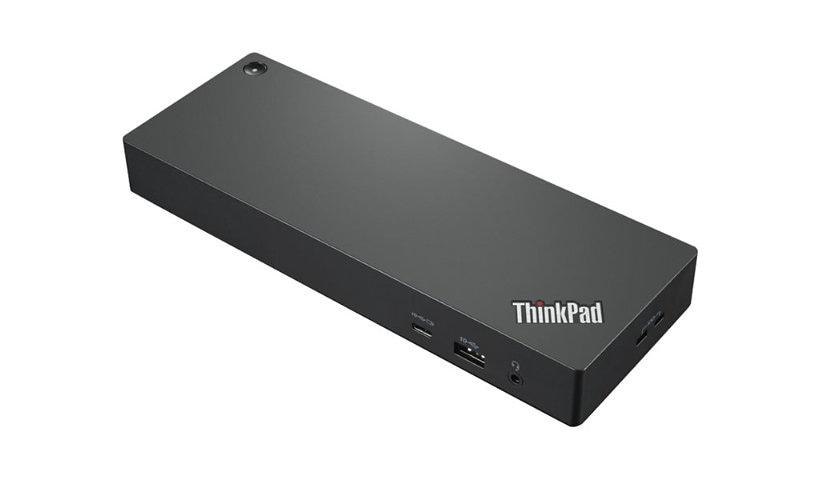
Lenovo ThinkPad Universal Thunderbolt 4 Dock - docking station - Thunderbol is rated
4.10 out of
5 by
386.
Rated 5 out of
5 by
Not Important 123 from
Great device, but it has 2 significant flows
Great device, but it has 2 significant flows:
1. It lacks HDMI ports (1 only), instead it has 2 DisplayPorts (not as useful)
2. The device claim to be universal, but it does not support MacOS at all.
Date published: 2025-04-10T00:00:00-04:00
Rated 5 out of
5 by
Xris F from
A perfect companion to a the ThinkPad T16
I recently upgraded my home office setup with the Lenovo Thunderbolt 4 dock, and I'm absolutely thrilled with the results! This dock has truly transformed my workflow.
First and foremost, the ability to connect multiple monitors is a game-changer. I'm now running a dual-monitor setup seamlessly, which significantly boosts my productivity. The video output is crisp and clear, with no noticeable lag or artifacts.
The dock also boasts an impressive array of USB ports. I can effortlessly connect all my peripherals – keyboard, mouse, external drives, and more – without any hassle. No more juggling cables or reaching under my desk!
Perhaps the most crucial feature for me is the high-power power supply. It effortlessly keeps my laptop charged, even while driving multiple displays and peripherals. This eliminates the need for a separate laptop charger, decluttering my workspace and simplifying my setup.
One of the most significant advantages of this Thunderbolt 4 dock is the ease of mobility. When it's time to head to a meeting or work from another location, I can simply disconnect a single Thunderbolt cable and grab my laptop. All my peripherals and monitors are instantly disconnected, and I'm ready to go. This streamlined process saves me valuable time and eliminates the frustration of unplugging multiple cables.
The build quality of the Lenovo Thunderbolt 4 dock is excellent, and it feels sturdy and reliable. It's a sleek, compact design that doesn't take up much space on my desk.
Overall, I highly recommend the Lenovo Thunderbolt 4 dock to anyone looking to streamline their workspace and enhance their productivity. It's a worthwhile investment that has made a significant positive impact on my daily workflow.
Date published: 2025-03-16T00:00:00-04:00
Rated 5 out of
5 by
Roudy Espert from
Excellent product
Excellent product with great service, I recommend it¹
Date published: 2021-10-11T00:00:00-04:00
Rated 5 out of
5 by
Lammz from
Underrated docking station
One of the most underrated docking stations you can get. Had all the ports you need and works great so far. Can't speak to the longevity as I've only had it for a few weeks now, but if it holds up, then this would be the best one for Lenovo laptops. Also quite a bit cheaper than similar ones from other companies.
Date published: 2022-10-02T00:00:00-04:00
Rated 5 out of
5 by
Captain Keith from
Thunderbolt 4 Dock - It's a perfect solution.
I have purchased and used multiple display adapters from other suppliers in the past. The Thunderbolt 4 dock far outperforms them at a significantly lower purchase cost. Three things I like:
1. Plug and play - nothing to set-up.
2. Each monitor shows up as a separate screen so dragging and dropping to full screen is simple instead of monitors showing up as part of a wider single screen.
3. I purchased the Dock to run a multiple screen simulator, internal plus three external monitors. There is no lag and my Lenovo Slim 5 seems to run with less effort.
Overall 10/10
Date published: 2025-03-23T00:00:00-04:00
Rated 5 out of
5 by
Richard pot from
Great product and works well. But…
Only issue is that there is only one HDMI port. Other than that, it’s a great product
Date published: 2024-10-06T00:00:00-04:00
Rated 5 out of
5 by
PL rock from
Not enough power
Proposed to match with the new PC i was buying... sadly the dock can't charge the PC, not enough power, even wjth the "double-cable".
I should plug the PC with the powersupply shared with the PC, and the dock with the powersupply of the dock. 2 powersupply on the desk is not spacesaver, and no powersupply available for easy mobility...
Date published: 2024-04-09T00:00:00-04:00
Rated 5 out of
5 by
Brian V from
ThinkPad Universal Thunderbolt 4 Dock
Provides enough power to run all my devices. The only quirk I get is sometimes when I connect my x1 yoga the x1 yoga screen will start to flash on and off. I must unplug from the dock and plug in again. Then it works.
Date published: 2023-10-06T00:00:00-04:00
Rated 5 out of
5 by
Ryan_0514 from
Recommend for work-from-home and office hybrid.
Bit pricy, but it provides outstanding performance of transferring 4K movies/game.
Date published: 2023-10-14T00:00:00-04:00
Rated 5 out of
5 by
Dwayne72 from
Fast Connection and Charging Option for Laptops
Item arrived on time and with no damages. The docking port works excellent. We purchased this for our daughter for University in the fall. We use these at work and have absolutely no issues with their performance. A little pricey but it comes with a power cord so that you do not require to remove the cord if you need one when away from the docking station. It is an excellent option to consolidate all the required inputs/ouputs (monitors, wireless connectors, ethernet connections, etc. Just plug in the one Thunderbolt connector to the laptop and everything is connected and it powers the laptop at the same time. Very pleased with the product.
Date published: 2023-08-17T00:00:00-04:00
Rated 5 out of
5 by
ESSAM TOLBA from
Easy & Organized Workflows!
This dock has truly made my life easier and more organized. It streamlines my workspace, keeps everything connected, and ensures a smooth workflow. A must-have for efficiency!
Date published: 2025-05-28T00:00:00-04:00
Rated 5 out of
5 by
Jon MTL from
Work from home with ease!
Works great for my home work station! Very convenient. It easily powers all of my peripherals (secondary screen, external 1TB SSD, portable scanner, mouse).
Date published: 2021-10-11T00:00:00-04:00
Rated 5 out of
5 by
LLouisa from
Thinkpad thunderbolt universal docking station
The ThinkPad Thunderbolt Universal Docking Station is reliable, fast, and makes connecting all devices effortless. My monitors, peripherals, and charging all work instantly with just one cable. It’s a solid, universal solution that keeps my workspace clean and performs flawlessly.
Date published: 2025-11-18T00:00:00-05:00
Rated 5 out of
5 by
j4xlit from
Best dock yet.
Works well with all my monitors. No more compatibility issues!
Date published: 2024-10-23T00:00:00-04:00
Rated 5 out of
5 by
DanielD from
'Workstationifies' my laptop without tying me down
It's true plug and play, and works great. The only downside is that it would be handy to have more ports (both USB-C and USB-A) on the front. I'm very happy to free up a power supply for keeping in my messanger bag for going places, and to not need to plug/unplug a whack of devices everytime I move from my main location. That combined with a my main location having multiple monitors and other 'workstation' vs mobile configuration / devices gives me the best of both worlds. The Thundebolt 4 means there is plenty of bandwidth for all the devices to be quick, even with hi-res monitors. Very happy about this purchase.
Date published: 2024-03-17T00:00:00-04:00
Rated 5 out of
5 by
Brad I from
Not as Advertised
Did not work as advertised. Stated that it could support 4 monitors at 4K but only worked on 3
Date published: 2024-04-29T00:00:00-04:00
Rated 5 out of
5 by
SWCHEM from
Thinkpad style
Designing and building are perfect. Black color is good for working.
Date published: 2023-07-16T00:00:00-04:00
Rated 5 out of
5 by
Nemus from
Works with Linux
Works great running on Pop_Os! no issues with monitors and peripherals being detected, using it with a T14s Gen 2
Date published: 2023-04-05T00:00:00-04:00
Rated 5 out of
5 by
Mokhat from
Nice and compact
Nice and compact sereval ports, but only one HDMI. The cable for coneection is very short !
Date published: 2022-06-28T00:00:00-04:00
Rated 5 out of
5 by
Cnbgo from
Docking station
Having issues with the ports on the back not consistently accepting devices
Date published: 2023-02-02T00:00:00-05:00
Rated 5 out of
5 by
Pete Tear from
Product I can trust with to use in my company
Great docking station, easy to setup and reliable. We ordered this for our CFO and it's the only product I can trust with to use for my company.
Date published: 2023-03-20T00:00:00-04:00
Rated 5 out of
5 by
Bernie Boucher from
Thunderbolt 4 Universal Dock
The Thunderbolt 4 Universal docking station works very well as advertized. One though however, I have two external displays, one connected via HDMI and the other via DisplayPort. This connection system works well. However when connected both via the two DisplayPorts there is a flickering effect. I wonder if this is normal.
Date published: 2024-01-19T00:00:00-05:00
Rated 5 out of
5 by
LN22 from
Docking station
Quick tool for easy laptop use. Makes use of laptop in various locations easy
Date published: 2024-07-29T00:00:00-04:00
Rated 5 out of
5 by
Smithsco from
Great home office addition
Perfect for setting up multiple devices (3 monitors, chargers, backup HDD, etc.
Date published: 2024-07-08T00:00:00-04:00
Rated 5 out of
5 by
Tracey D from
Happy with my docking station
So far this has been pretty good. I would have liked more ports but for the time being I'm satisfied with how many I have now. I recommend reading the instructions, for obvious reasons, it does make like much easier when setting up multiple monitors (personal experience). Overall I'm satisfied with this product.
Date published: 2023-09-13T00:00:00-04:00
Rated 5 out of
5 by
feduncity from
Thunderbolt not perfect
Always hit and miss connecting Thunderbolt to X1 Carbon. We have at least 15 laptops using these. Sometimes it works flawlessly, sometimes you need to jump through hoops to get it to recognize multiple HDMI and USB ports. Frustrating thing is you can hook it up to another X1 (same model) and it works fine. There is no one fix.....just keep plugging and unplugging it and eventually it will work. Once you get it working it tends to behave afterwards. These things should be plug and play.
Date published: 2022-12-02T00:00:00-05:00
Rated 5 out of
5 by
em2022 from
frequent problems/glitches
I had an older version of ThinkPad docking stations, in comparison, this one is really not up to a standard. The biggest problem is that it seems to have trouble rebooting after the laptop went into sleep mode. I started controlling this through the docking station, but still have the problem from time to time. This is serious because the entire point of having a docking station is to have multiple monitors start and work at the same time.
Date published: 2022-05-31T00:00:00-04:00
Rated 5 out of
5 by
null from
Great product with plenty of ports to grow!
Great dock for our Lenovo laptops. Lots of ports and not too bulky.
Date published: 2023-07-13T14:17:28-04:00
Rated 5 out of
5 by
DWork from
didnt work out of the box
I was looking to upgrade from a Thunderbolt 3 gen 2 dock and when I went to plug into the new device only one monitor would work (of 3). I tried updating firmware and still no luck. Never really had any issues with Lenovo equipment and surprised that this didn't work great. Ended up returning it and going back to my old dock that still works great. Will probably try another one down the road and assume i just got a bad one.
Date published: 2021-12-17T00:00:00-05:00
Rated 5 out of
5 by
KB2025 from
Not compatible with all laptops
This is not compatible with certain laptops. That is fine, but since I bought my laptop and the doc station on Lenovo site, it would have been nice if it would have provided a warning or not let me purchase an incompatible item. I had to return it and purchase a different one.
Date published: 2025-10-28T00:00:00-04:00
Rated 5 out of
5 by
Arthur M T from
Reliable and simple dock.
Good reliable dock with the ports I needed. I use this with the new Thinkpad and another laptop I have for work as well.
Date published: 2023-01-16T00:00:00-05:00
Rated 5 out of
5 by
millertime from
Versatile workstation
works as intended with associated T14 laptop. Plug and play functionality allows me to connect two monitors via displayport, 1 via hdmi, and still use my laptop's native screen.
Date published: 2022-12-22T00:00:00-05:00
Rated 5 out of
5 by
Chris Benham from
Without the issues, this would be a great Dock
Small, powerful, but buggy. The website suggests this is the right dock for my ThinkPad X1. I expected it to be able to power the laptop, provide multi-monitor capability, and extend the number of USB ports.
I installed the dock and updated it. However, it will NOT power the laptop appropriately AND my small number of USB devices. I have a printer, webcam, keyboard and mouse connected via a USB port extender and the USB devices would constantly drop connection, reconnect, and drop again. This was especially noticeable when the graphics card needed to work harder. (Video editing, etc)
This was largely resolved by powering the laptop directly, leaving other devices to be powered by the dock. However, EVEN then I am having issues with my two monitors: Every now and then, one monitor just goes black for 20 seconds and then comes alive again. I swapped out the monitors for newer ones and I get the exact same behavior. This happens perhaps twice an hour throughout my workday.
I expected the dock to power my laptop and my standard devices, but it cannot. I expected the dock to provide seamless multi-monitor ability, but it is buggy. For an expensive dock I am somewhat disappointed.
Date published: 2024-12-17T00:00:00-05:00
Rated 5 out of
5 by
Frojo from
Perfect for my P14s
Worked perfectly with my P14s. I have multiple devices attached plus extra ports still available, and no issues with charging my laptop.
Date published: 2025-06-19T00:00:00-04:00
Rated 5 out of
5 by
Chris Cole from
Great dock!
Originally bought another brand due to cost. After having monitor issues with that one I bought two of these and have had zero issues since! I did find that one of the thunderbolt controllers on a laptop was turned off. After reenabling it connected no problem!
Date published: 2026-01-06T00:00:00-05:00
Rated 5 out of
5 by
Brian J STL from
Worth the cost
Connected the docking station to my 3 external monitors and laptop and it worked instantly. Much better than the last bargain brand that was $60 less but came with constant issues.
Date published: 2024-09-04T00:00:00-04:00
Rated 5 out of
5 by
angrycustomer111111 from
Doesn't work
Doesn't work with any of the basic USB peripherals I've tried to plug into it, making it little more than a glorified power supply.
Date published: 2023-08-03T00:00:00-04:00
Rated 5 out of
5 by
Raven Electric Inc from
docking station a must
Docking Station is a great tool for the unit purchased
Date published: 2024-09-22T00:00:00-04:00
Rated 5 out of
5 by
Darryl Henry from
Lenovo is the best!
Lenovo has the best cost effective hardware out there. Support and drivers are always current and available. The dock is good to live in rough conditions. All around a good piece of hardware.
Date published: 2022-02-15T00:00:00-05:00
Rated 5 out of
5 by
J Warfield from
Universal Convenience
Able to seamlessly dock personal and client machines quickly and easily. Much more convenient than purchasing a new dock each time my work provides me an upgrade.
Date published: 2023-02-08T00:00:00-05:00
Rated 5 out of
5 by
Greg Gartland from
Exactly what I was hoping for.
I needed a docking station that does it all....dual monitors, Ethernet, power and sound. This one does it and does it well.
Date published: 2021-10-04T00:00:00-04:00
Rated 5 out of
5 by
ack42fl from
Thunderbolt 4 Dock dead out of the box
I purchased this so I could run multiple monitors on my new X1 Carbon but it does not work.
Date published: 2021-10-20T00:00:00-04:00
Rated 5 out of
5 by
BSpencer from
Good
Well made unit. Very streamlined and easy to set up.
Date published: 2022-01-31T00:00:00-05:00
Rated 5 out of
5 by
J Reid from
A good product but check out its specs
The dock works well, plenty of varied ports, but some older equipment (external monitor (flicker on and off) and printers have had trouble installing and being located subsequently).
Date published: 2026-01-17T00:00:00-05:00
Rated 5 out of
5 by
MikeS_ from
Good product
No problems so far. Better than my last docking station which had a few quirks I needed to work around.
Date published: 2023-09-29T00:00:00-04:00
Rated 5 out of
5 by
DemoRDU from
Tried cheap and got burned....Authentic is the way
I bought a cheap hub and had all kinds of issues with the internet connection etc
Date published: 2024-02-15T00:00:00-05:00
Rated 5 out of
5 by
TDSP from
Excellent dock!
An excellent port replicator for home or office use. Haven't had an issue with these and I've deployed quite a few of them. Thunderbolt 4 is a new interface and should be good for the foreseeable future.
Date published: 2023-07-14T00:00:00-04:00
Rated 5 out of
5 by
MWWWM from
Great quality, easy to setup
Great quality, easy to setup. it's the second one for our home office. Easy to switch between office and home
Date published: 2023-09-20T00:00:00-04:00
Rated 5 out of
5 by
Arthur Thomas from
Reliable and simple dock.
Good reliable dock with the ports I needed. I use this with the new Thinkpad and another laptop I have for work as well.
Date published: 2023-01-16T00:00:00-05:00
Rated 5 out of
5 by
Sinko from
Works as expected
Works well with my dual screens and all my peripherals.
Date published: 2023-03-07T00:00:00-05:00
Rated 5 out of
5 by
Larry Greenhill from
Versatile port options but technical problems
I purchased this powered Dock to expand the number and type of ports available to my new Lenovo X1 Nano Gen 2 laptop, which has only two thunderbolt 4 and one audio port. The dock connects to the lapt via a Thunderbolt 4 cable, has HDMI, displayport, ethernet, USB-A, audio, and one Thunderbolt 4 port. The dock also powers the laptop, so all my peripherals plus power required only one of the two ports on the laptop, leaving one free. That is the good news. The bad news is that the Thunderbolt 4 dock did not work when it arrived and necessitated a trouble-shooting call to Lenovo Premiere Support. The technician updated the dock's firmware. At that point, my external display kept shutting on and off. We switched from a displayport cable to an HDMI connecting cable for the monitor, and that solved that problem. However, the X1 Nano laptop would freeze up during long Zoom calls that lasted more than one hour but could run more than 3 hours if the laptop was not attacked to the dock. This "freezing up" issue is an intermittent issue so only continued use will determine if it continues to be a problem. If you purchase this dock, be sure to get premiere support.
Date published: 2022-09-26T00:00:00-04:00
Rated 5 out of
5 by
Mike Hawk13 from
Look for a non-lenovo option.
This dock is terrible. The screens that are plugged into the ports periodically disconnect and black out and a screen that is plugged into one of the display ports occasionally goes fuzzy for no reason. I tried using different cords and it's definite the port that is the issue. Very disappointment based on the money spent for it.
I also had the universal dock c by Lenovo and mailed that one back because it was faulty. I spent a long time with Lenovo support before we came to that conclusion.
Date published: 2024-10-31T00:00:00-04:00
Rated 5 out of
5 by
Bob Maine from
First Thoughts: ThinkPad Univ. Thunderbolt 4 Dock
I bought a separate Lenovo dock 3+ years ago to go with my ThinkPad T470 (and was happy with it). So, to go with a new ThinkPad, I bought the "aircraft carrier-sized" Thunderbolt 4 Dock (--it is twice as big as the dock bought earlier). It isn't the fault of the dock mfg'r., but with so many different USB type ports being created the last 3-4 years, using the NEW dock can get very confusing. How? 3.2 docks (powered and non-powered, but looking identical). A Thunderbolt port on the front which the manual says is "3.0" but the port is shaped like a (small) Thunderbolt port. Also, a thunderbolt port on the left edge of the new P14s ThinkPad (but with 2 ports blending into each other....why?). I'm giving the new PC and dock to my son for his new business. He's not computer "literate". I decided that the only way to have him not totally confused about the Dock's ports was to affix next to each one WHAT it was (self-made Dymo type labels). Conclusion: It is not Lenovo's fault that USB madness has taken over. Also, ever speedier connections are great. It just takes MUCH better labeling on the port to be able to fully utilize its power (& power it HAS).
Date published: 2023-02-01T00:00:00-05:00
Rated 5 out of
5 by
TG Advisors PLLC from
Thunderbolt 4 Dock - Great
We like the Docking stations for work, they allow us to connect to multiple monitors
Date published: 2024-06-09T00:00:00-04:00
Rated 5 out of
5 by
Matt Mitchell from
Easy to use
This is so far in my opinion the easiest to use universal docking station I have used. I have used most brands at this point and this one has to be my favorite. Requires no software on the computer and connects flawlessly every time.
Date published: 2023-10-31T00:00:00-04:00
Rated 5 out of
5 by
Jb bb from
Simple
Simple and easy. Good product. Right out of the box simple setup
Date published: 2023-03-01T00:00:00-05:00
Rated 5 out of
5 by
ReviewsByJack from
Universal for the win.
We have several of these. The Universal is much better than the Smart. Unless you have 100 of these managed by IT, get the Universal.
Date published: 2025-10-31T00:00:00-04:00
Rated 5 out of
5 by
TallOak from
Easy to use and less finicky than other docks
I purchased this dock to power 3 monitors off of a Yoga 2-in-1, and it has wokred smoothly. I use 1 HDMI and 2 Displayport outputs to the monitors. Much smaller footprint and less hassle than previous docking station (single USB cord from computer to dock helps!).
Date published: 2026-01-21T00:00:00-05:00
Rated 5 out of
5 by
BruceWinPA from
The dock you need
Decent dock with enough modern ports to be useful and enough power to charge while in use. Small enough to be out of the way. Has a power button so you can put the laptop out of the way as well.
Date published: 2024-10-23T00:00:00-04:00
Rated 5 out of
5 by
Ordered Item from
Lenovo Thunderbolt Dock Review
Amazing tool to enhance my home office.
I know can run 3 external screens
Great product and service
Date published: 2023-01-31T00:00:00-05:00
Rated 5 out of
5 by
Jose Franco from
100% Recommended
Great product, would definitely purchase again or recommend this product. Very easy setup for your home workstation.
Date published: 2025-05-20T00:00:00-04:00
Rated 5 out of
5 by
Lenovomann from
Well designed work horse
Great out of the box experience. Seamless integration with ThinkPad X1 12 Gen. I have 2 external screens connected to the display ports and am very satisfied with the experience. I appreciate the dock manager keeping the team up to date with automatic updates.
Date published: 2025-12-24T00:00:00-05:00
Rated 5 out of
5 by
ranumus from
Reliable Dock
Reliable dock that allows me to control the power from the unit itself, which is convenient as I like to keep my laptop closed. More than enough ports to allow me to add multiple display and numerous accessories. Ideally, would like a longer cable to be included as the included short one limits where I can place my laptop in my workspace.
Date published: 2025-04-14T00:00:00-04:00
Rated 5 out of
5 by
Bailey0074 from
Solid TB4 Dock
Works great for my legion 7i. All ports function properly, and the headphone jack lacks any noticeable noise/hiss.
Date published: 2022-02-24T00:00:00-05:00
Rated 5 out of
5 by
Jamey D from
Perfectly efficient
Perfectly efficient, compact and easy. Everything I like.
Date published: 2023-04-03T00:00:00-04:00
Rated 5 out of
5 by
PLMarc from
More ports needed
Nice but needs more ports- at least one more HDMI and one more USB
Date published: 2021-12-29T00:00:00-05:00
Rated 5 out of
5 by
mattd42 from
Great docking station if you have a Core i5/i7
This is a great docking station if you have a Core i5/i7 laptop. While it initially worked with my Ryzen laptop after the first firmware update I could no longer get it to recognize the monitor outputs.
Date published: 2022-03-16T00:00:00-04:00
Rated 5 out of
5 by
Borden Brooks from
Pretty solid
Works great, we are able to connect all of our technology, only issue is you need 2 power supplies as it won't pass power through to laptop
Date published: 2022-01-19T00:00:00-05:00
Rated 5 out of
5 by
BH32204 from
Effective and easy
Easy to set up and effective to integrate my devices
Date published: 2023-03-06T00:00:00-05:00
Rated 5 out of
5 by
Electical Engineer from
Works as expected
I bought it with Lenovo laptop to drive 4 external monitors and it does it with ease.
Date published: 2025-05-27T00:00:00-04:00
Rated 5 out of
5 by
Bruce Irvine CA from
ThinkPad Universal Thunderbolt 4 Dock
I bought this to compliment my new ThinkPad P14s Gen 6 laptop. The two work seamlessly to provide me with blinding speed. My laptop is mostly in "workstation" mode, in that I use it with a pair of external displays, keyboard and mouse. In this configuration, I can start up my laptop by simply pushing the "on" button on the docking station. This is a great product!
Date published: 2025-11-04T00:00:00-05:00
Rated 5 out of
5 by
JMo24 from
Yay!! I have 3 screens again!
Once I figured out which wires belonged where, my docking station and new laptop connected beautifully to my dual monitors! Everything is working like a dream - just like my work setup. This is exactly what I was looking for!
Date published: 2024-11-16T00:00:00-05:00
Rated 5 out of
5 by
Hunnyr1 from
GOOOOD
Good and fast doc station, very well. My table now looks better))))
Date published: 2023-03-26T00:00:00-04:00
Rated 5 out of
5 by
J Brandon from
Happy but expensive
Works perfectly but seems a little pricey for the functionality it offers.
Date published: 2023-09-14T00:00:00-04:00
Rated 5 out of
5 by
MDFletch from
Its not the best
This is good for the price because of the quality but it is not the best available.
Date published: 2024-04-22T00:00:00-04:00
Rated 5 out of
5 by
ThinkPad Linux User from
Working well on ThinkPad T16 Gen 3 with Linux
Fairly compact for the number of ports provided. I like how USB C and USB A are available on the front for easy access. The port selection on the rear is excellent as well with RJ-45 and enough USB A ports and Display Ports/HDMI ports to satisfy a power user with a triple monitor set up. Thunderbolt on the rear is a nice touch as well. The USB C cable that comes included can and should be longer -- It is too short to reach a laptop that is positioned at some distance from the dock and so I found it difficult to get my connected laptop in the preferred place and position.
I am using this dock with the ThinkPad T16 Gen 3 and multiple Linux distros. Multiple monitors are working and all seems well on the compatibility front when using distros with newer 6.8+ kernels.
Date published: 2024-08-20T00:00:00-04:00
Rated 5 out of
5 by
MikePJr from
Great docking station
Great docking station. Purchased it so I could run 3 monitors with ThinkPad T16. Thunderbolt ports are fast and great for doing backups to external drives.
Date published: 2023-02-24T00:00:00-05:00
Rated 5 out of
5 by
WendyMG from
Good but disappointing turn
I thought it would eliminate the need to use the original power cord. I still had to use since this is not powerful enough to charge my laptop after getting a warning alert.
Date published: 2023-02-23T00:00:00-05:00
Rated 5 out of
5 by
Mendel L from
Works great so far!
So far works great. Dont like that I need to plug the wire in manually (unlike older docks that 'clip in'
Date published: 2022-12-01T00:00:00-05:00
Rated 5 out of
5 by
Zoltan the Gypsy from
Works well...
Works as expected with my Gen 6 TP Yoga. The only reason I dropped one star is the 3-prong power cord supplied. Not fond of those. Much prefer the skinnier 2-prong.
Date published: 2022-01-18T00:00:00-05:00
Rated 5 out of
5 by
MNBish from
Thunderbolt 4 Dock
Easy to set up; quality construction. Small and compact.
Date published: 2022-10-27T00:00:00-04:00
Rated 5 out of
5 by
Mikepro from
Great docking station
Great docking station. Purchased it so I could run 3 monitors with ThinkPad T16. Thunderbolt ports are fast and great for doing backups to external drives.
Date published: 2023-02-24T00:00:00-05:00
Rated 5 out of
5 by
Martin Q from
Works awesome!
It works great as expected! It is worth the money!
Date published: 2025-04-04T00:00:00-04:00
Rated 5 out of
5 by
Pjdonahue from
ThinkPad Universal Thunderbolt 4 Dock
This thing works great. I have a work laptop and a personal laptop. When working from home this dock (along with two bi-directional switches) allows me to quickly change between using my two displays for work or personal laptop.
Date published: 2023-06-24T00:00:00-04:00
Rated 5 out of
5 by
franchetto1970 from
So far so good!
Purchased to connect an X13 Yoga Gen 3 to multiple devices with just one Thunderbolt cable (the laptop is in tablet mode upside-down on a stand for the TB port to be conveniently on the right side):
1x 34" wide screen (3440x1440) via HDMI
1x 34" wide screen (3440x1440) via DP
1x 24" XP-Pen pen display (2160x1440) via USB-C
1x STERLING audio interface via USB-A
1x Logi Unifying receiver (for MX Keys and MX Anywhere 3 mouse)
All devices are working at the same time, it is amazing, one cable!
I hibernate via the power button (still accessible in tablet mode) and when I turn it on again (Windows Hello works even upside-down, thank you Lenovo for not putting the TB ports on both sides...), all devices work as expected.
The dock has holes to be installed under the desk with screws (as I did), very nice, but, probably, you will need to buy a longer and expensive TB cable in that setup.
Sometimes the monitor on HDMI disconnects for a moment and that can change some icons/windows location on the main desktop, I don't know if it is a monitor or a dock problem.
Very happy with the purchase, so far :).
Date published: 2022-12-18T00:00:00-05:00
Rated 5 out of
5 by
D4RTH R8D3R from
Perfect Docking Station?
Perfect little docking station. It has all the ports you will need, but the best part? Pass through Power. Makes it so easy to keep your charger in your travel bag, and you don't have to unplug everything to bring your laptop on a business trip.
Date published: 2024-09-16T00:00:00-04:00
Rated 5 out of
5 by
CJ Chicago from
Great Lenovo Dock
Works great - love having multiple and different ports.
Date published: 2023-02-06T00:00:00-05:00
Rated 5 out of
5 by
CMIN from
As always Lenovo builds a sturdy product!
As always Lenovo builds a sturdy product - constancy at its finest
Date published: 2025-11-12T00:00:00-05:00
Rated 5 out of
5 by
Fred1988 from
Issues
Issues with Lenovo x1 connection, after IT intervention still have to use two cables to connect to dock and by pass to monitor to avoid flickering
Date published: 2023-05-15T00:00:00-04:00
Rated 5 out of
5 by
reviewer68329 from
Only one cord into my laptop
Works great. One plug into my macbook and two monitors hooked up plus power, keyboard, etc
Date published: 2024-10-30T00:00:00-04:00
Rated 5 out of
5 by
dt333333 from
Plug and play
Works well. Plug and play; no issues. Easy breezy Really nice that it comes with all the cables you need
Date published: 2021-10-15T00:00:00-04:00
Rated 5 out of
5 by
Dadlfxt from
Great dock
Excellent versatile dock. Looks good and works well.
Date published: 2025-11-09T00:00:00-05:00
Rated 5 out of
5 by
Paul Fedock from
Thunder 4 dock
Power supply not big enough for my p1gen5. So far customer service has not been a help.
Date published: 2022-10-08T00:00:00-04:00
Rated 5 out of
5 by
noodleclaus from
Freeze on unplug, looses monitors
I am running 2x4K, 1x2k, and 1x 1k monitors, a mic, 1080p webcam, speakers, mouse and keyboard through 1 thunderbolt 4 port--amazing! However, unplugging the port invariably results in a system freeze--even with windows "safely remove hardware." Unplugging the power to the doc before disconnect reduces likelihood of freeze. The doc also frequently--almost daily, will stop showing one of the monitors requiring plug and unplug of the cable from the dock. Finally, monitors occassionally randomly turn off briefly and then back on.
Date published: 2023-03-31T00:00:00-04:00
Rated 5 out of
5 by
Victor Allen LLC from
Awesome
Great Dock works perfect with my X1 Carbon Gen9!!!
Date published: 2022-02-02T00:00:00-05:00
Rated 5 out of
5 by
Lauren DiLallo from
Great dock!
It is a great device that doesn't fail. Third-party docks are ugly and unreliable. This dock is reliable and aesthetically pleasing.
Date published: 2025-09-27T00:00:00-04:00
Rated 5 out of
5 by
R Hayden from
Perfect connection positioning.
Very easy to connect devices and connection are perfectly positioned together.
Date published: 2024-05-28T00:00:00-04:00
Rated 5 out of
5 by
Sue BB from
Slim and powerful
It is thin and light. It charges fast and it is enough ports. Great product
Date published: 2023-04-05T00:00:00-04:00
Rated 5 out of
5 by
Keithbell from
Disappointed
Don't buy it, hasn't worked properly outra the bix
Date published: 2026-01-22T00:00:00-05:00
Rated 5 out of
5 by
Rhoy from
Nice Dock!
A wonderful base with enough ports for converting my Yoga into a portable desktop with multiple monitors. Plus!!! The docking station charges my Yoga so it is ready to grab and go with a full charge.
Date published: 2022-01-28T00:00:00-05:00
Rated 5 out of
5 by
J Crosland from
ThinkPad Docking Station
Great docking station and generally have no complaints. However, this one doesn’t have enough power to charge some of the heavier duty portable workstations like the Lenovo ThinkPad P16v. Had to return and replace with a similar but more powerful model.
Also, the split charging cable is not included and needs to be purchased separately. It can be confusing to know which docking station and cable combination you need when purchasing even though Lenovo has online tools to help.
Date published: 2024-03-06T00:00:00-05:00
Rated 5 out of
5 by
Randy in Dallas from
Thunderbolt 4 with P1 laptop
Make sure you get the correct power supply. I needed a 170w and it cam with a 135w for a P1 (nice laptop). Mine does have the occasional glitch - especially if power settings are to turn off monitors - so have to leave them on and use screen saver. Hope that gets fixed.
Date published: 2021-12-16T00:00:00-05:00
Rated 5 out of
5 by
Kiwi2 from
Great if it was working consistently or at all.
nice size but has issues. Functionality drops off for no reason. attached 2nd screen does not re connect after Laptop going into screen saver mode or sleep, have to unplug power to doc. Secondly none of the USB3 ports take a Harddrive backup drive, it is not recognized. case light is on but nothing in file folder. Plugging drive into Laptop USB 3 works great. So not good for the purpose it was supposed to work.
Date published: 2026-01-14T00:00:00-05:00
Rated 5 out of
5 by
jhan14 from
Bad Dock
Does not power P1 even though it says its compatible and does not always power my monitors.
Date published: 2022-06-24T00:00:00-04:00
Rated 5 out of
5 by
AndIDo from
Sub-par and barely compatible with Lenovo laptops
I own a current Gen 3 Lenovo P15v and thought it would be nice to have a docking station since it has Thunderbolt 4 support...overall I am disappointed that this docking station is difficult to set up, lags in performance, and doesn't offer any charging capabilities for the Lenovo P15v. In fact this docking station is more compatible with off-brand laptops, which easily plug and play with a single connection with charging and seamless connectivity for all the expanded ports.
With a Lenovo laptop it required extensive finagling of the display set up to get the correct aspect ratio, resolution, and output orientation for 2 basic resolution displays!! I updated the firmware on the docking station thinking that would help, but it did the exact opposite. I frequently get a swapping of the primary screens, extra large fonts on browsers and desktop icons that intermittently pop up out of nowhere and requires restarting of the machine and this often does not solve the issue. Also, it takes a day and half to wake up the laptop after it goes to sleep. Horrible!!
Lenovo has failed to serve its primary customer who are the loyal owners of expensive Lenovo laptops and who support the brand assuming that they tailor their accessories to be minimally compatible with Lenovo machines.
I wouldn't recommend this docking station if you own a Lenovo laptop, and you might be better off with a 3rd party dock or another brand of laptop.
Date published: 2023-01-13T00:00:00-05:00
Rated 5 out of
5 by
Just a worker from
A little better than the previous generation
I upgraded from the thunderbolt gen2 dock. I can tell you unequivocally that the random black screen that occurred in the previous generation dock is still present (although it happens much less frequently)(Search online to see how buyers complaine about gen2 dock black screen issue), which is very disappointing to me. Also thunderbolt downstream interface number is not enough, only one, as well as the lack of sd card slot in a not small total size. I only bought it because it works with my other Lenovo/ TP devices only. Overall disappointment
Date published: 2021-12-16T00:00:00-05:00
Rated 5 out of
5 by
Frtr4n from
Good which it had a little but more
Its very expansive it makes up for some ports that are missing on my thinkpad like ethernet and such. I wish it had the ability to fast charge especially since its plugged into a wall and not being powered by the laptop. I do also which that a cubed version was offered for those with not a lot of deskspace
Date published: 2024-04-12T00:00:00-04:00
Rated 5 out of
5 by
Dynarace from
Great addition!!!
I love this docking station! I use my X1 Carbon laptop for at-work functions but also for my home music DAW studio. To simply plug in one Thunderbolt cable and not have to deal with all the other inputs and charger for my dual screens, cordless mouse/keyboard, audio interface, etc. allows me to have a clean, neat work surface with more room. No installation set up, you just plug everything into the small brick once and turn on your laptop... effortless! I was worried about how my DAW software with the audio interface and external hard drive were going to integrate but absolutely no issues. Very pleased with this relatively affordable product!
Date published: 2024-02-13T00:00:00-05:00
Rated 5 out of
5 by
CH0S3N from
Check your Laptop for compatibility
I purchased this as an upgrade to the Thunderbolt 3. I have two 4k monitors. My laptop is the limiting factor in utilizing this docking station to its fullest potential. I still can't see 4k on both of my monitors. The docking station is solid!
Date published: 2022-01-06T00:00:00-05:00
Rated 5 out of
5 by
Bozeman dude from
High hopes, but didn't work with my laptop
I really wanted the dock to work for me. It has a great port selection and the construction seemed solid. It was a bit bigger than I anticipated, but not much. The issue that I had was that was not compatible with the new Lenovo Ideapad Slim 7i pro that I had just purchased. Simply put, the power button would not work. I had contacted Lenovo to find a docking station that would be compatible with the computer and was told that this would work. The passthrough power did charge the laptop, but I still had to open the lid of the computer to power it up. Then, I would have to unplug and replug the dock to have the external monitor work. This sort of defeats the purpose of having a docking station.
I contacted Lenovo tech support, and they did work with me to troubleshoot the issue and finally concluded that the power button on the dock was defective. I was able to return the dock to Lenovo for a refund. Thus, I added a star because Lenovo provided good support, and made the return process easy.
It may be true that the docking station had a defective power button. But, I also think that the Thunderbolt 4 port on the computer may have been incompatible with the device. I ended up using a Thunderbolt 4 hub instead of a docking station, which means I have to keep the laptop open and use the laptop power button, but at least I have an external monitor attached and am able to connect additional components.
Date published: 2022-01-28T00:00:00-05:00
Rated 5 out of
5 by
Chris Fr from
Great additionl
Another great part from Lenovo. Works as advertised and has everything to get the user up and running.
Date published: 2022-10-11T00:00:00-04:00
Rated 5 out of
5 by
Ron Cz from
Simple Dockstation
Easy to install, and with only a single cable to plug into the laptop it is very convenient. Having the 3 monitors is very productive.
Date published: 2023-12-14T00:00:00-05:00
Rated 5 out of
5 by
Need to Get My Work Done from
Greatly Disappointed
I am so disappointed in this docking station. I've had it less than two months, and it hasn't worked well at all. It regularly will not recognize anything that's plugged into the USB ports, like my wireless keyboard and flash drive. I purchased this as part of an entire set with my new thinkpad. It is very disappointing that I got nowhere on the phone with customer service/tech support. I just want it to work.
Date published: 2023-07-12T00:00:00-04:00
Rated 5 out of
5 by
Gtholdem from
In the office and on the go
So convenient. Plug my new laptop in and I’m working on a full desktop system. Unplug it and I have a light weight up to date laptop with me. Wonderful!!
Date published: 2022-10-07T00:00:00-04:00
Rated 5 out of
5 by
Smg24 from
Great addition
Works perfectly. Great addition to your workflow. I have three monitors a stream deck and two video cameras plugged in and it is flawless.
Date published: 2024-09-07T00:00:00-04:00
Rated 5 out of
5 by
KP_99 from
Semi-Universal
This docking station is compatible with specific laptops. It will not charge Think Pad P Series. Occasional ethernet switches to WiFi.
Date published: 2023-03-21T00:00:00-04:00
Rated 5 out of
5 by
New Lenovo Cust from
Has some issues
Has lots of issues with USB connections going out and monitor not working after laptop wakes up from sleep mode. It's been frustrating.
Date published: 2023-05-03T00:00:00-04:00
Rated 5 out of
5 by
Harold38 from
Works as described.
Exactly what I needed, in a compact package. Much improved over previous docking stations.
Date published: 2021-12-16T00:00:00-05:00
Rated 5 out of
5 by
epescaia from
Best Dock
it's awesome and works great. Has all the ports I need and was easy to set up.
Date published: 2023-11-14T00:00:00-05:00
Rated 5 out of
5 by
Prag from
5stars
It’s great product. Works very well. I have no issues .
Date published: 2022-01-01T00:00:00-05:00
Rated 5 out of
5 by
AlphaWolf84 from
For the win
I am doing this for the 8" tab. I am still waiting on the PC to use all the things I did get.
Date published: 2022-03-09T00:00:00-05:00
Rated 5 out of
5 by
Tony Tellez from
Connect with a quickness
This dock ALWAYS works, exactly as needed. Love it
Date published: 2025-03-07T00:00:00-05:00
Rated 5 out of
5 by
MarcelF from
Its not the best
This is good for the price because of the quality but it is not the best available.
Date published: 2024-04-22T00:00:00-04:00
Rated 5 out of
5 by
Eldon the Third from
Almost perfect! Apple sucks!
I actually haven't used this dock with my new ThinkPad yet. My ThinkPad will be a Christmas gift from my wife, and that's still more than two months away. I was disappointed the dock wasn't fully functional on my work MacBook Pro (2019 Intel), but I really blame Apple for that since they don't fully support the way this dock works with multiple DisplayPort monitors (my Mac basically only sees one display, and while the dock drives both external monitors the Mac mirrors what's on them). The Mac expects the monitors to be daisy-chained, and that's a bad design decision on Apple's part in my not so humble opinion. This is why I don't buy Apple products for myself. Their support of basic standards is horribly abysmal. The iPhone 15 is the first to use a USB-C connector, after how many years of it being a standard? And it was basically the fine folks in the EU parliament that forced their hand, they still would be using that Lightning nonsense if it weren't for that.
On Christmas I will be installing Arch Linux on my ThinkPad as its only OS, and I'm excited to see this dock in action!
Date published: 2023-10-04T00:00:00-04:00
Rated 5 out of
5 by
Tax Man from
A lot of money for no work
Used these in the past, this one won't work as expected ou of the box.
Date published: 2023-01-30T00:00:00-05:00
Rated 5 out of
5 by
BruceLG from
ThinkPad Universal Thunderbolt 4 Dock
I bought this to compliment my new ThinkPad P14s Gen 6 laptop. The two work seamlessly to provide me with blinding speed. My laptop is mostly in "workstation" mode, in that I use it with a pair of external displays, keyboard and mouse. In this configuration, I can start up my laptop by simply pushing the "on" button on the docking station. This is a great product!
Date published: 2025-11-04T00:00:00-05:00
Rated 5 out of
5 by
JLovell from
Lots of ports
I have yet to find a dock with more ports available anywhere else. My only complaint is that I'd prefer two more USB ports.
Date published: 2023-08-16T00:00:00-04:00
Rated 5 out of
5 by
Greg B CF from
Solid docking station
Works well, still prefer the older snap in docks, but it does fine.
Date published: 2025-05-20T00:00:00-04:00
Rated 5 out of
5 by
JRS1980 from
Decent dock but lacks 4K120 4:4:4 over HDMI
The dock charges my ThinkPad X1 Yoga and has a decent selection of ports. It’s great that the cable that connects to your PC is on the rear rather than the front. Unfortunately, the HDMI port does not support 4K at 120 Hz with a 4:4:4 RGB signal, which it should if it’s a true HDMI 2.1 port. The dock also only offers one Thunderbolt port for connecting other Thunderbolt devices.
Date published: 2023-01-28T00:00:00-05:00
Rated 5 out of
5 by
GuyWhoBoughtThis from
Awesome Dock
Look for bundles or discounts and get this dock if you are running a larger Lenovo laptop.
Date published: 2025-03-31T00:00:00-04:00
Rated 5 out of
5 by
JT ATX from
Super Convenient and Well-Thought-Out Dock
Has everything I need in one convenient, well-powered device, with the added benefit of clearing physical space at my desk.
Date published: 2021-12-27T00:00:00-05:00
Rated 5 out of
5 by
JoaoS from
Good
Works much better than I was expecting, very useful
Date published: 2024-03-24T00:00:00-04:00
Rated 5 out of
5 by
Pip P from
Good dock, very short cable
Dock itself is great, good build quality, but the Thunderbolt 4 cable included for the connection is *very* short, maybe 2 foot at most. Would have been 5 stars with a longer cable.
Date published: 2023-06-22T00:00:00-04:00
Rated 5 out of
5 by
Tom S 123 from
Outdated firmware
firmware was outdated, didn't work with LG monitor, strange since the Thunderbolt 3 does...
Date published: 2025-10-16T00:00:00-04:00
Rated 5 out of
5 by
Stink from
Stink
The docking station makes bring up the laptop great to work with a second monitor
Date published: 2023-12-20T00:00:00-05:00
Rated 5 out of
5 by
6REG D from
Okay dock but doesn't charge a Lenovo Legion 7i G6
I have a Lenovo Legion 7i Gen 6 laptop that is capable of 100W Power Delivery charging. The laptop will not charge with this dock. I also purchased a Anker Thunderbolt 4 dock and the laptop charges with that dock. The laptop charges with a 100W PD USB C adapter as well. I would think that Lenovo would make a Universal dock that was..... you know.....Universal, especially to its own products. Lenovo support is usually good but in this case they couldn't look up the serial number of their own product sold by their own store. I was told by two reps that there was nothing they could do since they couldn't look up a serial number. A third rep said that he had the same issue with another customer with this dock and he forced a ticket without the serial number. He said that the UNIVERSAL dock is only approved to work on certain models of ThinkPad. He said I would receive a call back within 24 - 48 hours. Over a week later, still no call. I also had an issue with the display functionality of the dock. A few times throughout the day it would drop the monitors and switch to the laptop display back and forth for 2 minutes or so before finally resuming as it should. I don't know why this dock had issues but the Anker Thunderbolt 4 Dock is performing flawlessly. It charges the laptop and has no display shuffling or flickering. I returned this product and do not recommend it. At this price, a universal dock should work universally on all thunderbolt 4 capable computers with 100W power delivery capabilities. You should only purchase it if you have return options.
Date published: 2022-01-18T00:00:00-05:00
Rated 5 out of
5 by
EulersEnigma from
Versatile and stable
I bought this to replace a cheaper USB-C hub that was overheating and would occasionally drop various connections. I've been using it for a couple of weeks now, and have been very pleased. I have two identical 24" WUXGA displays connected, along with a few USB accessories, and the connections have been entirely stable. The dock sits nicely on my desktop without moving around, and so far has been running nice and cool, it's just every so slightly warm to the touch.
Date published: 2023-07-05T00:00:00-04:00
Rated 5 out of
5 by
Minnesotan from
Power in a small package
This exactly what I hoped for: a fast processor, a full 1 TB drive in a thin tablet-like form
Date published: 2025-11-22T00:00:00-05:00
Rated 5 out of
5 by
Mike in Youngsville from
Must have for multi-monitor setup.
Easy to use and seamless. Plug it in and all setting for monitors and accessories load the same every time. A must have for multiple monitor and printer setup with the flexibility to unplug one cable and go. Return and plug one cable in and all is set.
Date published: 2024-04-09T00:00:00-04:00
Rated 5 out of
5 by
RyanC89 from
Perfect for multiple displays
Easy to setup, works great. Have 3 monitors functioning with a speaker dock
Date published: 2023-09-14T00:00:00-04:00
Rated 5 out of
5 by
Ryan612 from
Thermal Issues - Ports Fail After 90 Days
After about 90 days of use, the Lenovo USB-C docks go bad. They overheat, ports stop working, and Lenovo will not replace them after 30 days. We have switched to HP or Plugable docks (depending on office location) and have not only saved money but now have docks that will last longer than a calendar quarter.
Date published: 2023-05-18T00:00:00-04:00
Rated 5 out of
5 by
Tim G CPA from
Thunderbolt 4 Dock - Great
We like the Docking stations for work, they allow us to connect to multiple monitors
Date published: 2024-06-09T00:00:00-04:00
Rated 5 out of
5 by
Tom Targonski from
Reliable technology upgrade
Technology upgrade completed with all new reliable Lenovo products in place
Date published: 2021-10-22T00:00:00-04:00
Rated 5 out of
5 by
Dale2 from
Sporadic
You can't start you laptop with the dock plugged in. Oftentimes it makes all displays flash and you have to either replug into laptop or completely restart. It doesn't let me plug two external monitors so one has monitor is plugged directly into laptop. As I'm writing this, the monitor going through the dock is blank so I need to do something to get it going again.
Date published: 2023-10-28T00:00:00-04:00
Rated 5 out of
5 by
Suzanne Coffman from
DOA---SHAME ON YOU LENOVO
we ordered two of these and they came DOA, yes I said it DEAD ON ARRIVAL. We still have not been able to get docking station up and running and not replaced. This has been the worst customer service and I am very disappointed in LENOVO on response and product.
Date published: 2024-09-27T00:00:00-04:00
Rated 5 out of
5 by
TKattrades from
Works with Legion 7 laptop
Works with Legion 7 laptop plugged into it's power brick and TB4 dock plugged into it's power supply. I could not get an answer from Lenovo support as to if this would work but it works great. Dock is connected to laptop through TB4 port which does not have power delivery. Added 4 external monitors to the laptop.
Date published: 2023-12-06T00:00:00-05:00
Rated 5 out of
5 by
Kevin_Kevin from
wish it charged my laptop
I did not realize this would not charge my laptop. Otherwise it works well
Date published: 2026-01-02T00:00:00-05:00
Rated 5 out of
5 by
Drewand from
Fantastic compatibility
Great little doc, supports the multiple monitors I needed it to
Date published: 2022-06-21T00:00:00-04:00
Rated 5 out of
5 by
VictorG from
This is my 3rd Lenovo - Trusted Brand
Excellent Unit. Responsive, quick, Light weight. Very Powerful unit. This is my 3rd Lenovo and the brand i trust for my work.
Date published: 2023-10-26T00:00:00-04:00
Rated 5 out of
5 by
RobertV from
Lenovo USBC dock review - it generally works
This does what it's supposed to with 2 major exceptions. First, I have 3 Dell 24 inch monitors that all use displayport and HDMI. I connected two monitors via displayport and one HDMI. One DP monitor cuts out every second constantly making it unusable. Found a long thread on Lenovo forums about it. As a workaround I bought a displayport to DVI cable and that solved the problem instantly.
However now the other monitor will randomly disconnect and reconnect for a few seconds It's far less frequent but still perhaps twice a day and does not appear to be related to anything I'm doing on the machine. Yes, all drivers and firmware are up to date.
Other than that it seems to work fine. At over $400 though I wish it had 2.5gbe ethernet port and a fingerprint scanner on the power button would be fantastic. But outside of the display issues which I know affect a USBC docks, it works.
Date published: 2022-12-26T00:00:00-05:00
Rated 5 out of
5 by
Ainkaran from
It’s a good docking station!
I bought this product a week ago, so far functioning perfectly, no issues.
I tried using the Ethernet port, but it didn’t work.
Price is too high
Date published: 2022-02-05T00:00:00-05:00
Rated 5 out of
5 by
MgoBurn from
A great buy. Really helps with limited laptop port
Works are expected, so far. Used it to boot off a USB drive, run dual monitors, and external keyboard and mouse. Going to make using the laptop for work so much easier.
Date published: 2022-12-12T00:00:00-05:00
Rated 5 out of
5 by
TheVancouverite from
Great dock, power included
Easy connectivity, and i love the fact that it also powers my laptop so that's one cable for a ton of functionality.
Date published: 2022-10-21T00:00:00-04:00
Rated 5 out of
5 by
Vincent Montreal from
Plug and play
Plug and play with my Lenovo laptop. Work as expected
Date published: 2023-04-11T00:00:00-04:00
Rated 5 out of
5 by
bartman from
Doesn't work well with 4K monitors
This dock has issues with support for 4K monitors - they will randomly lose sync and blank out. When the attached laptop sleeps and wakes up the monitors will often not recover without powering them off and on. If you google this issue, you will see that several of the lenovo docks have the same issue.
And yes - I am using the latest drivers for the laptop and dock. I have had the dock replaced once already and the issue still persists. The issue happens with both DP and HDMI connected 4K monitors and also happens when the refresh rate has been reduced to 30 Hz (or even 24 Hz). The monitors work fine when connected to other PCs.
For a premium priced dock like this that claims support for up to two 4K monitors (I am only using one), this is completely unacceptable.
Date published: 2022-04-13T00:00:00-04:00
Rated 5 out of
5 by
null from
Quick to set up and easy to use small and compact can fit anywhere on desk
Date published: 2024-02-28T16:29:44-05:00
Rated 5 out of
5 by
Good Lookin Bob from
Only displays 1 of 2 monitors on Windows reboot
The docking station only displays 1 monitor after a system reboot. About an hour later the second monitor comes back on. It is not the second monitor or the laptop, it is the docking station. I have two new identical Lenovo laptops, four new identical Dell monitors, and two identical Thunderbolt docks all with new cables. The docking station in question performs the same way when attached to the second laptop/monitor setup where the second monitor does not come on until it has been on for an hour or so. When the docking station that was originally on the second system is installed on the first system, it works perfectly and both monitors work perfectly as well. This problem can easily be recreated. How do I return the defective docking station for replacement or warranty repair? It is only three months old.
Date published: 2026-04-04T00:00:00-04:00
Rated 5 out of
5 by
Zamb from
Fantastic Dock
Currently using it on my Acer Aspire laptop. Plenty of I/O, more than enough charging power, great build quality that could last me many years of office use.
Date published: 2022-12-16T00:00:00-05:00
Rated 5 out of
5 by
Trevor in Arizona from
Convenient
Nice design and simple operation. I don't use a fraction of its capabilities, but it helps keep my workspace free of clutter and makes it easy to use my laptop at the desk or take it away elsewhere.
Date published: 2024-08-29T00:00:00-04:00
Rated 5 out of
5 by
Dan Sth from
A Nice Dock with comes with TB4
Works great, but the port replication for the NIC is not displaying on my P51s. Have done a little troubleshooting and will continue. Haven't rushed because I use WiFi, but need the port to print.
Date published: 2021-10-04T00:00:00-04:00
Rated 5 out of
5 by
KevinTKB from
Works great
Great dock for your Lenovo laptop, everything is organized and I can use 2 screens at the same time.
Date published: 2023-01-19T00:00:00-05:00
Rated 5 out of
5 by
Cassidy S from
Excellent, use caution with four monitors.
This dock only misses the mark of 5 stars because of two issues that at this time I have not found a work around. First docking with the Thunderbolt 4 cable absolutely works but with the laptop closed and connected to external monitors power up with and having to use a BitLocker boot PIN, the boot pin screen does not go to the monitors on the dock and have to open the laptop to enter my boot pin. Second, and the first could be related to this observation. I run four monitors and while Lenovo says this is completely capable, I still had to get a USB to Display Link adapter to get the fourth monitor to work. For those inquiring about what I'm using This is four Dell P2725h. I have yet to purchase a Thunderbolt 4 to Display Port cable and see if that makes a difference instead of adapters to change from thunderbolt to HDMI.
Every once in a while, a regular Display Port monitor will produce artifacts that appears as line of dead pixels in bright green for a second then goes away and does not come back. All drivers are current for the Dock and the Lenovo X9 connected to the dock.
Date published: 2025-10-30T00:00:00-04:00
Rated 5 out of
5 by
rdashoff from
ThinkPad Thunderbolt 4 Dock
Over all a good dock with the limited time I had to evaluate it.
Date published: 2021-12-16T00:00:00-05:00
Rated 5 out of
5 by
Jman88 from
Quick and fast.
I like having a quick station to plug into and get to all my monitors, ethernet and power.
Date published: 2024-07-27T00:00:00-04:00
Rated 5 out of
5 by
Work from home warrior from
Robust dock
Professional appearance and numerous plugs to support various configurations while enabling easy switching between laptops.
Date published: 2023-10-17T00:00:00-04:00
Rated 5 out of
5 by
JDB21 from
Good So far.
So far the dock is good. I have had an issue with one of my screen's glitching. I unplugged the display port connection and plugged it back in and it has worked. As long as that's my only issue, I will change review to 5 stars later, but its still too soon to truely rate a product.
Date published: 2024-04-30T00:00:00-04:00
Rated 5 out of
5 by
A Daniel from
probably ok
probably ok, not got to check it too much. i have not had time to set up laptop yet
Date published: 2025-06-29T00:00:00-04:00
Rated 5 out of
5 by
Brian Park from
ThinkPad Universal Thunderbolt 4 Dock
This docking station was for my Thinkpad X1, and so far it's working quite well with all other peripheral devices and has given me solid, consistent performace. I got nothing to complain about. For business purpose using 2 external monitor, this is a must item.
Date published: 2023-04-26T00:00:00-04:00
Rated 5 out of
5 by
MTNEMT from
Great Customer Service
This dock is acting as expected however it is a replacement for the 1st dock sent. The 1st dock caused flickering on my external monitor when hooked up through the HDMI port on the dock. Lenovo, however, sent me a replacement the following day after we did some troubleshooting. Excellent customer service!
Date published: 2024-10-28T00:00:00-04:00
Rated 5 out of
5 by
PM Diaz from
Excellent way to dock my laptop!
The item works well, has sufficient ports for my peripherals.
Date published: 2022-03-07T00:00:00-05:00
Rated 5 out of
5 by
Sojo from
Dock Review
Pros: does not overheat, allows for multiple screens to be connected, display is crisp across all connected screens, ethernet port.
Cons: does not come with all the necessary cables for connecting multiple screens.
Date published: 2024-10-21T00:00:00-04:00
Rated 5 out of
5 by
Astro Photographer from
Good product
Excellent quality, good features reasonably priced.
Date published: 2025-01-06T00:00:00-05:00
Rated 5 out of
5 by
Doug99 from
quick start
I like it but I am having trouble getting the ethernet port to work. I loaded the most recent drivers but still not connecting... I am sure it is me!
Date published: 2023-03-30T00:00:00-04:00
Rated 5 out of
5 by
Niranloh from
Really like, can't fully evaluate.
Overall love the dock. I cannot fully evaluate because I am using it with a work laptop and I think there are driver limitations.
Date published: 2021-12-26T00:00:00-05:00
Rated 5 out of
5 by
David Arnell from
5 stars all around!!!
The ThinkPad Universal Thunderbolt 4 Dock - US is an exceptional piece of technology that is essential for anyone who needs to connect multiple devices to their laptop quickly and easily. As someone who requires a seamless and efficient workflow, this docking station delivers unparalleled functionality and convenience.
First and foremost, the build quality of this docking station is impressive. It is compact, lightweight, and sturdy, making it easy to take with you on the go. The dock features a range of ports, including Thunderbolt 4, USB-C, HDMI, and DisplayPort, allowing you to connect all of your peripherals with ease. You can also charge your laptop through the dock, which is a real game-changer.
The dock's performance is also top-notch, with Thunderbolt 4 technology delivering lightning-fast data transfer speeds of up to 40Gbps. This ensures that you can transfer large files quickly and efficiently, and stream high-quality media with ease. The dock's ability to support up to two 4K displays also allows for an immersive multi-monitor setup that boosts productivity.
In addition to its impressive technical specifications, the ThinkPad Universal Thunderbolt 4 Dock - US is incredibly user-friendly. It is plug-and-play, meaning that you don't need any technical expertise to set it up and use it. The dock is also compatible with a wide range of laptops, making it an excellent investment for anyone looking to future-proof their technology.
Overall, the ThinkPad Universal Thunderbolt 4 Dock - US is an essential accessory for anyone who needs to connect multiple devices to their laptop with ease. Its unmatched performance, reliability, and user-friendliness make it a worthwhile investment that will enhance your productivity and workflow.
Date published: 2023-03-21T00:00:00-04:00
Rated 5 out of
5 by
Ross H from
Customer Service no interest in replacing dock
Bought two of these docks, one works perfect but the other does not function at all. I have reached out to customer service and the guy just keeps having me download driver updates. We have tried this dock with mutiple Lenovo laptops that are considered supported devices. All our technology in our office is Lenovo and we have never returned any items. But the one time the device does not work at all, they have no interest in replacing the item.
Date published: 2023-09-05T00:00:00-04:00
Rated 5 out of
5 by
Edgar Miranda from
Great support!
I found the sales rep on the phone incredibly helpful. He answered all my questions and guided me in making a smart choice for my technology needs
Date published: 2022-03-27T00:00:00-04:00
Rated 5 out of
5 by
JW SC from
Works - most of the time. Monitor issues.
Works - most of the time. With a Thinkbook 15 G4 - the attached monitors do not always reconnect (get signal).
Date published: 2023-08-24T00:00:00-04:00
Rated 5 out of
5 by
David Ham from
Like it
Like it adds to the ease and versatility of having a laptop versus an ipad
Date published: 2023-12-23T00:00:00-05:00
Rated 5 out of
5 by
Paul_M from
Unobtrusive, but needs more ports.
I like that it is small and unobtrusive. However, I really wish that it included more ports. Also, the mouse/keyboard receiver connected into the front USB-A port seems to lose connection from time-to-time -- I don't know if that is a problem with the dock, the laptop, or the receiver itself (LogiTech).
Date published: 2025-02-27T00:00:00-05:00
Rated 5 out of
5 by
Chuck Shupp from
EXCELLENT PRODUCT!
Best product I have found to link all peripherals together and be able to manage them effectively! Much better than Microsoft's J5 Create.
Date published: 2025-12-16T00:00:00-05:00
Rated 5 out of
5 by
Jack12345 from
Great when/if it works
If BSOD and blank screens are your thing then this is the product for you. Within months of owning it, my boss and I had nothing but connection issues, updated the firmware and it fixed some of the issues, now we are constantly getting no screens after resuming from sleep mode (even when we do not disconnect the laptop), BSOD when connecting to the dock and resuming from sleep mode.
Date published: 2022-09-27T00:00:00-04:00
Rated 5 out of
5 by
Review Person from
Very Good, As Usual
We've purchased several of these and they all have worked well. This version made a difference for a user who has a newer laptop with a Thunderbolt port. He was using a standard USB-C dock before.
Date published: 2025-02-11T00:00:00-05:00
Rated 5 out of
5 by
Automa from
Thinkpad 4 Dock
Works great! One of the few currently on the market with the screen capability I needed.
Date published: 2021-10-10T00:00:00-04:00
Rated 5 out of
5 by
Ryanlxndr from
Thunderbolt 4 dock
Works as intended as a thunderbolt 4 dock. Can run dual displays
Date published: 2024-03-09T00:00:00-05:00
Rated 5 out of
5 by
GatorAuthor from
Works great with new X9
Seems to work great with my new X9 15. I replaced a Dell dock that had fewer ports, so I like this one a lot.
Date published: 2025-03-31T00:00:00-04:00
Rated 5 out of
5 by
Bert G from
Works fine !
Works fine and super convenient. Using it with two monitors, and I can enjoy the freedom of having just one USB C cable for charging and everything else. Pretty pricey but does the job.
Date published: 2022-01-18T00:00:00-05:00
Rated 5 out of
5 by
amueller from
Does the job
Using multiple monitors can be a bit quirky. Had to switch cables out, unplug and reconnect a couple of times to get them all to work without issues.
Date published: 2022-03-25T00:00:00-04:00
Rated 5 out of
5 by
BoroSec from
Thinkpad Thunderbolt-charging, many port champs!
I have a Thinkpad Thunderbolt 3 that is 5 years old and still working like a champ! This new Thinkpad Thunderbolt 4 is rocking its job on our additional new laptop. Tried a different brand and it failed in under a year. The Thinkpad Thunderbolt 4 provides all of the ports we need for various items and is very friendly - just plug everything in and it goes, nothing required, no real IT knowledge. Fantastic - thank you!
Date published: 2023-07-12T00:00:00-04:00
Rated 5 out of
5 by
StephanKoe from
Flickering screen.
Flickering screen. My Samsung HDMI did not work great with the docking station. I am using another station now and it works great.
Date published: 2025-03-10T00:00:00-04:00
Rated 5 out of
5 by
Juneau from
Multi Tasking Power House
Amazing little power house of a dock. Makes multitasking a breeze. The Lenovo ThinkPad Universal Thunderbolt 4 Dock is a high-performance docking station that allows you to connect your laptop to a variety of peripherals. It has a Thunderbolt 4 connection, which supports data transfer speeds of up to 40Gbps. It can also support up to two 4K displays or one 8K display.
Date published: 2024-04-09T00:00:00-04:00
Rated 5 out of
5 by
Thomas J from
Thinkpad Thunderbolt Dock
I tried several third party docks that never quite cut it. This dock performs flawlessly with the thunderbolt equipped Thinkpad!
Date published: 2022-02-01T00:00:00-05:00
Rated 5 out of
5 by
Disappointing Gift Giver from
Over 60 min on the phone with customer support
Not sure i got the right thing. It was a gift for mt husband and he is not impressed.
Date published: 2025-12-19T00:00:00-05:00
Rated 5 out of
5 by
The Basian from
Functional
functional and works the way it is intended. Not really much else to say, its a dock.
Date published: 2023-09-27T00:00:00-04:00
Rated 5 out of
5 by
Joel Charles from
A handy device - just a box though
A very handy dock, but no direct support for the laptop
Date published: 2025-09-01T00:00:00-04:00
Rated 5 out of
5 by
Jethro KC Bodine from
Reliable Docking hub, Easy Connection
The hub itself it really good. Easy plug &play. Wish I didn’t need it but the lightning port Lenovo monitor with built in hub that I recently purchased stopped working. Since that was an Amazon purchase, no warranty. But the universal hub made up for it and I’m back in business.
Date published: 2025-04-19T00:00:00-04:00
Rated 5 out of
5 by
DocD from
Great Docking Station
Great product very convenient for moving around-the-clock
Date published: 2022-01-07T00:00:00-05:00
Rated 5 out of
5 by
Chris F 65 from
Great additionl
Another great part from Lenovo. Works as advertised and has everything to get the user up and running.
Date published: 2022-10-11T00:00:00-04:00
Rated 5 out of
5 by
lenovoland from
Thunderbolt with one cable to laptop
Almost perfect, wish it had more thunderbolt ports. Had to buy another brands 4 port thunderbolt hub. Able to connect 2 4k monitors via displayport, had random monitor blinking problems with the HDMI and usb-c output to monitors. Enough usb ports for legacy external hard drives/flash drives and other devices.
Date published: 2023-02-15T00:00:00-05:00
Rated 5 out of
5 by
DrewDown from
Awesome Dock! I have two personally! Recommended!!
Awesome Dock! I have two personally and many more for my office! Seamless for work!
Date published: 2024-09-23T00:00:00-04:00
Rated 5 out of
5 by
Joshjan11 from
One Cable = Four Monitors
Rocking four monitors with the help of this dock. Laptop monitor plus two 27" via Display Port and one 24" in Portrait via HDMI. Super easy single Thunderbolt 4 cable connection to my ThinkPad. Amazing amount of monitor real estate for all my multi-tasking needs.
Date published: 2022-12-21T00:00:00-05:00
Rated 5 out of
5 by
DavidMP from
ThinkPad Universal Thunderbolt 4 Dock - US
Easy set up and great size! Would highly recommend thisproduct.
Date published: 2021-12-24T00:00:00-05:00
Rated 5 out of
5 by
PCPatrick from
Awesome Dock
Look for bundles or discounts and get this dock if you are running a larger Lenovo laptop.
Date published: 2025-03-31T00:00:00-04:00
Rated 5 out of
5 by
techguy101duex from
Good
Haven't used it in a demanding way, but everything works as it should. Mounting holes on the base were a nice touch. Could use more usb-c ports
Date published: 2023-06-02T00:00:00-04:00
Rated 5 out of
5 by
Emmy Hage from
Defective
This dock was defective and stopped working within a couple days of installation.
Date published: 2024-10-22T00:00:00-04:00
Rated 5 out of
5 by
Robert11122 from
Doc for multiple monitors
We have had several of these, works with multiple monitors as needed
Date published: 2025-02-28T00:00:00-05:00
Rated 5 out of
5 by
Emjay36 from
Very Good Dock
A very good dock. Has lots of different types of ports (see the specs). Seems well built and durable. Lenovo customer service rep was able to help me compare my different choices from their website. I went with this one because it had the minimum ports I was looking for to have on my desk. I work from home. Again, overall very good. I'd only improve in 2 ways: (1) Have a little, faint light on the power button so I can see it when I power up my computer first thing in the morning when it is still dark. My old Lenovo dock had such a power light on the button, making it easy to find. (2) Have a second HDMI port for a second monitor. Lenovo says the laptop's HDMI port can be used for the second monitor, but I only want one cord going from my dock to my laptop (the Thunderbolt cable) so that I only have to detach and insert one cable each time I take my laptop with me on weekly trips (like for business) outside the house. So, instead, I use the Display port for my second monitor, but needed to get a Display to HDMI adapter so I could use this port for the second monitor. Those are my suggested improvements. Overall, a very good dock. Would buy again.
Date published: 2024-10-12T00:00:00-04:00
Rated 5 out of
5 by
David Doherty from
This dock helps me stay at my desk pushing buttons
Woo Doggies, this is the best dock on the market, today!
Date published: 2024-08-22T00:00:00-04:00
Rated 5 out of
5 by
Public Facing name from
Works Well
This docking stations works well for our business needs
Date published: 2024-01-29T00:00:00-05:00
Rated 5 out of
5 by
Anxiously waiting from
Waiting to try it!
I ordered my laptop at the same time as this dock. My laptop hasn't shipped yet,so I can not review this dock. I haven't been able to try it yet!
Date published: 2025-12-06T00:00:00-05:00
Rated 5 out of
5 by
Acadia from
Reduces the cable chaos.
The Dock immediately connected a Lenovo ThnkPad X9-15 Gen 1 to a ThinkVision T27QD-40 27 inch Monitor. The laptop charges without a problem, and the monitor functions as expected. I'll use the additional USB ports to charge and communicate with small devises. The dock is pricy, but it does allow one to reduce the cable chaos at the desk such that the laptop only needs the one connection for power and communication with other devices.
Date published: 2026-01-15T00:00:00-05:00
Rated 5 out of
5 by
john dettoni from
john dettoni - docking
works well as intended which is as it should be for which I am happy
Date published: 2022-11-05T00:00:00-04:00
Rated 5 out of
5 by
RobertPo from
Problem with dual monitor
This product caused the monitor in upper port to flicker uncontrollably. Could not get help from Lenovo to help. Changed out cable to old style VGA and flicker went away.
Date published: 2021-12-16T00:00:00-05:00
Rated 5 out of
5 by
Hauolie from
POOR CUSTOMER SERVICE
No delivery, product returned to sender Lenovo, no opportunity to receive replacement product. Delivery messed up between Lenovo and UPS.. Contacted Lenovo customer service for a reorder at the same price when I ordered item.
Spoke to Lenovo agent who indicated he was going to call be back within 60 minutes. It has been 5 days with no call back...........
Date published: 2024-07-29T00:00:00-04:00
Rated 5 out of
5 by
Hero from
No cash back?
The dock works well with Lenovo laptops. However, I did not get my cashback from Rakuten.
Date published: 2023-12-18T00:00:00-05:00
Rated 5 out of
5 by
Multi display user from
ThinkPad Universal Thunderbolt 4 Dock - US
Easily supports three stand-alone monitors. Small profile and wall-mount option really nice.
Date published: 2023-02-04T00:00:00-05:00
Rated 5 out of
5 by
Doguie from
clarity of what power pack goes with which laptop
needs more power for P1 laptops. Slow charging during high usage
Date published: 2025-09-24T00:00:00-04:00
Rated 5 out of
5 by
SirMaximus from
Great - but not perfect
Great selection of ports - would love to see multigig on the ports in the future. Only negative: I've always struggled with keeping these things updated.
Date published: 2025-03-27T00:00:00-04:00
Rated 5 out of
5 by
Mohammad consultant from
Great option for 3 monitors
Handles 3 monitors with ease. Great connectivity to devicesCould use a couple more USB ports.
Date published: 2024-06-01T00:00:00-04:00
Rated 5 out of
5 by
JustinLeigh from
Works great
Works great, no issues with 2 x 32" 1080p screens connected to the displayports
Date published: 2024-10-31T00:00:00-04:00
Rated 5 out of
5 by
ArtintheAir from
Great connectivity and port expansion for my Think
Does what it's supposed to do, efficiently and well. Glad I purchased this.
Date published: 2022-07-08T00:00:00-04:00
Rated 5 out of
5 by
Eli Zel from
Go for it
I love it so far. Makes work much easier and my work space tidy. Recommend it
Date published: 2025-12-30T00:00:00-05:00
Rated 5 out of
5 by
Jennifer ac from
Product works great.
Product works as expected, no issue setting up, plug in cables ready to use.
Date published: 2023-09-06T00:00:00-04:00
Rated 5 out of
5 by
Disappointed in MD from
Terrible resolution when using multiple monitors
I bought this dock on the assumption it would be able to be able to handle three monitors while also being docked to a Lenovo Think Pad. First monitor, top resolution...second monitor, 70% resolution...third monitor, less than 50% resolution. Resolution became so bad that I thought I was using a 1990's monitor. Very disappointed to be having to purchase another dock from another company...also disappointed to find the issue being had by other buyers...albeit hidden on a bulletin board. Why is Lenovo selling this when they know resolution is sub-par?
Date published: 2023-04-30T00:00:00-04:00
Rated 5 out of
5 by
Ken from Connecticut from
Perfect workstation setup for multiple laptops!
We have three different laptops that might need access to a full workstation depending on if my wife or I are working from home. My personal laptop, my wife's laptop for her grad studies, and my work's thin-client laptop. All of them (and our phones!) work on this dock to drive a multi-monitor workstation. Some are USB-C, others are Thunderbolt over USB-C, and they all work. It's exactly what we need, and has worked perfect!
Date published: 2024-06-11T00:00:00-04:00
Rated 5 out of
5 by
LizBSC from
Handy Dock
Nice dock for multiple monitors. Plenty of USB ports for all the THINGS we love to plug in. Pass through charging is a must in my environment
Date published: 2024-05-30T00:00:00-04:00
Rated 5 out of
5 by
Brian the Lenovo Lover from
Great docking station
Don't know too much to say other than it meets every expectation. Sexy looking, too!
Date published: 2026-01-09T00:00:00-05:00
Rated 5 out of
5 by
Sam445566677 from
Works Great
Easy to set up and works great. Works great when connecting my T16 to all my peripherals.
Date published: 2024-08-02T00:00:00-04:00
Rated 5 out of
5 by
Rasheed_Bellamy from
Easy Breezy
Makes connecting to dual monitors a breeze while still powering my laptop.
Date published: 2024-07-08T00:00:00-04:00
Rated 5 out of
5 by
JaneLN from
Worst ever
This is the worst dock I have ever owned most of the time.I have it unplugged and I have not figured out how it connects to the computer because everything that I plug into it Doesn't work properly. It came with the AC adapter, but I have to use that for the laptop because the laptop didn't come with an AC adapter. I don't understand where it's supposed to be connected to the laptop. The instructions are unclear. It was a total waste of money. I still have to call a Novo to figure out what to do about this.
Date published: 2024-04-27T00:00:00-04:00
Rated 5 out of
5 by
Josh 45 from
Necessary part
Thunderbolt 4 is a necessary part sold as optional.
Date published: 2024-09-06T00:00:00-04:00
Rated 5 out of
5 by
CWHC from
Product Review
For our work environment, this product works well for our users who use multiple screens.
Date published: 2023-09-28T00:00:00-04:00
Rated 5 out of
5 by
Slimstickman from
Solid little unit
Great expansion for mobile users, capable of driving 49" ultrawide at full resolution with no issues. Good selection of I/O.
Date published: 2023-11-21T00:00:00-05:00
Rated 5 out of
5 by
Duner733 from
Best dock for our Yogas
We are a Lenovo Yoga company. These are the only.
Date published: 2021-12-16T00:00:00-05:00
Rated 5 out of
5 by
Kaspar from
Good Unit/Light when nothing playing
I would give this a 5, but when I plug in an HDMI cable, Light comes through the screen when nothing is playing. No light should come tgrough
Date published: 2022-10-29T00:00:00-04:00
Rated 5 out of
5 by
ESJones from
Small form factor
Small and easy to setup. Has plenty of additional ports and supports multiple monitors
Date published: 2022-04-15T00:00:00-04:00
Rated 5 out of
5 by
Covalent Systems Group from
Great Dock
Great dock, highly recommend for use with any Lenovo laptop.
Date published: 2024-07-24T00:00:00-04:00
Rated 5 out of
5 by
Meloutx from
Disappointing Implementation
Purchased this thinking a state of the art compatible dock by the same manufacturer would work best with my new ThinkPad X1 Carbon. Wrong. Have spent the last 2 weeks with Lenovo techs to figure out why only 1 of 2 external HD monitors will work. Monitors worked fine with last ThinkPad mechanical docking station and old (3 years) X1 Carbon laptop. Browsed forums (others have this issue, no resolution), installed new cords, used different laptops, plugged in HDMI & DP ports in various combinations, ordered replacement dock (same problem), updated firmware, changed monitor settings. Beyond frustrating! The excitement of purchasing new equipment pales in comparison to the lost productivity from weeks spent troubleshooting an issue that seems to be unsolvable for a piece of equipment whose sole purpose is to consolidate connectivity for multiple monitors, printers, scanners, keyboards, internet, networks for a laptop. It would be nice if Lenovo/ThinkPad would test their products in real world conditions before offering them for sale. If the newest firmware update promised this week doesn't resolve the issue the item will be replaced with a competing product.
Date published: 2022-10-27T00:00:00-04:00
Rated 5 out of
5 by
Alexander H from
Works great, no set up involved
Instant improvement to workspace. This dock just works, without a single issue - it has handled every device I've plugged into it immediately, no need to fool around with anything.
Date published: 2023-12-19T00:00:00-05:00
Rated 5 out of
5 by
Paul Merideth from
Excellent Docking Station
Performance and reliability is great - exceeds the Thunderbolt 3 Dock.
Date published: 2024-10-10T00:00:00-04:00
Rated 5 out of
5 by
SuzanneNSA from
DOA---SHAME ON YOU LENOVO
we ordered two of these and they came DOA, yes I said it DEAD ON ARRIVAL. We still have not been able to get docking station up and running and not replaced. This has been the worst customer service and I am very disappointed in LENOVO on response and product.
Date published: 2024-09-27T00:00:00-04:00
Rated 5 out of
5 by
David Kulka from
New customer
Works like a dream. Best part is the customer service when I called for help setting up. My entire purchase of new laptop and dock has been a great experience. Lenovo sales and support is first rate. I'm a customer for life
Date published: 2024-04-29T00:00:00-04:00
Rated 5 out of
5 by
Anish Joy from
Excellent hub
It was very easy to setup and makes my home office setup very good.
Date published: 2023-07-13T00:00:00-04:00
Rated 5 out of
5 by
WFM lady from
Worth it
Great tool. Worth the price. No issues for work.!!
Date published: 2025-09-03T00:00:00-04:00
Rated 5 out of
5 by
Biscuit Bomber from
Fantastic Dock
Using this dock with my work laptop. Which is a HP G6, works perfectly with the TB3 port on the laptop. Charges my laptop and utilizes my 2560x1440P 3 displays connected via DP and USB-C. Also, hardwired via ethernet. Using it on 2 personal devices as well. One is a X1 Yoga Gen 8 and the other T480S. No issues with either of those as well. All external displays, USB, and ethernet connect and work great!
Date published: 2023-07-12T00:00:00-04:00
Rated 5 out of
5 by
Lenovouser09 from
Best thunderbolt dock on the market
Works as described. Simple and easy, works on both my first gen x1 carbon extreme 1st generation and up elitebook.
Date published: 2022-03-16T00:00:00-04:00
Rated 5 out of
5 by
Karl K2 from
A very poor preforming Dock
I am very disappointed in the ThinkPad Universal Thunderbolt 4 Dock. I have a 2 screen setup, one with Dlink the other with HDMI. I have constant screen flickering on the HDMI screen and the Dlink screen goes blank for 3 seconds (once or twice per hour). I use a new X1 with vPRO core i7. I purchased both directly from Lenovo.
Date published: 2023-11-08T00:00:00-05:00
Rated 5 out of
5 by
DanielGz from
Works as expected
Works as expected, no issues so far. Great to use one cord for everything.
Date published: 2025-09-12T00:00:00-04:00
Rated 5 out of
5 by
Christian Spa from
Works as expected
Works as it should, connects all the devices I need and can charge my computer while using.
Date published: 2025-10-09T00:00:00-04:00
Rated 5 out of
5 by
Fabiola G from
It's not working
I think It's my funcioning is it does not charge my computer
Date published: 2024-03-01T00:00:00-05:00
Rated 5 out of
5 by
Art Vest from
Thunderbolt 4 Docking Station
Easy to set up and use. Works with a variety of products.
Date published: 2023-11-01T00:00:00-04:00
Rated 5 out of
5 by
JR Dal from
Dose not work with Legion
Is not compatible with Legion, I did get it to work, but took a lot of work. 3 hours with tech support only to find out it is not compatible.
Date published: 2023-12-17T00:00:00-05:00
Rated 5 out of
5 by
Pam Van from
Highly recommend
Got the Thunderbolt Dock for multiple monitors and to make the grab and go process quick and simple. It's great! Easy hookup/setup. Only issue I had was I didn't realize (probably due to my lack of research) that there are not multiple HDMI ports so I bought a display port/HDMI adaptor.
Date published: 2024-04-18T00:00:00-04:00
Rated 5 out of
5 by
Pauly G from
The best way to "dock" your PC!
This dicking station works so much better than te old lock in docking stations. IT is compact and the fact that it connects to your PC via a single wire means you cna free up space on your desk for other things. I highly recommend.
Date published: 2022-06-15T00:00:00-04:00
Rated 5 out of
5 by
Steve K363 from
Inadequate Power
I chose this doc via the website- selecting my laptop and this was an option. However, when hooked up, the charging would not keep up with use and I got a message that the power was not sufficient. I am using the power cord that came with the dock. Computer is 135w and the output for the Thunderbolt4 is only 100.
Date published: 2026-01-08T00:00:00-05:00
Rated 5 out of
5 by
E pete from
bad, unreliable...overpriced
garbage... It is shocking that they haven't got this product correct. Goes to sleep and never wakes up. flickering screen. Just junk.
Date published: 2022-10-03T00:00:00-04:00
Rated 5 out of
5 by
Wilfredo Carrasquillo from
Compact and useful
That sounds like a perfect pairing for your ThinkPad P16! The ThinkPad Universal Thunderbolt 4 Dock is definitely a sleek and efficient upgrade compared to older docking solutions. Having all the ports you need in a compact design is a game-changer for workspace organization.
It’s great when accessories integrate seamlessly, making the setup feel complete without any compromises.
Date published: 2025-05-01T00:00:00-04:00
Rated 5 out of
5 by
Rotten Robby from
Cable gate.
These Docks work great as long as the user doesn't take the cable.
Date published: 2023-04-10T00:00:00-04:00
Rated 5 out of
5 by
Luisa111 from
Good product
Practical, does everything is supposed to. It’s nicely designed.
Date published: 2021-10-11T00:00:00-04:00
Rated 5 out of
5 by
Ben Br from
Best place to get your laptop.
Good quality laptops. Was the best deal for Engineer like myself.
Date published: 2025-10-12T00:00:00-04:00
Rated 5 out of
5 by
meeotch from
Good dock - disable DSC to fix HDMI problems
The new Thunderbolt 4 dock would often lose its HDMI connection when connected to the X1 Carbon Gen 13. The problem was mostly fixed by disabling "DSC", via a little utility that's buried on the Lenovo site.
Date published: 2026-01-08T00:00:00-05:00
Rated 5 out of
5 by
mikals from
Universal Thunderbolt dock
Working good, but still experimenting. used at HD only
Date published: 2023-12-27T00:00:00-05:00
Rated 5 out of
5 by
GBall65 from
Why look anywhere else.
Works as advertised. Easy to use and configure. Goes will with my ThinkPad.
Date published: 2023-05-05T00:00:00-04:00
Rated 5 out of
5 by
ParamR from
Doesn't work well with Dell Displays
Using the dock with a X1 Carbon Gen 9 and 2 Dell displays. When the computer goes to sleep and wakes up the displays often dont reconnect. Have to reboot or disconnect/re-connect dock.
Date published: 2022-01-16T00:00:00-05:00
Rated 5 out of
5 by
HB2022 from
Ok
Good docking. Hope it came with 2 HDMI ports.
Have been running into issues with HP monitors (one of the screen content shaking and jumping). Not sure it's a docking issue or monitor issue. Working on finding it out.
Date published: 2022-06-28T00:00:00-04:00
Rated 5 out of
5 by
Brubaker Consulting from
Not better than the less expensive brand
It pixelates my 2nd screen whether I use an HDMI connection or display connection.
Date published: 2025-05-21T00:00:00-04:00
Rated 5 out of
5 by
DawnEsp from
Easy setup, reliable
I got this to make a workstation for my Lenovo X1 Carbon laptop. I selected it primarily so that I could run 3 monitors. This dock has 1 HDMI and 2 display ports. I appreciate the USB and USB-C ports to connect auxiliary devices.
At first, I thought the dock was a little large as it is larger than the one I replaced, but the size was OK when I put it in my cable management tray.
The cords were long enough to allow plenty of space for my setup and I was able to keep excess neatly wrapped with the original wire tie.
I haven't had any issues with it. It has been simply "plug and play" outside of updating any drivers.
Date published: 2024-04-22T00:00:00-04:00
Rated 5 out of
5 by
Shannon SBC from
STREAMLINED WORKSTATION
This docking station makes it easy to have all your connections in one place. Whether it is an external mouse, keyboard, jumpdrive, printer, monitor, etc. you have plenty of ports to plug into.
Date published: 2024-09-06T00:00:00-04:00
Rated 5 out of
5 by
xJxAxMxExSx from
HDMI doesn't work, same issue w/ thunderbolt3 dock
About to send several dozen of these back to lenovo, the HDMI ports are problematic in that it doesn't work on this model at all. Our company also has Thunderbolt 3 workstation docks and the 2nd HDMI port doesn't work on those either (all of them). It's clearly a design issue and Lenovo has done nothing to fix the problem. Don't waste your time with this product if you want to run 4 screens and a laptop simultaneously, like we can do with our old dell d3100 docks.
Date published: 2023-03-15T00:00:00-04:00
Rated 5 out of
5 by
Stephen Klein from
Largely does not work, except to charge
Largely does not work, except to charge your ThinkPad. USB ports rarely work, have to plug most USB's directly into USB on laptop. The screen I have plugged into the dock often do not turn back on after the computer snoozes.
Date published: 2022-01-08T00:00:00-05:00
Rated 5 out of
5 by
pfdonner from
ThinkPad Universal Thunderbolt 4 Dock
My company uses so I am glad to have for my personal use.
Date published: 2025-09-18T00:00:00-04:00
Rated 5 out of
5 by
Larry K from
HDMI port.
HDMI port is fickle. Unless you power up with monitor connected it does not recognize that it has one.
Date published: 2023-05-08T00:00:00-04:00
Rated 5 out of
5 by
Gargamel from
TP TB is a great Dock
Dock works great with my Mac Air and the Lenovo Thinkbook that I purchased. Awesome.
Date published: 2023-05-25T00:00:00-04:00
Rated 5 out of
5 by
DoubleCTravel from
Thunderbolt Dock is great!
I have run multiple monitors from my laptop in the past both without and with (HP) a dock and the Thunderbolt 4 Dock is, by far, a better option! I like that I have my ethernet cable plugged into it, as well as all of the monitor connections and it's on the corner of my desk, not right around the laptop getting in the way.
Date published: 2025-12-28T00:00:00-05:00
Rated 5 out of
5 by
Tamara MK from
Works as advertised
Great product works as advertised. I have 2 monitors, mouse, camera and keyboard plugged in.
Date published: 2022-12-12T00:00:00-05:00
Rated 5 out of
5 by
HTarnow from
Initial setup was a challenge, works well once up.
Was challenging to set up; but found a good FAQ online to do so.
Date published: 2023-03-15T00:00:00-04:00
Rated 5 out of
5 by
Frank Montreal Canada from
The ONLY dock you need
It has all the ports I need and then some. Blazing fast seemless transfer speed.
Make sure you download the latest firmware available for this dock when you receive it.
Date published: 2023-09-15T00:00:00-04:00
Rated 5 out of
5 by
Rob miller from
did I need a more powerful charger for dock?
may not provide enough power to charge a T15 laptop
Date published: 2022-10-25T00:00:00-04:00
Rated 5 out of
5 by
OlenaC from
Small yet very Usefull
Not a very large docking station, but definitely has all the connections needed
Date published: 2024-11-27T00:00:00-05:00
Rated 5 out of
5 by
Amanda C from
Worked great, one port DOA
Amazing - love the small form factor and that I can mount it on the wall as well as the multiple inputs. However one DisplayPort was DOA and even after software updates and changing cables multiple times would not work.
Date published: 2025-06-06T00:00:00-04:00
Rated 5 out of
5 by
Gaje from
Perfect Docking Solution for ThinkPad laptops.
Excellent product, I'm using it with my Lenovo ThinkPad P17 Gen 2. Lots of connectivity options.
Date published: 2022-10-26T00:00:00-04:00
Rated 5 out of
5 by
McMicrotech from
ThinkPad Universal Thunderbolt 4 Dock
This Thunderbolt Dock gives me everthing I need to be most productive at work.
Date published: 2024-06-06T00:00:00-04:00
Rated 5 out of
5 by
Measltro from
Fit for purpose
Fit for purpose. Easy to use. Slick design. I recommendend
Date published: 2025-09-15T00:00:00-04:00
Rated 5 out of
5 by
Toats maGoats from
Works with new P16 Gen 3 USB type C
Sadly I had to return a higher power rated dock due to compatibility issues with the older Lenovo mobile Workstations being able to use a square connection power cable, where as this new P16 Gen 3 only takes USB type C connections... And as soon as I received it, as my travel power cable, I put it to use on a week trip. It powered the P16 and my two external monitors, too, which connect to my P16 Gen 3 via a USB type C single cable, each, so it reduces the amount of cables required from previous laptop use. Powers everything I need.
Date published: 2025-12-22T00:00:00-05:00
Rated 5 out of
5 by
Yvan15 from
As expected
Lenovo is Lenovo. So far so good. I connected my Legion 7 plus three monitors and it managed everything like a pro.
Date published: 2023-04-24T00:00:00-04:00
Rated 5 out of
5 by
nickovox1 from
Does what it's supposed to
Waiting for this dock to release for a while and now it's finally here. Everything works as expected, monitors always start up in the same orientation. No issues to speak of. Lenovo has gone with multiple display ports instead of HDMI which is fine but seems opposite of other docks I've looked at.
Date published: 2021-10-01T00:00:00-04:00
Rated 5 out of
5 by
J Neels from
Good value.
Easy and quick to set up. Runs two 4K monitors with no issues. Would recommend to anyone wanting a docking station good for the foreseeable future.
Date published: 2022-12-10T00:00:00-05:00
Rated 5 out of
5 by
0x4f from
Best ThinkPad dock (to date)
The best option of all currently available ThinkPad docking stations: same as the ThinkPad Universal Thunderbolt 4 Smart Dock (40B10135US), but without the Microsoft Azure Sphere IoT; same as ThinkPad Thunderbolt 4 Workstation Dock (40B00300US), but with a lower power output (100W vs 230W) and a clean Thunderbolt 4 cable (vs a split one). Just grab this one, if you're deciding between the three.
Date published: 2024-08-02T00:00:00-04:00
Rated 5 out of
5 by
Kyle Yac from
Works great
The dock works great, it does exactly as advertised. The dock works with non Lenovo laptops as well. The USB-C cable has power delivery for laptops.
Date published: 2023-10-25T00:00:00-04:00
Rated 5 out of
5 by
Cyncyti from
Thunderbolt gives you a jolt!
Thunderbolt 4 is easy to use, hooked up in just a few simple steps and I am fully connected with a small dock that doesn't take much space. Sleek design. Love my new Thunderbolt 4 jolting me into the world of tech!
Date published: 2024-05-15T00:00:00-04:00
Rated 5 out of
5 by
DesiIv from
A Game-Changer
I’ve been using the Lenovo ThinkPad docking station and it’s been a total upgrade to my workspace. With seamless plug-and-play setup, it instantly connects my laptop to dual monitors, external drives, and all my peripherals—no fuss, no lag. The power delivery is strong enough to keep my laptop charged while I multitask, and the build quality feels solid and professional. Whether I’m working from home or in the office, this dock keeps everything running smoothly. Highly recommend for anyone looking to streamline their setup and boost efficiency
Date published: 2025-09-15T00:00:00-04:00
Rated 5 out of
5 by
Cayla N from
Just what I need
Super handy, easy to set up. Makes it easy to switch between work and personal laptops.
Date published: 2022-07-17T00:00:00-04:00
Rated 5 out of
5 by
James LK A from
Great until it stops working.
Does not work well. Has power shortage issues. Otherwise, good quality.
Date published: 2024-01-09T00:00:00-05:00
Rated 5 out of
5 by
Edgm from
Thinkpad Universal Thunderbolt 4 dock
Set up was easy and everything works just the way it should
Date published: 2023-12-01T00:00:00-05:00
Rated 5 out of
5 by
Kamr from
Simplified connectivity, lots of ports
This replaced an much older dock from a different brand, and has been working much much better. I have 2 screens connected (plus my laptop), and it has lots of USB ports for my devices. Would have been nice to have another 1 or 2 usb-a and c ports on the front though. The size is great, but mostly it is tucked away anyway. I got this for a great price and would recommend.
Date published: 2026-01-16T00:00:00-05:00
Rated 5 out of
5 by
Tracey Dv from
Happy with my docking station
So far this has been pretty good. I would have liked more ports but for the time being I'm satisfied with how many I have now. I recommend reading the instructions, for obvious reasons, it does make like much easier when setting up multiple monitors (personal experience). Overall I'm satisfied with this product.
Date published: 2023-09-13T00:00:00-04:00
Rated 5 out of
5 by
EsyTan from
Thunderbolt 4 Screen turn On-Off Still a Problem
This review is for the Thunderbolt 4. I rate this a 3 star because my screen will occasionally will turn off and off for a few seconds. This happens every time I use the dock. If you google, this is a problem with the last generation Thunderbolt 3 dock as well. Apparently, this is still an issue with this dock. Yes, I have updated the firmware to the latest. I am not sure if I got a lemon. I hope Lenovo gets back at me. I am contemplating returning and just getting a generic USB-C dock from Amazon.
Date published: 2022-01-30T00:00:00-05:00
Rated 5 out of
5 by
Shawn Gander from
Docking Station Quality
The docking station works OK, but not as good as I'd expect. I run two 27'' 3840x 2160 external moitors along with a smart TV and the laptop screen on this dock. I'll have issues with one of the monitor screens blacking out when the TV gets turned on. I spoke with a Lenovo service rep about this (we went through 2 hours of troubleshooting) and he re-confirmed that the docking station specs should allow for my setup, without any issues, and really couldn't do anything to help me. He figured it has something to do with the TV software. This is fine, as I don't use the TV too often, but it's a bit of a pain and shouldn't be an issue based on the docking station specs.
Date published: 2022-10-16T00:00:00-04:00
Rated 5 out of
5 by
CSay from
Great for t-bolt 4 but not backward compatible
It's wonderful for Thunderbolt 4 devices and works instantly. The only reason I would not give it 5 starts is that, given the price, I would have expected better backward and cross-brand compatibility. In other words, good luck trying to use a non-lenovo usb-c device with this (even with drivers). That said, that's not why I bought it, but it would be good to have all devices work seamlessly.
Date published: 2022-10-31T00:00:00-04:00
Rated 5 out of
5 by
San Bowers from
The Thunderbolt 4 Mecca
Great dock use it for 2 4k TVs and it works great.
Date published: 2024-02-01T00:00:00-05:00
Rated 5 out of
5 by
Nscameron from
Solid dock for power hungry equipment
My x1 is a power hog, but this hub delivers and makes it easy to migrate from home office to work to the patio. Solid product
Date published: 2022-07-16T00:00:00-04:00
Rated 5 out of
5 by
Simeon W from
This dock just works!
This dock just works! It connects fast, and supports dual 4k @ 60 Hz.
Minor cons:
- Only 100W charging, but it works fine to charge and power the Z16 (135W laptop) running at full CPU load.
- Not compatible with USB C DP Alt Mode. It might be an issue for shared desks with users that have older laptops.
Date published: 2023-03-02T00:00:00-05:00
Rated 5 out of
5 by
MarciaE from
Docking station
Great for adding monitors, other devices and ease of use.
Date published: 2024-07-10T00:00:00-04:00
Rated 5 out of
5 by
Canadaisgreat from
Great purchase
Simple order process. No issues during the entire process.
Date published: 2023-07-08T00:00:00-04:00
Rated 5 out of
5 by
Paully from
Thunderbolt not perfect
Always hit and miss connecting Thunderbolt to X1 Carbon. We have at least 15 laptops using these. Sometimes it works flawlessly, sometimes you need to jump through hoops to get it to recognize multiple HDMI and USB ports. Frustrating thing is you can hook it up to another X1 (same model) and it works fine. There is no one fix.....just keep plugging and unplugging it and eventually it will work. Once you get it working it tends to behave afterwards. These things should be plug and play.
Date published: 2022-12-02T00:00:00-05:00
Rated 5 out of
5 by
MaximK from
Good for multi screen setup
Useful for having multiple screens and a setup where you take your laptop away sometimes
Date published: 2024-11-04T00:00:00-05:00
Rated 5 out of
5 by
EmmyH from
Defective
This dock was defective and stopped working within a couple days of installation.
Date published: 2024-10-22T00:00:00-04:00
Rated 5 out of
5 by
OooooooOOooOOo from
Fantastic Dock
Using this dock with my work laptop. Which is a HP G6, works perfectly with the TB3 port on the laptop. Charges my laptop and utilizes my 2560x1440P 3 displays connected via DP and USB-C. Also, hardwired via ethernet. Using it on 2 personal devices as well. One is a X1 Yoga Gen 8 and the other T480S. No issues with either of those as well. All external displays, USB, and ethernet connect and work great!
Date published: 2023-07-12T00:00:00-04:00
Rated 5 out of
5 by
Ed714 from
best 3 monitor dock
All our office setups require 3 monitors and this is the best dock for your money
Date published: 2024-08-01T00:00:00-04:00
Rated 5 out of
5 by
RonHWA from
Overpriced and full of issues
Tons of issues with this thing, nothing like what you expect for this price point. Connecting DP and HDMI at the same time creates weird behaviour, there’s even an audio problem that happens only when I connect this.
Date published: 2023-07-13T00:00:00-04:00
Rated 5 out of
5 by
RickABC172 from
Enables very quick transition: Desk to on the go
Allows for a very quick one plug connection to desktop monitors, keyboard, network and other devices. Creates the best of both worlds: laptop portability / desktop connectivity.
Date published: 2022-06-27T00:00:00-04:00
Rated 5 out of
5 by
carmstan from
Yoga 9i Thunderbolt Dock takes tweaking
Works okay but for a Yoga takes a lot of tweaking. Still having consistency issues with networking. Would be nice to have right angle thunderbolt connector.
Date published: 2023-05-04T00:00:00-04:00
Rated 5 out of
5 by
Ivonne F from
Great little add-on for your Lenovo laptop
Great little add-on to your laptop. I highly recommend it.
Date published: 2023-04-24T00:00:00-04:00
Rated 5 out of
5 by
bkhuber from
what great technology
great product, i am happy with my purchase and recommend it
Date published: 2024-05-17T00:00:00-04:00
Rated 5 out of
5 by
ABahbout from
Thinkpad Universal Thunderbolt 4 Dock - US
Worked perfectly and easy to install and configure. Plug and Play
Date published: 2022-12-21T00:00:00-05:00
Rated 5 out of
5 by
Eduardo Orantes from
Great Docking
Great docking make all you laptops features connections works perfect
Date published: 2025-12-13T00:00:00-05:00
Rated 5 out of
5 by
disgruntled6 from
Why not USB?
Doesn't seem to recognize any peripherals, making it a glorified power supply. I've tried multiple standard USB peripherals that have never had any problems, and none of them seem to work at all.
Date published: 2023-08-03T00:00:00-04:00
Rated 5 out of
5 by
Michael Diamond from
Rock solid!
Upgraded to support 3 large monitors. Great performance! Highly recommend
Date published: 2023-02-11T00:00:00-05:00
Rated 5 out of
5 by
PJ273 from
A solid thunderbolt 4 dock
Good TB4 dock if you don’t need to supply extra power to a higher performance laptop.
Date published: 2025-10-14T00:00:00-04:00
Rated 5 out of
5 by
Robert Nenninger from
Great docking station!
Excellent docking station for 2 or more screens. The plethora of ports on this device allows you space for any of your docking or charging needs.
Date published: 2024-09-18T00:00:00-04:00
Rated 5 out of
5 by
Ken Len from
Simple to use dock.
Love the dock. Just one plug and everthing is connected. Don't have to open the laptop to power it in either. Just push the button on the dock and it starts!
Date published: 2024-02-24T00:00:00-05:00
Rated 5 out of
5 by
Ron T from
Works as advertized
The dock worked the first time I used it. Set up was super easy and everything I needed was included in the box. I would have liked another couple of USB ports.
Date published: 2023-04-30T00:00:00-04:00
Rated 5 out of
5 by
SF Ford from
Great discount deal when bought with a laptop
Good product. Make sure to do firmware updates after hooking up for first time. Make sure you get one when you buy a new system--huge discounts
Date published: 2024-10-18T00:00:00-04:00
Rated 5 out of
5 by
BizUzer from
Works great out of the box!
Absolutely no problems since purchase and installation (about 3 weeks ago. The added bonus is that this plugs into the wall and powers the Computer so I took my Power brick home and left it there. Now I don't have to bother remembering it and carrying it back and forth.
Date published: 2023-11-17T00:00:00-05:00
Rated 5 out of
5 by
Chris Robin from
Home for mouse, monitors, and... anything else
Bought to create a workstation in home office. It is a must. From one lightning connection to my laptop, it allows control of my mouse, keyboard, monitors, and even an audio controller - with so many unused ports left over. Makes it very easy to unplug the laptop and go when I'm leaving the office, but immediately switch back to a more comfortable setup when I return.
Not cheap, but great for those who like a well-equipped desk.
Date published: 2026-01-06T00:00:00-05:00
Rated 5 out of
5 by
Ron in Prospect from
Complete!
every connection I need for all my peripherals and monitors
Date published: 2024-12-06T00:00:00-05:00
Rated 5 out of
5 by
Bradc73 from
Solid option for a Stable Docking station.
Good Solid Docking station with enough ports to suit most anyone. Simply plug and play and off you go.
Date published: 2025-10-06T00:00:00-04:00
Rated 5 out of
5 by
Trekologist from
Perfect for CAD use
Works well powering a ThinkPad P16s Gen 2, 2 monitors, and all peripherals with one single cable
Date published: 2023-10-09T00:00:00-04:00
Rated 5 out of
5 by
Mitch2134 from
Pretty decent
So far, it's working well. The laptop had to update in order for the charging function to work properly, which took several days, but it's good now.
Date published: 2022-12-15T00:00:00-05:00
Rated 5 out of
5 by
Symtech Inc from
Good product.
Works as advertised. I am happy with this purchase.
Date published: 2021-12-29T00:00:00-05:00
Rated 5 out of
5 by
finzup from
ThinkPad Universal Thunderbolt 4 Dock
Does as advertised. Clean up the clutter and can quickly swap laptops. The charging pass through is great. One of my laptops requires 330w so this won't charge it, but it still works if the OEM charger is plugged in as well.
Date published: 2024-02-16T00:00:00-05:00
Rated 5 out of
5 by
JohnnyMusso from
Insufficient Power Thinkpad Mobile Workstations
Insufficient Power to charge the battery for Mobile Workstations such as the P16 Gen2 series. Therefore, you must connect the AC power adapter AND the USB-C cable from the docking station to gain full functionality. The website doesn't clearly indicate this incompatibility so be sure to compare laptop power requirement to dock station power output if you wish to use it to charge the battery. Otherwise, purchase the "Workstation" Thunderbolt 4 docking station. I believe it works ok otherwise but have only tested networking so far.
Date published: 2024-08-07T00:00:00-04:00
Rated 5 out of
5 by
Robbysan2 from
Very Nice universal dock
It does everything I need for it to do. The video looks good and works well, the universal docks are so much better than having the custom docks.
Date published: 2022-01-18T00:00:00-05:00
Rated 5 out of
5 by
Kyle Ro from
Zero issues - works flawlessly
I was a bit worried about this product after reading some of the reviews. After receiving I did have to update the device's firmware which was not current as it was shipped.
Once updated this device works exactly how it should. There are no disconnects or issues with waking from sleep. Very happy with it!
Date published: 2024-02-16T00:00:00-05:00
Rated 5 out of
5 by
Tavis from
A flawless addition
This dock works flawlessly with peripherals and displays and has not only simplified the process of moving between desks, it has helped manage the mess of cables.
Date published: 2025-04-04T00:00:00-04:00
Rated 5 out of
5 by
DaniG from
Great docking station!
Great quality docking station, Lenovo never disappoints!
Date published: 2023-09-05T00:00:00-04:00
Rated 5 out of
5 by
dmedina from
Great docking station
Handles multiple monitors with no issues. Worked perfectly.
Date published: 2021-10-04T00:00:00-04:00
Rated 5 out of
5 by
pakl from
Works great.
Plenty of ports, good connectivity. No need to open the laptop.
Date published: 2024-08-04T00:00:00-04:00
Rated 5 out of
5 by
Kurt Tomicich from
Didn't provide enough power for my ThinkPad P16v
Had to return it. My new ThinkPad P16v stated not enough voltage provided to charge. I am replacing with the Workstation version
Date published: 2024-02-19T00:00:00-05:00
Rated 5 out of
5 by
Scott21601 from
1 plug laptop charging & peripherals
Versatile dock, crisp performance, small footprint on desk. Great accessory for convenient one cord laptop docking, external monitor/ keyboard/ mouse/ speakers
, charging
Date published: 2025-11-27T00:00:00-05:00
Rated 5 out of
5 by
ChrisH35 from
Small and All Capable!
This docking station performs flawlessly with my X1 Carbon Nano with all three screens, and one of them at 4k resolution. Combine that the power that comes with Thunder Bolt 4 this thing is a power house of a brick. My only wish was that it came to two lengths of dock to laptop thunderbolt cables.
Date published: 2022-01-06T00:00:00-05:00
Rated 5 out of
5 by
John Zi from
Satisfied Customer
Our company is very happy with the Thunderbolt 4 Dock - super easy to install and keep updated.
Date published: 2023-05-15T00:00:00-04:00
Rated 5 out of
5 by
Dick Jablonowski from
Best dock on the market
Flexible design with the very latest chip sets for extreme bandwidth and future proofing. Bountiful selection of multi-protocol ports for future proofing. Dock and cord are compact and dock has a rubberized bottom to avoid slipping on and scratching surfaces.
Date published: 2021-12-20T00:00:00-05:00
Rated 5 out of
5 by
Andrew 111 from
Does the job
Got it to run 3 external monitors with my T14, worked as advertised, USB-C recognized the dock as soon as I plugged it in
Date published: 2024-02-12T00:00:00-05:00
Rated 5 out of
5 by
caliitguy from
HDMI issues
Updated to latest firmware and it has been nothing but an annoying hassle. If the engineers can get the firmware issues nailed down and get the inputs to function properly then sure buy it but be ready for pain because this latest update I have nothing but trouble with it. HDMI monitor will not even come up if I switch inputs it just keeps saying no signal. I have to unplug the Thunderbolt connection and then plug it back in for my monitor to be recognized. The other way is multiple reboots in order to get the monitor to be detected... At 400 bucks you would expect a little bit better quality than this so far nothing but a disappointment. Do better lenovo these devices should allow for better connectivity not cause the users an endless supply of headaches.
Date published: 2023-04-23T00:00:00-04:00
Rated 5 out of
5 by
Fitch from
Check for compatibility with your laptop purchase
After a lot of back and forth with Lenovo support after purchasing the doc I was told that it is not compatible with the Lenovo laptop I purchased at the same time.
Date published: 2021-12-27T00:00:00-05:00
Rated 5 out of
5 by
LRosacker from
Exactly what we needed!
Replaced a previous dock that was not functioning correctly. This was exactly what we needed and has solved all previous issues.
Date published: 2025-02-12T00:00:00-05:00
Rated 5 out of
5 by
Andre Souza from
Grear value
The thunderbolt 4 dock is very good, it has all the ports all can ask for. Great product!
Date published: 2023-03-08T00:00:00-05:00
Rated 5 out of
5 by
visd90 from
Very bad product
We recently purchased new batch of Lenovo laptops, we bought this paticular dock station, it's a nightmare, one was DOA and I am pending the replacement, I may have to open 2 new cases regarding 2 other docks, this is all within a month and about a week of use, a lot of screen issues, monitors flickers, monitors go blank, no video from the laptop is transmitted! it added tons of overhead and we are spending a lot of times to troubleshoot, this was not the experience with the previous-gen we bought 2-3 years ago, this has been nothing but a plague of issues, I am assessing my other options right now.
Date published: 2022-01-12T00:00:00-05:00
Rated 5 out of
5 by
ATEcoder from
A powerful docking system
Installing the dock went without any issues. I was able to update the firmware using the Lenovo Commercial Vantage that came with the P16 Thinkpad.
The dock is now attached to two monitors, a USB-C NVME SSD, keyboard, mouse and USC-A to Ethernet adapter for a second Ethernet network.
The dock also powers the P16 Thinkpad, which, using Vantage, is set to keep the battery at between 70% and 80% full.
Date published: 2024-05-22T00:00:00-04:00
Rated 5 out of
5 by
Casey1979 from
Good dock - Fast and Capable, but not perfect
Seems pretty good so far -- had to get a couple HDMI-DP adapters so I could plug in my 2nd and 3rd monitors (that don't have DP outputs). Also noticing an issue where when 'waking' up my laptop after sleeping all night, sometimes everything doesn't reconnect (1 monitor will be black, for example) so I have to jimmy with it by either reconnecting the thunderbolt connection or sometimes rebooting. Hope that's a bug that can be explored.
Date published: 2022-06-15T00:00:00-04:00
Rated 5 out of
5 by
Jager6 from
Not for all ThinkPad…specially 17” laptop
Great accessory, but not for Thinkpad workstation laptop as it lacks charging power. I had returned it with a simple drop off to UPS for refund. Now to order the proper dock for my 17” ThinkPad Laptop workstation.
Date published: 2023-12-15T00:00:00-05:00
Rated 5 out of
5 by
s0nspark from
Excellent dock
This dock works well with our ThinkPads and is a nice step up from the Thunderbolt 3 model if you have Thunderbolt 4 peripherals.
Date published: 2022-10-21T00:00:00-04:00
Rated 5 out of
5 by
CrisO822 from
Essential portability tool
Essential portability tool. Port selection is good.
Date published: 2023-12-29T00:00:00-05:00
Rated 5 out of
5 by
Matt Pil from
More Productivity
Excellent product. Makes may desk much more versatile.
Date published: 2023-12-26T00:00:00-05:00
Rated 5 out of
5 by
MThree from
Big Upgrade over the Last One But Finicky
Good Powerful Dock but Finicky As It Still Sends my P1 into PowerSave for No Reason
Date published: 2023-01-26T00:00:00-05:00
Rated 5 out of
5 by
JohnW71 from
It works
Easy to setup and use makes my laptop considerably more versatile.
Date published: 2024-09-16T00:00:00-04:00
Rated 5 out of
5 by
JTomR from
Great Product.
Great Docking station. Have used it in a lot of our computers.
Date published: 2025-07-07T00:00:00-04:00
Rated 5 out of
5 by
NULLNULL from
A little better than the previous generation
I upgraded from the thunderbolt gen2 dock. I can tell you unequivocally that the random black screen that occurred in the previous generation dock is still present (although it happens much less frequently)(Search online to see how buyers complaine about gen2 dock black screen issue), which is very disappointing to me. Also thunderbolt downstream interface number is not enough, only one, as well as the lack of sd card slot in a not small total size. I only bought it because it works with my other Lenovo/ TP devices only. Overall disappointment
Date published: 2021-12-16T00:00:00-05:00
Rated 5 out of
5 by
Lukestar from
Great dock.
Docks are fast and work well. Not enough USB or video outputs but they are pretty good. Need HDMI too.
Date published: 2022-01-31T00:00:00-05:00
Rated 5 out of
5 by
John from Texas from
Improvements with this model over the previous gen
This one has worked much better than my last one. It seems to work as advertised.
Date published: 2023-04-07T00:00:00-04:00
Rated 5 out of
5 by
Idaho dad from
Not compatible with IdeaPad Laptop
I had hoped that it would be compatible with my IdeaPad laptop but it is not. The product description was very unclear on this. I need to find out how to return it since it is nonfunctional with my laptop.
Date published: 2024-08-14T00:00:00-04:00
Rated 5 out of
5 by
andy2727 from
Mostly solid
Bought for work. Had one firmware issue, but has been solid since
Date published: 2023-10-14T00:00:00-04:00
Rated 5 out of
5 by
Adgs2 from
Glitchy docking station connection
Second docking station I’ve tried from Lenovo, and while it has been listed as compatible with my Thinkpad, it is very glitchy. Screens randomly disconnect or display as fuzzy or shaking. Called customer support only to be disconnected (hung up on) by their support team on three different calls after I described the issue, never once getting a call back. Tried the chat feature for help but to no avail. So I have accepted that this is the best Lenovo can do for docking since it aligns with much of the feedback I see online and I wait out the glitchy behavior throughout the day. Not great experience for the cost
Date published: 2024-07-01T00:00:00-04:00
Rated 5 out of
5 by
rangerDanger from
Clean and good looking
Just what is needed. I am not sure but this is the only dock i have found with mounting capabilities. It doesnt have to sit on my desk
Date published: 2023-01-31T00:00:00-05:00
Rated 5 out of
5 by
Vitrumedes from
Set it and forget it
Does everything I need it to do and have not had any issues with performance. Works for multiple brands without issue. I set it up and haven't had to think about it since then.
Date published: 2024-05-06T00:00:00-04:00
Rated 5 out of
5 by
Suzie E from
Great product
Only problem i have with any laptop is enough ports. This dock solves all my problems and resolves the issues ive had changing peripherals every time i needed to do something else. Takes less space and organized.
Date published: 2023-03-06T00:00:00-05:00
Rated 5 out of
5 by
RightShoe from
Thunderbolt Essentially Required
Forced to have it as ThinkPad has very few peripherals. It did not come with the cable that connects power from Thunderbolt Dock to Thinkpad. Had to purchase separately. Thought it was too expensive for what you get.
Date published: 2024-02-07T00:00:00-05:00
Rated 5 out of
5 by
J3500 from
Works like it should!
Good quality and reliable, no issues. Plugged things in and everything just works like it should
Date published: 2022-01-30T00:00:00-05:00
Rated 5 out of
5 by
BillieM from
Totally worth it!
I purchased a ThinkPad X1 Carbon last month and my old usb hub wasn't getting the job done. This unit is expensive and I debated about the cost but let me tell you it's worth it. Since it also charges my laptop I now have a back up charger. I have dual monitors and use the ethernet port too, everything is quicker now, my screens are brighter and clearer. I had no Idea it would make such a difference but it is great!
Date published: 2022-01-20T00:00:00-05:00
Rated 5 out of
5 by
Not applicable2 from
Awesome
Great Dock works perfect with my X1 Carbon Gen9!!!
Date published: 2022-02-02T00:00:00-05:00
Rated 5 out of
5 by
Joe Heuvelhorst from
Easier for home use.
Added to make the laptop easier to use with my home desktop setup (KVM switch and multiple monitors).
Date published: 2023-04-05T00:00:00-04:00
Rated 5 out of
5 by
JS2024 from
Works great
Works great. Arrived on time and works with my laptop.
Date published: 2025-01-13T00:00:00-05:00
Rated 5 out of
5 by
NY Attorney from
It Just Works; No Configuration Needed
This dock does what it says it does, performs as it should, and simply stated, just works. No configuration needed.
Date published: 2021-10-12T00:00:00-04:00
Rated 5 out of
5 by
Jonesy77 from
Perfect
I paired yhis docking station with a new thinkpad. Plug and play, flawless performance. Highly recommend.
Date published: 2025-09-27T00:00:00-04:00
Rated 5 out of
5 by
Bolty from
Thunderbolt 4
The product has met my expectations and has help me tremendously in my job.
Date published: 2025-04-19T00:00:00-04:00
Rated 5 out of
5 by
HumbleOpinion from
Excellent
I purchased the ThinkPad universal Thunderbolt 4 Dock for use with my ThinkPad P1 Gen 7 laptop. This is a very useful docking station that efficiently charges the laptop. It did cost more than other options, but it performs and pairs perfectly. I am pleased with the product and with Lenovo.
Date published: 2025-02-15T00:00:00-05:00
Rated 5 out of
5 by
Specker from
Great discount deal when bought with a laptop
Good product. Make sure to do firmware updates after hooking up for first time. Make sure you get one when you buy a new system--huge discounts
Date published: 2024-10-18T00:00:00-04:00
Rated 5 out of
5 by
lmmarsano from
Works like a dream
Reduces cables to a minimum by passing data and power through the same port. Charges other devices. Smoothly forwards connections.
Date published: 2024-04-13T00:00:00-04:00
Rated 5 out of
5 by
Inland Sailor from
Works perfectly, with some effort
Having a mini-dock in my home office that worked inconsistently (monitor connection), purchased the Thunderbolt for my at-work office. It works perfectly, but only after fumbling through cryptic and cumbersome required firmware/software updates, and then it still required my Carbon a few minutes to recognize the Thunderbolt. But after that, it has worked consistently as expected, and I was able to assist a colleague with bringing his Thunderbolt to successful operation after only being able to use it as a power supply. As well, apparently thanks to installing the dock firmware, my mini-dock now also works perfectly.
Date published: 2023-09-20T00:00:00-04:00
Rated 5 out of
5 by
Alexander Gd from
Great Purchase
It's a great product. There is no denying that. I wish it was a little cheaper. If you compare it around to generic docking stations its about half (?) the price. I always feel like these go out of stock so it's best to grab one when you can. I guess its expensive due to the power requirements when using it with mobile workstations.
Date published: 2022-03-31T00:00:00-04:00
Rated 5 out of
5 by
Chris8 from
This thing is a beast!
I can't believe how many things I have plugged in to it and then only one cable to my laptop. Ethernet, 4k 60Hz display, Logitech stream cam, and 100W PD all over one thunderbolt 4 cable. I have read that this gets really hot, but I think warm is a better description, and it depends on what you have plugged in I guess. It isn't small, but if you can tuck it away somewhere it won't be an eye-sore. The power brick is also quite big, but it's 135W so that's expected. The thunderbolt 4 cable it comes with feels high quality. No complaints so far, everything was plug and play on a laptop with a Tiger-Lake CPU.
Date published: 2021-10-04T00:00:00-04:00
Rated 5 out of
5 by
Shawn24 from
Great little box!
Works great. But I miss the docks that you set your laptop on top.
Date published: 2025-12-12T00:00:00-05:00
Rated 5 out of
5 by
Thido from
ThinkPad Universal Thunderbolt 4 Dock
ThinkPad Universal Thunderbolt 4 Dock support up to 3 external monitors
Date published: 2023-09-02T00:00:00-04:00
Rated 5 out of
5 by
lenovo headset user from
Works, has minor bugs
I purchased it to connect Ethernet and two external monitors to ThinkPad X1 Gen9. The ThinkPad runs Windows 11. Both my monitors are 1K, but it's good to know that support of 8k and 4k is there. The dock has one HDMI and two DP ports. Since DP ports are not quite as common as HDMI or VGA, be aware that you may need to buy an adapter. I'd love to see a VGA port instead of one of DP ports.
After installation, I found that external monitors keep disconnecting after ThinkPad goes to sleep mode, requiring reboot to recover. Luckily, this was addressed by FW update of the dock, BIOS update of the ThinkPad, and Lenovo drivers update. The update did not resolve all problems. For example, my USB headphones keep disconnecting randomly if used via the dock, but work great when plugged into the ThinkPad port. Still, I find the dock operation acceptable.
Date published: 2021-12-27T00:00:00-05:00
Rated 5 out of
5 by
New To Lenovo 2024 from
Great dock works perfectly
Great dock works perfectly, always connect my monitors no flickering etc
Date published: 2024-02-28T00:00:00-05:00