

StarTech USB-C Dual Monitor Docking Station for MacBook Pro / Air M1 M2 M3 M4 & Windows, 4K Thunderbolt Dock, 85W PD
$255.99
$237.99
Sign in for your price
Mfg # TB3DOCK2DPPD
CDW # 4939123
| UNSPSC 43211602
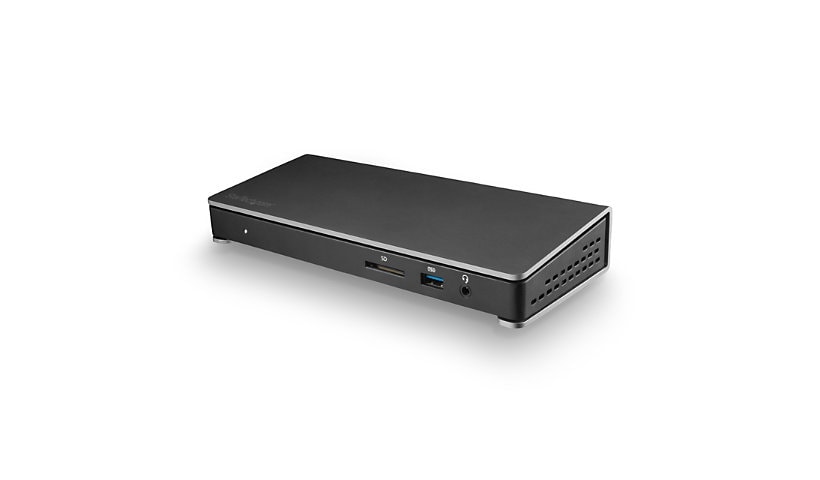
Quick tech specs
- Certified Thunderbolt 3 docking station; Driverless setup; Dual monitor 4K 60Hz w/DisplayPort + TB3 (USB-C) video output or single 5K
- Downstream TB3 port for 2nd display/daisy chain; 85W PD; 6x USB; SD; GbE; Headset Port
- Connectivity Tools w/Network MAC Address Pass-Through/Windows Layout
- Works w/all TB3/4 laptops; Extended dual displays on Apple M3 MacBook Air/Pro and M1/M2 /M3 Max and Pro MacBooks (single Display on Apple M1/M2 entry level)
- 6ft USB-C to DP and TB3 host cables incl

Know your gear
Easily transform your Thunderbolt 3 equipped MacBook Pro or Windows laptop into a dual-4K workstation with up to 40Gbps of throughput. The high-quality TB3 dock features six USB 3.0 ports, 85W Power Delivery to charge your laptop, and an SD card reader. Create a Dual-4K 60Hz Workstation This dual-monitor docking station supports 40Gbps speeds and 4K (4096 x 2160) resolution at 60Hz on two monitors, enabling resource-demanding applications on independent displays without draining system resources. The TB3 dock can support 5K (5120 x 2880) resolutions @ 60Hz on a single display. Connect your laptop to: 1 x 4K monitor via the DP Port 1 x 4K monitor via the TB3 USB-C Port (1.8 m cable included) OR 1 x 5K monitor via the DP and TB3 USB-C ports Easy Installation & Deployment Simply connect the TB3 dock to your laptop with the included TB3 cable and start working immediately. No time-consuming driver installations are required. Set up a second monitor using the included USB-C to DisplayPort cable adapter, eliminating the need for extra adapters. Plenty of Ports Including SD Card Reader The TB3 docking station offers six USB 3.0 ports, including a Fast-Charge port and USB-C port, an GbE port and audio/microphone port. The built-in SD card reader adds storage not usually available on most docking stations. 85W Power Delivery Using a single cable, the universal laptop docking station provides up to 85W of Power Delivery to power and charge your laptop, and power your peripherals with its 180W power adapter. Enhance Productivity and Device Management with the StarTech.com Connectivity Tools Application Developed to improve performance and security, StarTech.com Connectivity Tools is the only software suite on the market that works with a wide range of IT connectivity accessories. The software suite includes: Advanced Windows Layout Utility: To setup and save custom windows layouts. Mac Address Pass-Through Utility: To improve network security. USB Event Monitoring Utility: To track and log connected USB devices Wi-Fi Auto Switch Utility: Enabling users to quickly access faster network speeds via wired LAN. For more information and to download the StarTech.com Connectivity Tools application, please visit: www.StarTech.com/Connectivity-Tools TB3DOCK2DPPD is backed by a StarTech.com 3-year warranty and free lifetime technical support.
Add to Compare
Enhance your purchase
StarTech USB-C Dual Monitor Docking Station for MacBook Pro / Air M1 M2 M3 is rated
1.00 out of
5 by
2.
Rated 5 out of
5 by
Mook from
This dock is not worth the money.
It makes noise, impossible to work when it is connected to my laptop. Will be advising my company to no spend money on these docks, very disappointed.
Date published: 2023-05-01T00:00:00-04:00
Rated 5 out of
5 by
Ehsan from
This dock is not worth it.
It makes noise, impossible to work, no matter computer connected or not.
going to stop spend money on these docks for our company, very disappointed.
also having hard time with intel mac with two external display.
Date published: 2024-03-04T00:00:00-05:00