

StarTech 1 Port USB Wireless N Network Print Server with 10/100 Mbps Ethernet Port , 802.11 b/g/n, TAA
$89.16
$84.99
Sign in for your price
Mfg # PM1115UW
CDW # 3447926
| UNSPSC 43201537
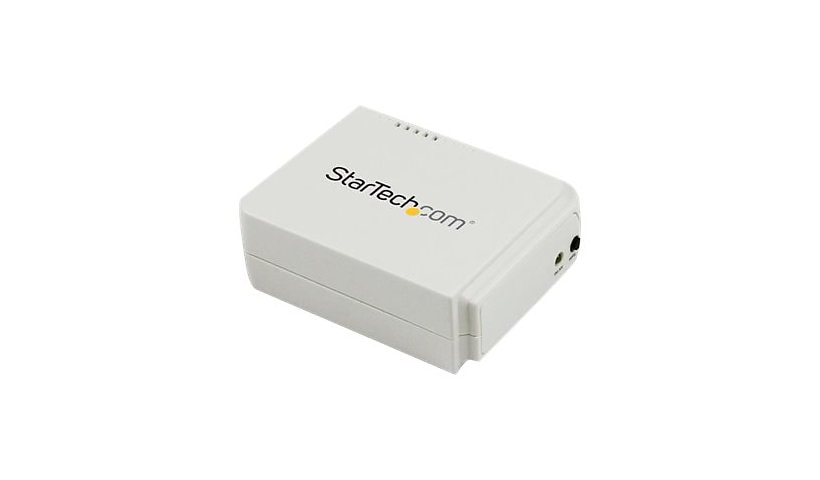
Quick tech specs
- 1 Port USB Wireless N Network Print Server with 10/100 Mbps Ethernet Port
- Wireless USB 2.0 Print Server
- USB Print Server Adapter
- Web or Windows-based configuration
- 802.11 b/g/n
- WiFi Network Print Server
- Compact design with an internal antenna

Know your gear
The PM1115UW Wireless-N Print Server lets you share a standard USB printer with multiple users simultaneously over a WiFi network, or a wired LAN connection. This compact wireless print server supports 802.11b/g/n wireless standards for functionality with almost any wireless network, plus, serving as a primary or backup interface the print server also offers an RJ45 port for 10/100 Mbps wired connections. Providing wireless network printing access enables you to place your printer in any location with network access and avoids the added cost of purchasing individual printers for each workstation or area. This wireless USB print server can have you up and running in minutes, using either a web-based interface or a Windows® based installation wizard, and also features a WiFi Protected Setup (WPS) button for quick and easy connection to your wireless network. Compatibility with USB 2.0 standards and a wide variety of USB printers and operating systems makes this network print server perfect for installation into mixed environments, with Simple Network Management Protocol (SNMP) support for remote monitoring. Backed by a StarTech.com 2-year warranty and free lifetime technical support. More from the Manufacturer
Add to Compare
Enhance your purchase
StarTech 1 Port USB Wireless N Network Print Server with 10/100 Mbps Ethern is rated
2.30 out of
5 by
3.
Rated 5 out of
5 by
MikeG0625 from
Works with Dymo 450 twin Turbo on macOS
My use case is for Endicia for Mac. I use this to print NetStamps and shipping labels. I needed to replace a 10 yo MacMini used as a print server.
After configuring as described in the docs here, I added the printer to the mac. The "trick" here is to pre-install the software and printer on the mac via USB first, so the drivers are present on the computer.
When configuring the new print server, you must set it as the type of DYMO printer you previously installed. This is available in a list when selecting the printer type - it will list all previously installed printers on the Mac.
Once that is done the printer is propoerly recognized and you can print from right/left rolls as before.
Date published: 2025-04-10T00:00:00-04:00
Rated 5 out of
5 by
Jnewton from
Does not work
Does not work when in infrastructure mode. We have two of these and one works great while the other doesn't work at all. Exact same setup, SSID, and doesn't work.
Date published: 2024-01-26T00:00:00-05:00
Rated 5 out of
5 by
andersc from
Wifi Infrastructure mode does not work
As many other people noted, this device does not work in infrastructure mode.
Date published: 2023-08-21T00:00:00-04:00