

Plugable USB 3.0 Transfer Cable for Windows PCs - High-Speed - Easy PC-to-PC File Sync,Compatible with Windows XP to 11
Mfg # USB3-TRAN
CDW # 7392916
| UNSPSC 26121600
Quick tech specs
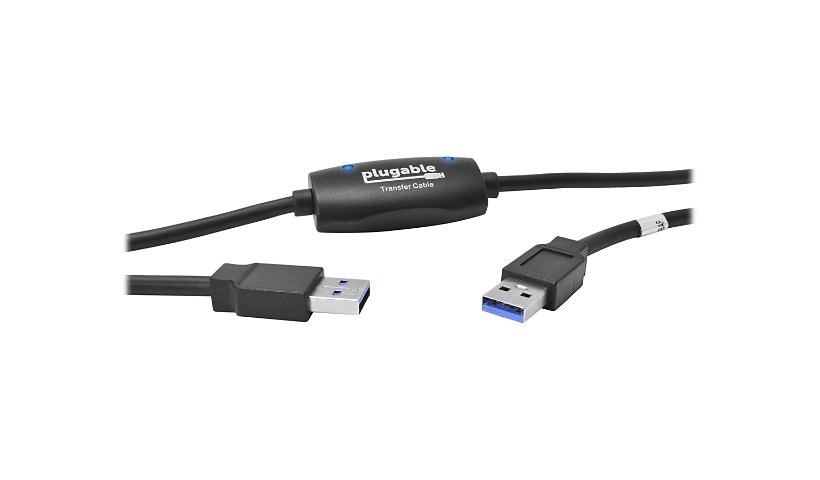
- Transfer files, folders and media up to 3x faster than USB 2.0 with this USB 3.0 PC-to-PC data cable (backward compatible)
- Includes Bravura Easy Computer Sync software ($19.95 value) for secure, simple file transfers
- Works with Windows 11, 10, 8.x, 7, Vista, XP (32/64-bit). Not for Windows S Mode, Server, macOS, Linux, or ChromeOS
- Supports syncing, drag-and-drop, one-way sync, remote PC control- no internet needed; Ideal for IT teams or businesses migrating systems

Know your gear
"Upgrade your workflow with the Plugable USB 3.0 USB transfer cable PC to PC, designed for fast, secure, and simple data transfer from PC to PC. Whether you’re migrating files to a new machine or syncing files between two computers - Perfect for IT departments, remote workers, and everyday users alike.
This data transfer cable PC to PC streamlines the process with up to 3x faster speeds than USB 2.0. If one or both computers only support USB 2.0, the connection remains compatible at standard USB 2.0 speeds. The included Bravura Easy Computer Sync software (a $19.95 value) handles the technical details, letting you move files such as documents, photos, music, and videos between PCs without size limits or the need for a network. Developed by a former Microsoft Windows Easy Transfer engineer, it offers a familiar and intuitive experience.
Compatible with:
Windows 11, 10, 8.x, 7, Vista, and XP. Both 32-bit and 64-bit versions
Not Compatible with:
Windows S Mode (Windows 10 and 11 versions that restrict software installations). You can switch out of S Mode for free to enable compatibility.
Windows Server editions, macOS, Linux, or ChromeOS
Systems that cannot boot into a full Windows desktop environment. Computers must be fully functional and capable of installing software. Devices stuck in Safe Mode, those that won’t power on, or systems with OS corruption will not be able to use the cable.
Key Features:
Plug-and-play functionality - no drivers or internet required
Includes 6-foot (2-meter) USB bridging cable
Transfers files only (not programs
Lifetime support included
What’s in the Box:
Plugable USB 3.0 data transfer cable
Quick installation guide
Bravura Easy Computer Sync product key (tagged on the cable)
Software available via download
Installation and Setup
Download the latest version of Easy Computer Sync from Plugable’s support site
Install the software on both computers.
Connect the transfer cable to both computers.
Launch Easy Computer Sync on both systems and follow the guided prompts to begin your transfer.
(Note: Programs will not be transferred. They must be re-installed from the original disk or downloaded file.)
This transfer cable is perfect for users looking to transfer data from PC to PC quickly, easily, and securely without cloud storage or external drives."
This data transfer cable PC to PC streamlines the process with up to 3x faster speeds than USB 2.0. If one or both computers only support USB 2.0, the connection remains compatible at standard USB 2.0 speeds. The included Bravura Easy Computer Sync software (a $19.95 value) handles the technical details, letting you move files such as documents, photos, music, and videos between PCs without size limits or the need for a network. Developed by a former Microsoft Windows Easy Transfer engineer, it offers a familiar and intuitive experience.
Compatible with:
Windows 11, 10, 8.x, 7, Vista, and XP. Both 32-bit and 64-bit versions
Not Compatible with:
Windows S Mode (Windows 10 and 11 versions that restrict software installations). You can switch out of S Mode for free to enable compatibility.
Windows Server editions, macOS, Linux, or ChromeOS
Systems that cannot boot into a full Windows desktop environment. Computers must be fully functional and capable of installing software. Devices stuck in Safe Mode, those that won’t power on, or systems with OS corruption will not be able to use the cable.
Key Features:
Plug-and-play functionality - no drivers or internet required
Includes 6-foot (2-meter) USB bridging cable
Transfers files only (not programs
Lifetime support included
What’s in the Box:
Plugable USB 3.0 data transfer cable
Quick installation guide
Bravura Easy Computer Sync product key (tagged on the cable)
Software available via download
Installation and Setup
Download the latest version of Easy Computer Sync from Plugable’s support site
Install the software on both computers.
Connect the transfer cable to both computers.
Launch Easy Computer Sync on both systems and follow the guided prompts to begin your transfer.
(Note: Programs will not be transferred. They must be re-installed from the original disk or downloaded file.)
This transfer cable is perfect for users looking to transfer data from PC to PC quickly, easily, and securely without cloud storage or external drives."