

Plugable USB C Docking Station VESA Mount Compact with 85W Charging Thunderbolt 4/3 USB4 Compatible
Mfg # UD-CAM
CDW # 7354318
| UNSPSC 43211602
Quick tech specs
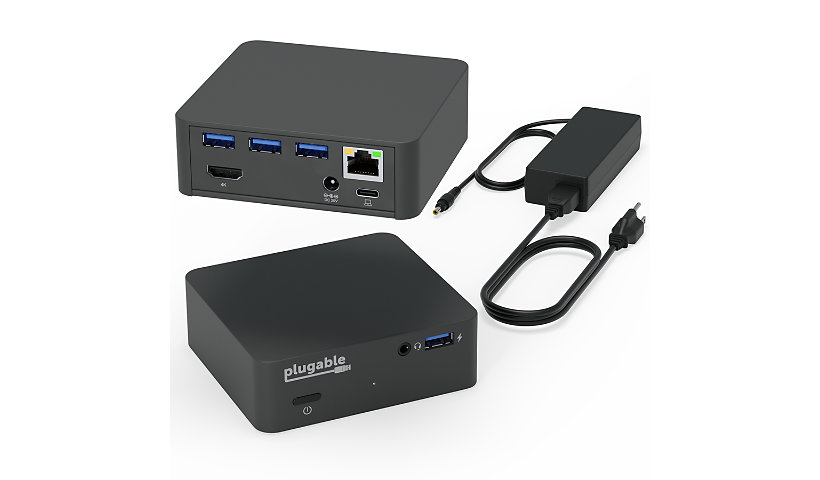
- Ethernet,audio input/output,and four additional USB ports while providing up to 85Wof power to charge USB-C or Thunderbolt 3 system -offers a sleek and minimal form factor which means savingVAluable desk space
- Compatible with Windows 10 and newer, macOS 11+, and ChromeOS. Basically anything with a Thunderbolt 4/3, USB4, or a full-featured USB-C port with plug and play functionality

Know your gear
The Plugable UD-CAM USB-C Mini Docking Station provides an additional HDMI display output (via Alternate Mode, converted internally to HDMI for maximum compatibility), up to 85 Watts of Power Delivery (PD) to charge your host computer via USB-C (host computer must support PD over USB-C), gigabit Ethernet, audio, and expanded USB device connectivity. All through a single USB-C cable.
The UD-CAM docking station utilizes new USB-C functionality to output native video over compatible USB-C ports. USB-C ""Alternate Mode"" provides a direct pipeline to the graphics processor in your system, and your connected monitor will function and perform as a natively attached display. The Alternate Mode signal is converted to HDMI 1.4 to accommodate widely available HDMI monitors.
Compatible Systems
Plug and play installation on virtually any Windows, Mac, or Linux host which supports Alternate Mode (Alt Mode) video output functionality. Current examples are the 12"" Retina MacBook with USB-C / Late 2016 / 2017 MacBook Pro / Lenovo Yoga 720 13"" / Surface Book 2 / Dell XPS 13"" (9350/9360) / Pixelbook. Dell XPS 15"" (9550/9560) will function but displays a warning on boot if a 130W charger is not detected.
Power and Charging
The UD-CAM's power supply can charge hosts with up to 85 Watts of power via the USB Power Delivery standard. As mentioned above, some devices which support video output over USB-C will not charge via USB-C. For these systems, the charger from your system manufacturer will be required.
In the Box
UD-CAM Mini Docking Station,1m long USB-C cable, 100W (20V, 5A) power supply with US power plug, VESA Mount, and quick start guide.
The UD-CAM docking station utilizes new USB-C functionality to output native video over compatible USB-C ports. USB-C ""Alternate Mode"" provides a direct pipeline to the graphics processor in your system, and your connected monitor will function and perform as a natively attached display. The Alternate Mode signal is converted to HDMI 1.4 to accommodate widely available HDMI monitors.
Compatible Systems
Plug and play installation on virtually any Windows, Mac, or Linux host which supports Alternate Mode (Alt Mode) video output functionality. Current examples are the 12"" Retina MacBook with USB-C / Late 2016 / 2017 MacBook Pro / Lenovo Yoga 720 13"" / Surface Book 2 / Dell XPS 13"" (9350/9360) / Pixelbook. Dell XPS 15"" (9550/9560) will function but displays a warning on boot if a 130W charger is not detected.
Power and Charging
The UD-CAM's power supply can charge hosts with up to 85 Watts of power via the USB Power Delivery standard. As mentioned above, some devices which support video output over USB-C will not charge via USB-C. For these systems, the charger from your system manufacturer will be required.
In the Box
UD-CAM Mini Docking Station,1m long USB-C cable, 100W (20V, 5A) power supply with US power plug, VESA Mount, and quick start guide.