

Netgear ProSafe Click Switch
Mfg # GSS108E-100NAS
CDW # 3582030
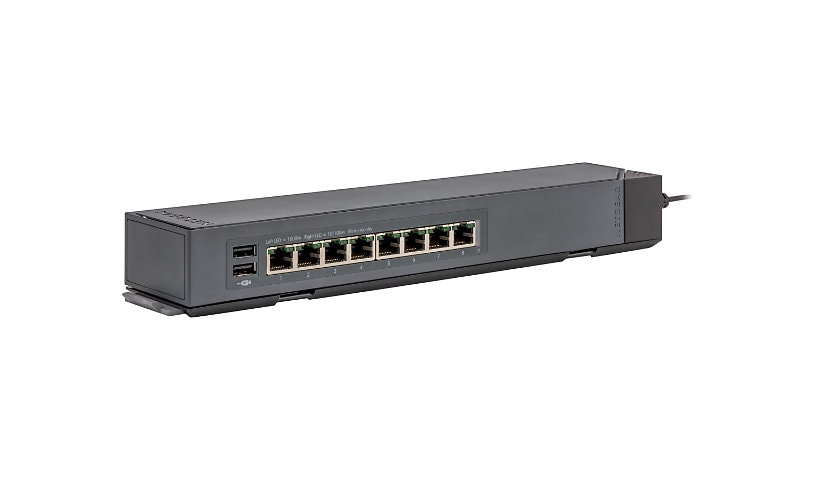
Quick tech specs
- Ethernet Switch provides reliable, efficient connectivity to ensure maximum feasibility
- Layer 2 switch provides a complete lineup of features including IGMP snooping, port mirroring, and spanning tree
- Management capability provides control over setup and configuration of your network
- Create your own LAN and connect your PC, laptop, printer and other peripherals with the help of 8 ports
- Wall Mountable form factor allows hassle-free and easy usage with increased efficiency

Know your gear
Your ports and cables where you want them
Today's networks have increasing numbers of devices attached to them, both wired and wireless. As wired devices proliferate, it can be difficult to easily and neatly place networked ports where you want them.
NETGEAR ProSAFE Click Switches™ address this issue with an innovative and thoughtful hardware design, including the flexible 1-2-3-4 Click mounting system. The new ProSAFE Click Switches are Gigabit Ethernet switches with an industry-first, bracket mounting system for easy installation. Available in either 8- or 16-Gigabit port configurations, their slim design and internal power supplies enables you to organize wires, secure cables, eliminate bulky power adapters, and improve the overall appearance of wiring closets, training facilities, lab benches, conference rooms, and entertainment centers that require multiple connected devices.
Today's networks have increasing numbers of devices attached to them, both wired and wireless. As wired devices proliferate, it can be difficult to easily and neatly place networked ports where you want them.
NETGEAR ProSAFE Click Switches™ address this issue with an innovative and thoughtful hardware design, including the flexible 1-2-3-4 Click mounting system. The new ProSAFE Click Switches are Gigabit Ethernet switches with an industry-first, bracket mounting system for easy installation. Available in either 8- or 16-Gigabit port configurations, their slim design and internal power supplies enables you to organize wires, secure cables, eliminate bulky power adapters, and improve the overall appearance of wiring closets, training facilities, lab benches, conference rooms, and entertainment centers that require multiple connected devices.
Enhance your purchase
Netgear ProSafe Click Switch is rated
2.80 out of
5 by
4.
Rated 5 out of
5 by
DanR from
Catch 22
This switch ships with v1.0 of the firmware, which has a bug that limits performance. Read the firmware notes for v1.0.0.1.
I have now bricked two of these units, while working directly with Netgear Support, trying to upgrade the firmware to v1.0.0.1. The upgrade process requires use of a TFTP server, which is less than convenient. Even so, we could never get the upgrade process to complete.
So, if you want a gigabit switch that does not provide gigabit performance, buy this and do not upgrade the firmware. If you want a gigabit switch that provides gigabit performance, buy something else. If you want a managed switch that is unmanageable, buy this unit and upgrade the firmware.
Date published: 2015-11-08T00:00:00-05:00
Rated 5 out of
5 by
Scott1408 from
null
I have been using this switch now for over a month, for me it is used as a switch for my home test environment. The throughput has been fantastic, much better than my consumer grade switch before. It also has a robust web interfaces that gives me every feature I would need for VLAN's as well as security features. I would purchase this instead of an un-managed switch for any environment.
Date published: 2015-06-11T00:00:00-04:00
Rated 5 out of
5 by
Jim R from
Cheap Layer Two Switch With Numerous Challenges
Purchased this switch from Netgear a week ago. Many issues with this "Smart" managed switch right out of the box.
1. Apparently, I was a victim of marketing because this "smart managed" switch isn't a fully managed switch. It's simply a layer 2 switch.
2. The unit ships with base firmware and software. You need to get updates from the website. Netgear save the planet from absolutely unnecessary plastic, don’t ship an unusable CD.
3. The software, exe file, is windows only. The documentation indicates “PC based” not “MS Windows” based.
4. It has a web-based interface but it’s impossible to tell if the web-based interface has all the features of the software-based interface
5. As a layer 2 switch it doesn’t support IP based VLANs only port based VLANs. Difficult to find in the documentation but it is there.
6. The registration pop-up is incredibly annoying!!! Even if you ask for it to stop via the dialog it keeps popping up every time you log in.
7. The registration dialog doesn’t recognize that the owner could already have a Netgear id. It assumes you are new to Netgear products and don’t already have a registered product.
I’ve spoken to the Netgear support team which confirmed all of these issues. That team is readily available via telephone but doesn’t show much interest in the customer. For example, when I enquired on how the situation would be resolved they directed me to call another number and start all over again. Sorry Netgear that’s the equivalent of telling me to go to your competitors.
This product is meant to be under a desk in a corporate environment in which you might want to keep phone or video traffic separate from other traffic. Make sure you thoroughly check the documentation for any other purpose!
Date published: 2019-12-17T00:00:00-05:00
Rated 5 out of
5 by
andyb from
Preliminary review.... Clarifying features
I have only gotten this setup today, but needing to explain some things Jim R saw
I, too, don't use Windows and had a little trouble getting the thing to DHCP (though this may be due to it being connected to a partially-configured Mikrotik switch port right now.
I tossed the disk immediately since I wasn't going to run it on my Linux box even if it was supported. HOWEVER, at least in my model, it seems like all the features are available in the Web UI. 802.1Q VLANs can be substituted for port-based by selecting the VLAN tab, disabling port-based and then clicking the 802.1Q button in the light-blue sub-menu at the top.
In fact, in order to use multiple tags per port you have to enable VLAN Configuration under the Advanced 802.1Q section which disables the Basic 802.1Q section. Workable, but remind me of the clunky UI on a TP-Link I bought
It supports loop detection, which is great and all, but doesn't specify what kind of loop detection, which I need to know when mixing it with other switches. Gonna dig around online to make sure before I wire it up somewhere full-time, don't need some spanning-tree mess.
tl;dr: It seems to support everything it claims via web UI, not sure what the other review saw. Wish it had better docs
Date published: 2019-12-28T00:00:00-05:00