

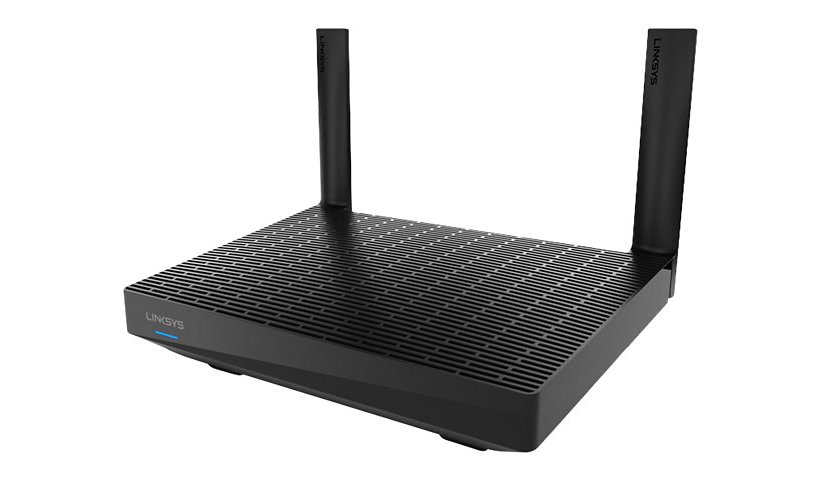
Linksys MAX-STREAM MR7350 - wireless router - Wi-Fi 6 - desktop
Mfg # MR7350
CDW # 6203098
| UNSPSC 43222609
Quick tech specs
- More capacity to more devices with WiFi 6 technology
- Powered by Intelligent Mesh™ Technology,easily expand full speed WiFi coverage
- Setup and control your network from anywhere with the Linksys App
- Covers up to 1,700 sq. ft,handles 25+ Devices,and Speed up to 1.8 Gbps
- Smarter Security with automatic updates,parental controls and guest mode

Know your gear
GREAT FOR: STREAMING, GAMING, AND EXTENDING WiFi
The MR7350 WiFi 6 router lets you Stream, Game, and Binge Nonstop. Powered by Intelligent Mesh™ Technology which adapts to your WiFi needs, your devices will always have a full-strength signal throughout your entire home. Utilizing the latest WiFi 6 technology, all of your device connections will be high quality while also adhering to the latest security standards. Later, if you decide to grow your network, this future-ready router expands by adding any Linksys mesh compatible products. The Linksys App makes it simple to setup, and access your network from anywhere, you can even view and prioritize which connected devices are using the most WiFi.
MORE CAPACITY TO MORE DEVICES
WiFi 6 sends and receives multiple streams of data simultaneously, providing up to 4x more WiFi capacity to handle every mobile, streaming, gaming, and smart home device on your network.
BYE BYE DEAD ZONES
Intelligent Mesh™ Technology combined with WiFi 6, delivers gigabit WiFi speeds to every corner of your home, including the backyard and outdoor smart home devices.
MINIMIZES WiFi CONGESTION
Eliminate interference from neighboring networks with advanced WiFi 6 technology that can isolate your network, reduce congestion, and deliver the strongest, clearest WiFi signal available.
The MR7350 WiFi 6 router lets you Stream, Game, and Binge Nonstop. Powered by Intelligent Mesh™ Technology which adapts to your WiFi needs, your devices will always have a full-strength signal throughout your entire home. Utilizing the latest WiFi 6 technology, all of your device connections will be high quality while also adhering to the latest security standards. Later, if you decide to grow your network, this future-ready router expands by adding any Linksys mesh compatible products. The Linksys App makes it simple to setup, and access your network from anywhere, you can even view and prioritize which connected devices are using the most WiFi.
MORE CAPACITY TO MORE DEVICES
WiFi 6 sends and receives multiple streams of data simultaneously, providing up to 4x more WiFi capacity to handle every mobile, streaming, gaming, and smart home device on your network.
BYE BYE DEAD ZONES
Intelligent Mesh™ Technology combined with WiFi 6, delivers gigabit WiFi speeds to every corner of your home, including the backyard and outdoor smart home devices.
MINIMIZES WiFi CONGESTION
Eliminate interference from neighboring networks with advanced WiFi 6 technology that can isolate your network, reduce congestion, and deliver the strongest, clearest WiFi signal available.
Enhance your purchase
Linksys MAX-STREAM Mesh WiFi 6 Router is rated
4.30 out of
5 by
43.
Rated 5 out of
5 by
kyleskrazy from
Get ready to upgrade your stuff
Great Router as long as you have new stuff to connect to it; legacy things like WINK Hub 1st Gen was an EPIC FAILURE! Had to revert back to my E2500 - Linksys Wi-Fi Router N600 Multiple User even after over two hours of customer support from Linksys; says my ticket has been escalated; will see as I've got a month to return the paper weight...
Date published: 2021-06-29T00:00:00-04:00
Rated 5 out of
5 by
mrmcnuggett from
WIFI 6! Love it
I received this as a promotion to try out a new product. As always the setup was a breeze. I already had the home Velop mesh cubes also and it connected to those without any problems. My wifi is running smoothly and no glitches. Playing my PS4 in the living room halfway across the house and no lag. Overall this router is top notch.
Date published: 2020-07-20T00:00:00-04:00
Rated 5 out of
5 by
Saboken from
Affordable WiFi 6 router
This is a affordable way to get the latest wifi 6 technology in your home or business, works great!
Date published: 2020-07-17T00:00:00-04:00
Rated 5 out of
5 by
Gregss54 from
Works well for me!
I received this product to evaluate. It was easy to install, as other Linksys products I have also installed. It was easy to set up and works very well. Its coverage area is very good with strong signals where other routers have been a little shaky. Download speeds are very good even at the 2.4 Ghz level. I hope to use it to build a good mesh system.
Date published: 2020-07-27T00:00:00-04:00
Rated 5 out of
5 by
Hitemharder from
Affordable without sacrificing performance
Linksys MAX-Stream Mesh Wifi 6 Router definitely delivers quite the performance while also being extremely affordable.
I recently received this wifi router and the setup was a breeze as expected. I already run Linksys Smart Wifi routers in my home, so I plugged it in and set it up within the app and within minutes it was setup and functioning great! It integrated itself very well with my current Linksys Velop system and delivered unparalleled performance. I was pleased to see it has built in ethernet ports as I prefer wired connections for some of my devices.
Bottom Line: This wifi router, although may be inexpensive, delivers quite amazing performance for the price point.
Date published: 2020-07-21T00:00:00-04:00
Rated 5 out of
5 by
Greene Beans from
This product has Several great feature sets
I haven’t yet had a chance to test it over a long period as I just received the MR7350. However so far the extended reach of the Wi-Fi has been very good For our streaming video services and there is no latency in gaming
Date published: 2020-07-20T00:00:00-04:00
Rated 5 out of
5 by
Jeff from
Small router but powerful.
Although it says this router is only for good for up to 1700 sq feet. My house is 2100 sq feet and I got good coverage every where inside the home, but it gets a little less effective out side of the house. Did not have any issues with speed or dropped wireless connections. This is a small router but its is a very good one. Very reliable.
Date published: 2020-08-04T00:00:00-04:00
Rated 5 out of
5 by
NoLimit from
Latency and Broadcast issues
Got this router a couple of weeks ago to replace an EA7500 when having issues with it not broadcasting multiple times in the course of the day. Needed something reliable and wanted to stick with Linksys. This router has been anything but reliable and ready to return to Best Buy. The latency when browsing is horrible, and pages take a long time to initially load after selecting the link. Having issues with it just stopping the broadcast and having the network disappear from my devices. While the signal is strong throughout the house unless you are right on top of it the initial download is poor. Figured going to a new wifi 6 router was the right move, this one has been nothing but trouble. If lucky it is a firmware issue, and the programmers don't know how to test their own code. Stay away and stick to either an older model or different brand. I am sure I will.
Date published: 2021-02-14T00:00:00-05:00
Rated 5 out of
5 by
Jerry from
Easy to configure, Excellent performance
I configured this router three different ways, as a standalone, as a node on an existing Velop network, and then as a wireless bridge on a different (non-Linksys) wireless network. Setup was very easy for the standalone and Velop node configurations using the mobile Linksys app. Performance in both configurations is excellent. I have this router setup in almost the exact center of my house (1700 sq ft) and the signal strength is strong throughout my home.
I then reset the router to factory settings and set it up as a wireless bridge using instructions I found on the internet. Although not specific to this router the instructions for other Linksys Smart WiFi routers worked here. I had to connect to the router directly using a Cat 6 cable and then browse to the router configuration page, but after connecting to the other network, the system worked flawlessly and again performance was excellent. Note, once configured as a wireless bridge, most of the features of the Linksys mobile app for the router are disabled.
I have connected wirelessly with multiple mobile devices and my PC. I also connected via a Cat 6 cable from my PC. I do not currently own a 802.11ax adapter, so all my wireless connections were via 802.11ac.
I have only had this router for one week, so I cannot fully comment on the long term reliability, but I have not had any issues during the week I have owned it.
Date published: 2020-08-08T00:00:00-04:00
Rated 5 out of
5 by
Ken49 from
Great Performance
I belong to Linksys family and friends and received product for testing. Best router I've ever had. Great performance, coverage and speed. I get 5 bars in living room for coverage, farthest area from the router.
Date published: 2020-08-07T00:00:00-04:00
Rated 5 out of
5 by
smplman from
Great performance!
I’ve only had this router about a week, but in that time my wireless devices seem to respond faster than they did connected to my old ac router. I have more than 30 devises connected at any given time with no issues. All streaming seems very smooth. I’ve seen a small speed improvement with the few wireless 6 (ax) devices I have. I haven’t had any success attaching storage to the USB port, but I didn’t mess with it very long since it’s not my priority.
Date published: 2020-07-20T00:00:00-04:00
Rated 5 out of
5 by
LinksysParadox from
Good WiFi Speed/Coverage As A Standalone Router
MR7350 Review
The Linksys MR7350 mesh WiFi6 router is as plain as they come. An all-black body with vents on top and a black panel on the front with a single LED status light. The box it came in does not state any technical specs other than the speed of AX1800 (up to 1.8 Gbps), but you can search online for the technical specs. It is a dual band router that uses 2 non-removable antennas mounted on the back. The box states that it is good for up to 1700 square feet, so I'm hoping my 2 story 3000 square foot home falls within those parameters. It is a MU-MIMO capable router and is compatible with Linksys' Velop line of mesh routers. In fact, while setting the MR7350 up via Linksys' iPhone app, it gets displayed as a Velop router. It does have a USB 3.0 port that can be used to attach an external hard drive that can be shared by users on your home network. It also has ports for 4 ethernet connections, should you wish to attach devices via hardwire. This is something that the original Velop mesh router did not have and for my use, is a welcome addition.
Before swapping out my existing router, a Linksys WRT3200ACM, I took speed measurements around my home at various locations where I have devices set up ranging from cameras, to a sprinkler controller, to a TV, smart plugs, Amazon Echo's, and various laptops & smartphones/tablets. These measurements were to be used as a baseline of how much a difference the routers would perform wirelessly. I, unfortunately, did not have another node available to test the mesh capability of the MR7350, but I assume that the speed would be improved in the outlying areas of my home, as well improved signal quality. I also did not have any WiFi6 capable equipment to test the speeds using WiFI6. The same goes for the MU-MIMO capability.
Setup via the app was easy and quick. Within about 5 minutes after connecting my ethernet cables and power, I was up and running. I used the app to tweak the configuration of the router, changing the password, SSID names/passwords for both 2.4 & 5.0 bands (you can name both SSID the same by a click of a link), and other settings. Most common settings are available, except for the ability to change bandwidth and channels manually is not available. There is a function to have the router scan the channels & automatically "OPTIMIZE" the channel selection/bandwidth using an algorithm that is used by the Linksys firmware. Strangely, security is limited to WPA2 & WPA3 Personal only (no Enterprise). Older protocols are not supported, so I'm not sure what happens with older equipment.
The aesthetics of the router is a little disappointing since there are no status lights on the front panel, except for the master status light, which just displays power on, connection status (blinking means it has no internet connection) and readiness to be setup via the app. There are what I assume are transmit and receive LEDs by each ethernet port and the WAN port, but no wireless send/receive status, like how the WRT3200ACM displays on its front panel.
To my surprise, the MR7350 WiFi5 performance was faster at every test point in comparison to the WRT3200ACM. Significantly faster. On both bands. The signal quality (just eyeballing the signal icon on my phone) was also improved. In my family room, I was getting only 0.1 Mbps on the 2.4 band and 7.44 on the 5.0 band with my WRT3200ACM router, whereas the MR7350 gave me 26.9 Mbps & 106.4 Mbps. In my garage, 2.4-7.45 Mbps, 5.0-10.83 Mbps (WRT3200ACM); 2.4-21.1 Mbps, 5.0-87.3 Mbps (MR7350). In my dining room, 24.-2.13 Mbps, 5.0-21.46 Mbps (WRT3200ACM); 2.4-25.9 Mbps, 5.0-277.6 Mbps (MR7350). Other areas around the house showed similar improvements, some areas on the first floor, some on the 2nd with walls, floors, and doors providing no line of sight for all locations. Based on these readings, I would whole heatedly recommend this router to be used just as a standalone router. Knowing that it could be expanded in the future by adding nodes makes it a plus feature.
Once the router is setup via the app, the router can be accessed via a browser on a computer, which is what I did since it is easier to navigate between setup screens to further explore the settings. One thing that isn't available via the web interface is the ability to scan channels for optimized WiFi. That feature is only available via the app.
Updates to the firmware is done automatically. In fact, there is no way to manually update the firmware or save the router configuration.
This router does allow for Parental control by device or website, Guest access, basic device prioritization, internet speed test, external storage management, IPv6, MTU settings, MAC address cloning, port forwarding, bridge mode, MAC filtering, VPN passthrough, some basic firewall settings, and setting up a DMZ.
The router does allow for logging info to be collected for diagnostics purposes, as well as listing devices connected by wireless connection or LAN with MAC addresses & IP address assignments.
Overall, this router seems to be a hybrid between the original Velop routers and a more conventional router in the sense that it comes with 4 ethernet ports for hardwire connections. The WiFi radio is a major improvement over the WRT3200ACM (which was a new model only about 4 years ago, and it comes in a more compact body. I look forward to adding a WiFi6 capable device in the future to explore the promised capability of WiFi6.
Date published: 2020-08-05T00:00:00-04:00
Rated 5 out of
5 by
LinksysOwner from
Fastest "Plug & Play" router yet!
I am always skeptical when it comes to setting up routers. Past routers I have had gave me headaches trying to set them up, but with the Linksys App setting up the MR7350 router was a breeze.
The Linksys app asks you for some simple settings like what you would like to name your router and what password you would like. It then walks you through plugging it in using pictures and descriptions of what should be happening as it installs. Total installation time was around fifteen minutes.
This is a Mesh router that means you can add additional Velop nodes for better coverage beyond the 1700 square ft. this unit covers as a stand alone. I found that I had a good signal throughout the house and office without any extra nodes.
You can add up to 25 devices and set priorities to make sure that your kids don't slow your office down while they are playing games and watching movies. You can even give them Guest Access and set timers to shut off their access at bed time.
Using the Speed Test feature I was able to check and make sure everything was running up to specs. There are a host of custom settings for those who need specific functions. I am not a technical guru so I stay away from those. I appreciate Linksys doing all the software updates in the background automatically so I know the router's security current.
I can't comment on the reliability of the MR7350 since I have only been using it a couple of days. I like to have my router in service for at least six months to see how well it updates, see if it slows down or looses connections, etc. But so far it has worked flawlessy.
This router doesn't have all the extra features of higher priced Linksys routers like the MR9000, but if you are looking for a Mesh router and don't require more than 1.8 gig of data speed, this router is priced right for any home or small business.
Date published: 2020-07-21T00:00:00-04:00
Rated 5 out of
5 by
Vampyr from
Nice and compact
Arrived 2 days ago and just now got the chance to set it up and play with it. Setup was very straightforward and done automatically through the iPhone app. Entire thing took about 5 minutes. Was easier to set up than my Velop AX which I will be using as a mesh router to this one sometime this week. Now I have HughesNet for an ISP so I HAVE to use their combo unit to access the web. I had to shutdown one of the radios in the unit so I could hook up the MR 7350 but after I did that it was smooth sailing. As usual, another quality product from Linksys. I will probably post another review on this and the Velop AX after I manage to set up the Mesh network.
Date published: 2020-07-19T00:00:00-04:00
Rated 5 out of
5 by
wpwatts85 from
Best Budget AX Wifi Router
If you are looking for a budget ax wifi router look no further.
Date published: 2020-08-09T00:00:00-04:00
Rated 5 out of
5 by
Marvy Jon from
Effortless setup - Surprising WiFi Signal Range
As soon as the MAX-STREAM Mesh WiFi 6 Router MR7350 arrived - I sanitized the shipping box (Covid Protection) then I opened the box and got right at setting it up - replacing a very nice working MR9000 Max-Stream AC3000 Tri-Band Mesh WiFi 5 Router which I thought did the job well.
Out of the box, it is smaller than the AC3000 with two antennae instead of four. The range was touted to be slightly less than the AC3000 but it promised dedicated signal stream to every device on the network. It also promised easy setup using the Linksys Smart WiFi App. Thanks to its smaller footprint, I could place the router in a better spot without overwhelming the space I had for it.
I first removed the AC3000 and it's power supply and ethernet cable - choosing to use the items supplied in the box.
I fired up the Smart WiFi app. I was asked if I wanted to add a node or a new network router. I chose the network router. Next I was instructed to connect the MR7350 to the Cable Modem and plug the router in. I did, then answered the onscreen prompts on the app.
When it reached the point at which it should have connected, it didn't. But, the app took me through a Cable Modem reboot after which it connected seamlessly. Right away I could connect to every device in the house (3 phones, two laptops, 1 iPad, 1 printer and one desktop).
Right away I noticed the lack of lag when using multiple devices. No device suffered slow downs. I ran Speed Test and found that the I had download speeds of 235-250 Mbps. It has stayed consistent so far.
I have used it a week now and no problems.
Once again Linksys has hit the target with this amazing router. The MR7350 more than does the job for my needs. And as usual Linksys Smart WiFi App makes setup crazy easy and kind of fun!
Date published: 2020-07-22T00:00:00-04:00
Rated 5 out of
5 by
Gorbaker from
Good Range and Connection Speed
We have at least 20 different wireless routers sending out both 2.4G and 5G signals in our neighborhood and yet I was able to connect to this router with a constant bandwidth speed of 400Mbps. Our Internet connection is 940Mbps but none of our current devices are able to connect at a bandwidth faster than 600Mbps on a wireless connection to any router.
Like all routers, the connection speed drops as the distance between your wireless device and the router increases but the connection is very constant and stable.
Even at 50 feet away, I can still maintain a bandwidth of at least 200Mbps on the 5G band.
I don't currently have any WiFi 6 wireless devices that would maximize the use of the features of this router but I plan to get 1 or more this year and then I would expect the connection to this router to become faster and reach farther then it does now.
I do have more than 1 router and they all have problems with interference from all the neighbor's routers all around us. So I am hoping that WiFi 6 will help with this.
This router is not the fastest and it's connection doesn't reach the farthest of all the available routers but it does have good range and connection strength for the price of the router. So I consider it a good buy and I would recommend it.
I am still waiting for wireless routers that can give us 4.8Gbps or better connection on a single 5G band and 1.2Gbps on the 2.4G band along with multi-gigabyte WAN and LAN Ethernet connections. This should translate to download bandwidth of 1.5Gbps or faster. So I hope to see Internet WAN speeds of at least 2Gbps soon, as well.
My internal Ethernet LAN speed is already at 10Gbps.
Date published: 2020-08-17T00:00:00-04:00
Rated 5 out of
5 by
Nilemann from
Nice Upgrade
As technology progresses and improves, this is a nice upgrade for when devices can make use of the WiFi 6 tech. Until then, this router is a seamless addition, as a parent node, to my existing Linksys mesh system - expanding my gen 1 Velop nodes. This router seems to have stronger signal allowing me to place the child nodes a little farther apart giving me a bigger mesh cast over my home and immediate property outside.
Setup was super easy using the app. There’s even the option to “upgrade my existing network” by adding a new parent node. Everything did what it was supposed to a d my network was back up in minutes with all of my devices back on line is if nothing happened.
As personal networks get more and more crowded, this router gives me a little more peace of mind that everything will work with enough bandwidth for years to come.
Date published: 2020-07-20T00:00:00-04:00
Rated 5 out of
5 by
Coolbreeze from
Nice Router for Small Home or Apartment
This is a nice little WiFi router that will do well in a smaller home or apartment. I found the setup to be easy (took about 15 minutes) but was surprised to find that it requires a smartphone or tablet that can download and run the Linksys App in order to perform the initial setup. I found the range to be pretty good although some of my distant smart devices would occasionally go offline and come back online sometime later. I successfully connected to 20 smart home devices and 8 other smartphone/tablets/computers/Roku. Streaming video through my Roku worked fine (but note that it is a wired connection from the router to the Roku). I like that it has a single status light on the front that changes colors based on the status of the router, rather than all of the blinking lights typically found on most other routers. Running Speedtest on both my wired and wireless devices showed I was getting the full throughput provided by my Internet Service Provider. I gave the online storage a try with a USB memory stick and that worked well too. The router is designed such that it can be used as a standalone router of part of a mesh network. I only checked out some of the standalone features so I cannot comment on how well it works a part of a mesh network. What I did notice though is that the Node Steering and Client Steering (functions of a mesh network) were turned on in the default setup. Maybe those being turned on has no effect when using the router in standalone mode but I turned them off anyway just to be sure.
There are a couple of things I wish Linksys would add to the router function. First, there is no Backup/Restore of the settings. For most, this may not be a big deal but if you use things like MAC filtering and have a lot of devices, anytime you reset the router, you will have to manually re-enter all of that information. Second, when setting up the guest network, you cannot specify what band(s) (2.4Ghz/5.0Ghz/Both) are available to the guest network. I like to set up all of my smart home devices on the guest network and do not want them using the 5GHz band so this is a shortcoming for me.
Now for my bug report. I offer this in hopes that the development team reads this and addresses these items.
Part 1: The Router Setup Web Interface
1. For devices in the “My Network” device list, you can change the device name and Icon for each device by selecting it and clicking on “Edit”. However, for devices in the “Guest Network”, you can click on the device but there is no “Edit” than can be clicked on. Thus, it is not possible to change the device name or icon for devices on the guest network. HOWEVER, when a guest network device goes offline (turned off or unplugged), is appears as an offline device in the “My Network” list instead of an offline device in the “Guest Network” list! That in itself seems like a bug. The good news is, now you CAN edit the device name and icon and when the device goes back online, is disappears from the “My Network” list and reappears in the “Guest Network” list with the edited name and icon!
2. On the home screen there is a link to “Learn more about apps for Linksys Smart WiFi Routers". That link is broken.
Part 2: The Linksys App for Android
1. The app will let you change only the icon for (online) guest network devices but not the device name (primary network device names and icons can be changed).
2. The “Dashboard” does not include the number of connected guest devices, only the non-guest devices are included in the count.
Date published: 2020-08-05T00:00:00-04:00
Rated 5 out of
5 by
Tony from
Great product!!
This is a really good router. I was having problems with my streaming video which is gone now!! Range is good also the great thing about this router is if you have a linksys velop they're compatible to work together. Doing this will increase range and reliability of your connections and network. This is a great product I highly recommend it!!
Date published: 2020-07-25T00:00:00-04:00
Rated 5 out of
5 by
Margaritaville_Operations from
Nice Mesh System
I have installed the Linksys MR3750 router and it is functioning fine. I installed it first as my main router and then as a child node off of my Velop Mes system. No problems in setting it up as my main router but it was a little slower than the Velop Mesh system. In order to add it as a wireless child node I had to first configure it as a wired node and then I could set it up as the wireless child node. It is working great and allowing me full coverage in my house.
Date published: 2020-07-24T00:00:00-04:00
Rated 5 out of
5 by
TheStorageNinja from
Affordable Wi-Fi 6 Mesh Router
Wi-Fi 6 (802.11ax) is the next evolution and future of Wi-Fi technology. The MR7350 is designed to cover up to 1,700 square feet handling about 20+ devices. My intention for the MR7350 router was to configure it as a standalone router on a different Guest network in my Great Room to accomodate my family/friends IoT devices. Some of these Android phones use 802.11ax and some of these tablets use 802.11ac so I wanted them to utilize the Wi-Fi 5 or 6 technologies for streaming movies, access social networks, and web surfing. The Linksys App made it extremely easy to setup the MR7350 router. I also installed a Seagate Expansion Desktop 8TB External Hard Drive to the MR7350 router's USB 3.0 port so that my family/friends can upload/download/share photos. This photo sharing on the Guest Wi-Fi network actually worked very well. I saw impressive speeds, no dropped connections, and everyone was happy watching their movies with no buffering errors. The performance from the MR7350 router was great. I enabled the Linksys skill in the Alexa App. I was amazed that I could control my whole Guest network from the Linksys App. I asked Alexa to "enable or disable the guest Wi-Fi" which was very convenient if we wanted to get everyone off their devices so that we can go outside as a family. I intend to purchase additional Linksys routers and configure them in a Mesh network so that I can just use one SSID in my whole home. The MR7350 router is an affordable and powerful Wi-Fi 6 router and it appears to work very well with its features.
Date published: 2020-08-01T00:00:00-04:00
Rated 5 out of
5 by
Carlos from
Quick & Easy Setup
This product had the quickest setup of any router I have ever owned, It took all of 3 minutes to install and setup the devices on this router. Speeds do not disappoint getting a great signal throughout the home with ZERO interference.
Date published: 2020-08-02T00:00:00-04:00
Rated 5 out of
5 by
Dumont100 from
Ok Router
This product did its job however the connection speeds varied I have Verizon Fios gigabit service and I found my self refreshing my connection more often. But when I did I saw fast speeds could have been my placement in the house still interested to see how it would work with a mesh system. Setup was literally plug and play non-tech person can setup with ease.
Date published: 2020-08-17T00:00:00-04:00
Rated 5 out of
5 by
sara from
Fantastic for my house
I have a 1300 square foot house and I was looking to upgrade my old Linksys router. That had 2 bands that I could choose from when connecting devices, so I was a bit concerned where this router eliminated that choice. Turns out, that was silly as this router is even faster, with a stronger signal in my bedroom where I need the speed to stream on my tv. (And not having to think about which band to choose is a plus for me anyway.)
Set up was super easy. (And personally, I love doing it from an app rather than a router address.)
If you're looking for this to be a standalone router in a larger house, obviously it won't work as well. But I paid attention to the range, and ended up chatting with a Linksys representative to choose the right router. So far, I'm loving it, and my speeds on all my devices are at the high end of my ISP's max speed, with room to increase as they upgrade their service. I am glad that when it came time to replace my router I stuck with Linksys.
Date published: 2020-07-24T00:00:00-04:00
Rated 5 out of
5 by
thepit47 from
Excellent Router!
The Linksys MR7350 is a great entry level Mesh router. It has a small footprint but is a great improvement to previous models. Setup was very easy via the Linksys App. While you can login to the router via a web browser, most functions can be adjusted from the App. The range on this router was fantastic. My home is 1500 sq ft and I had great coverage in every corner of the house. Additional Mesh devices are not necessary in my application. I tested it outdoors with all doors and windows closed (near my video doorbell which had previous issues with obtaining a signal with an AC1900 router), and I had an almost perfect signal. Previously, with an AC1900 router, I was barely getting 4 mbps outdoor near the doorbell. With The Linksys MR7350, I was getting 140 mbps consistently. The router recognized all of my devices and I found the connection was stable and constant with each device. The ethernet ports produced over 600 mbps (and I have 600 mbps service). This router finds the best signal and speed for each device. Overall I am really satisfied with this router. It is far superior to previous models.
Date published: 2020-08-25T00:00:00-04:00
Rated 5 out of
5 by
The Green Texan from
Capable & Budget Friendlier Option to MX5 Velop
As a primary user of a Velop System - complete with an MX5 which adds wifi6 powers to my older Velop system - I am a big fan of the Linksys app and system. The app has improved by HUGE leaps and bounds since I first tried the Velop system a few years ago - I would safe the Linksys app is no longer just on par, but has now surpassed the app of a another popular mesh access system owned by Amazon. I focus on the app because the Mas-Stream system is a solid router and it offers Wifi6 as a fraction of the cost of many other routers including other Linksys routers. I would be comfortable recommending it to smaller homes, garage apartments, and the like - as its quote fast and able to be scaled up if needed. That said, if one wanted to scale up this system I would encourage a closer look into the higher end Velop line for truly scalable mesh, but again this hits a very specific price point and it works well with the fantastic Linksys app.
Date published: 2020-07-20T00:00:00-04:00
Rated 5 out of
5 by
shad295 from
Flexible Hard Worker!
Let me start off by saying that I've purchased a variety of branded network routers and modems and I continue to see the progress that Linksys makes with new product releases. I have a two tier home and so upstairs signal is always an issue; currently installed is my Velop mesh network with only 2 nodes in place. For the most part I have coverage in my 4600 sq ft home but there is one corner area in my house that has trouble picking up a strong enough signal to stream or play online without lag issues. Installation was a breeze the Linksys app takes you step by step and takes out all the guess work. It's an aesthetically pleasing piece of hardware and can be wall mounted if you're low on counter-top space (I have it on a dresser behind the TV). After the 5 minute install was complete I now had a 3rd node in place and immediately noticed the improvements. My download/uploads speeds improved by 150% in that troublesome corner and signal is at max. No more lag issues and thanks to the Linksys MR7350 my mesh network is official "whole home". I'd like to add that this router is flexible in its functionality, you can use it as a bridge if you don't have a mesh network, replace an old router if you'd like or do as I did and add it as a node to your mesh network, regardless of what you choose you won't be disappointed.
Date published: 2020-07-23T00:00:00-04:00
Rated 5 out of
5 by
TSchmitz from
A Good Mesh WiFi 6 Router!
This is a good way to get an entry level mesh WiFi 6 router, like a good starter home. However, since I am in my forever home, it is insufficient to meet my needs.
Specifically, Up to 1700 Square Feet, where I need 4000; 25 + Devices, where I need 67 + Devices; so it is simply too entry level to meet my needs. That being said, it is a good router, but not for me. The Linksys Dual-Band Mesh WiFi 6 Router (MR9600) is a better fit for me.
Date published: 2020-07-16T00:00:00-04:00
Rated 5 out of
5 by
rmn429 from
Excellent Coverage and Easy Set up!!!
UPS delivered the Linksys MAX-STREAM Dual-Band Mesh WIFI 6 Router (MR7350) a few days ago. I have a single-family house with 1,900 square feet and a smaller town house, this router was set up in the single-family house. After a few days of use, I decided to write this review of my initial impressions of the ease of install and the coverage and speed I experienced at that time. We spend a lot of time in our backyard (especially now during the pandemic), so it’s important to us to have great WIFI coverage extending out there.
Setting up the router was no problem, using the included power source and Ethernet cable, connect to your modem and to a power source and you’re done with the physical set-up! Next, use the Linksys app and follow the set-up instructions, that’s it! The app even trouble-shoots any set-up issues by guiding you through any possible issues. Keep in mind, you will need to set up a password during set-up (as well as a guest access PW). Using the Linksys app also allows for the granting of guest access, device prioritization, speed tests, and the all-important parental controls. BUT, the best part for you Alexa users, once set up, you can use Alexa to control some of the router’s features, like parental controls and guest access.
The MR7350’s speed was great, we haven’t experienced any buffering in the movies we’ve streamed, even when watching movies on the iPad out in the backyard. Reading news sites on a cell phone while someone else is streaming a movie in the living room and the grand-kids play videos games in the guest room causes no problems!
With easy set-up and great coverage, this unit is perfect for our house!
Please note that this product was a free sample from Linksys. It was provided to me for my review in exchange for my honest feedback.
Date published: 2020-08-05T00:00:00-04:00
Rated 5 out of
5 by
jmanh2c from
Great range!
This router is super easy to set up and has incredible range. Our house is 1799 sq ft and we have single everywhere. I love all the extra features and they are easy to adjust in the all.
Date published: 2020-07-20T00:00:00-04:00
Rated 5 out of
5 by
Pitboss56 from
Great Performance and Easy Setup
I used the App to set this up. It was the easiest setup I have ever had, for any device. The setup worked flawlessly, as does the router. Just by itself I had coverage throughout my whole house. I'm not just satisfied by excellence, it has to be awesome, so I bought a set of 3 Velop nodes. Set one up on the 2nd floor of my house, another at the opposite side of the house from the router, and the 3rd in my workshop, that is located in a detached 2 car garage. I used the app to set all 3 of these up. Just as with the router, the setup was flawless. I couldn't be happier with this Linksys router and the Velop nodes.
Date published: 2020-08-08T00:00:00-04:00
Rated 5 out of
5 by
VJO Guy from
Not sure I'm going to keep it
I received this router Wednesday and hooked it up that evening. The setup was relatively easy with the phone app. Signal strength throughout my two-story, 2000 sq foot house is pretty solid (though 2.4 Ghz signal seems to be more commonly available unless quite close to the router, when you can then get the 5 Ghz signal).
It works fine. So why only 3 stars? Because I called support TWICE for the same issue that is still not resolved! The issue is that the router is for some reason hogging up half the bandwidth from my ISP!
My old-as-the-hills Apple Airport Extreme router consistently held and delivered speeds of 100-160 Mbps to my devices. This one? If I'm lucky, 68 Mbps. The average is about 50. Simply put, there's just no reason for this. Yet others have reported it as well. So I'm still contemplating, but am leaning strongly in the direction of returning the unit.
Date published: 2021-02-06T00:00:00-05:00
Rated 5 out of
5 by
Baxter from
MR7350 and Thermostat and doorbell hookup
I could not get the thermostat and doorbell to work with the MR7350 but after trying just about everything I could think of I did get my rca doorbell to work by disconnecting the power from it and when I retried it went online with no problems at all. I have given up on the Lyric doorbell for the time being.
Date published: 2020-07-27T00:00:00-04:00
Rated 5 out of
5 by
Xavier from
Effective WiFi Strength
I received this router quite recently and am extremely pleased with its connection strength. I, unfortunately, am unable to connect my computer through Ethernet and have been struggling with getting a decent enough connection from my att modem, but this router was able to push out at least 3x as much signal as the base ATT modem. I don’t have any problems with streaming or downloads. I can’t wait to go out and purchase some extra mesh towers.
Date published: 2020-07-20T00:00:00-04:00
Rated 5 out of
5 by
staskied from
Network Expanded
I received this router through he Linksys Friends and Family program. I was able to add this to my existing Velop Mesh Network. Adding it to the existing network was simple enough, but I will need to tear down my network to make it the head node.
As I was adding it to my existing network I did have a problem getting it fully added, since one of my existing Velop nodes was offline. I think the app was waiting for all nodes to be online and couldn't detect that the one being added was working.
Next stop is rebuilding my network. I wish there was simpler way.
Date published: 2020-08-24T00:00:00-04:00
Rated 5 out of
5 by
Baxter from
My review of the MR7350
My review of the Linksys MR7350
So far I really like the Linksys MR7350, It was very easy to set up and the signal was strong all through my home. This is a dual band mesh wifi 6 router so you are ready for any new phones or computers that you purchase. I can’t take advantage of the Wifi 6 capabilities yet but I do have a PCie adapter coming for my desktop that will allow me to do so.
The guest and parental controls work great. The one issue I have had is that it will not find my thermostat or my doorbell and I have tried it on guest network too. It has found everything else with no problems at all, I will keep working on the doorbell and thermostat and let you know what I find.
I added two of my velop nodes to the network and they are working fine. My neighbor says that my signal is high at his house and he is about 125 foot away. This router is backward compatible so I would not waste my money on a Wifi 5 router when you can have the latest at the same money and be ready for the future. This router covers up to 1700 ft and does an excellent job getting a signal out to all your devices. It has a 3.o usb port for an external drive if you wish and 4 Ethernet ports.
You will love the looks and size of this router, It will go into small areas and it is one of the nicest looking routers I have seen. The router will accept over 25 devices and should cover all the devices you throw at it. Speed has been fantastic and no lag at all.
Linksys just keeps coming out with better products with better looks all the time! Keep up the good work.
Be safe
Baxter
Date published: 2020-07-23T00:00:00-04:00
Rated 5 out of
5 by
Mark from
Christmas in July!
My product arrived in perfect condition which is not always the case with other shipments I have received of late due to the increased purchases I make online due to the current Covid-19 situation. The overall footprint of the router is ideal making it easy to place in the ideal location for w/o attracting attention of our small grandchildren who explore everything within their reach. The app made setup a breeze and no dead zones have been noticed throughout our 1900 square foot home. Even outside the signal strength and performance remain great. I may check in to ordering a Mesh extender to put in my garage also since I spend some time with hobbies out there as well. I also like the ability to have so many devices online wirelessly in addition to me wired ethernet connection in some rooms. I have been working from home since March and participate in many online video streaming meetings on my laptop which until the addition of this router could cause issues on video from time to time if on WiFi. I have no negative comments to date on the performance, appearance or operation of this device including setup which can sometimes be a hassle. Recently I have begun streaming more TV content due to little ones wanting to watch their shows, no lag time or freeze ups here with this router and others can surf or shop while I am working online also. Linksys strives to exceed consumers expectations on all their products and this recently received item doesn't disappoint.
Date published: 2020-08-01T00:00:00-04:00
Rated 5 out of
5 by
DHOP from
Great new mesh router!
Linksys MAX-STREAM Mesh Wi-Fi 6 Router (MR7350) works as promised . . . It supplies a really fast connection through a Wi-Fi mesh network.
The setup was easy. Just plug the unit in, load the app to your phone and you’re pretty much done. I was already running a mesh network utilizing Linksys’ Velop nodes. This router integrated itself perfectly. The range and speed is better than the Velop nodes (WHW03V1) that I am currently using. It allowed me to provide a fast connections for devices outside on my deck from a location inside my home. I should note that I did not use all of its multitude of features because I put it in bridge mode and left control of my network elsewhere.
This unit works on both the 2.4GHz and 5GHz bands simultaneously. Its Wi-Fi seed is AX1800 (574 & 1201). I also liked that it had a 1 WAN and 4 LAN Ethernet Ports. Finally, it has WPA3 security.
The bottom line: This unit works as advertised. REALLY EASY TO SETUP! REALLY FAST SPEED & LONG RANGE!
Date published: 2020-07-20T00:00:00-04:00
Rated 5 out of
5 by
gitscott from
Should be very easy setup under normal conditions
Setup: My intent was to add it as an extension to my existing network. My current main router, a newer Linksys AC3000 / MR9000 paired with a Linksys AC3000 WiFi Range Extender have been performing very well but I was hoping to utilize this new unit to help boost the WiFi signal in my wife's art studio about 35 feet from our main house. So initially I placed the new unit in her art studio. My current setup did reach this with a good signal.
The only instructions that come with the unit is a small sheet that indicates you need to use the Linksys phone app to get it setup. I already had the required Linksys app loaded on my iPhone for when I setup my previous MR9000 unit. I powered up the new unit in the art studio, which was in range of our existing wifi network, but also had an ethernet connection available that connects to our home network. I thought it made sense to take advantage of that instead of relying on WiFi so I hard wired an ethernet cable to one of the 4 ports on the new unit.
With the new unit turned on and with the purple status LED lit I launched the Linksys app and went to the "Add a new device". It said to wait about 3 min., and as desired the Status LED was blinking purple so I was instructed to continue. Then it said to wait up to 6 min. for the unit to apply settings and then get it added to my existing Velop network. After at least 6 min. it indicated something was wrong and asked to try another location. So I brought the unit in the house and connected it about 20 feet from my main router and to an ethernet connection and then ran the setup again. After waiting about 6 min. for the app to configure the new unit it reported that it had worked this time.
Now I was able to see my main Linksys AC3000 router and the new Linksys AX1800 as an extension to it in the Linksys app. The app showed the basic AX1800 info including IP address, firmware version and that it was connected to the AC3000 unit. My Linksys AC3000 WiFi Range Extender is not managed by the Linksys app and uses a web interface instead (much better).
Although the Linksys app worked fine and for many users that like a totally hands-off experience it may be a very good fit. I find it frustrating that the unit does not have a Web Interface to allow manual configuration if desired. The app just feels limiting (but not all that bad really). I did not test the unit as my main router and maybe in that mode it does allow configuration via a web browser interface but based on the documentation I found, I do not think that is the case. My MR9000 that also uses the same Linksys phone app does also allow using a web interface. But the web interface for the MR9000 also looks simplistic but with some digging you can find most settings that are available on many other brand routers. Everything is there but certainly geared for most users that probably do not want to tweak things. When I did try to connect to the new AC1800 / MR7350 unit using a web browser with it's DHCP assigned IP address the web page just auto-redirects to the main router.
Another minor annoyance. The unit does not come with any documentation, not a bid deal as long as the manufacturer's support site makes it easy to find what is needed. I was able to find a PDF manual for the MR1750 that was somewhat helpful but it was geared towards using the unit as a primary router not as an extension as I was using it.
After some testing from various locations within the house I do feel that our main WiFi network's signal strength was stronger and performance was good. I ended up removing my exiting Linksys RE9000 wifi range extender and putting the new AX1800 in its place and it is working better then the range extender. I am getting a stronger signal in the art studio than I was before now. And a big plus is I do not need an additional "ssid-ext" network to connect to now. Everything is using one ssid and handoff as moving around the house is transparent and unnoticeable.
Along with 4 GB Ethernet ports the unit has a USB 3 port that allow sharing a UBS device on your network. This can be handy for backups and many other uses. I was pleased to find that when I connected a USB drive to the port I was able to access it by the MR7350's IP address on my network (have to go into the advanced menu to find this - not real obvious). I also have a USB port on my MR9000 that after some firmware updates was eventually supported and works well. Once I found the USB external storage setup menu on the app it was well done and had good instructions on how to use it.
All-in-all I think the MR75350 is a good router especially for users that want a simple and hands off setup. Some users may find the lack of a web interface (at least in extension mode like I was using) to be frustrating. I've only had this unit up and running for a few days but so far it has worked well.
Date published: 2020-07-27T00:00:00-04:00
Rated 5 out of
5 by
Big Al from
Worst Linksys router I have ever owned...
Okay this makes the fifth linksys router bought in the past 3 months and By far I have never owned such crappy router(s)... Where to start-well IP addresses are not properly handled. If I assign an IP address in the router say for smart light to 192.168.1.160 and assign it that, my light should always be that. (was with my old router). Not with this router in fact the address changes daily and the router will assign the designated address for the light to another device. Then I get conflicting IP addresses and then nothing has internet. This happens with all addresses I try to assign to devices.
Plus it never shows anything online except the router, all other devices show up as offline yet they clearly are all online.
Overall this router is nothing compared to my old linksys router-which I am looking to fix the wireless part to work again, if I can, this MR7350 will be the most expensive paper weight I ever bought...
Rest assured, after buying linksys/cisco products for many years and always recommended to family and friends and co workers has come to an end. If I can't fix my old router I guess I will buy NETGEAR... Sad that such a one time great company only can make high end paper weights! instead of great electronic devices...
Date published: 2021-07-11T00:00:00-04:00
Rated 5 out of
5 by
Jimfoto from
Very Poor Range
The router is easy enough to set up but the range is VERY poor. Plan on spending more $$ for decent coverage.
Date published: 2021-10-25T00:00:00-04:00
Rated 5 out of
5 by
Joseph from
Constant restart
Stay away from this router. It worked well for the first month then the constant restarting started. It will begin like once every few weeks till now it a few times a day. You'll be in the middle of streaming a show then the blue light will flash red. Turned off auto updates it still will power cycle smh. I used to love the old linksys routers like the wrt54g back in the day. So I decided to give this product a try. I think i'll try another brand
Date published: 2021-10-06T00:00:00-04:00