

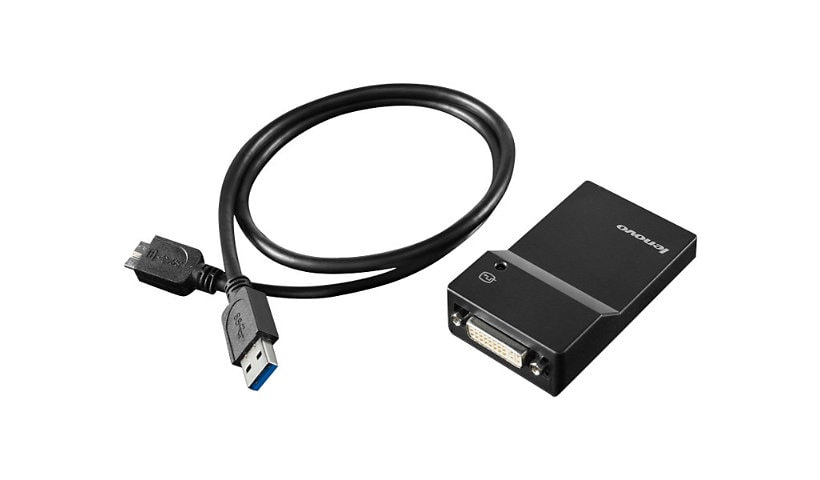
Lenovo USB 3.0 to DVI/VGA Monitor Adapter - external video adapter
$111.99
Mfg # 0B47072
CDW # 2808024
| UNSPSC 26121600

Know your gear
USB is Ubiquitous. The Lenovo USB 3.0 to DVI/VGA Monitor Adapter provides a quick and easy way to attach an analog or digital monitor to a ThinkPad or ThinkCentre USB port, helping to increase productivity through the use of multiple monitors.
The Lenovo USB 3.0 to DVI/VGA Monitor Adapter is ideal for increasing the efficiency of everyday tasks. View and extend spreadsheets across multiple monitors, or view financial charts simultaneously. Using multiple USB 3.0 to DVI/VGA Monitor Adapters reduces overlapping of windows when multitasking is required, and increases overall user experience and productivity.
Up to six monitors can be connected using up to six USB 3.0 to DVI/VGA Monitor adapters when connected to ThinkPad systems. Adapters coexist with existing system monitor ports and installed graphics cards.
Each adapter is uniquely configured, using a setup wizard, for:- Display mode: Span (one large desktop), mirrored (clone mode) or- extended desktop (stretch mode)- Screen resolution: Up to 2048x1152- Screen orientation: 0, 90, 180, or 270 degrees- Monitor placement: Extend monitor to right, left, above, or below
Windows Display Properties setup menu allows users to set resolution and the position location of each USB 3.0 to DVI/VGA Monitor Adapter along with the systems graphics displays.
The USB3.0 to DVI Monitor Adapter is lightweight and is easy to carry. A projector can quickly be attached to the ThinkPad USB port.
The USB 3.0 to DVI/VGA Monitor Adapter does not disable a system's graphics capabilities. For ThinkPad users, the ThinkPad display is active, a second monitor can be attached to the ThinkPad monitor port. Additional monitors can be easily connected using one or more USB 3.0 to DVI/VGA Monitor Adapters.
The Lenovo USB 3.0 to DVI/VGA Monitor Adapter is ideal for increasing the efficiency of everyday tasks. View and extend spreadsheets across multiple monitors, or view financial charts simultaneously. Using multiple USB 3.0 to DVI/VGA Monitor Adapters reduces overlapping of windows when multitasking is required, and increases overall user experience and productivity.
Up to six monitors can be connected using up to six USB 3.0 to DVI/VGA Monitor adapters when connected to ThinkPad systems. Adapters coexist with existing system monitor ports and installed graphics cards.
Each adapter is uniquely configured, using a setup wizard, for:- Display mode: Span (one large desktop), mirrored (clone mode) or- extended desktop (stretch mode)- Screen resolution: Up to 2048x1152- Screen orientation: 0, 90, 180, or 270 degrees- Monitor placement: Extend monitor to right, left, above, or below
Windows Display Properties setup menu allows users to set resolution and the position location of each USB 3.0 to DVI/VGA Monitor Adapter along with the systems graphics displays.
The USB3.0 to DVI Monitor Adapter is lightweight and is easy to carry. A projector can quickly be attached to the ThinkPad USB port.
The USB 3.0 to DVI/VGA Monitor Adapter does not disable a system's graphics capabilities. For ThinkPad users, the ThinkPad display is active, a second monitor can be attached to the ThinkPad monitor port. Additional monitors can be easily connected using one or more USB 3.0 to DVI/VGA Monitor Adapters.
Add to Compare
Enhance your purchase
Lenovo USB 3.0 to DVI/VGA Monitor Adapter - external video adapter is rated
3.90 out of
5 by
8.
Rated 5 out of
5 by
DeJota from
Works Great! (T430 w/Mini-Dock Series 3)
UPS delivered...I took out of box...installed drivers with disc...plugged into USB 3.0 on mini-dock...bingo, done in 5 minutes
Date published: 2014-03-07T00:00:00-05:00
Rated 5 out of
5 by
SimonK from
Lousy
It's looks are miserable. Quality stinks.
Screen keeps on flickering on the laptop when on. Half of the times the USB device is not recognized. Mouse lags when connected.
Date published: 2013-05-29T00:00:00-04:00
Rated 5 out of
5 by
Christian from
Link to driver points to readme file
Don't have the cd, so need a link for the driver. The one on lenovo site don't work.
Date published: 2014-08-15T00:00:00-04:00
Rated 5 out of
5 by
William010110 from
Does what it needs to do.
Needed this to get three external monitors working with my Lenovo dock.
Date published: 2022-01-09T00:00:00-05:00
Rated 5 out of
5 by
LSGK from
Never going back to a single monitor!
I'm by no means a "techie", but must manage my technology myself, having WFH for 30 years. I realized that I needed a second monitor for virtual meetings, and researched the Lenovo site for a compatible adaptor for my 3 year old computer. This adaptor arrived, with brief, but clear instructions, and in less than 15 minutes, I had two monitors.
Date published: 2021-04-13T00:00:00-04:00
Rated 5 out of
5 by
Gamechanger from
Adding a larger external screen to my laptop
Tried many other converters and adapters. None worked to provide adequate bandwidth for an external LCD screen from my USB3.0 port on my Lenovo Yoga laptop. This conversion to DVI made it possible. All parts were included in the package.
Date published: 2020-05-23T00:00:00-04:00
Rated 5 out of
5 by
JNJLtd from
Connecting an older monitor to a yoga 2 laptop.
This product is great! Allowed me to connect my older, but still good monitors that use VGI. My desktop went down in my home office and this allowed me to connect my yoga 2 laptop to the 26" monitor. It made online meetings during COVID-19 more effective. Thank you!!
Date published: 2020-05-01T00:00:00-04:00
Rated 5 out of
5 by
JeannieM from
Exactly what I needed. Works perfect!
This adapter works perfect with my Lenovo Yoga laptop. Thanks to the customer service person for making sure I ordered the correct part.
Date published: 2020-04-17T00:00:00-04:00