

Lenovo ThinkSmart Hub 500 - for Microsoft Teams - Core i5 7500
Mfg # 10V50000US
CDW # 4972000
| UNSPSC 43211508
Quick tech specs
- ThinkSmart Hub 500 for Microsoft Teams
- Includes Lenovo power adapter
- vPro
- 128 GB SSD
- 120/230 AC nominal voltage
- All-in-one
- Core p5 7500T 2.7 GHz
- 8 GB RAM
- Uses a 90-watt power adapter
- Lenovo 3-year Premier support

Know your gear
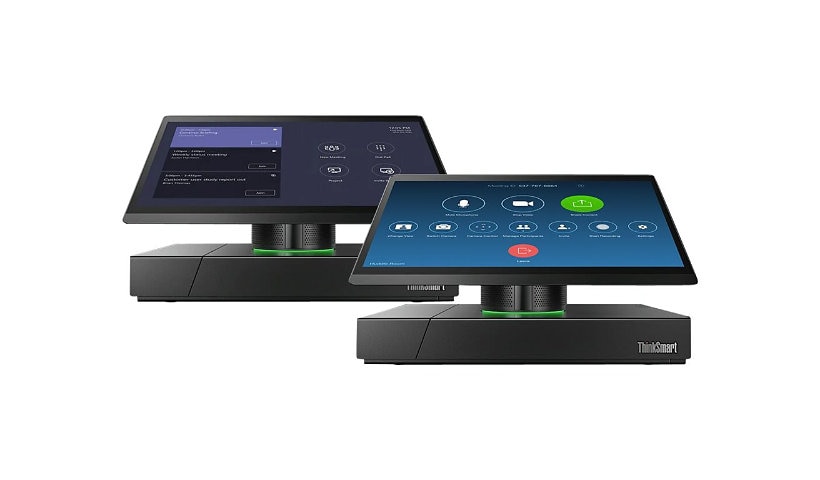
Connect with colleagues worldwide without experiencing delays with the Lenovo® ThinkSmart™ Hub 500 for Microsoft® Teams. The Integrated SSD with 128GB of space provides sufficient space for storing videos, documents and other files. Conversations run clearly with the Dolby Audio™ premium sound and a 360-degree microphone array in this Lenovo video conferencing kit. Besides, users can add an external speaker or microphone to the setup through the 3.5mm audio input/output jack combo when targeting a large audience.
The Lenovo ThinkSmart Hub Core™ i5 7500 includes 8GB of RAM to process videos smoothly. Thanks to the ThinkSmart Manager facilitating configuration, maintaining and deploying the hub is easy. The innovative cable management system keeps the room tidy by eliminating cable clutter. Anyone within arm’s length can access the rotating anti-smudge display for easier accessibility, so meetings can run smoothly. Get notifications on your call’s status with the three-color LED light ring. The Lenovo ThinkSmart hub all-in-one includes ThinkShield-enabled security to protect your privacy and data.
The Lenovo ThinkSmart Hub Core™ i5 7500 includes 8GB of RAM to process videos smoothly. Thanks to the ThinkSmart Manager facilitating configuration, maintaining and deploying the hub is easy. The innovative cable management system keeps the room tidy by eliminating cable clutter. Anyone within arm’s length can access the rotating anti-smudge display for easier accessibility, so meetings can run smoothly. Get notifications on your call’s status with the three-color LED light ring. The Lenovo ThinkSmart hub all-in-one includes ThinkShield-enabled security to protect your privacy and data.
Enhance your purchase
Lenovo ThinkSmart Hub 500 - for Microsoft Teams - all-in-one - Core i5 7500 is rated
3.20 out of
5 by
5.
Rated 5 out of
5 by
PABL from
Too chunky, will look out of place on the table
Reviewed this and its an eye sore on the table, should have done an extender option where it is the tablet only on a stand and the PC is extended out of the way either wall mounts behind the TV or in a cupboard.
Date published: 2018-06-21T00:00:00-04:00
Rated 5 out of
5 by
Pavel501 from
Better than Logitech SmartDock
We are deploying Skype Room Systems in our company worldwide and currently we have Logitech Smartdocks and Lenovo Hub 500. We prefer Lenovo Hub 500 as it's a single device while SmartDock is a dock + Surface Pro inside, Lenovo is available globally, while Surface Pro availability is very limited (try to buy one in Brazil or Russia), Lenovo has better cable management out the box. The only reason why I put 4 stars is that Lenovo doesn't have cable management options like Flex for Logitech Smartdock
Date published: 2018-06-26T00:00:00-04:00
Rated 5 out of
5 by
LPFC1926 from
ThinkSmart Hub 500 for Microsoft Teams - it's good
This is a great purpose-built product for O365 Teams. Very intuitive interface. Beautiful background with a clock when not in use. It requires a Room license. The only reason I would rate it 4.5 stars is because of a little quirk. Once the unit goes to sleep (after a period
of inactivity) and wakes up it will not recognize that the external TV screen is still connected and turned ON. Workaround for us was to disable power-saving mode. If you use the suggested cameras your audio and video quality would be top-notch. The unit supports a second camera pointing to a whiteboard for presentation mode. Functionality allows people to dial into the unit from the Internet, to share screens and even to see cations. I hope Lenovo keeps up with Microsoft on the continuous development of the application.
Date published: 2020-02-21T00:00:00-05:00
Rated 5 out of
5 by
Kevin Mc from
Very easy to setup and the users love it!
Received the unit and had it installed and ready for the users in under an hour. The most complicated part of the setup is getting the room account setup properly on Office 365. Very happy with this purchase!
Date published: 2020-03-16T00:00:00-04:00
Rated 5 out of
5 by
financebizitadmin from
Onboard microphone array generates loud noises
We bought 2 of these units, both of them would generate loud static noise that the caller, or other conference party hears on there end. Even if you dialed into the conference bridge. There is a hardware defect in these units. If I plugged in a external microphone, used the camera microphone, or a bluetooth microphone > absolute perfect audio quality and NO loud static noises. I genuinely wanted these units to work and the setup was super painless. I did have to do a full OS update to support Teams as it uses Modern Authentication and out of the box the unit did not support it.
Date published: 2020-08-26T00:00:00-04:00