

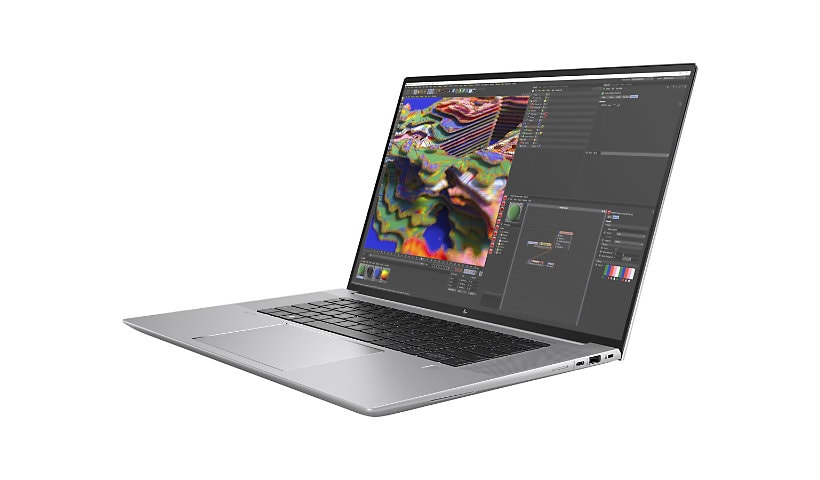
HP ZBook Studio 16 G9 16" Mobile Workstation - WQUXGA - Intel Core i7 12th Gen i7-12700H Tetradeca-core (14 Core) - 16
Mfg # 6M731UT#ABA
CDW # 7070350
| UNSPSC 43211503
Quick tech specs
- With 16 GB of memory, users can run many programs without losing execution
- 512 GB total SSD capacity is enough to store your essential documents and files, favorite songs, movies and pictures

Know your gear
ZBOOKS
For technical and creative professionals who demand pro-grade performance on the go.
Enhance your purchase
HP ZBook Studio 16 G9 16" Mobile Workstation - WQUXGA - Intel Core i7 12th is rated
5.00 out of
5 by
2.
Rated 5 out of
5 by
OmarD from
So far... almost perfect
It's performance, style, and feel is impressive.
Date published: 2023-11-28T00:00:00-05:00
Rated 5 out of
5 by
Colin449 from
Great Data Science travel laptop
The HP Book Studio G9 is very nearly perfect. I need a computer for data science with which I can also travel far and wide as a digital nomad, and I’ve been searching a while for the best one. Besides programming, movies and writing are the other use cases, and the occasional Civilization game.
I have come to decide, over several laptops, my main criteria were as follows:
• 16 or 17", 16:10 or 3:2 aspect ratio, matte anti-glare, bright (>= 400 nits max) QHD+ display
• Thin and light (given the 16” + size) but still durable, decent keyboard
• Good thermals/cpu, non-soldered ram preferred, 8+ hour real world battery life on basic productivity, with USB-C PD charging option
This computer fits it all, while being an enterprise grade machine which explicitly markets towards data scientists (a first for me).
My first impressions were, wow, that screen. It is perfect for productivity. Also, it has insanely loud, high-quality speakers. They make the Macbook look pathetic, a first. I also love that the keyboard has a gamer-type RGB customization, and generally feels nice to type on. I think that the RGB was an important addition as otherwise this laptop looks like a boringly generic silver rectangle. You can set it to plain white backlight if boring looks are what you want.
This computer is lighter than any 16” computer I’ve compared, although noticeably heavier than many 13” competitors. The Gram series is lighter, but for me the little extra weight here is worth the extra performance and nicer screen.
The port selection is pretty good for a thin-and-light, by which I mean it still has a USB-A style port and a micro sd card reader, which are missing on some competitors.
I was quite impressed by the Geekbench scores running it (1757 / 12128). What impressed me was how quiet it stayed for the score it got, barely any fan noise while giving a good (if not best) score for the 12700H. Power tuning options are limited to the Windows performance slider, no fancy tuning options like on gaming laptops.
I was a little worried at first as there was no Nvidia sticker on the front, but yes, there is an RTX A1000 inside. It’s the professional equivalent to an RTX 3050 and is perhaps the weakest RTX-branded Nvidia card out there. I rarely use GPU intensive tasks, and was planning on just using integrated graphics but this came standard. The A1000 is perfect for a little gaming or editing, while not eating massive amounts of power like its bigger siblings. For me, great. I would worry about the optional top-end A5000 being ridiculously expensive and also not cooled well enough in this chassis.
Important note on battery life: make sure the screen is in Dynamic refresh rate (Windows 11) or 60 Hz. Originally mine was set to always 120Hz and that cut the battery life in half. Switching resolution to 2560 x 1600 from 4K also saves battery life, as well as the Windows performance slider. I haven’t tested extensively, but it’s at least 8 hours (I’m guessing around 9) under my use so far, which is exactly what I want. Probably longer on just video playback.
I paid $2124 + tax for this computer, on sale. That included 16 GB of DDR5 and a 512 GB SSD. Since the customizable build price for this computer put it closer to $4,500, I decided to upgrade RAM and SSD on my own. That’s when I ran into some issues.
The BIOS is complicated, enterprise grade, and I made the mistake of shutting off all the security features at once, then somehow getting stuck in an automatic BIOS upgrade loop. I ended up having to exchange my first computer after my edge case stumbled on this bug. Advice: be cautious when playing with BIOS. Also, some of the BIOS security hardening settings mean the boot process from complete shutdown takes more like 10 seconds, which seems slow after most premium Windows computers I use booting in more like 1 second.
The bottom cover is not the best. I managed to damage it on both the exchanged computer and this one a little bit, just lifting it with plastic guitar picks. I am not a full-time expert at this, but I have opened plenty of laptops before, and it shouldn’t be so fragile. While the rest of the build quality feels good, I would advise caution if you are diving into the case at all. If you aren’t opening it up, then don’t worry about it.
Feel of the chassis is fine. I think it’s got some sort of anti-fingerprint coating that makes the metal parts feel a little plasticky. There’s no flex in the chassis and it’s got military durability rating, so quality overall seems good, but, as mentioned above, it’s a bit boring in look. And it came in a very boring box, with a few nods to recyclability in packaging. Boring is probably fine for most people looking at this class of computer.
Webcam and touchpad are both boring, and you can find nicer, but I knew that going in and it wasn’t one of my criteria. They both work well, but I find the touchpad a bit too ‘clicky’ for me. Inclusion of both fingerprint reader and Windows Hello IR is nice. The included Tile tracker is a nice touch in my opinion, but along with HP Cloud Managed BIOS and such makes me think this is not the right laptop for very privacy-sensitive people.
I had to disable a Sure Boot setting and disable Bitlocker to replace the SSD. I opted for a power-saving Hynix P31 1TB drive and 64 GB of Crucial DDR5 4800 CL40 RAM. I had first tried some fancier Kingston Fury XMP-certified RAM but it wasn’t recognized. It took about 5 minutes to recognize the new hardware on boot, which was strange and I was certain it wasn’t working at first. The computer had come with nice Samsung RAM and SSD initially, which is a plus.
Somewhat oddly, it came with Windows 10 preinstalled as a new model in the Windows 11 era. It also came with a ton of HP software, some of which is great, and some of which is not so great. Sadly, the Z Studio Lighting for the keyboard seems to use a bit of CPU in dynamic modes. I did a clean install of Windows 11 22H2 on the new SSD with no regrets. I did reinstall MyHP (camera and programmable button settings), Nvidia Studio Drivers, HP Z Data Science Stack Manager, the Tile application (from Windows store), and Windows auto-installed HP Audio Manager. The BIOS has access to hardware diagnostic and battery management, so I didn’t feel the software for those was necessary.
There is a bit of annoying coil whine when running at 100 W USB-C PD, inside the chassis right where the PD converter likely is. A different 90W charger also had some whine, but was much quieter. It didn’t recognize one non-standard 60W charger I had, so heads up to stick with high wattage, USB-IF certified chargers. Or you know, use the included DC barrel charger and not worry about any of that.
I should mention this comes standard with a 3 year warranty which is much better than the 1 year warranty standard on most consumer laptops in the US.
Overall verdict: the HP ZBook Studio G9 is excellent for my use case.
Date published: 2022-10-16T00:00:00-04:00