

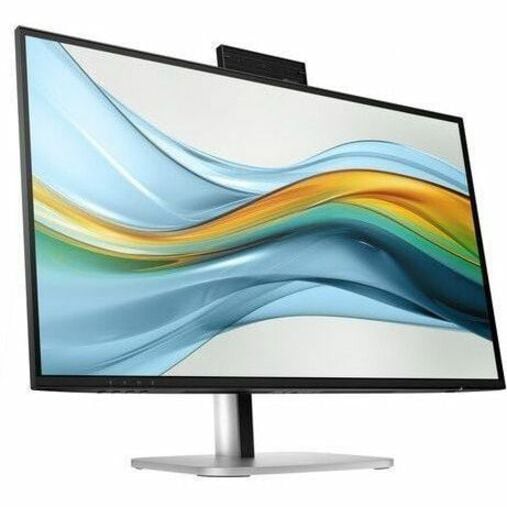
HP Series 5 Pro 27 inch QHD USB-C Conferencing Monitor - 527pm
$529.00
Sign in for your price
Mfg # 9E0Y9UT#ABA
CDW # 8107150
| UNSPSC 43211902

Quick tech specs
- C Conferencing Monitor
- 527pm, 100 Hz, 100% sRGB, IPS; LCD, 5 MP camera, HP Eye Ease (TÜV Low Blue Light Hardware Solution certified)

Know your gear
Feel confident collaborating effortlessly with the HP Series 5 Pro 27" QHD USB-C Conferencing Monitor. Achieve distraction-free meetings, wherever you work, with advanced AI. Settle into total comfort thanks to a customizable setup.
Add to Compare
Enhance your purchase
HP Series 5 Pro 27 inch QHD USB-C Conferencing Monitor - 527pm is rated
4.30 out of
5 by
4.
Rated 5 out of
5 by
Sandymacintosh from
Conferencing monitor
Beautiful picture, great sound.
Date published: 2026-04-05T00:00:00-04:00
Rated 5 out of
5 by
Paul3224 from
Installation
I wish there were a few more steps to help users connect to the Mac mini. Apparently some items needed to be taken care of in the Settings. I do not remember any reference to this in the startup guide.
Date published: 2026-01-09T00:00:00-05:00
Rated 5 out of
5 by
Rino C from
monitor HP
love the new monitor
Date published: 2026-09-04T00:00:00-04:00
Rated 5 out of
5 by
RM88 from
Great Monitor But...
Excellent monitor but if using it with a laptop that doesn't have USB-C data transmission capabilities, you can't use the USB C cable that comes with the monitor for video and for the camera to work. The other option is using the HDMI cable for the video feed and USB A / USB B cable for the data feed, but the USB A / USB B cable that comes with the monitor doesn't work. It may be due to the design of the USB B port on the monitor making a poor connection that is the issue...not sure. The workaround is using an HDMI cable for the video feed and a USB A / USB C cable for the data feed so that the camera will work. HP should supply that cable instead of the USB A / USB B cable or just add it as another option with the monitor. Having solved that workaround myself, I am very satisfied with the monitor for Zoom sessions and every day use now that both the video and camera work as they should.
Date published: 2026-09-06T00:00:00-04:00