

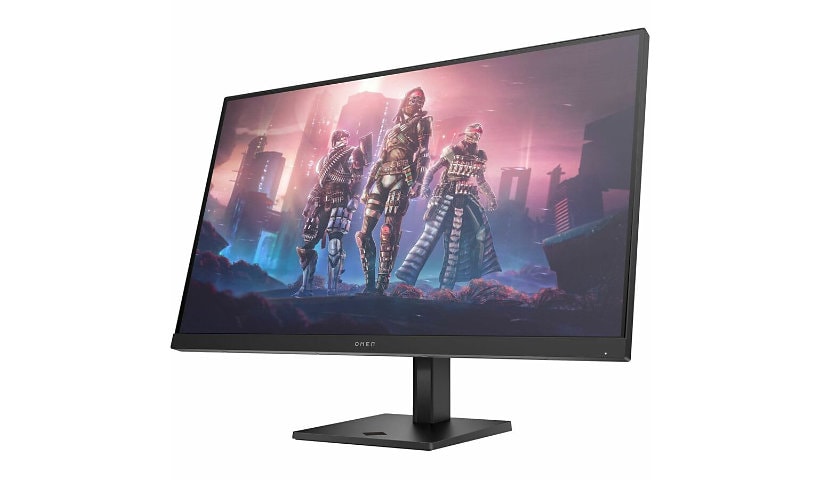
HP OMEN 32q 32" Class WQHD Gaming LED Monitor - 16:9
Mfg # 780K0AA#ABA
CDW # 7737574
| UNSPSC 43211902
Quick tech specs
- 31.5" viewable screen size enhances clarity and depth for immersive playback of movies, games, and high-resolution media
- Edge LED response time eliminates ghosting for crisp and superb rendered action sequences by minimizing motion blur and trailing effects
- Edge LED backlighting offers slim design and bright visuals with lower power consumption and uniform screen illumination

Know your gear
Reach new possibilities with the OMEN by HP 31.5-inch QHD 165Hz Gaming Monitor. Quick performance and vibrant color let you get lost in the games you love most, while the sleek design functions to look and feel great on your desk.
Enhance your purchase
HP OMEN 32q 32" Class WQHD Gaming LED Monitor - 16:9 is rated
4.30 out of
5 by
12.
Rated 5 out of
5 by
SIM One from
Awesome quality.
The screen quality is great. but I keep having to power off and on the monitor between sleep cycles. It does not respond when I awake the computer.
Date published: 2026-03-04T00:00:00-05:00
Rated 5 out of
5 by
SciFiDreamer from
Happy with Monitor, Now that it is set up.
An excellent monitor that needs to add sound. My main complaint was that the monitor did not come with the proper HDMI cable as it was offered with my lap top purchase, and I spent hours on the phone with HP tech support, visits to Best Buy, and trying to get help connecting to my lap top. The support people, both on the purchase side, and the set up after purchase side were not well versed. Further, they tried to sell me a $250 docking station as the "proper solution."
Date published: 2024-12-04T00:00:00-05:00
Rated 5 out of
5 by
UltraMiner from
Great Color and Performance
I love the size and the 165 MHz refresh rate is wonderful. The color out of the box using standard mode is great. It also upscales 1080p wonderfully. I think it's a wonderful monitor.
Date published: 2025-01-17T00:00:00-05:00
Rated 5 out of
5 by
DPpurchase from
HDMI cord
Disappointed that they computer did not come with the correct HDMI cord to hookup to the harddrive purchases in the same order. Never had an issue where I buy something new and have to go and buy a cord to hook up the monitor to the harddrive. bought many apple products over the years and never a issue, first time i buy a HP and would have thought it would have been the same experience, unfortunately not.
Date published: 2024-07-03T00:00:00-04:00
Rated 5 out of
5 by
Mholl from
Good specs, dead pixel
Nice monitor. Good pixel density. Already have a dead pixel within a week of owning so that really sucks
Date published: 2023-12-15T00:00:00-05:00
Rated 5 out of
5 by
Jeuls from
Not just for Gaming
I’m an accountant and it makes numbers easier to read and is a great size alternative to dual monitors
Date published: 2023-12-09T00:00:00-05:00
Rated 5 out of
5 by
Caitlin1 from
Great monitor
Finally made the jump from a 75hz monitor to this, and I'm so happy that I did. Stellar display, it's a gamechanger when I play valorant.
Date published: 2023-10-04T00:00:00-04:00
Rated 5 out of
5 by
Kinam from
Excelent
Nice monitor
Date published: 2023-12-03T00:00:00-05:00
Rated 5 out of
5 by
JW F. from
Great monitor, setup needs help.
Bought two for a good price.
Date published: 2024-04-03T00:00:00-04:00
Rated 5 out of
5 by
Mark1945 from
Beautiful monitor with a minor operating quirk
Very happy with new monitor now that I have learned one of its quirks. Unpacking and setup were easy. Monitor performance is as expected - very large and clear.
However, monitor has one quirk. When I used my HP desktop and prior HP monitor, I would turn on the surge protector and both the units would be powered. I would then press the button on the desktop to turn it on and the monitor (which was always switched on, waiting for power) would see the signal from the desktop, recognize the computer signal and I could go to work.
I assumed the OMEN would work the same way. After I replaced my old HP monitor with the OMEN and turned on the surge protector, the monitor powered up, displayed a large blue block consisting of 4 smaller blue blocks and froze. When I turned on the desktop, the OMEN monitor did not recognize the computer signal.
I now do the following: At the end of any work session, I turn off the OMEN using the switch on the back of the unit after shutting down the desktop. The next time I want to use the system, I turn on the power at the surge protector, turn on the desktop and then turn on the OMEN using the switch on the back of the unit. The monitor then "sees" the desktop signal and functions normally.
If you have any idea why this is happening, please let me know as I don't believe that this is normal behavior.
Date published: 2025-08-07T00:00:00-04:00
Rated 5 out of
5 by
imral3 from
Great gaming monitor!
I've had a HP 27" IPS monitor for years and it's been great! Wanted a bigger monitor for my racing setup, so I got the OMEN 32q. Man I love this thing. Crisp, clear image and great colors. GT7 looks awesome on it!
Date published: 2025-12-31T00:00:00-05:00
Rated 5 out of
5 by
Alan S Grudzien from
This is a must buy!
You got to love these monitors. They are absolutely giving you the best quality of colors I’ve seen in a long time. I have three of them.
Date published: 2026-01-02T00:00:00-05:00