

Epson DS-730N - document scanner - desktop - USB 2.0, Gigabit LAN
$579.00
$469.00
Mfg # B11B259201
CDW # 6272851
| UNSPSC 43211711
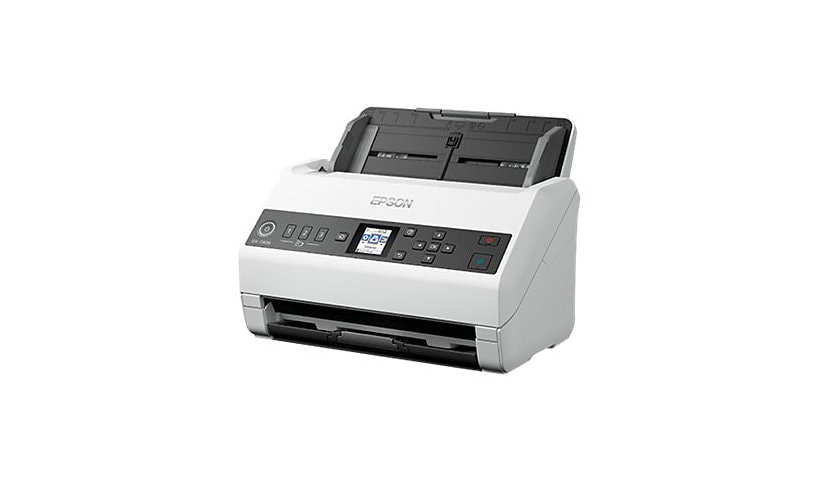
Quick tech specs
- 730N
- Contact Image Sensor (CIS)
- Ledger
- up to 40 ppm (mono) / up to 40 ppm (color)
- up to 6500 scans per day
- Document scanner
- Duplex
- 600 dpi x 600 dpi
- ADF (100 sheets)
- USB 2.0, Gigabit LAN

Know your gear
Connect your business with this highly efficient standalone network scanner. It's the intelligent choice for business document management, offering the option to scan to separate locations - departments or individual accounts - at the touch of a button, allowing you to capture, convert and distribute scanned information within your organization.
Add to Compare
Enhance your purchase
Epson DS-730N - document scanner - desktop - USB 2.0, Gigabit LAN is rated
4.90 out of
5 by
37.
Rated 5 out of
5 by
asia12 from
Best Scanner! Trust me!
Upon opening, I immediately liked the nice, compact modern design, size, and weight of the scanner. The scanner has helped me clear so much space off my working area. In addition to the scanner itself, I had a stack of documents occupying my desk area and was able to quickly scan the entire stack.
The Network Setup was a breeze. The instructions were clear and easy to follow. I was able to connect different laptops and even scanned to my iPad (through the scan to email feature). The Quick Send buttons are and added bonus! I am constantly on the go and it’s so convenient to scan and send in a couple minutes compared to grabbing my laptop, scanning individually and saving, then upload it to attach and send. Even typing that now just seems like a lot.
Another feature I really enjoyed is the versatile paper handling capability. I scanned all the business cards I have collected from networking. Then I was able to turn those scanned cards into searchable PDFs so I can easily navigate through them. How cool is that! I can also make copies of receipts and temporary documents and store them with ease. Overall great scanner. Highly recommend!
This is a review for the Epson DS-730N Network Color Document Scanner that I received free of charge to do a beta test and review.
Date published: 2021-03-09T00:00:00-05:00
Rated 5 out of
5 by
Wolfman28 from
Great Epson Scanner
What a great scanner. The Epson DS-730N It is a dedicated scanner and doesn't mess around with printing or faxing or whatnot, but it is an automatic-feed scanner to die for. Why? It's fast, it's accurate, and it delivers great scans. Scanning is my job around our home office, and me and my wife have a lot of documents that need scanning. I have come to dread over the years documents that were previously folded or stapled or bound, or Heaven forbid, very large documents, because there's always bound to be a jam or problem. Yesterday, with this scanner, I literally took a 300 page, double-sided document that had been spiral bound, clipped the binding, and scanned it, and it scanned perfectly, the first time, in just a couple of minutes while I watched in wonder. The thing is lightning fast. Setup was pretty easy. I plugged it in the network and turned it on. Then I gave the scanner an IP address on the
scanner itself. Once I finished the basic setup on the scanner itself, I did the rest from a computer. I logged into the scanner from a computer and set up all the jobs I could pick from. You can start scans from a computer, but that's not where this sings. You can save 30 job settings that send your scan to network storage, online, or email. 30 sounds like a lot for most small offices, but it's possible that one person could need more than one job for scanning to a folder and then also scanning to their email. I've had zero issues with this. I love the different network locations and it's worked great. I've been sending scans to my email, I've been sending scans to my NAS, and I've been sending scans to Google Drive. I like it and I will suggest it to anyone looking for an awesome, Fast scanner...
“This is a review for the Epson DS-730N Network Color Document Scanner that I received free of charge to do a beta test and review.”
Date published: 2021-02-19T00:00:00-05:00
Rated 5 out of
5 by
Arnie18 from
Great product.
This color scanner is amazing. I love using it. It was easy to assemble and use. The scan outcome is good and clear. Its not that big items so it does not take up a lot of space. Its good quality product. I received this item in exchange of review. What i say in here is true about the products.
Date published: 2021-03-08T00:00:00-05:00
Rated 5 out of
5 by
Yen39 from
Is WF DS-730N worth it?
The answer is definitely yes! Let me tell you why I said it is worth it and a good investment if you scan a lot of stuff.
WF DS-730N is a productive scanning tool to help you solve your scanning problem. Designed for efficiency in a heavy use atmosphere. It is fast with 40 ppm/80 ipm delivering premium quality results plus a 100 page ADF. It includes TWAIN and ISIS drivers to ensure easy integration and compatibility to existing document management systems, a peak of daily duty cycle up to 4500 sheets that offer added dependability for busy workgroups. And it is also backed up by a 3-year limited warranty. Scanning business cards, folded pages up to 11 x 17, and single sheets are very easy to do now because of the versatility of this scanner. It features 3 quick send buttons and scanning presets that can be accessed through the front control panel which is very convenient. The good thing about DS-730N scanning features is that I can scan it using Document Capture Pro (Windows) and save it to a different file windows extension or formats. Managing documents very easy and creates searchable PDF files. Scan directly to a network folder, FTP/FTPs, and SharePoint.
Setting up the DS-730N is pretty easy. The downside is that you have to download the DS-730N drivers and utility combo package online, no disc included but the installation was quick and easy to follow, which is not a bad thing but needs to pay attention to. Built-in network interface for easy workgroup sharing and send scans to any computer on the network.
I was able to scan documents and send them to people that fast. It helps me a lot with my organizational skills, saves me a lot of time with its fast scanning features, and not worrying if I can find it or not because it saves on the formats that I usually used. Works very efficiently and worth it!
This is a review for the Epson DS-730N Network Color Document Scanner that I received free of charge to do a beta test and review.
Date published: 2021-02-16T00:00:00-05:00
Rated 5 out of
5 by
Tracy Flores from
Great scanner
Let me start off by saying this is a great everyday use scanner.
The setting up process did take me a while to get it all down, but at the end it was worth it.
I love how it can scan multiple documents at the same time, no more needing to load one by one & hoping they all go trough.
Another great feature is the scanning time, it scans documents at a fast speed, & very efficient.
I recommend getting this scanner its Perfect for any office .
This is a review for the Epson DS-730N Network Color Document Scanner that I received free of charge to do a beta test and review.
Date published: 2021-02-18T00:00:00-05:00
Rated 5 out of
5 by
Arodri66 from
Awesome scanner!
This scanner didn’t disappoint. It scanned my documents quickly and efficiently. I didn’t have to wait forever which is a huge plus! I’m overjoyed that now it won’t be a pain to scan in my receipts or other documents. I normally dread due to fact I don’t like to waste time. It can take multiple documents. I had so much that I scanned for taxes and I finished in no time. It scanned double sided documents quickly as well. You definitely save a lot of time with this scanner. The images that scanned were clear. Also the scanner is not too big. It’s just the right size and fits nicely on my desk. It was easy to connect using the USB cable to my laptop.
Setting up the scanner was super easy. It came separated in the box but not much to put together. It’s also pretty easy to setup and go through the installation process. Just follow the manual that provides all the steps you need. This scanner is awesome to have and definitely won’t disappoint. “This is a review for the Epson DS-730N Network Color Document Scanner that I received free of charge to do a beta test and review.”
Date published: 2021-02-22T00:00:00-05:00
Rated 5 out of
5 by
lene225 from
Great Portable Scanner
Epson DS-730N is a great portable scanner. I love that is scans color and that it is a duplex scanner which saves so much time when needing to scan 2 sides. The scanner is lightweight and easy to take with you especially if you travel for work.
The scanner paper feeder is great it holds up to 100 sheets at once and the pages doesn't get stuck which is great. It was very easy to install on my windows pc. It also scans small documents just fine. “This is a review for the Epson DS-730N Network Color Document Scanner that I received free of charge to do a beta test and review.”
Date published: 2021-03-02T00:00:00-05:00
Rated 5 out of
5 by
Ak1209 from
Best Scanner I have!
After receiving this product, I just followed the steps to install it. Installing did take me some time but it wasn't hard. I just made sure that I did it right. I tried to scan a document after installing and it did good. It was easy as well and I find it user friendly. I had scanned few documents already since I had it and to sum it up, it's easy and convenient.
I like the features of this scanner. It's fast, convenient and reliable. It's pricey but you'll never regret owning one. “This is a review for the Epson DS-730N Network Color Document Scanner that I received free of charge to do a beta test and review.”
Date published: 2021-03-08T00:00:00-05:00
Rated 5 out of
5 by
Samantha escobar from
Fast scanner
The Epson DS-730N is the best scanner I have ever used. The set-up process was very easy. The directions were simple and quick to follow. The printer itself was tightly packaged but still easy to remove from the box. It took about five minutes to finish unpacking and connecting the scanner to my computer. I loved how easy it was to follow the step-by-step directions. They included photos which helped with putting it together.
The network set up was easy and fast as well. I immediately started scanning my documents. I had well over 60 documents to upload. With auto feed, the whole process took about three minutes all of which included pulling the documents I needed as well as uploading them. This scanner is so fast. I used to scan one document at a time and am so glad I now have the Epson DS-730N. This is a review for the Epson DS-730N Network Color Document Scanner that I received free of charge to do a beta test and review.
Date published: 2021-03-01T00:00:00-05:00
Rated 5 out of
5 by
angepange from
Perfect scanning
I set the Epson DS-730N up in my office and from the setup to the scanning process I was thoroughly pleased. The guide manual it comes with is so detailed and easy to understand, which for someone who isn't too tech savvy detailed guides are a must. Even after all the years I've been scanning documents. It takes time to set up, but as do most scanners. I connected with my wifi, simple as could be. I think the thing that stood out most to me about this scanner is being able to do multiple documents at the same time OF DIFFERENT SIZES. All at the same time! You just order the documents from smallest to largest and voila. I also like that once scanned the documents go into a folder that I can immediately share with the rest of the office. All scans are crystal clear so far with no issues. I have zero complaints. This is a review for the Epson DS-730N Network Color Document Scanner that I received free of charge to do a beta test and review.
Date published: 2021-02-27T00:00:00-05:00
Rated 5 out of
5 by
randy61 from
Compact Speed Demon
Epson’s DS-730N Network Color Document Scanner is an amazingly fast duplex color scanner that takes up very little space. The unit measures ~9 x 9 x 12 inches plus paper feed and catch. The attached picture includes a coffee cup to show you comparative size. On my Windows 10 PC, the primary user interface is Epson’s Document Capture Pro. If you have any other Epson devices that support scanning then you probably already have this program loaded. You use the software to run “jobs” such as scan single sided color to jpeg, save in a particular folder, and send an email to advise when the job is complete or another “job” to scan duplex in black and white, create a PDF, and save to Google Drive. As you create each “job” type, it can be named for future use. The scanner also has physical numbered programmable buttons on the front that must be programmed via browser login as admin. Connecting the scanner to my network was as simple as cabling it to my router using the cable supplied, determining the IP address assigned, and going to that IP address from my PC. I then went to the IP address from my browser, created an admin login, and assigned a couple of the buttons. Having done that, I found that while creating “jobs” in Document Capture Pro is an easier option for a single user, configured physical buttons may work better in a multiuser scenario. So what about performance? Wow! At 300 DPI, the machine took about a second to scan each double-sided page, up to 100 mixed sized pages per batch, after which Document Capture Pro handled the output. 600 DPI took about 5 seconds per double-sided page. Colors are vibrant with no obvious imperfections.
While there are many positive things to say, there are also a few cons. I wish the scanner had a wireless option. The 2m USB cable provided just isn’t long enough everyone’s needs nor is LAN always the optimum configuration. Also, the scanner ships without software, so you will need to download what you need from Epson’s Support site. I’d recommend downloading everything. While the unit is supported on both Windows and Mac machines, there is no obvious support for Linux environments. And finally, the paper catch is built such that scanned pages can sometimes make a jumbled mess after feeding through the scanner, so you may need to test various length and end-catch configurations to avoid same. Bottom line is the DS-730N is capable machine that provides value for the money in homes or offices with large scanning needs. This is a review for the Epson DS-730N Network Color Document Scanner that I received free of charge to do a beta test and review.
Date published: 2021-02-20T00:00:00-05:00
Rated 5 out of
5 by
Micah70707 from
Easy for Beginners
I am not a tech savvy person so the thought of using anything other than a printer freaks me out. I must say this Epson scanner changed all that. From simple setup instructions that are included I was scanning my first real document in less than 15 minutes. The compact machine is perfect on top any desk, whether it’s at an office or at home. The installation of the program on the PC was step by step directions so there was no chance to do anything incorrect. The bright LCD screen allows you to select and know exactly what is happening. 3 easy start buttons with presets have you scanning in seconds. The paper feed is fast and flawless allowing you to scan a stack of 100 papers at a time. Goes to wherever you would like to store your files either on your PC, a cloud service, or to any PC that is connected to the same network. This machine has definitely changed my outlook on the ease and use of scanners.
Date published: 2021-03-01T00:00:00-05:00
Rated 5 out of
5 by
Bezi from
Super fast, great quality scans with incredibly accurate pa
The scanning speed on this device is amazing. It easily maintained 40ppm in my testing, better than twice that of the old Fujitsu. In most cases, post-processing time will far exceed the actual scanning time needed for a job. To demonstrate this, I scanned a packet of 15 double-sided pages. Some had color, some had illustrations, some had handwriting, some had wrinkles or small tears. It was on the whole, a challenging job.
• The DS-730N handled it perfectly every time.
• 200dpi b&w scan, no post-processing: 21 seconds to scan, 25 seconds total. 7.8Mb file size.
• 300dpi auto-color-detection, with skew correction, text refinement, and OCR: 21 seconds to scan, 1:10 total. 14.5Mb file size.
• 600dpi auto-color-detection, with skew correction, text refinement, and OCR: 1:17 to scan, 5:58 total. 51.2Mb file size.
The unit is small and very quiet. The quick start guide sends you to the Epson website to download software (for Windows or Mac). The software installs and runs an updater, which pulls down the latest... This is so much better than the days of out-of-date drivers being included on plastic discs!
The setup was great, and I've been using the included Document Capture program. It works great. Just tweak some settings for the quality you want, and you can scan and save with little effort. It scans to a PDF, and before it saves you can rotate individual pages and even change their order. This has been massively useful with scanning old flyers and newsletters. The scanner can be connected to a single PC via USB3, or to a network via ethernet.
Since you are stuck with a cable anyway, I recommend connecting via the USB cable (included and supports USB 3.0). That is if you are using the scanner for one computer. If you are in an office and have multiple users accessing it, you’ll want the network option.
Epson provides two software programs for capturing: Document Capture and Epson Scan 2. Document Capture is the simplest to use but is lacking in settings. For instance, there is no auto-detect for rotation and it adds an edge fill to the pages (white border, which you cannot turn off). For saving PDFs, it does allow you to make the text searchable (OCR), set a password to open the file, and set a password to allow printing and/or editing ability. You can also preview your scanned files to change the order, rotate them manually, and added or remove pages before saving them as a single PDF file. You can set or auto-detect document size, set resolution, scan single or double-sided, enhance the text (make it sharper), correct document skew, and skip a blank page. The latter is nice if you have a mix of documents where some are double-sided and others are single-sided. Skipping the empty back page removes unwanted sections in your PDF file. Note that you can acquire a server version of this software if you have it on a network and want multiple users to access it. This offers the ability to control access by requiring an ID and password (or RFID card).
Epson Scan 2 has advanced settings but is slightly more complicated to use. It has the same features as the Document Capture program but provides additional options and control. For instance, unlike Document Capture, it allows you to auto detect for rotation. I find this particularly useful if I have a large stack of documents and don’t want to go through each one--physically making sure they are facing the same direction. This setting will auto-rotate each page for you based on the orientation of the text (granted, it can slow down the scanning speed). You are also able to set the edge fill to black, white, none, or even adjust the size of the fill. Most of the time I want the document scanned as-is, so I have it set to none. Additional settings in Epson Scan 2 that are not found on Document Capture are: remove punch holes, remove background (make it white), remove ripple pattern, sharpen image edges, dropout a selected color (it won’t scan items in said color), enhance color, adjust brightness-contrast-gamma-threshold, and so on. Similar to Document Capture, you have the ability to preview a scan and move pages around before saving. However, I find that Document Capture does this better. Thankfully you can scan everything in Epson Scan 2, save it as a PDF, then import the PDF into Document Capture to use better page layout abilities. Ultimately getting the best of both worlds.
NOTE: You can use any TWAIN or ISIS-compliant scanning program with this scanner.
There is one feature(?) of the software so bizarre that I almost downgraded to four stars because of it. On a Mac, at least, it requests two directories as the destination for a saved file, one called "Save In" and the other called "Destination Folder." If they are set to different directories, it saves two copies of the scan. If they are set to the same directory, it saves one copy and puts up a warning message that it couldn't overwrite the file.
The scanner has a power button but will also sleep and wake up automatically if the paper is inserted. You're supposed to use a clear sleeve for small and irregular paper, including business cards, but I find that I can feed these in manually one at a time and they scan just fine. The paper feed will take 100 sheets, which is great.
The input and output trays collapse into the body of the scanner, so it takes little space when not being used. The output tray of the Fujitsu folded over the top of the scanner, a design that I always liked because it helped keep dust out of the scanning chamber. The DS-730 is open at the top, which I don't like as much.
I can't testify yet as to the reliability of this machine, but it feels solid as a tank.
On balance, the advantages of this device far outweigh the disadvantages. If you need a scanner able to handle thousands of pages per day, I think you'll be quite pleased with this one.
This is a review for the Epson DS-730N Network Color Document Scanner that I received free of charge to do a beta test and review.
Date published: 2021-02-18T00:00:00-05:00
Rated 5 out of
5 by
Omegahanny from
Easy installation ,a game changer ,convenient and fast
Excellent scanner. I've installed more than my fair share of scanners - this is one of the best. This scanner has been a major improvement in decluttering the home office space. Paper It is super easy to use. You can send a batch of docs through, and tell it what to name them. It scans both sides very quickly- more than one every second handling is excellent; Scan speed is
blindingly fast. I love all the options on this scanner. I can scan to email, files, and the cloud. It also scans receipts and business cards. This is a review for the Epson DS-730N Network Color Document Scanner that I received free of charge to do a beta test and review.
Date published: 2021-02-25T00:00:00-05:00
Rated 5 out of
5 by
LegacyBound from
Impressed by the scanning speed
A great scanner. I was pleased with all aspects except the set up which took longer than expected due to having to download and update the drivers (my laptop decided to act up as I was installing).
Set up is actually pretty straightforward. And you're up and running in no time after software installation. I had to remember the correct position to insert documents to scan the first few times but its an asset.
-Fast - faster than my printer and prior scanner, easily saved to my PC for printing/editing in PDF
- efficient/effective - it can's double-sided, saving time and energy
- accommodates different sizes and types of documents with ease. - scans in full color too!
I work remotely part-time and this came in just in time at the time of audits and compliance certifications. Allowed me to work faster.
Heads up - its a heavy scanner!
Overall a great scanner.
Date published: 2021-02-23T00:00:00-05:00
Rated 5 out of
5 by
Yuca12 from
Inmediate solution the best scanner
This the best scanner I’ve ever owned. Nothing to complain about. Scans everything very quick and precisely.
I actually needed a scanner to scan very long register receipts for day and monthly reports, which are 4 to 10 feet long. So, this scanner solved my problem.
Date published: 2021-02-22T00:00:00-05:00
Rated 5 out of
5 by
Cozdabuch from
Great value, great features, reliable, highly recommended!
I’ve used my fair share of scanners, back in the days of serial ports till now. I’ve been using page feed duplex scanners nearly as long, both from Epson and competitor brands. Obviously technology and software gets better over the years, and so far, this scanner, the Epson DS-730N takes the top spot in my book.
First it is a piece of cake to setup. Default scanning is a breeze. The software settings for some customizations in the scans is entirely intuitive. It is fast. It scans cleanly, It’s network functions make it super nice for working in a clutter free desk environment. I say this because I have my scanner on the credenza behind my desk, and this easily sits remotely not having to be plugged into my Macbook on my main desk.
The network installation was a breeze, it just works when you run through the setup. The scanning defaults make assigning different network users (preset buttons on scanner) so you don’t have to set up a scan in the software on your computer. Really convenient in a small office where the scanner is centrally located. Users can scan to emails, the documents folder, to a cloud location as well.
I scanned almost 1000 pages without a single misfeed, and no image issues in any scan and in the high speed (lowest quality which is great still) chews through pages. I scanned thin card stock, business cards, and even thin receipts. All fed through with zero issue.
Color reproduction was very good, image quality was impressive, software was intuitive, scanner was reliable and fast, double sided scans were without issue or bleed through.
All said, this scanner is a champ. I recommend it without reservations, and should anyone ask for a recommendation personally, I would put the DS-730N at the top of the list because it’s just that good of a unit. I was asked to do this review for the Epson DS-730N Network Color Document Scanner that I received free of charge to do a beta test and review.
Date published: 2021-03-01T00:00:00-05:00
Rated 5 out of
5 by
Blueblood from
Impressive document scanner.
The Network Setup was very easy. The instructions were clear and easy to follow. I was able to connect my laptop and even scanned to my iPad (through the scan to email feature). The Quick Send buttons are a real bonus.It has a nice, compact modern design, size, and weight of the scanner. It scans documents very clearly and accurately,
The scanner paper feeder is great it holds up to 100 sheets and it has lots of versatility of what different sizes that you can scan.
I do a lot of family history research and have lots of documents, pictures to scan to share. This is perfect for it. This is a review for the Epson DS-730 N Network Color Document Scanner that I received free of charge to do a beta test and review.
Date published: 2021-03-17T00:00:00-04:00
Rated 5 out of
5 by
RIRE47 from
Great quality
It is an excellent scanner, very easy to install. Does not take up much space; It has light weight so it is easy to move when you have to change from one computer to another, it is compatible with Windows operating system and does not present any difficulty to work on computer desktop and hp laptop, scanning documents is very easy and fast and the sharpness with which they are transferred are of excellent quality, all details are legible.“This is a review for the Epson DS-730N Network Color Document Scanner that I received free of charge to do a beta test and review.”
Date published: 2021-02-28T00:00:00-05:00
Rated 5 out of
5 by
rarrell from
Very easy to setup and use.
The Epson DS-730N Network document scanner is very easy to unbox and setup. It only took around 10 minutes from the time I cut the tape on the box, add the paper feed, plug in, and start using the scanner. Setting up the network was very easy, just plug in your Ethernet cable and your set up and ready to start scanning.The scanner speed is great and makes good looking copies.The scanner software (Document capture Pro) is very easy to install and easy to use.
All in all the DS-730N is a very nice scanner. It looks nice and takes up much less real estate on my desk than the giant printer/scanner/copies I am used to. I will definitely recommend the scanner to my family and friends.“This is a review for the Epson DS-730N Network Color Document Scanner that I received free of charge to do a beta test and review.”
Date published: 2021-03-01T00:00:00-05:00
Rated 5 out of
5 by
Rdsmith from
Ok,
I set the Epson DS-730N up in my office and from the setup to the scanning process I was thoroughly pleased. The guide manual it comes with is so detailed and easy to understand, which for someone who isn't too tech savvy detailed guides are a must. Even after all the years I've been scanning documents. It takes time to set up, but as do most scanners. I connected with my wifi, simple as could be. I also like that once scanned the documents go into a folder that I can immediately share with the rest of the office. All scans are crystal clear so far with no issues. I have zero complaints. This is a review for the Epson DS-730N Network Color Document Scanner that I received free of charge to do a beta test and review.
Date published: 2021-03-01T00:00:00-05:00
Rated 5 out of
5 by
Yiyi0207 from
Great features!!!
my experience with the epson da-730n was wonderful first of all super easy to install the internet connection super easy i got it via wi fi in a few seconds i scan many documents due to my work and not having to depend on a printer great just for scanning makes it so much better! Having a portable scanner is something that all document scanners should have! compact is perfect! it scans documents very clearly and accurately, what can I tell you ... 100% recommended This is a review of the Epson DS-730N red color document scanner that I received for free for beta testing and a revision
Date published: 2021-03-15T00:00:00-04:00
Rated 5 out of
5 by
Aimeelynn17 from
Simple and fast!
The Epson DS-730N Network Color Document Scanner is a great scanner. It’s the perfect size to fit anywhere, and so simple to set up. It had built in networking with WiFi and scans up too 40 ppm/80 ipm. Which is a very fast speed, & very efficient.
Once I got everything unboxed and followed the instructions that came, it was an easy process to set up. Once on, the bright light inside help you see clear the fine print. It’s buttons are easy to press and easy to use. When it came to downloading setup it did take a little while,but it’s worth it. I scanned some files that needed to be done as well as photos and it went smooth. I had a lot of pages (75-100) both sides and I just watched in amazement as we had no issues as it went to work. I was definitely impressed.
You need to follow the instructions correctly for set up and don’t skip any steps. I am extremely pleased with this scanner and I have already told a few friends they need it!!!
“This is a review for the Epson DS-730N Network Color Document Scanner that I received free of charge to do a beta test and review.”
Date published: 2021-02-21T00:00:00-05:00
Rated 5 out of
5 by
BethW from
What a Machine!
Right out of the box it was evident the Epson DS-730N Network Scanner was top notch. The sleek, compact look fits right on my desktop and setup was a breeze. I installed the drivers and utility combo software, connected to my network using an ethernet cable and was ready to scan! My first scan was a simple one-page document - Can we say Quick??? In a split second a scan was completed and displayed on my computer screen. Since I was so impressed with how fast my first scan flew through the machine, I put it to the test with a larger document, fifty-nine pages were processed in 1 min and 25 seconds (yes, I did time it!), with NO JAM at all! I decided to run a stack of various business cards, no problem! I am able to save scans to a MS Office file which I then can edit, scans can be sent directly to an e-mail and directly to any computer on the network.
If you need in depth instruction or need to troubleshoot, the user’s manual is online and very easy to understand and follow. The only (very small) negative is that photos can only be run through using a carrier page, however, this is clearly stated in the user’s manual. I highly rate the Epson DS-730N scanner to be a dependable, robust choice for your business or home network! This is a review for the Epson DS-730N Network Color Document Scanner that I received free of charge to do a beta test and review.
Date published: 2021-02-22T00:00:00-05:00
Rated 5 out of
5 by
Gjames21 from
Work Smarter Not Harder with Scanner Ease
Scanners are very much needed in the home and at work. The luxury of having a fast scanner is one of the greatest inventions needed to scan a large workload of documents or it could be a small as a couple of Business Id Card that need your immediate attention. As time progresses the work industry you need the access of a great scanner that will not let down in the work world. I love the ease of a great scanner when it makes me work smarter not harder when it comes to a heavy workload of documents. I gave my Epson DS-730N a try and what big difference it made in my life. When it comes to scanning everything from business document’s to business cards. Scanning these documents was fast and no waiting on a prolonged pause when scanning. The image of the document was clear and not blurry which made it easier to see and recognize. It has a built-in network for the easy workgroup sharing, and I can send scans to any computer on the network, and email as well. I can manage my document that I scan by saving them to cloud, or any account that the network system will allow. The ease of scanning single or double-sided documents was right up my alley, when it is front and back documents that require a lot of time.
The ease of being able to scan and send with one easy touch of a button with out using a computer is an excellent way to get the job done and keeps the ball rolling. Once I downloaded the required software to help assist me the ease of scans it was great. Epson Document Capture, and Epson Scan 2 is one of the software needed if already on your computer to assist with your scanning needs. Scanning documents was a breeze, this software takes the guess work out of scanning document without a clue, Now on my hectic days. My workload of scanning dozens has been cut in half, and now can be at ease with the Epson DS-730N Scanner. This is truly an amazing scanner for the work and business industry. “This is a review for the Epson DS-730N Network Color Document Scanner that I received free of charge to do a beta test and review.”
Date published: 2021-02-20T00:00:00-05:00
Rated 5 out of
5 by
rickster1 from
Excellent Network Color Document Scanner
The Epson DS-730N Network Color Document Scanner is a great and sleek looking scanner with built in networking with wifi. The DS-730N is a very fast scanner and scans up to 40 ppm/80 ipm. Set my documents and photos to be sent to my document folder for easy storage and accessibility. I use the DS-730N for scanning all my medical records onto a laptop at home.
After downloading all the software for the DS-730N scanner, I read the help manual and setup the scanner to my laptop using the provided usb cable. I found the help manual useful, easy to follow steps that made setting up very simple to install. The Epson DS-730N scanner is a very nice scanner and worth the price when purchasing. I scanned several documents, photos, and receipts after setting the DS-730N up. This is a review for the Epson DS-730N Network Color Document Scanner that I received free of charge to do a beta test and review.
Date published: 2021-02-19T00:00:00-05:00
Rated 5 out of
5 by
buckeyebunnie from
You need this compact dynamo!
I have a very low tolerance for electronics that prove difficult to install the operating software, I am more of a plug and play person. I have to admit, I did have to download the software and go through the install process a few times, as it kept getting hung up at the setup stage with a "product not detected" message. Nevertheless, I persevered and eventually completed the set up and installation process. Happily, that was the only difficulty I experienced. I must say, this scanner is so compact, nothing like my old dinosaur of a scanner, and takes up very little space on my desk. Moreover, it just looks nice there.
That being said, this scanner is a dynamo! The size is misleading, as it does so much for being so small! It is also relatively quiet. Scanning documents is straightforward and fast and does not require any significant amount of effort to be honest. The automatic feeder works well and the quality and clarity of the documents I have scanned have been great. Given that tax time is upon us, the scanner will come in handy for scanning in receipts and sending to my CPA. The networking ability makes sharing scanned documents or photos ridiculously easy. Pictures also scan beautifully, but do require a carrier page, not really an issue given the end result. All in all, this is a great scanner, and a steal for the price in my opinion. Additionally, it is backed by a three year warranty. This is a review for the Epson DS-730N Network Color Document Scanner that I received free of charge to do a beta test and review.
Date published: 2021-03-01T00:00:00-05:00
Rated 5 out of
5 by
Yvette1024 from
Wonderful scanner!!
I received this scanner I have used it multiple times already and could not be happier with its performance. It is replacing an old Xerox Documate that provided me with many years of service. This Epson makes the old Xerox seem like the antique it was. The speed and ease of use with this Scanner is remarkable; even my wife who is not very technological can use it. I look forward to many years of service.
Date published: 2021-03-02T00:00:00-05:00
Rated 5 out of
5 by
Montana83 from
Quick scanning with high quality
To start I want to say WOW! The EPSON DS-730N really exceeded my expectations. When I received my scanner, my initial thought was this is very light weight. When I inboxes it, I was I was impressed with the size it is very compact. It came disassembled in 2 pieces, the power cord is in 2 sections, along with a USB cable. The instructions were simple and easy for assembly and set up. One thing that I didn’t care for was that the scanner doesn’t come with software, so you do need to have internet connection to download the software. In my situation it’s not a big deal as this scanner will be used in my home office, but downloading the software to use was effortless. Besides the simplicity of set up, the the cord being in 2 pieces made it easy to plug in and run the cable through the tiny space in my desk for all cables.
Now, the use of the EPSON DS-730N, really went well. The scanner is high quality and quickly scans documents. The screen display is easy to navigate and see as it is lighted and easy to read. The scanner can be adjusted for different size documents, the paper adjusters glide smoothly. Compared to other scanners I have used this is fabulous, no more worries about having to forcefully move them, yet they are secure when not adjusting them. Scanning multiple sheets was a quick success. The papers didn’t jam and the quality of the scan was on key! I found the feature of being able to scan and send to my email wonderful as from there I can simply forward the scan or save it to my computer. The only other option I wish it had is a wireless option. My previous scanner was a all-in-one device and I enjoyed that feature as I could have my computer in a different room.
As I have used the EPSON DS-730N, I have decided that this scanner even though a little pricey, is great and well worth it for a small business that needs high quality that will last and personally recommend this scanner. “This is a review for the Epson DS-730N Network Color Document Scanner that I received free of charge to do a beta test and review.”
Date published: 2021-02-22T00:00:00-05:00
Rated 5 out of
5 by
Bdogg1252 from
Best scanner for a business or avid computer user!
I love this scanner. Its compact, but very well made. It came well packaged and the instructions were very thorough.
All I had to do was connect it to my computer via the usb cable, and download the software online for free that I given in the instructions.
It scans plastic ID cards, brochures, photos, anything you can think of! And when scanning several documents, its unbelievable how fast it is! In less than a minute I had 50 paper documents scanned! (And yes it can hold and spit out that many documents at once)
Overall, even though this scanner is a little pricey, it is worth it. This would be a perfect scanner for a company or for someone who does photo editing or someone who does ancestry. The software Is also amazing and easy to use. If your considering a scanner, get this one!
This is a review for the Epson DS-730N Network Color Document Scanner that I received free of charge to do a beta test and review.
Date published: 2021-02-22T00:00:00-05:00
Rated 5 out of
5 by
KeithR from
Excellent Document Scanner
This is a great scanner for home office or small/medium businesses. It's compact, fast, and produces excellent scans. The USB connection is fast and simple but I chose connect the scanner to my network so that I could share it with multiple computers. Setup was a breeze, I connected the scanner to an open port on my router and the driver software installed easily and found the scanner on the network.
I have run about 600 pages through the scanner and it has not had any problems. No jams or misfeeds and the double-sided scanning is very handy. I did not have any problems with image bleed-through on double-sided scans which I have had with other scanners in the past. I have scanned a variety of documents including contracts with signatures and some with images or notes written on them and the scanner & software handled them all just fine. I also sent some business cards through and they fed through without a problem even though you're supposed to use a sleeve for small items.
The Document Capture Pro software does a good job of setting up jobs and presets with the shortcut buttons on the scanner. The shortcuts are handy for scanning directly to a folder on your computer, saving directly to DropBox, etc. The OCR works well to produce searchable PDF files. You can make adjustments in the software to rotate pages, fix skew, add/remove pages, etc. If you need advanced post-processing you might prefer the Epson Scan 2 software or a 3rd-party software as this scanner will work with any standard scanning software, but Document Capture Pro does a very good job for most needs.
The fit and finish is very good and the scanner feels like it's built well. It's meant to be a workhorse and from what I've seen it should deliver on that promise. This is a review for the Epson DS-730N Network Color Document Scanner that I received free of charge to do a beta test and review.
Date published: 2021-02-20T00:00:00-05:00
Rated 5 out of
5 by
Von411 from
Really Nice and Easy
Wow this is really a nice scanner. What I really liked is the easy setup. The ease of using this with my computer was really easy. I scanned some pictures, drivers license and other documents and was super impressed with the results. I have been using this for both personal and business purposes and its really coming in handy. I highly recommend this scanner.
Its so easy to set up and really the options are endless. This makes doing expense reports so much easier. Also saving other important documents.
Date published: 2021-03-11T00:00:00-05:00
Rated 5 out of
5 by
Velizabeth0485 from
You must have one at your home
The Epson DS-730N network documents scanner is very easy to unpack and set up. Loved the size and its so practical to carrying from one side of the room to another since I am a work from home/ mother. The installation took some time for me but was worth the wait.The images are so clear you will get it right the first time.Loved how you can also do colors for pics. Really practical for working and scanning and not having papers all over the house just scan and save on computer or as you wish.
I would definitely recommend this item with closing eyes. You will think twice about getting it due to the price but trust me this will be the best scanner you will have. This is a review for the Epson DS-730N Network Color Document Scanner that I received free of charge to do a beta test and review.
Date published: 2021-03-01T00:00:00-05:00
Rated 5 out of
5 by
wingland from
Overkill for home use - but overkill is GOOD!
The Epson DS-730N Network Color Document Scanner came in at just the right time! I was starting to work on taxes and have dozens (turned out to be over 40!) of receipts from 2020 to scan from the HAS reimbursement to file. I’ve also got hundreds of pages of Scout receipts from past years in folders, and many 3-ring binders of training materials I’ve wanted to get off the shelves. Also, with 6 of us in scouting, we have to have pages of health forms, in quadruplicate, and a new copy for every event we go to. In the past I’d use the flatbed scanner to make a copy page by laborious page of the health form (that’s around 100 sides for all of us). I’ve been using scanners since the SCSI flatbed TWAIN days and have always coveted the dual sided super fast scanners I see at doctors offices to scan in forms, insurance cards and such. As we’re in lockdown and it was brutally cold, I set up the scanner on the network and got to work! Keep in mind, this scanner is complete overkill for me – while I do have a small business and am a scout leader, I certainly don’t scan thousands of pages a day that a big office would. But overkill is good – especially when it works!
What I found: Setup was dead simple. Plug in. Find network cable (did not come in the package, sigh). Plug into the router. Install software on the Mac. Install software on the Windows machines. They both found the scanner on the network without hassle. Ensure the paper is as smooth and flat as you can get it. Drop it in, pick which machine to send it to, scan and go. Done. It will not scan the flimsy thermal paper receipts except if you get lucky, and it definitely won’t scan that thermal flimsy paper receipt you’ve had folded in your wallet for a month. Use a flatbed scanner for that. The software is brilliant, and I haven’t even had a chance to toy with the dozen function buttons. OCR worked relatively well – clean simple documents scanned into editable Word docs without a problem. Fancy formatted tabular receipts – well, not so much. But I don’t want editable receipts – so those all went to PDF and are now filed and indexed nicely. The training materials and older Boy Scout handouts that I scanned and OCR’d were super helpful – now instead of retyping the whole thing I just change the date, leader name and contact and re-send them. All our personal records for Scouts are scanned in to PDF and each event I can just quickly print a new set instead of making copies for half an afternoon. I *love* this business scanner. This is a review for the Epson DS-730N Network Color Document Scanner that I received free of charge to do a beta test and review.
Date published: 2021-02-23T00:00:00-05:00
Rated 5 out of
5 by
Nitrous75 from
Great super fast scanner
I have used all-in-one printers for years, but I am going to say using this scanner was great. I run a small business and have been needing to scan a lot of documents, but it has been very time consuming. Needless to say, it's one of those things that I keep procrastinating to do.
Once I received the Epson DS-730N, I set it up, initially via USB, then switched over to a network cable. I downloaded and installed the software and then began to use the scanner. The scan speed of this scanner was so much quicker than what I'm used to. The papers shot right through and was immediately saved to the drive. Initially I did have an issue with the scanned document showing up at a slight angle, but I just needed to adjust the paper liner a little more to make sure everything was straight. Double-sided printing worked great, and was just as quick and seamless.
The only con was that I wish it had wireless capabilities. The computer I set this up on already has a lot of cables and equipment around it, that this scanner I placed on a separate table and ran the network cable. However, the lack of WiFi will not prevent me from using it to its fullest capabilities.
Overall, I would definitely recommend this scanner, especially if you have a ton of things needing to be scanned. This is a review for the Epson DS-730N Network Color Document Scanner that I received free of charge to do a beta test and review.
Date published: 2021-02-22T00:00:00-05:00
Rated 5 out of
5 by
dfortuna from
WOW!! Powerhouse of a Scanner!!
The Epson DS-730N is an amazing scanner. Packaging was perfect and item arrived in great shape. Setting up the scanner was an absolute breeze and with unpackaging, and setup I was up and running in under 15 minutes. The scanner is simple and straightforward to use and I am amazed at how fast it scans documents. I was easily doing 15-20 documents at a time in the 100 page adf feed and the scans where fast, clear and manageable. With the built in networking feature its makes it super simple to share scanned documents. I also did a good amount of photos as well to try and again I was extremely pleased at the quality of the scans. It has a nice cold LCD screen so you know what's going on and a handful of quick action buttons like a quick send button. It also allows you to scan business cards so I cleaned up a ton of clutter and scanned in all my business contacts. it also comes with everything you need to get started including the provided quick capture software. This is a perfect printer for any small biz like myself and I so far it has really exceeded my expectations. If you are looking for a high quality scanner with performance look no further and give the Epson DS-730N a try you won't be disappointed.
Date published: 2021-02-22T00:00:00-05:00
Rated 5 out of
5 by
dental missy from
fast, easy to use scanner
This is definitely one of the easiest scanners I have ever used. I installed the disk, followed the instructions and before I realized it. I was done installing it. I think I clicked next maybe 2 times. Simplest scanner to install. Also very easiest to maneuver. Which ever program I am in I just go to acquire and choose Epson and import my documents. I am importing about 10- 15 documents at a time with no problems and so quickly. The only thing I do have to say is that with receipts is they are so small and this does pull them in so fast. If I do not hold on to them and hold a little while they are being pulled they do go in a little crooked. But I did find the solution. Just hold on to them as it is being pulled in and problem solved.
this does have a lot of great other features. it does scan it good resolution high color. I originally got this for home use. but the saw how fast it could scan and decided to bring to work with me because it would cut my work time down. I can scan in ID's with great resolution and high picture quality. I was able to set it up to automatically set it up to scan dual sides at all times, which makes my life so much easier and at the speed rate.is uncanny. I absolutely love this Epson. I still have to figure out the rest of the features. but so far in my opinion this is the best scanner on the market!
“This is a review for the Epson DS-730N Network Color Document Scanner that I received free of charge to do a beta test and review.”
Date published: 2021-02-23T00:00:00-05:00