

Eaton Tripp Lite Series 4-Port USB-C Hub USB 3.x Gen 2 (10Gbps) 2x USB-A & 2x USB-C Ports Thunderbolt 3 Aluminum Housing
$90.00
$38.99
Mfg # U460-004-2A2C-2
CDW # 6079212
| UNSPSC 26121600
Quick tech specs
- Port 2 USB-A & 2 USB-C Ports USB 3.1 Gen 2 Aluminum
- 4 x USB 3.1 Gen 2
- Hub
- desktop

Know your gear
USB 3.2 Hub Connects 4 USB Peripherals to Your Windows or Mac Computer
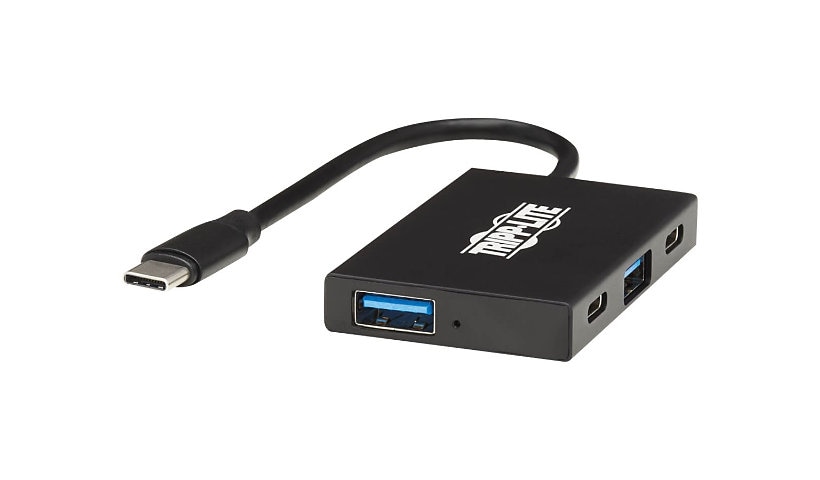
This USB-C hub allows you to connect up to four USB peripherals to your MacBook Pro, Windows laptop or other tablet, smartphone or computer with a USB-C or Thunderbolt 3 port. You can expand the capability of your device by connecting USB peripherals that can help you do your job faster, easier and better, such as an external hard drive, keyboard/mouse, power meter and printer.
Note
: Host must support USB OTG (On-the-Go).
Transfers Data at Lightning-Fast USB 3.2 Gen 2 Speeds
Two USB-C and two USB-A ports transfer data at speeds up to 10 Gbps, which is double the speed of USB 3.2 Gen 1, and share 900mA of power for charging devices. The USB ports are backward compatible with previous USB generations, so you can continue using older peripherals while getting high-speed performance from new devices.
Built-In USB-C Cable Connects in Either Direction
Connect the reversible USB-C plug to your source device's USB-C or Thunderbolt 3 port. The fumble-free USB-C plug connects in either direction to ensure fast, easy connection every time. A blue LED indicates whether the hub is connected properly.
Ready to Use Right Out of the Package
The bus-powered USB-C hub is specifically designed for use with the MacBook Pro, Windows laptops, Chromebooks and other notebooks, tablets and devices equipped with a USB-C or Thunderbolt 3 port. It requires no drivers or external power. The lightweight aluminum case fits easily into a pocket, briefcase or laptop bag for connecting on the go.
This USB-C hub allows you to connect up to four USB peripherals to your MacBook Pro, Windows laptop or other tablet, smartphone or computer with a USB-C or Thunderbolt 3 port. You can expand the capability of your device by connecting USB peripherals that can help you do your job faster, easier and better, such as an external hard drive, keyboard/mouse, power meter and printer.
Note
: Host must support USB OTG (On-the-Go).
Transfers Data at Lightning-Fast USB 3.2 Gen 2 Speeds
Two USB-C and two USB-A ports transfer data at speeds up to 10 Gbps, which is double the speed of USB 3.2 Gen 1, and share 900mA of power for charging devices. The USB ports are backward compatible with previous USB generations, so you can continue using older peripherals while getting high-speed performance from new devices.
Built-In USB-C Cable Connects in Either Direction
Connect the reversible USB-C plug to your source device's USB-C or Thunderbolt 3 port. The fumble-free USB-C plug connects in either direction to ensure fast, easy connection every time. A blue LED indicates whether the hub is connected properly.
Ready to Use Right Out of the Package
The bus-powered USB-C hub is specifically designed for use with the MacBook Pro, Windows laptops, Chromebooks and other notebooks, tablets and devices equipped with a USB-C or Thunderbolt 3 port. It requires no drivers or external power. The lightweight aluminum case fits easily into a pocket, briefcase or laptop bag for connecting on the go.
Add to Compare
Enhance your purchase
Eaton Tripp Lite Series 4-Port USB-C Hub USB 3.x Gen 2 (10Gbps) 2x USB-A & is rated
4.30 out of
5 by
3.
Rated 5 out of
5 by
Ports of Call from
Perfect for travel
With the small size- (about the size of a small box of matches), this is great to keep in your travel bag. With only 2 each of C and A ports, I need more for every day use.
Date published: 2024-08-25T00:00:00-04:00
Rated 5 out of
5 by
Handy from
This is a really nice compact product
Has the right number and types of ports that I need and the unit is very compact, which makes it portable.
Date published: 2025-01-27T00:00:00-05:00
Rated 5 out of
5 by
The Mark from
I would buy again
To connect external drives to MacBook Pros. Solid connections and speed, like it's not even there.
Date published: 2020-12-31T00:00:00-05:00