

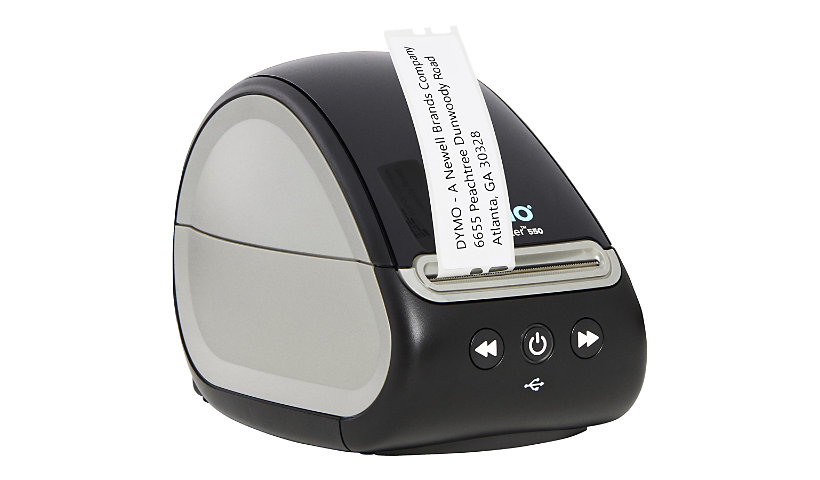
DYMO LabelWriter 550 - label printer - B/W - direct thermal
$176.23
$146.80
Mfg # 2112552
CDW # 6648775
| UNSPSC 43212113

Know your gear
The DYMO LabelWriter 550 label printer comes with unique Automatic Label Recognition so you always know the size, type, and number of labels remaining. The direct thermal label printer replaces the need to buy costly ink or toner, while the portable size helps it fit into any modern workspace.
Add to Compare
Enhance your purchase
Dymo LabelWriter 550 - label printer - B/W - direct thermal is rated
3.40 out of
5 by
116.
Rated 5 out of
5 by
Edward88 from
Easy to set up and prints beautiful
I got this LabelMaker for my girlfriend who is producing chocolate at home. She is always labeling the Tupperware containers her products are going into and I wanted to make her life just a little bit easier. LabelWriter 550 has been a tremendous asset and illuminates a lot of the manual work we did labeling 50 to 100 containers per session
Date published: 2022-03-31T00:00:00-04:00
Rated 5 out of
5 by
ArchitectGuy from
Expensive Prints
This label printer is great for all small format labels - mostly I use it for mailing things and printing labels for shipping (which is super easy and great). The software works fine, and it prints the labels well (though I have seen some reviews about formatting issues, but I haven't seen any of that). One giant con to this machine is that it only works with authentic DYMO labels which are, frankly, prohibitively expensive. If you factor in the cost of each label, it significantly increases the postage cost if you are mailing a large amount of things.
Date published: 2022-04-18T00:00:00-04:00
Rated 5 out of
5 by
annyadms from
I expected more
The truth is that I expected more from this printer, sometimes the labels get stuck but the printing is very clear and it is useful. The printer is small so it is perfect because it does not take up much space
Date published: 2022-03-31T00:00:00-04:00
Rated 5 out of
5 by
Pdbest from
Love it!
I can’t say enough about this LabelWriter 550
It can print 62 labels a minute, seriously!
Easy to set up and use, I’m finding so many labels I don’t need they I print out just because I can :)
It prints photos too so you can go wrong!
Date published: 2022-04-28T00:00:00-04:00
Rated 5 out of
5 by
Dolly1 from
Well made
This is a well made product for printing out labels. It is made of good quality material and will last a good while. It is also smaller in size for portability and will nice to carry place to place easily.
Date published: 2022-04-02T00:00:00-04:00
Rated 5 out of
5 by
ColeMac from
Doing it all!
This label maker is great! It was so easy to set up, it came with everything you need and it's fun! It has bluetooth and it hooks up to your computer or laptop and you can print from there. I like the size to. It's not big and bulky.
Date published: 2022-04-02T00:00:00-04:00
Rated 5 out of
5 by
Indi527 from
Super handy!!!
Are you needing to organize as this season warms up??? Well this label maker is perfect for that!!! I love how compact and portable it is. Also I am able to print clear labels that stick to everything needed. No need for markers that dry out because I label everything with my label maker now!
Date published: 2022-04-03T00:00:00-04:00
Rated 5 out of
5 by
sweetbean910 from
I Love it!!
This labelwriter is what I've been needing and didn't know it. First things first. You have to download the software on your computer or laptop BEFORE connecting the printer to it. It took a little while to download. This printer does not need ink. How? I do not know, but I love it. I printed my labels for my meal prep and labeled some other containers for storage and I'm in love. I would definitely continue to use and purchase some more labels to print out.
Date published: 2022-01-12T00:00:00-05:00
Rated 5 out of
5 by
Colleen22 from
So excited to become organized!
I have a bad habit of becoming quite unorganized after a time. This is going to get me back into shipshape where everting has a home. It’ll be most helpful in my office where I have a ton of papers that need to be sorted.
Date published: 2022-04-04T00:00:00-04:00
Rated 5 out of
5 by
Jessrenee from
Dymo label writer
I received this product and was really impressed by it. It is easy to use, has direct thermal label so you don't have to worry about ink running out. You can see the label size and how many are left easily. And prints so fast. I would definitely recommend this product.
Date published: 2022-01-28T00:00:00-05:00
Rated 5 out of
5 by
DianeLPoff from
Great labels
I have really enjoyed this label maker. It's so easy to use. My family and I have really enjoyed using it. I put labels on all my containers in my pantry. Husband labeled all his jars with nuts and bolts. I'm doing a craft show this fall, going to use this to label everything. I highly recommend this printer.
Date published: 2022-04-08T00:00:00-04:00
Rated 5 out of
5 by
Anps from
Good
Small enough to be pratical. Very easy to use, easy to setup and easy printing. A lot of functions. Very fast label printing. I needed to generate a lot of mailing labels. I also needed to use various label sizes. Changing label size is easy and fast. The printing speed is fantastic. Just received it and put several full rolls through it. Never a hiccup. I use it almost every day. No issues at all. It set up quickly and runs like a top. I
Date published: 2022-03-31T00:00:00-04:00
Rated 5 out of
5 by
Meg D from
organizers enjoy
to me there is nothing like a well organized office. the LabelWriter helps me do just that. i can create labels for anything and everything with this easy to use small compact desktop printer. no feeding in a full sheet of paper to my regular printer for just one small label.
Date published: 2022-04-20T00:00:00-04:00
Rated 5 out of
5 by
charlee from
Happy Life
This label maker has made my personal business so much easier now. Plug in and started printing labels like crazy. Sticks really well and the ink doesn't smear off like other brands. Pretty quiet and fast.
Date published: 2022-04-04T00:00:00-04:00
Rated 5 out of
5 by
csell07 from
Can only use Dymo labels
Unlike others, it doesn't bother me that you have to use Dymo brand labels in this label writer. From my understanding, the technology that Dymo had in this device is what keeps it from needing any sort of ink cartridge. I really like it.
Date published: 2022-04-05T00:00:00-04:00
Rated 5 out of
5 by
MeghanKH from
No need to buy ink!
This label writer is great. It’s easy to use, small and simply designed. It took me about 30 minutes to get everything set up on my computer(software download) and to navigate the software, but that’s it! Even my kids love using it for labeling their school supplies. Not to mention I don’t have to buy ink. Labeling making could not be easier with this label writer!
Date published: 2022-04-12T00:00:00-04:00
Rated 5 out of
5 by
KayakGuy from
Great labels. I’m much more organized now!
Now that I’m working from home 100% of the time, I needed to get my home office better organized. The labels are super easy to use and looks so much better than hand written file folders. It’s quick and easy and everything looks much more professional.
Date published: 2022-04-24T00:00:00-04:00
Rated 5 out of
5 by
Tab1014 from
Good
Works amazingly. Easy to set up and easy to use. Makes a clear well seen label. I am so glad I have this label writer. I would however make sure that you keep some labels as backup so you don't run out in the middle of a job.
Date published: 2022-04-04T00:00:00-04:00
Rated 5 out of
5 by
NNNN from
Nice!
I have always dreamed of such a small gadget for my home so that I can clean up my work office. It's just a magical machine! You can invent any inscriptions, use it easily and simply, and intuitively understandable, I highly recommend buying!
Date published: 2022-04-11T00:00:00-04:00
Rated 5 out of
5 by
Babybugg from
Great features
I recently got this label maker and am so glad I did. I know people with small businesses that use it. We are all happy with it. I use it daily. I would highly recommend it to my friends and family as well as my other small business friends. Will probably buy a second one for backup incase needed.
Date published: 2022-01-17T00:00:00-05:00
Rated 5 out of
5 by
smirnov from
awesome labels
I got this label maker a few weeks ago, and it works great. I run a tent company, so we always have something to label and it comes in handy. Its a super fast label maker and prints them super clear. .
Date published: 2022-04-12T00:00:00-04:00
Rated 5 out of
5 by
MzShirleyD from
Easy Use!
The dymo label writer 550 is a great accessory to my home and office! This was easy to set up, directions were great. We were installed and ready to go within minutes. Some of the features that I love is there is no ink or toner required and you can print up to 62 labels per minute. This has a modern look and great features!
Date published: 2022-01-29T00:00:00-05:00
Rated 5 out of
5 by
DonnaB41553 from
Great Product!
I have gotten to use this label writer and it's been about the neatest thing I've used in quite a while. It is so simple to use ,I have it on my desk it hardly takes up any space at all. It writes the labels out bold so you just stick them on whatever you're making them for. Highly recommend this to all my family and friends and anyone else that wants to label there things.
Date published: 2022-04-01T00:00:00-04:00
Rated 5 out of
5 by
TracyB2021 from
Great Label Printer
I got this a few weeks ago and it is awesome! I print labels for my baking items and this printer does the perfect job for what I need! I appreciate that it is small and doesn’t take up much space. A great find!
Date published: 2022-04-04T00:00:00-04:00
Rated 5 out of
5 by
Ms_cookegrandson from
Label Everything
I m super organized. I love to have things in order. I have own the LabelWriter 550 foe about a month and absolutely love it. It has a sleek design and it’s easy to use. It keeps me on track with all the things that I fine important.
Date published: 2022-01-23T00:00:00-05:00
Rated 5 out of
5 by
Adri from
Little device huge potential
Now let me start by saying I’ve never owned a label maker specifically never one this fancy. This label maker can make so many different types of labels. The size variety is also great The maker itself is a slick tiny design so even if it’s sitting on my desk it doesn’t make it look cluttered. It’s so easy to use simple to print all I do is connect it to my computer and I can print from there like I said so easy and simple. So far it’s my absolute favorite little device. I love that it’s compatible with Apple and windows systems. It connects right to your laptop so you could get right to work.This was super easy for me to figure out it’s so convenient and self explanatory. This little device had been a huge hit and absolute favorite in my office and for the price you can’t beat it. This is a great gift or investment for your office. I really recommend this.
Date published: 2022-03-31T00:00:00-04:00
Rated 5 out of
5 by
Melissa7089 from
Easy to use
Received this this week and was so happy with how easy the set is. Came with a package of labels to use from the moment it’s unpacked. I just love that o can print one individual label directly from the printer and not have to worry about wasting air messing up a whole sheet of labels. Very convenient and easy to use. I’ve already started to label my storage containers.
Date published: 2022-04-02T00:00:00-04:00
Rated 5 out of
5 by
Peeps from
Label all the things!
This is a great little printer. Very easy set up and connects very easily. Even the technology impaired can figure it out pretty easily. Prints very nicely and high quality. Great for addressing packages.
Date published: 2022-04-18T00:00:00-04:00
Rated 5 out of
5 by
Dshugar625 from
Labelwriter 550
I am very impressed with this product. My husband runs a small business from home and sends out packages regularly. This Label writer works wonderful at printing up shipping labels. The fact that it is a laser printer and does use ink cartridges is a big plus! Another excellent feature is that you have an exact count of how many labels are left on the roll so he doesn't run out mid print job. The only downside I have is that you must use the brand name print stickers when reordering because generic labels wont work. This is a little costly but other than that, this label writer is a great but and a great product.
Date published: 2022-04-23T00:00:00-04:00
Rated 5 out of
5 by
Court4440 from
Excellent
The Dymo LabelWriter 550 is such a delight to use. It allows you to do precise quantities and tells you how many labels, size and type before it runs out with the Automatic Label Recognition component. It's works so much faster and delivers quality labels without the hassle of using ink. It sits well on a desk or small area and becomes a very useful tool for pretty much any label need such as pricetags, nametags, mailing and shipping etc. I really enjoy this product and it makes label making jobs so much easier.
Date published: 2022-04-17T00:00:00-04:00
Rated 5 out of
5 by
Stumbo13 from
Great feature
This handy little label writer is great. It makes 62 labels in one minute. I’ve recently have started a small decal business and these will work perfect for my business. I is easy to set up and it hooks up to my computer.
Date published: 2022-04-05T00:00:00-04:00
Rated 5 out of
5 by
TheDarkGnat from
Powerful yet simple label maker!
The DYMO LabelWriter 550 is a powerful yet simple to use label printer. It has a compact form factor and can handle printing on a wide number of sizes of labels. The LabelWriter 550 contains automatic label recognition. This means you will need to use OEM label rolls from DYMO with the LabelWriter. For my tasks, this is a bonus. I will always know how many labels I have left on a roll and the computer will always have the correct type when printing. I use mine with a Mac. Installation of the printer and software is easy and quick. I was printing labels after about 5 minutes of opening the box. The print quality of the labels is what you would expect of a DYMO product. It is clean and professional. I highly recommend the LabelWriter 550
Date published: 2022-04-02T00:00:00-04:00
Rated 5 out of
5 by
Jnd524 from
Great item
This is exactly what I've been looking for. I ship a lot of items and this came in so handy for me. It's light and compact I can literally just take it anywhere with me. It's easy to set up and simple to keep working.
Date published: 2022-04-02T00:00:00-04:00
Rated 5 out of
5 by
Dana S from
Absolutely a life saver!
I received this a few weeks ago and has saved my hands! I have a small business and writing out my labels was time-consuming and painful for my hand. Now I don't have any issues and they are perfect! I am always changing stock and it is perfect to just create a new one and be done! It's quick and easy to use! I absolutely love it and recommend it to anyone who needs labels or just wants to be organized!
Date published: 2022-01-20T00:00:00-05:00
Rated 5 out of
5 by
Buddy72 from
Loving this Label Writer!!
The Label Writer 550 is just what I, needed to print my labels . The fact that I, can print and don't have to worry about buying ink. This Label Writer is ink free . This Label Writer is such a good investment. I've had know problem's very easy to use.I, very much pleased with this one.
Date published: 2022-04-03T00:00:00-04:00
Rated 5 out of
5 by
Tara12 from
Great features!
This is by far the best label printer I’ve used. The set up was easy. The features are great. I really love the fact that you don’t need ink. The printing is great no smudging. This is overall a great durable and good quality label printing machine. I have recommended this label printer to family and friends.
Date published: 2022-04-06T00:00:00-04:00
Rated 5 out of
5 by
Brenda15 from
Great Label Writer
I love this Label Writer. It is small. It does not take up a lot of space. It is extremely easy to use. The labels come out clear with no errors. I would recommend this product to anyone who needs one
Date published: 2022-01-15T00:00:00-05:00
Rated 5 out of
5 by
ladyai from
this work wonders
Usually I use a my printer for my labeling but this saves corners on labeling now just put it on my envelope or one of my things and it's labeled is this is a good product to use I would recommend it to anyone who needs a quick fast label
Date published: 2022-04-02T00:00:00-04:00
Rated 5 out of
5 by
BeckyG from
Instant Labels At Home!
I enjoy to convenience of having an instant label machine at home to use at any moments notice to keep things organized. This one is an exception because it provides fast and professional labels with a variety of techniques.
Date published: 2022-04-19T00:00:00-04:00
Rated 5 out of
5 by
Lumber Man Bill from
Fabulous
The label writer 550 meets all your label writing needs and more. It's extremely simple to use and is very quick at writing labels. We live it for everything from addressing envelopes to labeling everything we organize throughout the house. It's a top end label maker!
Date published: 2022-03-31T00:00:00-04:00
Rated 5 out of
5 by
Teecup5 from
Works Great
The Dymo LabelWriter is such an amazing product. I love well it prints and the quality is really amazing. Using the Dymo LabelWriter it print super fast which is great and so many features on the LabelWriter to get the job done. Nonetheless, I like how I can take this Dymo LabelWriter wherever I go which is great. Overall, I would definitely recommend to anyone whose looking for a really nice product, it's very sturdy and I so love it.
Date published: 2022-04-01T00:00:00-04:00
Rated 5 out of
5 by
Aandersen from
Great!
This is a great labelwriter! It’s easy to use, it works with pc or MacBook. It can print barcodes, etc. the print is clear. It’s a good sized printer, and sleek! The USB cord is included which is nice.
Date published: 2022-04-02T00:00:00-04:00
Rated 5 out of
5 by
moj14 from
Good Label Machine
The new Dymo label writer 5 series is a good option if you're looking for a portable and efficient label maker. You'll need to make sure that your computer supports a USB connection before bringing this one home. It took a bit of work to get it connected, but once set up it was pretty straightforward. I love that it doesn't use any inks, but rather direct thermal print technology. It also features automatic label detection so you won't run out without notice. If you're into mailing labels, visitor management, and/or retail labeling this is a good option to consider.
Date published: 2022-04-12T00:00:00-04:00
Rated 5 out of
5 by
nraczy from
So easy to use.
I love the LabelWriter 550. As a teacher I am constantly making labels for supplies, folders, and the list goes on. I have used several label makers and I have yet to use one that is as easy to use as this one. The labels also look amazing and professional.
Date published: 2022-04-22T00:00:00-04:00
Rated 5 out of
5 by
MelkyJ from
I wish I knew sooner
I wish I knew this product existed sooner. It has saved me time in by business and made me much more productive. It works well and as it's supposed to. If you're still stuck hand writing names over and over or anything else you NEED one of these you just don't know it yet ;)
Date published: 2022-01-13T00:00:00-05:00
Rated 5 out of
5 by
Deana74 from
Nice Addition
I got my LabelWriter 550 about a month ago
Ive found it to be well made and simple enough to operate. My family has asked that i slow down on the labeling as i have decided that everything needs a label!
Date published: 2022-04-25T00:00:00-04:00
Rated 5 out of
5 by
Beth1982 from
Easy to use!
If your looking for a label maker look no further! This has easy software install and it only took a few minutes to set up. You have a variety of fonts to choose from and letter size. The label maker detects the size of labels automatically and keeps track of how many labels are left while you are printing. The best part is that it doesn’t use any ink! It uses heat to print the labels so there will never be ink to replace. I previously worked in an office and used many different types of label makers. This one by far is the best!
Date published: 2022-04-02T00:00:00-04:00
Rated 5 out of
5 by
kspang1776 from
My new obsession
I have been having a blast with this label maker! It is so easy to use, prints off perfectly, and I have found myself just wanting to label anything and everything. As someone who is pretty tech challenged, it was so simple and effortless to set up; 10/10!
Date published: 2022-04-08T00:00:00-04:00
Rated 5 out of
5 by
seramaMama13 from
High-Quality!
Pros: prints labels beautifully, customized labels, prints fast, high-quality
Cons: instructions are not clear, only comes with address labels, sticky residue on USB port, not many places to buy labels from, not for 4x6 labels
The Dymo LabelWriter 550 is nice! The instructions on how to setup and use this machine were not extremely straightforward. Once you unpack it, you’re supposed to go to the website and download the software for it. But the website that it initially tells you to go to, when you click on the “download user guides and software” link, it doesn’t make it very clear that you are picking the correct software because the LabelWriter 550 isn’t listed as one of the LabelWriter’s that it supports, but it is the “DYMO Connect v1.4.3” that you need. It took me several minutes to figure that out. Once you download the software, it is all on-screen prompts. This includes multiple restarts of my PC. Once the software is downloaded, the instructions walk you through connecting the power and connecting it to the computer. Something I found quite frustrating was the “stop” sticker attached to the USB port that connects to the computer. When you peel off the sticker it leaves an extremely sticky residue behind on the USB port and I really didn’t want to stick that adhesive into my USB port, so I spent about 5 minutes scrubbing the adhesive off with isopropyl alcohol.
This machine comes with one small roll of address labels and no other sizes of labels. I initially thought this was going to work for printing full shipping labels and I was really hoping to try that out but it only came with address labels and only one shipping label that was used for testing the machine. Which, after looking at the test label, I do think it will be too small for printing full-sized shipping labels.
Loading the labels was a bit confusing, the instructions left a lot to be desired. I felt like I was guessing and hoping for the best the whole time. Once the labels are loaded, the software automatically detects which labels you’re using and how many there are left. It also switches to that format for designing the label to print.
Once you have the labels loaded, that’s where the instructions stop. You’re pretty much on your own as far as figuring out how to use and customize your labels. You can add images, bar codes, clip art, lines, shapes, QR codes, counters, and borders. The software isn’t too difficult to navigate but it did take some time to get it all customized to my linking.
This machine prints very high-quality labels, it prints out fast, and then you just tear them off of the machine. They are extremely easy to peel off of the backing and the adhesive is very nice.
All in all, this is a really nice label maker. It’s a little confusing to set up, but it’s very easy to use and it works extremely well. I would absolutely recommend it!
Date published: 2022-04-03T00:00:00-04:00
Rated 5 out of
5 by
Joedtip from
Great product
This LabelWriter 550 is nice. Easy to load and use. Directions are easy to follow. Prints very well. No smearing of ink. Easy to connect to my device. I would recommend this product to friends and family.
Date published: 2022-04-20T00:00:00-04:00
Rated 5 out of
5 by
Poohbear from
Labels
I got this to do labels for work. I thought I was very difficult to hook up and use. I wouldn't connect to my laptop so I had to use a desktop computer to get it to work. I wouldn't recommend this type of label maker.
Date published: 2022-01-19T00:00:00-05:00
Rated 5 out of
5 by
Rene0705 from
Easy to use
This is a great machine for an at home business or even at work. Easy to use and load and prints out just great. Perfect size for any small at home space and sleek design for any extra touch to an office space.
Date published: 2022-04-03T00:00:00-04:00
Rated 5 out of
5 by
Kayfullie from
Easy label printing
Set up was a breeze; i got it set up in about 10 minutes. I've used label printers before and its important to feed the labels correctly and line up the directions. If you download the drivers first which the instructions say you should have no issues with connecting the device. I wish this dymo had wireless capabilities to connect to my phone though.
Date published: 2022-04-30T00:00:00-04:00
Rated 5 out of
5 by
Kim C from
Nice Space Saving Lablewriter
I got this Dymo Labelwriter 550 for address label making and product description labels (own a restaurant). The machine itself is small but fast and mighty. From unboxing to printing my first label took about 10 minutes and let me add I am NOT a computer guru. The quick start up guide included made the set up easy and fast. So far its holding up great for all my label making. I love that I can use different size labels with the same machine. Switching out the labels takes less than a minute. This setup also keeps up with how many labels you have left on the spool which is very nice. No surprise running out in the middle of printing job. I love this Dymo Labelwriter 550.
Date published: 2022-04-04T00:00:00-04:00
Rated 5 out of
5 by
aaronah from
Sleek basic labelmaker with some useful upgrades
I'm a big fan of the LabelWriter series--we use these printers daily and they are extremely robust and easy to use. This is an upgrade from our previous 450 model. It is essentially the same with easy to use hardware and software but with a few nice additions. It can automatically detect the size and type of labels that are loaded. Most useful--it tells you how many are remaining! This is a great feature! Everything else is the same as in previous models--speedy printing and quick installation.
Date published: 2022-04-09T00:00:00-04:00
Rated 5 out of
5 by
MamaBear34 from
Straight Forward & Simply Gorgeous Labels!
I got this Dymo Label Writer mainly to print return address labels for our annual holiday cards etc. I was intrigued by the simplicity I perceived by the product description along with the fact that this machine requires no ink or toner. I typically only print labels once a year and it is such a waste of money to continually buy printer ink only for a couple of pages of labels a year and just let the ink dry out. Set up was quite easy and by far the longest part of the process was downloading the Dymo software on my dinosaur of a computer. Loading the labels was a little intimidating at first with the number of steps required but everything was labeled nicely within the printer to be able to follow along with the instructions. I did have a slight issue with getting the labels to feed correctly, but that was easily remedied with a couple extra attempts through the steps. The software automatically detected the size of label I had in the printer and I simply hit print and was done with my project within 5 minutes! The Dymo software has a very simplistic interface where you can quickly find what you need to create your label. If you are really wanting to dig in and make something fancy, the software has many different settings and options for you to play with (varieties of font, clip art, you can upload your own images like a business logo, barcode, QR code etc.). The printing on the label itself is pristine and clear. I also love that you can buy rolls of Dymo Address Labels for so cheap ($20 on Amazon right now for 2100 labels through the Dymo store)! One feature I would suggest for future models would be mobile printing ability. As a Stay At Home Mom, I don't really get on a physical computer much and I am constantly on the go. There already is a Dymo app on the Play Store. I downloaded it and hoped to connect the Dymo Label printer via a USB-C -> Female USB cord I already had and the app wouldn't recognize the printer. This would have made use of the Dymo Label Writer way more accessible for me and would have given me a much larger range of use. Either way, I still love this Dymo Label Writer, it is a superb product and I would definitely recommend it for all your labeling needs!
Date published: 2022-04-25T00:00:00-04:00
Rated 5 out of
5 by
Hmm729 from
Great thermal printer!
This is a great, multi use thermal printer.
You can use any size label, as long as it’s 3in in width (the opening will not allow anything over 3in) .
I like how the roll of labels goes inside the actual printer, you also have the option of putting the labels through back, I’m assuming for bigger labels that will not fit inside the printer itself,
You need to have a cd rom for the disc to download the driver . Our computer does not have the cd rom, so I needed to connect a portable one (you can find some here on Amazon that are pretty affordable). I tried to download the driver off of their website, it was not working . Maybe due to the security measures we have on our computer, but, I figured to mention it anyways,
The Bluetooth connection worked great from my phone, not so great from the computer (hence why you need to make sure the driver is downloaded).
Date published: 2022-04-06T00:00:00-04:00
Rated 5 out of
5 by
Neil17 from
Excellent Product
The LabelWriter 550 is an excellent product. It’s easy to use and makes some great high-quality labels. If you need a label maker this is a great one to choose and will last you for a long time. Highly recommended!
Date published: 2022-04-02T00:00:00-04:00
Rated 5 out of
5 by
Gulfport mine from
Label it
I got this product and I'm so happy with it I'm labeling jars and cabinets and balls and anything that I need to specify what it is this is the easiest label making to of ever had make my own mailing labels
Date published: 2022-04-03T00:00:00-04:00
Rated 5 out of
5 by
swopee22 from
Great label maker!
The LabelWriter 550 is just what I needed! The instructions were straight forward and set up was easy. My labels came out sharp and clear, I was impressed, especially since this model doesn't use ink. Overall, great lake maker!
Date published: 2022-04-11T00:00:00-04:00
Rated 5 out of
5 by
jchan from
Very helpful!
This is a review for the LabelWriter 550. It's a nice compact unit that works very well. There are so many uses for these types of labels. I have used it to organize a craft room and several items in the garage. It also prints out great labels to use on envelopes.
Date published: 2022-04-15T00:00:00-04:00
Rated 5 out of
5 by
bcg2312 from
Worked great, great price!
Nice price, like the fact it doesnt require its own ink, Runs quietly and quickly, software was easy to deal with, and the quality looks very good. Only drawback is that the labels can only hold 3 lines, wish it could be 4 or 5.
Date published: 2022-04-02T00:00:00-04:00
Rated 5 out of
5 by
Lindacarol7 from
Easy set up, great performance!
I got this for one project but have found a million other uses for it! We are using it for address labels,pricing,labeling, tagging and all the labels are clear, smudge free and stick on well. The software setup was easy for a non techie like me, and the label design and printing process
Is straightforward. The label maker itself has a small footprint and the labels are easy to load.
This has helped our efficiency and productivity greatly!
Date published: 2022-03-31T00:00:00-04:00
Rated 5 out of
5 by
Dee39 from
No Ink Label Printer
The Dymo is a good label printer once you get it working. I initially tried to install it on my Windows laptop and it didn’t work. The installer said I needed at least MS Office 2016 to complete install. Since I didn’t have Office 2016 installed, it quit installation. I wish the box would have mentioned this as a requirement. I was able to install the software on my Mac without any issues. I liked the fact the software detected the specific paper that was loaded into the printer. In my case, I had white address labels loaded.
You type what you need the label to say in the software and it prints with ease with the press of a single button. Since I do a fair amount of shipping and also like to label boxes I have stored in the garage, I was able to print a bunch of labels in no time and the labels are of a good quality. The labels are easy to install if you follow the directions. (I didn’t follow the directions at first and skipped a step that made my tape get jammed). The jammed cleared relatively easy.
BEST PART, NO INK. The only thing I need to buy is the labels and I can print endlessly. I highly recommend this printer if you do a lot of address or label printing. Again, once its set up, it easy to use.
Date published: 2022-01-29T00:00:00-05:00
Rated 5 out of
5 by
BabiieKakesxOx from
Perfect Small footprint desktop label maker
I have been in the market for a labelwriter for a few months now. Every time I looked it was either too costly for the replacement labels or it did not fit on the space I had designated it to go on my desk. This labelwriter hit both nails on the head. This labelwriter has a small footprint but still offers all the same features I needed from the larger ones. The labelwriter is quiet and functions effortlessly with my work laptop. This labelwriter saves me so much time as I am used to having to handwrite everything! Dymo is a brand I trust, I love even their basic handheld label makers I use that to label all my items in the pantry. The refills on the labels are also very reasonable I needed that as I will be using this labelwriter on a almost daily basis. I would recommend this to anyone in the market for a easy to use, pc friendly label writer. I would not recommend it for commercial or larger business use but this works great for my small business!
Date published: 2022-04-03T00:00:00-04:00
Rated 5 out of
5 by
Chihirol from
Awesome Label Maker!
I had a label maker years ago, but it was one of the old ones that kind of stamped the labels instead of printing on them. It was very slow and expensive to buy more label paper. The Dymo LabelWriter 500 is such an improvement!! It prints with ink-free technology (which blows my mind), and it prints quickly without smearing. You can use the labels immediately. It works seamlessly with my mac laptop. I highly recommend this!
Date published: 2022-04-12T00:00:00-04:00
Rated 5 out of
5 by
Glen G from
Never Needs Ink!
I love that I will never need ink for this label maker. The setup is an ease. It mashes great labels. I've read that others complain that this doesn't use previous models labels which I could understand being annoying, but isn't that how most things are today? Overall, I am pleased with this and would recommend to anyone without a label maker.
Date published: 2022-04-02T00:00:00-04:00
Rated 5 out of
5 by
Momjonas from
Small and convenient
I finally decided to give labelwriter 550 a try . Im constantly organizing and this for sure makes it easy. I love rahat it is small and lightweight. It took a little for me to figure out how exactly to use it but once i got it. It wasnt that difficult. Its great cause its convenient and lightweight
Date published: 2022-04-19T00:00:00-04:00
Rated 5 out of
5 by
Sydneyc from
Love this!
I received this complimentary in exchange for my honest review! This Label Writer is amazing! It was so easy to connect to my computer, the labels came out well! Very happy with this product! I recommend
Date published: 2022-03-31T00:00:00-04:00
Rated 5 out of
5 by
ladyH from
Read the manual before getting started
This is a pretty decent machine. The machine prints each tag out very nicely, but it does take some getting used to, to make the machine print how you want it to print. I highly recommend reading everything before getting started. The quality it prints is very professional. I am incredibly pleased with this product.
Date published: 2022-04-23T00:00:00-04:00
Rated 5 out of
5 by
Rrrd from
550 don’t buy
Have to use the dymo connect software. Which is the worst design software in the world. You cannot do an address book and you cannot import an old address book it is absolutely useless for a business. We bought two of these as we needed to add to the existing ones we had. We just returned them to the store because they’re horrible. Then went on eBay and bought 450s So we can use the good software. I don’t know why they were produce a product that forces you to use their labels and take away the features of a software we’ve been using for the last 10 years. They think it’s just magically going to go away. Horrible marketing. Whoever designed this should be fired.
Date published: 2022-01-06T00:00:00-05:00
Rated 5 out of
5 by
slingshottech from
More like "Automatic Label REJECTION..."
Our company has heavily used Dymo 450s over the years, and I was hopeful the 550s would be even better with Ethernet connectivity as an option. So I bought one to test, despite reading about not being able to use custom labels. I was hopeful this would not be the case.
Unfortunately, my suspicions were correct. The 550 Turbo did not recognize our company-branded custom labels used to serialize all of our products. This is a dealbreaker. I can live with manually changing the label size on the 450 if it means being able to use the custom-printed labels we've spent hundreds of dollars on.
Steer clear of the LabelWriter 550/550 Turbo if you depend on it for business purposes - and take good care of your existing 450/450 Turbos.
Date published: 2021-10-29T00:00:00-04:00
Rated 5 out of
5 by
David C from
Zero rating, can't get the software to work at all
Bought the Dymo 550 November 12, 2021, and so far, have not been successful in getting the software to work. Have downloaded it at least 8 times and a message reads, "there is a problem with the software and the program will be closed." Then it goes to download the program again. I wouldn't give this a single star rating; it is a zero.
Date published: 2021-12-03T00:00:00-05:00
Rated 5 out of
5 by
Liz2 from
I AM STRUGGLING
I have used older DYMO products, and recently purchased the new 550. I cannot find lables for it ANYWHERE and older labels will not work in it. I even called DYMO and they said they would send a link to purchase labels and the link doesn't work. UGH! I'm afraid I'm going to have to send this one back - I need one that works!
Date published: 2022-01-05T00:00:00-05:00
Rated 5 out of
5 by
CBF3 from
Stay away
I have gone through a whole roll of labels and not one printed correctly even though the print review was right. One copy selected and 2-8 came through blank.
Date published: 2021-10-20T00:00:00-04:00
Rated 5 out of
5 by
Vet Office from
Do not buy the 550 - no custom labels option
Do not buy the 550- you can not use 3rd party custom labels. Dymo offers their own plain labels but they do not print custom labels...so the printer is useless.
Date published: 2021-11-05T00:00:00-04:00
Rated 5 out of
5 by
Christic from
550 is junk
I have 4 of the 450's, and work great for 2 years and still do.
Need to more and when with the 550, thinking New would be better... Not the case.
They wont dont work!!!!
Date published: 2021-11-07T00:00:00-04:00
Rated 5 out of
5 by
Urchin from
Do not buy this printer
We use multiple Dymo printers, and we have the option to use other labels in the printer. I thought we would have the same experience with this one, but unfortunately we did not. All Dymo says is "sorry for the inconvenience, but the box says only use our labels.." That doesn't fix the problem with working with our system and using all the labels we have- and now we have a printer that is unusable. Calling Dymo wont fix the problem either, they dont care and wont do anything about it. Nice job guys. You've lost my business and the word will spread about your poor product. Very disappointing.
Date published: 2021-11-04T00:00:00-04:00
Rated 5 out of
5 by
StuartN from
Don't touch this with barge pole.
We've had Dymo printers for years and been able to use non genuine labels at a better price. The new 550 printer only takes Dymo labels and these are 3.5 times the cost. We cannot return the item and it's uneconomic to use it. We're buying second hand 400's because it's cheaper to leave these 550's on the shelf or throw them away.
Date published: 2022-05-27T00:00:00-04:00
Rated 5 out of
5 by
OMG Print my label from
DYMO is going down hill fast
I don't understand how technology make things worse, DYMO used to be a great product, now the machine is telling me my labels are low , the labels aren't compatible when I'm using DYMO labels. Why can't I just plug in and print and not have to go through all these checks and balances to make sure DYMO owns you.
Date published: 2021-12-11T00:00:00-05:00
Rated 5 out of
5 by
Kriss from
Nice printer, shame about the labels
Just received my 550 and have found what everyone else here is talking about – the 'unique Automatic Label Recognition'. I can't use any of the many Dymo labels I have in the cupboard, because they don't have a chip. Would have been nice if this had been an optional 'feature' that can be turned off. Speaking for my self, I don't care 'which labels (by size, type, and color) are loaded', or 'how many labels are remaining'.
Date published: 2021-11-09T00:00:00-05:00
Rated 5 out of
5 by
Dmarie17 from
Easy to use!
I have always loved Dymo’s products and the LabelWriter 550 was no exception. Setup was simple, love that it doesn’t require ink or toner (I swear I run out at the most inconvenient times), and it doesn’t take up much space. I typically print off labels for my EBay business and this is going to make my life so much easier since I try to ship out multiple items at once. It does require labels specifically from Dymo, but that’s not a dealbreaker since overall it meets all my needs. I will continue to get a lot of use out of this product!
Date published: 2022-05-09T00:00:00-04:00
Rated 5 out of
5 by
Thijs Derksen from
Only Dymo labels
Only works with official Dymo labels, no thanks Dymo
Date published: 2021-10-28T00:00:00-04:00
Rated 5 out of
5 by
mr2clever from
DYMO Labels don't work either!
Researched the 450 series. Sounded great. Bought the 550 turbo because the shop didn't have any 450s. Thought it was just a newer version. Big mistake. Can't use generic labels and just discovered that the printer doesn't recognise the second lot of DYMO labels I purchased. Would be a great product if it wasn't so heavily locked down. Sometimes less is more.
Date published: 2021-11-06T00:00:00-04:00
Rated 5 out of
5 by
Revjohn1 from
So far, so BAD
Tomorrow is day 4 trying to get the DARN thing to work. I put in brand new toll of file labels, and several things happen.
The "on" light blinks steadily.
When the tape loads, it pulls right, wrinkling the tape. I followed instructional pictures inside the machine, still will not work
The software says that the spool is empty
Despite following instructions from CS person, I cannot get a textbox beyond the ABC text box to make any custom text
Date published: 2021-12-21T00:00:00-05:00
Rated 5 out of
5 by
detroitmommy from
Works Well
I am very pleased with this label writer overall. I did find the instructions a little bit difficult but I had never used a labeler like this one before. The included program was a little hard to figure out at first, but yet again I'd never worked in. It wasn't too steep of a learning curve but I'm fairly knowledgeable when it comes to working on the computer. It took me a couple of days to really get everything down pat. If you don't have a lot of experience on a computer you might find it more difficult but with a little persistence you should be good. I recommend this labeler.
Date published: 2022-05-11T00:00:00-04:00
Rated 5 out of
5 by
ClienTrax from
Don't Purchase 550 for RX Label use
This printer has great potential with the new ethernet port, however in our industry there are over 28,000 Veterinary clinics in the US. Most all of these hospitals currently have at least one Dymo 330, 400, or 450 for the printing of RX labels. These hospitals will unfortunately not be able to use this product! This new printer does not allow for generic manufactured labels. Labels must come from Dymo, yet Dymo doesn't produce a RX sized label that is printed with a warning "Keep out of Children's Reach. For Veterinary Use only". This label is required by law by the FDA. CFR - Code of Federal Regulations Title 21.
Date published: 2021-10-20T00:00:00-04:00
Rated 5 out of
5 by
VCCBrad from
Software Issues
We operate over 300 Dymo Labelwriter 450's and 400's. We're now trying to integrate the new 550 into our environment, which includes Windows 10 workstations connecting to terminal servers.
The new Dymo "Connect" software will not install onto Windows Server (they told me server 2016, but it fails to install on 2019 as well). Attempts to install result in "The operating system is not adequate for running DYMO Connect". I never had any issues with Dymo Label v.8 on Windows Server.
That, and Dymo's attempt at pulling a Keurig with this "only official labels" stuff is making me rather upset at this point.
Date published: 2021-10-20T00:00:00-04:00
Rated 5 out of
5 by
Jake21 from
Great product
I just had my first chance to use this label maker….. great product. Very very easy to use and set up. Been using it to label Romex in a new build we are doing. Cartridges are easy to load and the print quality is great. Been using it daily. Build quality seems good with a lot of great features. No issues with it so far. I would highly recommend this product looking for a great label maker.
Date published: 2022-05-09T00:00:00-04:00
Rated 5 out of
5 by
Duped from
Labels Don't Work!
Been using DYMO for quite a while. Never even looked at the specs on the new version, big mistake. Fortunately I only wasted money on one of them. Never again. Imagine a printer that only prints with proprietary over priced paper. That's exactly what this is. Huge disappointment. I won't be forced to buy their labels so this will just get tossed in the garbage.
Date published: 2021-11-25T00:00:00-05:00
Rated 5 out of
5 by
Scott_28 from
Won't even recognize all genuine dymo labels
When I bought this I naturally got the most recent model of printer, in other works the 550 and not the 450. I would have saved myself a lot of trouble if I hadn't. Yes it clearly states that it only works with genuine dymo labels, but it does not state that it will only work with certain genuine dymo labels. The only labels I've actually managed to print are from the roll that came in the box! Save yourself some hassle and buy a 450.
Date published: 2021-12-06T00:00:00-05:00
Rated 5 out of
5 by
Jhcb2010 from
So easy to use
This label maker is one of the easiest ones to use. The software walks you through what you need to do. It’s so easy that my kids can use it. The labels come out crisp and clear. They are cut to the perfect size specifications. I just wish it would recognize other brands of labels. The Demo branded ones are so expensive.
Date published: 2022-05-18T00:00:00-04:00
Rated 5 out of
5 by
Failed Event from
What a disappointment
I did miss the fact that this uses exclusive dymo labels, so thats on me. But i never would have even imagined that a company would have created such a limited use device. It is impossible to get dymo labels delivered in time and in the quantity that I need. I needed 50 of these, only to be completely let down... This project failed on all fronts with all thanks to Dymo... Good thing amazon prime will take back all 50 machines. It's too bad dymo isn't a user friendly organization... Time to start finding 50 450's for the next event.
Date published: 2022-01-06T00:00:00-05:00
Rated 5 out of
5 by
siajs from
ms
I bought the 550 model as my 2nd unit (I haave 450 turbo). i understand it only accepts original dymo labels. I purchased original dymo labels but still the error message of ' label not recognized' still pop up. im not able to use it. what could be the problem?
Date published: 2021-12-20T00:00:00-05:00
Rated 5 out of
5 by
agwsocal from
Poor Compatibility with Mac, Expensive Labels
Directly connected via USB to a new iMac (MacOS Big Sur), printer constantly goes 'offline'. It will work great for a couple of hours and then randomly go 'offline'. It's relentless. We have to train employees to unplug the printer USB and power cords, wait a few seconds, plug back in, then open the CUPS interface, select the printer and 'Resume Printing'. It's a hot mess.
Like everyone else, not pleased with the expensive proprietary label requirement.
Date published: 2021-10-22T00:00:00-04:00
Rated 5 out of
5 by
BAD DYMO from
Ghosts texts and prints unevenly.
Having been a Dymo user for years I am truly disappointed. On top of the bad printing the app software is incredibly buggy. To the point that companies that I work for no longer buy these products.
THE ABSOLUTE WORST IS THAT THE SOFTWARE CRASHES AND DOESN'T EVEN LET YOU COPY-PASTE FROM WORD WITHOUT CRASHING.
Date published: 2021-11-13T00:00:00-05:00
Rated 5 out of
5 by
KCMicro from
DYMO 550 is bad
Cannot use custom labels from other suppliers. If your labels were affordable and offered via wholesale then I would keep it but it's horrible without this option. I'll be switching brands after this purchase. 450 is so much better too bad we cannot find them anymore.
Date published: 2021-12-17T00:00:00-05:00
Rated 5 out of
5 by
J R C from
Can't use non-Dymo labels
Nice Dymo, force us to use Dymo labels so we can pay twice the cost. Thanks for ripping me off. I would not have bought this if I'd known I needed authentic (overpriced) Dymo labels.
Date published: 2021-11-08T00:00:00-05:00
Rated 5 out of
5 by
Lucie1 from
Inserting text and changing labels
Hi,
When pasting in a text from somewhere else where there are sometimes alot of tabs between texts, there is a box that end up where there is a tab space.
Also the text and design I put in does not stay that way when moving outside the text box for the label. Please see attached pictures.
I do not want to have to change this and have to remove the boxes just because there are tab spaces. What I see when adding text should be the same. If I want to change from that, that is when I do alterations. This was not an issue with the 450 and the former printing program. I also want to know and see where my previous prints are as this was possible in the previous version.
The previous version was easier to use than this one.
Date published: 2021-11-10T00:00:00-05:00
Rated 5 out of
5 by
Frustrated Customer from
Sneaky Marketing Ploy
IT delivered this printer as a replacement for the 450 Turbo they took from us. Turns out DYMO had added an RFID sticker on the cores of their labels, which prevents the 550 printer series from using thrid party labels. So, not only do we now have to purchase DYMO labels at 4x the cost, but we can't even use the old DYMO labels we happened to have on hand. Good job, DYMO, you've found a way to upset & frustrate your customers by labeling this hurdle as a "feature".
Date published: 2021-10-14T00:00:00-04:00
Rated 5 out of
5 by
TJoh from
Does not recognize its own brand labels
My coworker has a Dymo 450, and we have quite a stockpile of Dymo brand labels. Unfortunately, the only labels the 550 recognizes is the small sample the printer came with. This means that all of the name brand labels pictured below will NOT work with my new machine. I can't find name brand labels on Amazon OR on Dymo's website. Customer support offered to send me a box.
Date published: 2021-12-16T00:00:00-05:00
Rated 5 out of
5 by
A Landlords from
What a problem...this was a horrible purchase.
I just can not get this to work, even with there proprietary paper rolls.What a disappointment ! i unsuccessfully tried to download on a Windows 10 .. So I set it up on my mac. The probblems never ended.
Date published: 2021-12-26T00:00:00-05:00
Rated 5 out of
5 by
Em2021 from
pain !!!!!
I bought this version because it was less expensive and figured it would be similar to the 450. Right off the bat it would print on the demo address labels (the few it came with) and was great. Then I tried to change labels. Im going on day 4 trying everything to get this thing to recognize the DYMO labels I had to special buy for it to recognize. It STILL WILL NOT LET ME PRINT !!!!!!!! Do not buy this version, go for the 450. I am debating sending it back if I cannot get it to read these labels !! NOT HAPPY !!!
Date published: 2021-12-20T00:00:00-05:00
Rated 5 out of
5 by
Snuggles from
Horror
This was a Christmas present and I hate to say DYMO made it the worst. Let me jump straight to the point here please do not waste your money on this DYMO 550. Upon opening the box I notice the small very small roll of label that was sent, it was so small the printer read empty, I mean of the price you would think an actual roll of labels will come with it. Next, due to the small roll of label I couldn't tell if the printer or software was an issue, here comes the best part No other label refills will work with this and DYMO do not have label refill to match this 550. I mean come on which fool would think about selling a product without refills to go with it. I will be returning this. Very disappointed.
Date published: 2022-01-07T00:00:00-05:00
Rated 5 out of
5 by
schoenmi from
Richtige Enttäuschung
Wer sowas baut, gehört normalerweise eingesperrt!
Ich wollte den Labelwriter 450 Turbo ersetzen und habe mich für den 550 entschieden da es den 450 Turbo nicht mehr gibt.
Treiber gibt es nicht zum Download, sondern es muss ein Dymo Connect Programm installiert werden. Der Drucker nimmt nur originale Etiketten.
ich habe nun wieder alte Labelwriter 450 gekauft und hoffe dass es die noch länger gibt, ansonsten werden ich auf einen anderen Hersteller umsteigen.
Date published: 2021-12-16T00:00:00-05:00
Rated 5 out of
5 by
ChristineFaf from
Don’t buy this - marketing fail
To use it, you need to have the newest version of Mac Os or Windows. Since we have Mac OS 10.13 and our computer doesn’t run the 10.14 version, we can’t download the good software (the software used for the 450 serie doesn’t work with 550 serie). It’s also built cheaper than 450. They took off the market all the 450’s, they are nowhere to be found. If you are lucky enough to have the 450, keep it.
Been 30 minutes on the line waiting to have service, to be told « i’m sorry ma’am, you need to change your computer »
Date published: 2021-11-06T00:00:00-04:00
Rated 5 out of
5 by
Bjorn from
not connecting
Use Dymo Label software for Apple OS and impossible to get the Labelwriter 550 to connect ... Using the software with other Dymo printers elsewhere so not keen in moving all my data to a new software ... Dymo could do a better work making its different products work on same platform and software plus being easier to install
Date published: 2021-12-23T00:00:00-05:00
Rated 5 out of
5 by
calendarman22 from
Terrible produce
I bought this after using a 450 for years. Now I'm looking to other companies thermal printers due to how fed up I am with this printer.
Date published: 2022-01-06T00:00:00-05:00
Rated 5 out of
5 by
Cam5 from
Dymo labels won't even work
Just got the 550 and the authentic Dymo labels won't even work. Keep getting error message.
Date published: 2021-12-20T00:00:00-05:00
Rated 5 out of
5 by
tom3235414564 from
You should know better...
To bad, this 'force' to use your labels. This one gets returned. To top it off I cannot even seem to find labels specific to the 550 turbo. So, either you haven't updated your site/product info to represent what works on what, or you simply need to justify keeping "Vernie" onboard to support all of the hatred that is coming with his standard response.
Also, nice survey that only shapes responses. You don't show the "cons" that should really be posted.
Date published: 2022-01-10T00:00:00-05:00
Rated 5 out of
5 by
Angry Mom from
Automated Label Recognition
Automated Label Recognition = you HAVE to buy Dymos overpriced labels. Way to lose customers, Dymo.
Date published: 2021-10-25T00:00:00-04:00
Rated 5 out of
5 by
rykhalil4 from
Propietary Nonsense and No Linux Support
This has got to be one of the biggest jokes of a followup product I've ever seen.
For seemingly no other reason than greed, Dymo has introduced a followup to the LW450 that requires you to use labels with a proprietary RFID chip that the printer requires in order to print. Which means any previous Dymo labels you already have in stock just straight up don't work. Even with a limited exchange program, huge slap in the face to consumers.
The next issue: this printer no longer works with Linux CUPS drivers.
The LW450 works perfectly with Linux using CUPS.
This one does not. Which means I'm returning it.
Date published: 2021-12-05T00:00:00-05:00
Rated 5 out of
5 by
mstexas from
Forced to buy labels at the company store!
DO NOT PUCHASE THE 550 model unless you want to be forced to puchase special Dymo labels at a huge premium in price. For two decades we have used mostly 3rd party labels in over 320 Veterinary Hospitals successfully with Dymo printers all the way back to the SE250 model. Now Dymo requires their special RFID marked labels??? Dymo does not even make the special sized label we need for small pill bottles and packages. Good bye Dymo.
Date published: 2021-10-19T00:00:00-04:00
Rated 5 out of
5 by
VERYUPSET from
LABELS
It sucks that we are not able to use a cheaper brand of labels!!! Dymo labels are pricy
Date published: 2021-12-22T00:00:00-05:00
Rated 5 out of
5 by
Stuart ZZ from
Don’t buy
Bought a month ago. Absolutely usless. Wil not print to correct sizes , difficult to set up, jams all the time.
Didn’t really want to buy another Dyno as the 450 is forever jamming , but figured this would be better. It isn’t.
Oh and the kicker, it’s “product locked” so u can’t add the significantly cheaper( and better quality) stickers that are readily available. We HAD to buy different stickers because the branded dymo stickers are usless and don’t stick to ANYTHING.
DONT BUY. Going to probably bin mine it’s that awful.
Thanks Dymo. You’re a joke.
Date published: 2021-12-31T00:00:00-05:00
Rated 5 out of
5 by
KP11 from
How to kill a great product
Dymo has been the go-to label maker for Public Libraries for many years. Labels are printed all day - library cards, spine labels, address labels, etc.
Now our many, MANY custom library card labels are useless when the 450's break. And don't even get me started on the new printing software - God Awful! Bring back the interface, features and reliability of Dymo V.8 (but keep the text box feature). Proprietary RFID chip labels, and bad software killed a once great product. Now I have to research other label makers - and we are not the only public library to have reached the same conclusion.
Date published: 2021-12-17T00:00:00-05:00