

Crucial P3 - SSD - 4 TB - PCIe 3.0 (NVMe)
Mfg # CT4000P3SSD8
CDW # 7089237
| UNSPSC 43201830
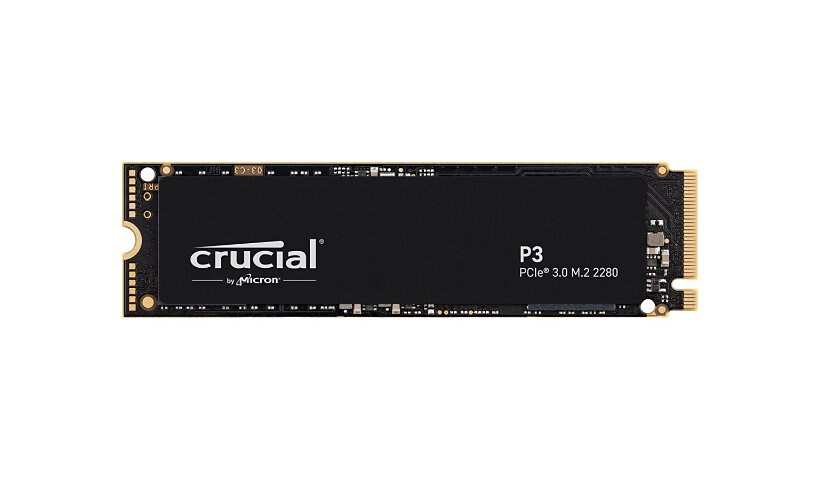

Know your gear
Basic bootup speeds won't cut it - not at work, on the go, or in the game. But the Crucial P3 SSD is anything but basic. With NVMe performance that's nearly 5x faster than SATA and nearly 20x faster than HDD2, the P3 leaves older storage technology in the dust. With sequential read/write speeds up to 3500/3000MB/s1, storage capacities up to 4TB3, Micron Advanced 3D NAND, and innovative controller technology, the Crucial P3 gives you the speed you need for the price you want. Get faster bootups, downloads and file transfers, and store all your files, photos, videos, apps, and games with room to spare with the quality and dependability you expect from Crucial.
Enhance your purchase
Crucial P3 - SSD - 4 TB - PCIe 3.0 (NVMe) is rated
3.80 out of
5 by
20.
Rated 5 out of
5 by
DaSTA from
Outstanding Customer Service!
Customer Service is kind, patient, helpful, quick, and hassle-free! Willing to work with you to ensure you're satisfied!
Date published: 2025-04-14T00:00:00-04:00
Rated 5 out of
5 by
Jon from
Good value SSD.
I store raw video footage, project files, and other digital media assets on this drive, which constantly syncs changes with other computers on the network. I don't intend heavy write activity, so dedicated dram wasn't absolutely necessary. I have this one installed in my ASUS ProArt laptop and I'm happy with the performance.
Date published: 2024-12-08T00:00:00-05:00
Rated 5 out of
5 by
Oodd from
Easy to install, pleasant to use
It became an internal disk of my music streamer EverSolo DMP-A8.
Date published: 2025-01-27T00:00:00-05:00
Rated 5 out of
5 by
WJB from
Worked like a charm. No issues
The SSD worked perfectly. I was surprised that my Dell laptop did NOT have a second PCIe M.2 2280 slot. I should have checked before ordering. I had a M.2 2280 case that I could use, so I installed the SSD in it, and plugged the case into a USB-C port on my Dell dock. I am sure it may not be quit as fast as if there were a second PCIe slot in the laptop, but I honestly have not noticed any difference.
Date published: 2024-09-08T00:00:00-04:00
Rated 5 out of
5 by
Mark O. from
Great Drive
This is my 6th Crucial NVMe drive. Reasonably priced and the work great.
Date published: 2025-01-20T00:00:00-05:00
Rated 5 out of
5 by
CHR from
This thing is awful
Stopped working after windows was put on it. DO NOT BUY
Date published: 2024-11-25T00:00:00-05:00
Rated 5 out of
5 by
CloudZZ from
Fair price, fair performance
Fair price, fair performance
Date published: 2024-11-24T00:00:00-05:00
Rated 5 out of
5 by
Lurch from
SUPER SLOW TRANSFER SPEEDS. NOT WHAT I EXPECTED
bought to use as 2nd internal ssd to store media files. after install transfer files from old ssd to new 1.33TB took 16+ hours. tried USB adaptr, same result, tried a different usb adaptr same result
Date published: 2025-07-15T00:00:00-04:00
Rated 5 out of
5 by
Peter R from
Doesn't work with XPS 15 despite saying "100% Compatible"
Description indicated it was compatible with my laptop (Dell XPS 15 9570), it is not recognized. Have tried all suggested remedies, including updating to most recent BIOS. Machine won't boot with the SSD in it, will boot with any other SSD.
Date published: 2023-03-10T00:00:00-05:00
Rated 5 out of
5 by
Jason the great Alexander from
Works great! I put it in an OWC enclosure and works great
Fantastic little drive for the price! I have 2 of them in a RAID 0 backed up to another regular HDD. No issues whatsoever!
Date published: 2023-03-16T00:00:00-04:00
Rated 5 out of
5 by
DME24 from
Not for Macs running Sonoma
We have been using the Crucial P3 4TB NVMe drive as a domicile for certain Mac user files. Immediately after updating the OS on our Macs to Sonoma, Finder functions such as Preview, Save, Save As, Delete and Trash failed to work. After 6 hours of consultation, we determined that the Crucial drive was the problem. A Sabrent Rocket NVMe drive housing a different User file worked fine, as did the resident SSD on the MacBook Pro 16" M1 Pro.
Date published: 2023-10-03T00:00:00-04:00
Rated 5 out of
5 by
Dan from
Not great for large transfers
Though this device is listed as 3500MB/s it has no QLC or DRAM so after you've exhausted your 10% PC ram allocation, which would be 1.6GB on a PC with 16GB of ram, the write speed drop to 750MB/s for the remainder of the transfer
Date published: 2024-01-22T00:00:00-05:00
Rated 5 out of
5 by
rsp from
Good 4TB SSD
Used to save and edit from large video files.
Date published: 2023-10-09T00:00:00-04:00
Rated 5 out of
5 by
GG7524 from
Bien
Bien
Date published: 2023-10-01T00:00:00-04:00
Rated 5 out of
5 by
Wake from
Working great with my setup.
upgrade to main SSD in PC that is a couple years old. Components mounted on circuit board near the contact pads may get in the way of some adapters.
Date published: 2024-01-05T00:00:00-05:00
Rated 5 out of
5 by
wjhazel from
Great NVMe drive for external
I use this in conjunction with a OWC external SSD with my M1 MacBook Pro. Excellent speed for using as an external drive for editing 4K video projects and DaVinci Resolve.
Date published: 2024-05-04T00:00:00-04:00
Rated 5 out of
5 by
Troy T. from
So far so good
I would have given it 5 stars, but I ran into the issue with it not detected in vmware. I had to change the bios to legacy mode.
Date published: 2022-10-06T00:00:00-04:00
Rated 5 out of
5 by
none from
Superb Performance Right Price !
Personal Gaming Laptop !
Date published: 2024-03-11T00:00:00-04:00
Rated 5 out of
5 by
jcody21 from
Works Great
I used this to upgrade the storage in my workstation laptop as I had filled up a 256 gb SSD that was initially installed in the system. Using Macrim Reflect, and by changing the BIOS I was able to make this my new boot device and now my system boots up a bit faster and has much more storage space for projects and games.
Date published: 2024-03-29T00:00:00-04:00
Rated 5 out of
5 by
Brandon from
Does not work for Asus TUF706QE
Bought from compatible list to upgrade my 500GB, that is completely full, to 4TB. Would not boot, not recognized by computer at all. I used Acronis disk clone, everything perfectly, but non-working.
Date published: 2024-02-24T00:00:00-05:00