

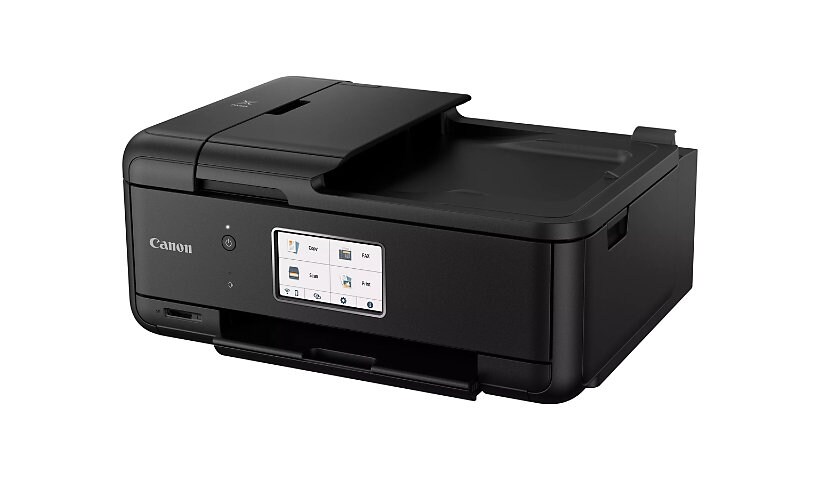
Canon PIXMA TR8620a - multifunction printer - color - with Canon InstantExchange
$248.39
$229.99
Sign in for your price
Mfg # TR8620A
CDW # 7147743
| UNSPSC 44101503
Quick tech specs
- Multifunction printer
- ink-jet
- Legal (media)
- up to 15 ipm (printing)
- 33.6 Kbps
- with Canon InstantExchange
- color
- A4 (8.25 in x 11.7 in), Legal (8.5 in x 14 in) (original)
- up to 14.1 ppm (copying)
- 200 sheets
- USB 2.0, LAN, Wi-Fi(n)

Know your gear
When you need a compact home office printer that can handle all your work needs, the PIXMA TR8620a has you covered. With front and rear paper feeding, a 5-individual ink system, 4.3" LCD touchscreen, and impressive wired and wireless connectivity options, you'll be able to do it all. The PIXMA TR8620a can easily transition from scanning a multi-page contract with the built-in Auto Document Feeder to printing double-sided homework assignments from online classrooms systems, or a family photo wirelessly from your smartphone. Whether it's printing documents and reports, or faxing and scanning, the PIXMA TR8620a is the ultimate compact home office printer that's big on performance and productivity.
Add to Compare
Enhance your purchase
Canon PIXMA TR8620a - multifunction printer - color - with Canon InstantExc is rated
3.70 out of
5 by
54.
Rated 5 out of
5 by
FrustratedCustomer00 from
Not impressed
My printer will only print half of my sheets I need. Sometimes, it will even print a blank piece of paper when I attempt to print work forms. Sometimes it will connect just enough to print 1 single form correctly and then lag so long to print my next form that I just cancel it at that point - and then it continues to lag to even CANCEL SOMETHING! Absolutely DISSAPOINTED with my purchase.
I have connected through wifi-through direct. I have downloaded the app and none of this makes any difference. I have tried to reconnect a number of times- hard shut downs, etc. Maybe I'm missing something? Any tips would be appreciated.
Date published: 2026-10-18T00:00:00-04:00
Rated 5 out of
5 by
Yvonn from
Sleek design with faults
Great printer and while the style is sleek, it is also cumbersome. Although the display is nice when shut along with the printed paper receiver, I found it awkward to open the paper tray. I first have to shut the paper receiver and be careful also not to accidentally pull up on the display (I am always changing the paper so it just makes it tedious).
The display is nice, like I said, and the print quality is excellent so that makes my other issues seem to take 2nd place with this printer.
Date published: 2024-02-12T00:00:00-05:00
Rated 5 out of
5 by
Rick Bolt from
Happy pappy
Great printer and support. Easy to use and prints great.
Date published: 2024-02-11T00:00:00-05:00
Rated 5 out of
5 by
meg6359 from
THE WORST HANDS DOWN
Took me hours, spread out over several days, to set this up. Every_single._time I go to print I have to fix something so it'll actually print. Almost afraid to try the scanner. My first Canon printer was the BEST, my second okay and this one? I'll get rid of it just as soon as I can.....losing the cost would be worth it vs the aggravation it causes.
Date published: 2023-07-01T00:00:00-04:00
Rated 5 out of
5 by
canon tr8620a from
hate it
I have had NOTHING BUT PROBLEMS every single time I have wanted to print it says printer not responding I somehow trouble shoot and got it to work but this happens more often and do NOT understand why. I'm in computer IT school and have never had this many problems with any printer in my life. I hate this thing
Date published: 2023-06-21T00:00:00-04:00
Rated 5 out of
5 by
Daves Paragon from
Best printer dollar for dollar
Great printer for the price compared with other makes
Date published: 2023-12-16T00:00:00-05:00
Rated 5 out of
5 by
Mr Printer from
Best Machine
Great machine for the money, would buy again. Meets all my needs.
Date published: 2024-01-03T00:00:00-05:00
Rated 5 out of
5 by
PIXMA_TR8620a_sucks from
Doesn't work as a wireless printer
The wireless capabilities are useless. The touchscreen is cheap and seems like a 1st generation. I made the mistake of believing the Amazon reviews which had this printer highly rated.
Date published: 2023-12-30T00:00:00-05:00
Rated 5 out of
5 by
Dude_Grass from
OK Printer
Seems to be Ok, Not in the same class of my previous Canon printer. Wish it held more paper. I sometimes print from other rooms so I have to assure the panel is up. That's uncool. Price was good. Only have printed about 50 pages so far. Print quality excellent, no paper jams yet.
Date published: 2023-12-27T00:00:00-05:00
Rated 5 out of
5 by
Striper2 from
features I need for home printing
Got his printer at Best Buy and was set up by the geek squad
Date published: 2023-09-24T00:00:00-04:00
Rated 5 out of
5 by
works well enough from
Slower and smaller
slower than my older PIXMA, smaller than my older Pixma
Date published: 2023-09-22T00:00:00-04:00
Rated 5 out of
5 by
SantiBor6458 from
Great printer worth the money
I bought this two months ago and I'm enjoying it. It works great!
Date published: 2023-09-19T00:00:00-04:00
Rated 5 out of
5 by
Ralph775 from
The PIXMA TR8620a
So Far, the PIXMA TR8620a is working vowel well. I only have it connected to my computer by a usb cable. It works well scanning and double sided printing. Photo printing is very good. We'll see how long they last in regular sun light. So far, so good. My only real problem has been trying to connect to Canon's computer. I finally has to place a phone call to get my unit registered.
Date published: 2023-09-16T00:00:00-04:00
Rated 5 out of
5 by
weil from
canon tr 8620a
bought online in October 2023 from Bestbuy very difficult to setup. wish i could return it.
Date published: 2023-11-11T00:00:00-05:00
Rated 5 out of
5 by
Photodad from
Great printer!
Great printer. Easy setup. Photos look great. Easy to use. The only reason I did not give five stars is that the printer has no standby mode. When it is off, one cannot start a print job without walking all the way to the printer and turning it on. The previous PIXMA I had would turn itself on. Saved me a lot of trips upstairs.
Date published: 2023-01-24T00:00:00-05:00
Rated 5 out of
5 by
dburton from
Good so far
So far the printer is working fine. I wasn’t aware it did not use the photo blue ink cartridge like my other canon did. I think the color printing is not quite as good, but it will be ok for basic needs. This one has fax which I didn’t really need. I went with this model as it used the same inks that I already had on hand from my other Canon printer which were individual cartridges . I didn’t want the combination cartridges that canon has on its newer models as I think the ink cartridges are not cost effective.
Date published: 2023-05-20T00:00:00-04:00
Rated 5 out of
5 by
ffungo from
Great
One month in... Works great. Easy to set up. Smooth operation.
Date published: 2024-03-07T00:00:00-05:00
Rated 5 out of
5 by
Fayclan from
Excellent Home Printer
This printer satisfies all of our home requirements. The document feeder is useful for multiple Pdf files and presentations. The printer works with both of our computers as well with our phones and has performed without an incident or any issues. All in all, it has been a great value and a sound machine that is easy to use. We have used the machine for about a month here in Arizona and would recommend it to others. This printer replaces the TS9120 that we had and we have used Canon printers for more than 15+ years. For average users like us this printer is an efficient and welcomed unit. In addition, the support group is awesome and have helped us with any question we may have had.
Date published: 2024-04-09T00:00:00-04:00
Rated 5 out of
5 by
Gnome from
Great little inexpensive printer!
Nice little package that allows me to print, copy, scan & fax. Even allows machine to automatically turn off after an interval with no print jobs and then to turn on automatically when a print job comes along. Have to dig a little in printer's menus to set this up.
Date published: 2024-02-24T00:00:00-05:00
Rated 5 out of
5 by
Benos Canon Printer from
Excellent Feao
Great Printer & Great Price. After making some network adjustments and restarting router, everything works fine.
Date published: 2026-04-11T00:00:00-04:00
Rated 5 out of
5 by
Tkenning from
Replacement
Excellent replacement printer. I like the automated double-sided printing and the individual ink cartridges. I like the three different ways to add paper especially the tray where I can keep the paper. The on and off button is a little confusing; push it and it comes right on but to turn it off, I have to hold the button down for a few seconds.
Date published: 2026-03-21T00:00:00-04:00
Rated 5 out of
5 by
Kay B from
Replacing my PIXMA MX922
My 8 year old MX922 finally gave out and I wanted to replace it with a Canon printer with all the same features - wireless, 4 functions, double-sided printing and double-sided scanning, so Canon recommended the TR9620a. The customer service rep said that Canon has an upgrade program, so I got a discount on the new printer. I love it, although I haven't been able to figure out how to do double-sided scanning. It prints quickly, and I really like the LED touch screen. I would buy any other brand - Canon is the best!
Date published: 2026-03-17T00:00:00-04:00
Rated 5 out of
5 by
Rick1941 from
Great allo in one printer for the price.
Good prints and the menu for printing is much moar expanded than the TS9020 I had before. I doubt I will use the Fax functionality but the scanning works equally as well as the printing. The ability to print in draft saves ink on documents that you will only use once. Hopefully that means less frequent ink changes.
Date published: 2024-04-08T00:00:00-04:00
Rated 5 out of
5 by
Retired auditor from
Good printer IF you can get it to work
Good printer if only I could figure out how to set up without multiple calls to Sales for support. Took several calls to get it to connect wirelessly to my Mac so I could print. Still trying to get the scan function to work. Have had an older Canon printer/scanner that worked fine until it started displaying error code for wiper almost full; turns out you no longer support it so I bought this one; last time for Canon.
Date published: 2024-04-07T00:00:00-04:00
Rated 5 out of
5 by
Nancy Nurse from
Third CANON printer
No problem with my new CANON TR8620a. I am 87 years old... installed myself with no problem. Works great.
Date published: 2023-08-10T00:00:00-04:00
Rated 5 out of
5 by
DHO from
See your title above!
Too much idling between commands and action (e.g. paper tray empty). Lack of any repair facilities is an absolute downer.
Date published: 2023-05-06T00:00:00-04:00
Rated 5 out of
5 by
dave1947 from
Cannon review for Pixma TR 8620a
I like this printer. It prints very well although it takes a little time to communicate with the PC wirelessly. It also does not print envelopes.
Date published: 2023-03-18T00:00:00-04:00
Rated 5 out of
5 by
Steven S from
TR8620a Printer
The printing quality is excellent and machine runs very quietly
Date published: 2023-03-17T00:00:00-04:00
Rated 5 out of
5 by
SuenEd from
Canon printer
I’m very pleased with my new printer! From ordering process to home delivery! Awesome! Thank you!
Date published: 2023-03-14T00:00:00-04:00
Rated 5 out of
5 by
From Rio Vista CA from
Material used seems cheap.
The material used does not looks durable. I got a cannon fax/printer 6 years ago and it was more durable.
Date published: 2023-02-15T00:00:00-05:00
Rated 5 out of
5 by
Uzzispud from
TR8620a
The TR8620a is working fine. My issue is with the Cannon website. It is difficult to navigate and find what you need. Getting my printer registered was much more difficult than it should be.
Date published: 2023-02-20T00:00:00-05:00
Rated 5 out of
5 by
Kass from
My New Canon Printer-PIXMA TR8620a
The actual printing looks good. The paper catcher is cheaply made. Not nearly as good as my 25 year old Canon this replaced. I have to print wirelessly. LAN won’t work because there are no compatible drivers on my iMac. I’d asked if this would work with my MacBook, just like the one I was replacing. This isn’t a buggy. The customer service people have been the best ever, however. I’m ok with this printer, because I only print once a week for my Sunday school lesson.
Date published: 2023-05-23T00:00:00-04:00
Rated 5 out of
5 by
JTH from
My Review
Performs as expected. Hhhhhhhhhhhhhhhhhhhhhhhhhhhhhh
Date published: 2023-06-03T00:00:00-04:00
Rated 5 out of
5 by
David M from
Pixma TR8620a
Not as good as my previous MX922 in many ways. Hard to get set up, needed Canon tech support and Apple tech support both twice. Haven't figured out how to keep printer from automatically turning itself off if not used for a while.
Date published: 2023-06-03T00:00:00-04:00
Rated 5 out of
5 by
EJK from
Good Printer For the Price
I bought this printer to replace my 12 year old Pixma MX870 when it died. The TR8620a is smaller and lighter than the 870, a plus. It also prints noticeably faster than the 870. It was very reasonably priced, especially with Canon's discount as a replacement for the 870. Cons. The operation panel containing the screen on the front of the printer has to be raised in order to print. It requires a light touch or the panel tends to move. Doesn't feel sturdy. The paper cartridge has a partial cover that has to be removed when loading paper. I think a better option might have been for it to be hinged. Canon's technical support is outstanding. It was easy enough to connect to my computer via Wifi. However, I had intermittent problems with it not printing and scanning. Also, initially I had to turn the printer on before I could print, but it would turn off by itself. It took a couple of phone calls, but it now turns on when I go to print, turns off when I want it to and I no longer have issues with it printing and scanning. (The support person assigned a static IP address to eliminate the connectivity problem.) Overall I happy with this printer.
Date published: 2023-04-17T00:00:00-04:00
Rated 5 out of
5 by
George Cross from
Canon reliability and ease of use
I purchased theTR8620a to replace a Canon 2800 I have had for 5 years. However I was able to get the 2800 printing again. I will keep TR8620a for me to use in the future or if my family needs it
Date published: 2023-08-27T00:00:00-04:00
Rated 5 out of
5 by
xncshp from
Replacing a Canon MG7720
Replacing a MG7720 which I had for ten years with the TR8620a. Set up was very easy and straight forward. HOWEVER, when it came time to connect to my computer, was another story. I made several attempts to connect printer to computer using the link provided in the getting started manual provided and was not able to get them paired. FINALLY, I read where the instructions was for Window users and I have a MAC! Then I attempted to manually connect printer to MAC by using the add printer feature in my system preference and after several attempts I finally got them to pair. Printing is a lot faster on the TR8620a than the MG7720, however, it is nosier. I like the display window where it displays if there's a new firmware to download. I do not like having to have the front panel open for printer to function, guess I got spoiled by the MG7720. Another feature I do not like, the TR8620a does not automatically shutoff when not used for a period of time, as did the MG7720. It appears to go into standby mode. I would have purchased another MG7720, but, that series have been discontinued. Overall, it does serve my purpose and A LOT cheaper than the MG7720.
Date published: 2023-08-23T00:00:00-04:00
Rated 5 out of
5 by
Chas2023 from
Great Product!
Recently purchased this all-in-one and it exceeded my expectations. Was such an easy setup, and was quickly able to begin testing all it's capable of, including my first printed glossy photo, which came out beautifully!
I am proud of this purchase.
Date published: 2023-03-03T00:00:00-05:00
Rated 5 out of
5 by
Jan 1954 from
Canon is the best in all products
I have always had a canon printer. Only drawback is paper has gotten caught a couple times in the first week I had it. Also I prefer having one place for paper when you print text or pictures. Really don’t need front and back paper holders. I have to pull mine out to get to the back one
Date published: 2023-04-21T00:00:00-04:00
Rated 5 out of
5 by
Farmer Ric from
Paper jam kills printer
When working I like it. After two years of removing random paper jams a sheet jammed and I pulled the paper on through to the front and it could not be made to function after that and had to buy a new one.
Date published: 2024-01-26T00:00:00-05:00
Rated 5 out of
5 by
lleblond from
Don't waste your money
This printer was a mistake to purchase. No remote start and now 4 months later, it wont even connect to my computer. Don't waste your time or money. If I could give 0 stars I would
Date published: 2024-01-24T00:00:00-05:00
Rated 5 out of
5 by
MAAnderson from
Look carefully at the functions before you buy.
Mostly good. Nice and compact. Disappointing that you can't print from a flash drive.
Date published: 2024-01-18T00:00:00-05:00
Rated 5 out of
5 by
FaithNYC from
Good price but...
I bought the TaR8630A almost 2 months ago. After reading the reviews I was very worried, but....
- The quality of the printer is very cheap
- For a month the printer worked perfectly. Very easy to use and to set up.
After 90 days it just stopped working they immediately sent me a new one because of the 1 year warranty.
Good product for the price, I just hope it last longer. I had to call few times to fix issues.
Date published: 2024-01-22T00:00:00-05:00
Rated 5 out of
5 by
Zuul from
Nice printer
It's fast and quiet, nice clean and low profile. Also very simple setup. Bright, large LCD screen is easy to read and operate. Really happy with it so far, but haven't set up wifi yet. The print quality is so good, I printed out a photo of my dog, and he attacked it.
Date published: 2023-11-01T00:00:00-04:00
Rated 5 out of
5 by
Babs B from
Excellent printer
I purchased this printer because my old one was such a workhorse for many, many years. More importantly, the customer service and tech department are the best of any company I've encountered.
Date published: 2023-10-25T00:00:00-04:00
Rated 5 out of
5 by
Julius from
Suitable Replacement
This model is a nice upgrade from the PIXMA 922. I hope the LCD display holds up over time. The set up was very easy, almost intuitive. Connecting to my network for Wi-Fi was trouble free.
Date published: 2023-10-07T00:00:00-04:00
Rated 5 out of
5 by
XapnbJack from
Good bang.
Good babg for the buck. Can't go wrong with a Canon.
Date published: 2023-11-06T00:00:00-05:00
Rated 5 out of
5 by
beafrank from
Excellent printer replacing my broken ten year old PIXMA 720.
This TR8620a model was recommended by the Canon rep as the perfect replacement for my PIXMA 720 that died after ten years of operation for our home office, homeschool and personal use. The TR8620a's networking features perform better and the menus are more user-friendly. The physical setup was quick and easy connecting the our home's LAN. The power-off/on features are an improvement that will definitely extend product life. The TR8620a is the perfect AIO inkjet printer for the price.
Date published: 2023-09-20T00:00:00-04:00
Rated 5 out of
5 by
Michael Harris from
Great printer!
I have relied on Canon equipment for over 50 years. This printer continues my faith in Canon.
Date published: 2023-09-25T00:00:00-04:00
Rated 5 out of
5 by
Softy from
Sick TR8622
My printer stopped working and it said to go to bar code. I did and the code is on my phone and now what?? We really would like to use this printer. Thanks for your help. Lyle Lieffring
Date published: 2024-02-18T00:00:00-05:00
Rated 5 out of
5 by
Sera from
Terrible
I will never buy a canon again. The printer is excruciatingly slow, has repeated errors, and lies about being low on ink. And it has taken me over an hour to print less than 100 black and white low quality pages. For example, it prints half a page, then tells me the printer may be out of ink, which triggers an error and it keeps getting stuck on “Please wait momentarily.” Such a piece of garbage.
Date published: 2026-07-21T00:00:00-04:00
Rated 5 out of
5 by
mshaver05 from
New printer
difficult setup. Was difficult to get it to show up on my computer. Must be physically turned back on if prints are not within a certain time frame, prints slower than any other canon I have previously owned
Date published: 2026-07-27T00:00:00-04:00
Rated 5 out of
5 by
Noah R from
Solid Printing Experience
This automatically gets points from me for not being an HP printer. I've had a much better experience with this printer than other printers I've used in the past. The setup process was relatively quick and simple. The ink cartridges seem easy to replace and are affordable. The print quality is great, and scanning documents is very easy. I would gladly recommend this product to anyone looking for a new printer.
Date published: 2026-09-21T00:00:00-04:00
Rated 5 out of
5 by
KaaceyK9 from
Cheap
I purchased 2 months ago - So far - So Good! It's very flimsy and cheaply made But for $149 - you get what you pay for!
Date published: 2026-06-23T00:00:00-04:00