

Brother DSmobile DS-740D - sheetfed scanner - portable - USB 3.0
$215.99
$169.99
Sign in for your price
Mfg # DS740D
CDW # 6031657
| UNSPSC 43211711

Know your gear
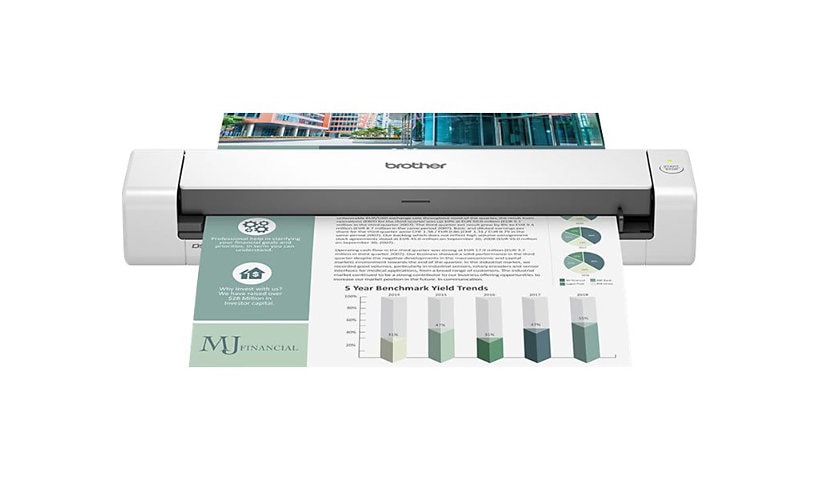
The Brother DS-740D duplex compact mobile document scanner is ideally suited for on-the-go / small office / home office professionals with its compact, mobile design and simple workflow applications. The DS-740D offers a single-pass, duplex, color scan speed of up to 16ppm (Color and monochrome scan speed, letter size paper at 300dpi.) for fast document processing. The DS-740D fits the way you work. The compact size and Brother software compatibility of the DS-740D, combined with its fast scan speeds and image optimization features, make it perfect for use on the road, in the home or in the small office. Open the DSD (Desk Saving Design) scan lid on the Brother document scanner to reduce the space needed to operate the scanner. The Brother scanner DSD saves up to 11 inches of desk space. (Based on Letter (8.5" x 11") size paper.) The DS-740D offers plug-and-play convenience. Use your laptop to power the DS-740D when connected with the included micro USB 3.0 cable.
Add to Compare
Enhance your purchase
Brother DSmobile DS-740D - sheetfed scanner - portable - USB 3.0 is rated
3.90 out of
5 by
13.
Rated 5 out of
5 by
George Kay from
Excellent (but..)
I've had the 740D for about 1 month now, I have not used all that much, but so far it's been relatively working well. I love the convenience of it especially the duplex scanning, portability and size. Seems well made. However, I have a few issues with it thus far. Document jams: on a few occasions, when feeding a page, if the scanner doesn't accept the document 100% perfectly, it stops, I then easily remove the page from the feeder. The iPrint app displays the "document jam" error and the only way to continue is to either close the app or unplug the unit from my laptop. Next issue is that seems like the unit is not very generous in accepting paper that is a somewhat heavier stock. Jams frequently. Last minor issue is with the iPrint app. I have a 2nd Brother Multi-function print/scanner connected, so if I decide to use the alternate device when scanning, the drop down menu only shows the current device and not the alternate printer. User must click add device and then takes you back to the devices connected page and choose from there. It's not a major issue but, my viewpoint is what's the point of the device drop-down menu if it only displays the 1 device, although there's 2 connected to the laptop. Mind you, the alternate printer L2710DW is connected both wireless and USB. I briefly procrastinated about returning it but decided that I could live with it. I'll conclude by saying that of all the years I've been using printer scanner technologies, Brother has been definitely the most reliable.
Date published: 2025-03-21T00:00:00-04:00
Rated 5 out of
5 by
Ashcroft Trucking from
Great product
Been using Brothers compact scanners for years have had good luck with them.
Date published: 2023-02-27T00:00:00-05:00
Rated 5 out of
5 by
Jefferson from
Excellent
Easy setup. Works great. Scan, file and toss the old paperwork.
Date published: 2023-02-27T00:00:00-05:00
Rated 5 out of
5 by
maicokid from
Long time Brother user with 3 devices
Just got this but have had , with this included, a dot matrix , LED printer, and this device. This did not disappoint. Support on line information is good especially drivers,etc.
Date published: 2023-01-01T00:00:00-05:00
Rated 5 out of
5 by
Mike from
Great Portable Scanner
It is a compact easy to use scanner. The quality of scans for my purpose is very good. Since it is a duplex scanner it saves time not having to turn page over and re-scan. I recommend if you you need a portable scanner.
Date published: 2023-05-12T00:00:00-04:00
Rated 5 out of
5 by
Douglas C from
Useless Scanner
The scanner is almost useless--it does not reliably connect to my laptop, even though all cables and connectors are good. It does not connect reliably either via a cable or wirelessly.
Date published: 2023-02-12T00:00:00-05:00
Rated 5 out of
5 by
Seth H from
Compact, quality scans, but can’t reset after jam
Compact form factor with quality construction. Quickly produces quality single or double sided scans. Big pain point is that there is no way to reset the scanner after it reports a jam. Spent time with customer support but there is no reset short of unplugging the printer. Unfortunate because it as otherwise great scanner.
Date published: 2023-02-23T00:00:00-05:00
Rated 5 out of
5 by
Charlie_K from
Good, but needs more customizable document sizing.
Been looking for something like this for a long time. After a couple of months of use the only thing on my wish list for this is if it would let you scan longer documents like car loan documents or loan documents. I could not find a setting to customize for much longer document sizes.
Date published: 2025-04-27T00:00:00-04:00
Rated 5 out of
5 by
KKanter from
Time Saving
I have a lot of two sided documents that require scanning. I've been using a scanner that is non-duplex, requiring that I remove the document, turn it over, and scan again. Since purchasing this little scanner, my workload has decreased by 50%, making the process much faster—one of the best peripherals that I've purchased. Also, love that it's MAC compatible.
Date published: 2025-05-26T00:00:00-04:00
Rated 5 out of
5 by
Brian from
Adequate
The DS-740D is a good, small document scanner. We use it bi-weekly to process whatever has accumulated — the occasional health insurance documents (explanation of benefits) and assortment of signed contracts (ex: landscaping).
The scanner comes with a USB-A cable. But the end that plugs into the scanner uses a standard, but very rare USB connection. I wish they had used a more common connector.
I use a USB-C based iPad as my daily computing device. I wish this scanner was directly compatible with iPad. I’m not a fan of WiFi models, and would love the convenience of connecting it directly to my iPad. Instead I wait and connect it to a household shared Mac mini when I need to scan things.
The scanning software is what I expect from a printer/scanner company. (the bar is very low) It’s not pretty. It’s not intuitive. It works.
Date published: 2025-05-25T00:00:00-04:00
Rated 5 out of
5 by
Erma from
Scans one sheet
The scanner you’re supposed to be able to put in several sheets of paper, but I find you can only put in one piece of paper or it tells you got a paper jam and you have to pull the plug. Wait a few minutes plug it back in to continue scanning any documents.
Date published: 2026-03-28T00:00:00-04:00
Rated 5 out of
5 by
Cathe from
Couldn't load the Driver
Cannot load the driver on Windows 10 on my desk top computer. I worked with your tech staff and they couldn't get it to work either. BUT, they did tell me to try on another desktop and I was able to load the program. So it is now working...just not on my computer :(
Date published: 2024-08-08T00:00:00-04:00
Rated 5 out of
5 by
Pat Horan from
HoranPReview
The scanner is simple to use and does double sided copying beautifully. I absolutely love it and it is faster than my printer scanner by far!
Date published: 2023-10-03T00:00:00-04:00