

Brother ADS-4900W - document scanner - desktop - USB 3.0, LAN, Wi-Fi(n)
$1,142.99
$799.99
Sign in for your price
Mfg # ADS4900W
CDW # 7030194
| UNSPSC 43211711
Quick tech specs
- 4900W
- Dual CIS
- A4
- up to 60 ppm (mono) / up to 60 ppm (color)
- USB 3.0, LAN, Wi-Fi(n)
- Document scanner
- Duplex
- 600 dpi x 600 dpi
- ADF (100 sheets)

Know your gear
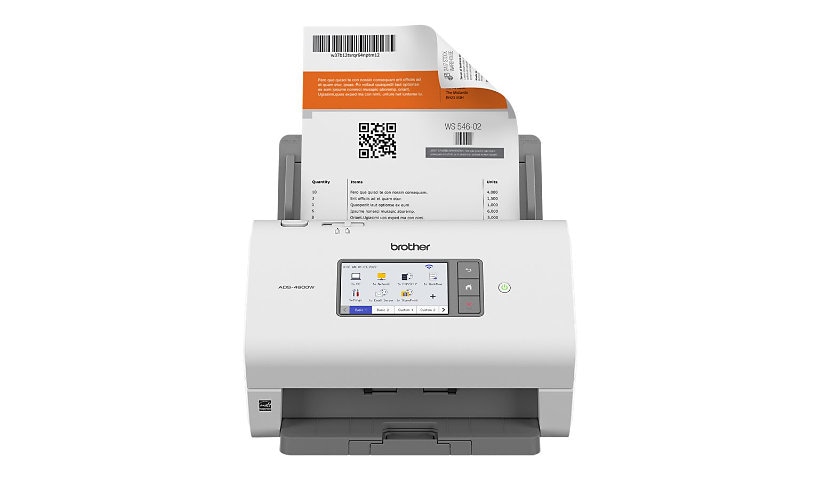
The Brother ADS-4900W Professional Desktop Scanner is built for high-volume workgroups needing fast, secure, and efficient document digitization. It offers duplex scanning at speeds up to 60 pages per minute and features a 100-sheet automatic document feeder to handle a variety of document sizes. Designed for flexible integration, it supports TWAIN, WIA, ISIS, and SANE drivers, making it compatible with most document management systems.
With built-in dual-band Wi-Fi, Ethernet, and USB 3.0, users can easily connect to networks or scan directly to mobile devices. The 4.3" color touchscreen allows for quick navigation and the creation of up to 56 one-touch shortcuts to common scan destinations, including email, cloud apps, SharePoint, USB drives, and SFTP.
Triple Layer Security protects data and devices, while advanced image optimization features such as auto deskew and bleed-through removal ensure high-quality output. The ADS-4900W desktop scanner is a reliable solution for demanding office environments.
Add to Compare
Enhance your purchase
Brother ADS-4900W - document scanner - desktop - USB 3.0, LAN, Wi-Fi(n) is rated
4.00 out of
5 by
7.
Rated 5 out of
5 by
PCAA from
You can't use all the features
When I'm scanning 2-sided documents that are smaller than 8.5"x11", the scanner automatically flips them on the right edge instead of the left edge. I have to fix the scans in Adobe Acrobat. This problem only happens when I use the scanner's desktop software, iPrint&Scan.
When I scan to USB using the scanner's control panel, there's no option to include OCR.
When I scan to Web using the scanner's control panel, there's no option to scan in black-and-white.
There are no options to compress scans larger than 300 dpi, so they files become too large.
It's a great machine, but with limitations.
Date published: 2024-07-14T00:00:00-04:00
Rated 5 out of
5 by
Keith A from
Do not recommend
Would not recommend. Interface is awful, screen is terrible. Scanner is slow and support is no good. Love my Brother printers but this expensive scanner is awful. Brother should get a Raven scanner and take note of GUI interface and scanner screen
Date published: 2025-01-27T00:00:00-05:00
Rated 5 out of
5 by
Scanner 1 from
Yes
So far it is exactly what we needed for the project.
Date published: 2023-03-14T00:00:00-04:00
Rated 5 out of
5 by
abrowning from
It's super fast!
It took a LOT of downloading to get the scanner to do what we needed it to do for work, but once we got past all of that, this machine flies when loading documents. I have never seen a scanner go that fast! It does not jam and it sends the documents to the destination within seconds. It is heavy duty and very efficient.
Date published: 2023-02-28T00:00:00-05:00
Rated 5 out of
5 by
Stephen E Swetz from
Great Desktop Scanner! Worth the money!
Fantastic! Very fast, intuitive interface with computer. Easy setup. Works well with Windows 11
Date published: 2025-05-30T00:00:00-04:00
Rated 5 out of
5 by
null from
null
Great solution for the loan department, scanning documents without needing an attached computer.
Date published: 2025-04-02T19:19:55-04:00
Rated 5 out of
5 by
Inventory Specialist from
Wasting time searching workflows.
Sorting workflows in alphabetical order would be helpful. I have over 200 workflows and searching through them is time consuming. Works great after I find my workflow.
Date published: 2026-05-04T00:00:00-04:00